AI Virtual Receptionist: Your Messaging-Based Digital Front Desk
An AI virtual receptionist handles your website chat, WhatsApp, Instagram DM, and Facebook Messenger 24/7 — greeting visitors, answering questions, capturing leads, and routing to your team.

TL;DR: An AI virtual receptionist is a messaging-based digital front desk. It greets visitors on your website, WhatsApp, Instagram DM, and Facebook Messenger; answers their questions from your own business knowledge; collects their contact details through a lead form before the conversation goes deeper; qualifies them; and hands warm leads to your team — around the clock, without phone calls or voice of any kind.
Every business gets the same unfair deal. Your best leads arrive at 11 pm on a Tuesday, during your busiest hour, or on a bank holiday when your team is out. A human receptionist can only be in one place during business hours. A phone answering service only covers one channel, and only the channel most prospects are abandoning. A generic chatbot sends visitors in circles until they give up.
That gap — the unanswered message, the overnight inquiry, the visitor who left your website without a response — is exactly where an AI virtual receptionist lives.
This guide covers what an AI virtual receptionist actually is, what it does step by step, how it honestly compares to a human receptionist and a traditional answering service, what its real limitations are, and how to deploy one. If you're already familiar with the concept and want to understand how Hyperleap AI's AI receptionist delivers this specifically, jump to that section below.
What Is an AI Virtual Receptionist?
An AI virtual receptionist is software that performs the front-desk role on your digital messaging channels — greeting visitors, answering questions about your business, collecting contact information through a lead form, and routing conversations to the right person on your team.
The defining word is messaging. An AI virtual receptionist operates on text-based channels: your website chat widget, WhatsApp Business, Instagram Direct Messages, and Facebook Messenger. It reads and writes. It does not answer phone calls, handle voice calls, or work with inbound call systems. If you've seen the term "AI receptionist" used to describe phone-answering voice AI, that is a different product category with different technology underneath. A messaging-based AI virtual receptionist and a voice AI answering system are not the same thing.
Think of it as a digital front desk that never goes home. Where a human receptionist covers one physical location during business hours, an AI virtual receptionist covers every incoming message, across every connected channel, at any hour of the day or day of the year.
The "virtual" part means it operates without dedicated human staffing. The "AI" part means it understands natural language — not just keywords — and draws its answers from your business's own documents, FAQs, pricing pages, and policies rather than from a rigid, pre-written decision tree. A visitor can phrase their question five different ways and still get a consistent, accurate answer because the AI understands intent, not just exact phrasing.
This matters because real customer questions are rarely the same five FAQs on your website. They're about your specific service process, your pricing structure, whether you serve their location, what a particular package includes, or how to escalate an existing issue. An AI virtual receptionist trained on your content can answer those questions with the same fidelity a well-briefed employee would — because it's working from the same source material.
For a broader look at where AI receptionists fit across channels and verticals, the AI receptionist overview covers the full landscape.
What Does an AI Virtual Receptionist Do?
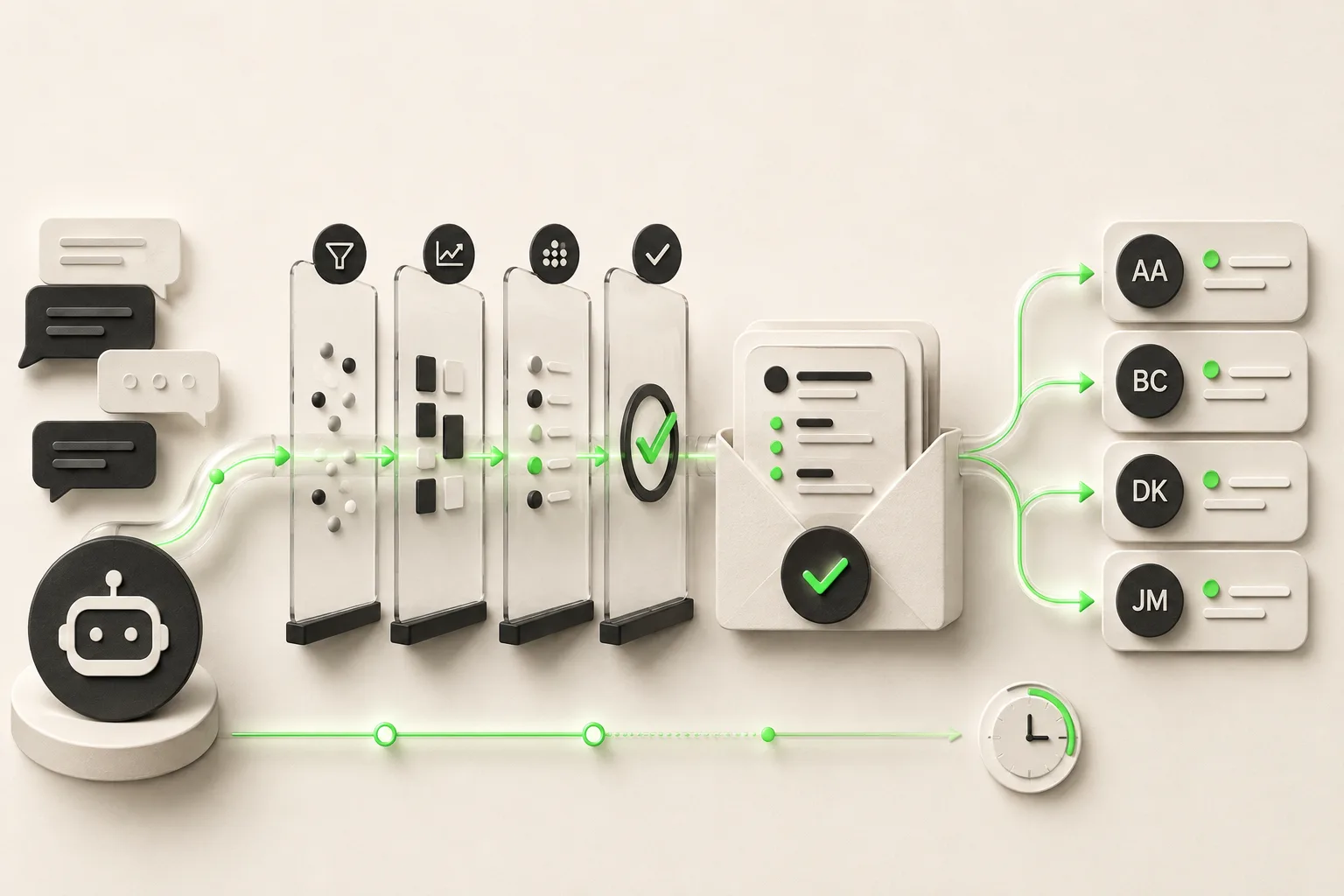
The job is straightforward to describe and consequential in practice. Here is what a typical AI virtual receptionist handles in a real deployment.
Greets every visitor instantly. The moment someone opens your website chat or sends a WhatsApp message, the AI responds within seconds — not "we'll get back to you within one business day." An instant, informed response keeps the visitor engaged and reduces the friction that causes them to move to a competitor.
Answers questions from your knowledge base. You upload your service pages, pricing documents, FAQs, policies, and any other content that helps visitors understand your business. The AI draws its answers from those documents. Responses are document-grounded rather than improvised — the system answers from what you've given it, not from general training data. This is a meaningful distinction: your AI receptionist is an expert in your business specifically, not a generalist.
Presents a lead form before the conversation deepens. Before a visitor's questions move into detailed consultation territory, the AI surfaces a lead form — name, email, phone number, and any qualifying fields you've configured. This step matters more than most businesses realize. The form ensures that every engaged visitor becomes a contact record, even if the conversation ends early. No one slips through anonymously. The contact is captured before the detailed exchange happens, not chased afterward.
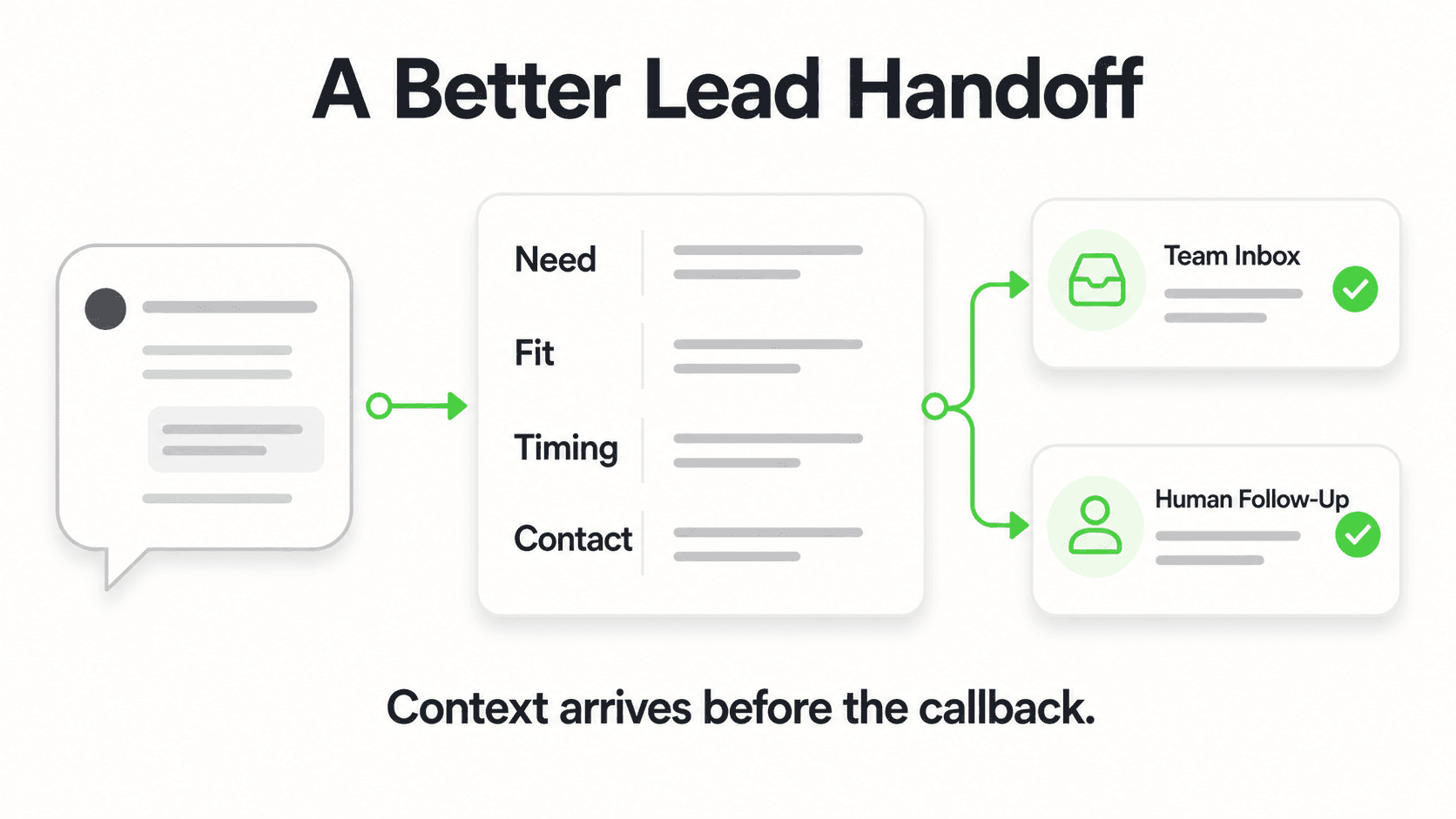
Qualifies the lead through conversation. After the form, the AI continues the conversation and gathers qualifying context: What are you looking for? When do you need it? What's your current situation? The answers get captured alongside the contact details. By the time your team opens the conversation summary, they know who this person is, what they need, and how ready they are to move. This is lead qualification running automatically at the top of every inquiry.
Books the appointment at the right moment. When a visitor is ready to schedule, an AI connected to Calendly or Cal.com (on Pro and Max) offers real open times from your calendar and books the slot in the conversation — the visitor gets the calendar invite by email. No waiting for your team to suggest times, no back-and-forth. (In-chat booking needs Calendly Standard or higher; on Plus or with other scheduling tools, the AI shares your booking link.)
Sends your team a clean handoff summary. After each conversation, the AI emails your team a summary: the contact's details, what they asked, how the AI answered, where the conversation ended, and what the suggested next step is. Your human team opens an informed brief, not a cold lead.
Escalates to a live agent when needed (Pro and Max). When a conversation goes beyond the AI's scope — a complex complaint, a sensitive situation, a question the AI can't answer from the knowledge base — it recognizes the limit and routes the visitor to a human on your team. The AI is the first layer, not the only layer.
None of this requires your staff to be watching the inbox. The AI handles the front-desk layer continuously. Your team steps in where human judgment, relationship, and discretion matter.
AI Virtual Receptionist vs. Human Receptionist vs. Answering Service
Before choosing a solution, it is worth seeing exactly what each option covers and where each one falls short.
| Capability | Human Receptionist | Phone Answering Service | AI Virtual Receptionist |
|---|---|---|---|
| Available 24/7 | No (business hours) | Yes (for calls only) | Yes (messaging channels) |
| Handles website chat | Rarely | No | Yes |
| Handles WhatsApp | Rarely | No | Yes |
| Handles Instagram DM | No | No | Yes |
| Handles Facebook Messenger | No | No | Yes |
| Answers inbound phone calls | Yes | Yes | No |
| Answers from your knowledge base | With training | No | Yes |
| Collects leads via form | Yes (manually) | Partially | Yes (automated) |
| Qualifies leads in conversation | Yes | Partially | Yes |
| Sends conversation summary | Manual | Sometimes | Automated |
| Approximate cost | $35,000–$55,000+/yr plus overhead | $200–$600+/month | From $40/month |
| Scales without extra headcount | No | Limited | Yes |
The honest read on this table: an AI virtual receptionist is not a universal replacement for every function a human receptionist serves. It handles the messaging-based front-desk layer with consistency and coverage a human can't match. It does not handle inbound phone calls — that is a fundamentally different technology category (voice AI systems or human-staffed call centers).
If the majority of your inbound inquiries arrive by phone, a messaging-based AI virtual receptionist addresses the non-phone channels and complements rather than replaces a phone solution. If a substantial share of inquiries arrive via website or social messaging — which for most businesses today is a large and growing share — a messaging AI virtual receptionist directly addresses the highest-volume, fastest-growing inquiry channel.
For a detailed cost breakdown of what AI versus human staffing actually costs across a one-, three-, and five-year horizon, the AI chatbot vs. hiring a receptionist cost comparison goes through the numbers without the marketing gloss.
The Real Benefits: Why Businesses Switch
Zero abandoned inquiries outside business hours
A visitor who messages at 9 pm on a Friday and hears nothing until Monday morning will, in most cases, have moved on. They will have found someone who responded — even if your service is better. The AI closes that window permanently. Every visitor, regardless of when they arrive or what time zone they're in, gets an immediate and informed response.
Consistent answers regardless of who's working
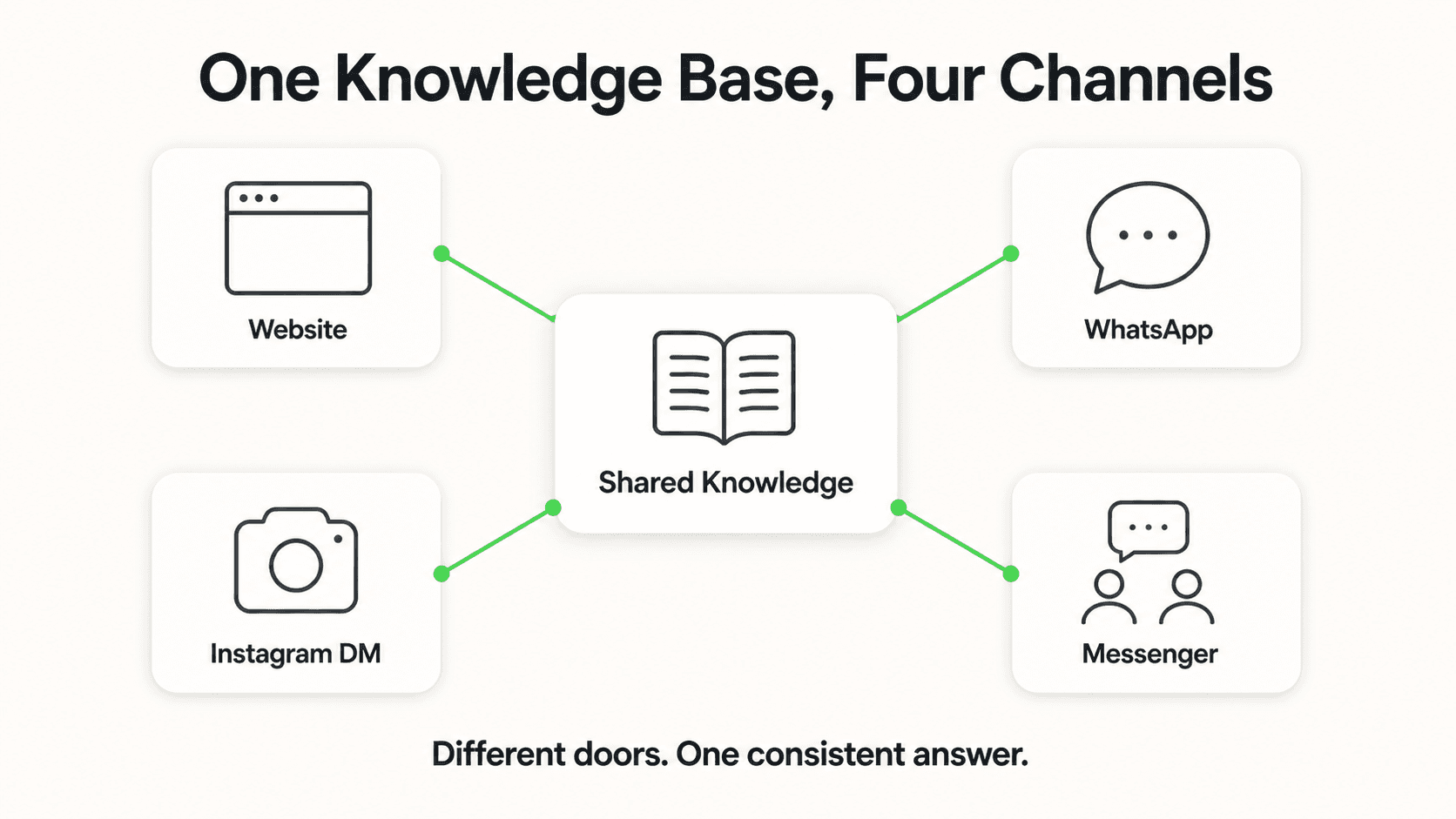
When multiple team members handle inquiries manually, answers drift. One person quotes a price, another adds a caveat, a third forgets to mention a key policy. An AI drawing from a single, maintained knowledge base gives every visitor the same accurate, on-policy answer every time. This consistency is itself a trust signal — customers notice when a business has its story straight.
Qualified leads, not raw contact lists
A contact form submission gives you an email address. An AI virtual receptionist gives you an email address plus what the visitor is looking for, when they need it, what their current situation is, and how far along in their decision process they are. Your sales team works a list of people who have indicated genuine intent, not a cold dump of addresses to sort through.
Growth without a corresponding headcount increase
If your business gets busier, a single human receptionist becomes a bottleneck — or you hire another one. An AI virtual receptionist handles ten conversations or two hundred with the same response time and quality. Volume growth does not create a staffing crisis or a queue that degrades the customer experience.
A sustainable advantage in response speed
Conversational AI for customer service is still far from standard in most small and mid-sized businesses. A business that responds instantly on WhatsApp while a competitor has a two-day email turnaround has a durable competitive advantage — not a temporary one. Early movers in this space are building habits and expectations in their customer base that become difficult for slower competitors to recover.
The lead form is not a hurdle for visitors — it is a filter for your business. Visitors who complete it are signaling genuine interest. That signal makes every subsequent conversation more valuable for your team and more efficient for everyone involved.
What an AI Virtual Receptionist Cannot Do — Honest Limitations
The failure mode for AI virtual receptionist deployments is almost always misaligned expectations — deploying the tool in a context that doesn't match its capabilities. Here is where the honest limitations sit.
It does not answer phone calls

This bears repeating because the confusion is genuinely widespread. An AI virtual receptionist in the messaging category — including Hyperleap AI — operates on text-based channels only. Website chat, WhatsApp, Instagram DM, Facebook Messenger. It does not pick up the phone. It does not handle voice. If your inquiry volume is predominantly inbound calls and you want those calls covered by AI, you need a voice AI system — a different product category entirely.
Hyperleap AI does not currently offer a voice channel. The four messaging channels listed above are the scope.
It cannot act on systems it isn't integrated with
The AI can answer questions, capture contacts, qualify leads, and route conversations. It cannot look up a specific customer's order history in your back-end system, push data to your CRM natively without a configured integration, or process payment transactions. The AI is a front-desk layer. Back-office actions require API and webhook integrations that your team sets up based on your specific systems.
It is only as good as the knowledge base you maintain
The AI answers from the content you give it. If your pricing changes in March and the knowledge base isn't updated until June, the AI will give three months of incorrect pricing answers. This is not a flaw in the AI — it is a maintenance responsibility. Most teams find a monthly review of the knowledge base is sufficient to keep it accurate, but someone needs to own that task.
Complex, sensitive, or high-stakes conversations require human judgment
An upset customer with a serious service failure. A prospect negotiating a significant contract. A visitor asking about something that requires professional judgment — medical, legal, financial. The AI is designed to recognize these situations and escalate, but the human handling of these conversations is not optional. The AI should be your front-line layer, not your last resort.
Businesses that treat the AI as a full replacement for human engagement in complex situations end up with worse outcomes than those that never deployed AI at all. Businesses that use it to handle high-volume, time-sensitive, straightforward front-desk interactions — and let humans own everything requiring judgment and relationship — consistently get strong results.
How to Set Up an AI Virtual Receptionist
The process is more approachable than most businesses expect. Here is what a realistic deployment looks like from start to live.
Step 1: Map the job the AI will own. Before touching any software, write down the twenty most common questions your team gets from incoming visitors. Note which of those questions have clear, policy-grounded answers and which require human judgment. The clear-answer questions are the AI's domain. The judgment questions define your escalation rules.
Step 2: Build the knowledge base. Gather the documents the AI needs — service descriptions, pricing pages, FAQs, policies, team bios, service area maps, hours of operation, anything a new visitor might ask about. Most businesses already have this content in some form; it needs to be organized and uploaded rather than created from scratch. PDFs, word documents, text files, and webpage content all work.
Step 3: Configure the lead form. Decide which contact fields you need before the conversation deepens. Name and email are the baseline. Phone number, company name, and a qualifying question like "What brings you here today?" can be added based on your sales process. Err toward fewer fields — a shorter form has a higher completion rate.
Step 4: Set up the channels. Connect your website via a chat widget code snippet, your WhatsApp Business account via the Business API, and your Instagram and Facebook pages through their respective connections. The same AI configuration serves all channels — you're not building and maintaining separate bots for each one.
Step 5: Define escalation triggers. Specify the conditions under which the AI routes a conversation to a human — certain topics, specific keywords, any visitor who explicitly requests a person, or conversations that reach a certain length without resolution. These triggers are your safety net for the situations the AI shouldn't handle alone.
Step 6: Test before going live. Run through your twenty most common visitor questions. Identify gaps in the knowledge base. Find any question the AI handles poorly and either improve the source content or set an escalation rule for that topic. Then launch.
Self-service setup typically takes one to two working days from a standing start. If you'd rather have an expert team handle the scoping, configuration, and testing, a Managed Setup option is offered $299 Free.
How Hyperleap AI Delivers This
Hyperleap AI is an AI agent platform built specifically for the messaging front-desk role. It runs across your website, WhatsApp Business, Instagram DM, and Facebook Messenger — those four channels and none that aren't ready. The same agent, the same knowledge base, consistent across all of them.
The knowledge base is the foundation. You upload your content, and the agent draws document-grounded answers from it rather than improvising from general training data. The AI won't make things up to fill a gap — when the knowledge base doesn't have an answer, it says so and offers to connect the visitor with your team.
The lead capture flow is built in. A visitor engages, the form collects their contact details before the detailed conversation continues, the AI qualifies them through natural conversation, and your team receives an email summary with the lead's full details and context. Every visitor who engages becomes a record with intent signal attached.
Booking happens in the chat on Pro and Max. Connect Calendly or Cal.com and, when a visitor is ready to schedule, the AI reads your live availability, offers open times, and creates the booking in the conversation — on your website, WhatsApp, Instagram, or Messenger. It creates new bookings only; customers reschedule or cancel from their confirmation email. If you're on Plus or use another scheduling tool, the AI shares your booking link instead.
For teams in specific verticals, Hyperleap AI powers industry-specific agent deployments with knowledge bases calibrated to sector-specific questions and workflows. The AI agents by industry page covers the vertical configurations. For a look at how this plays out in healthcare, the AI receptionist for dental practices article covers after-hours patient intake and emergency routing in detail, and the dental AI chatbot page covers the full deployment for dental practices.
Three paid plans: Plus at $40/month, Pro at $100/month, Max at $200/month. All include a 7-day free trial. No free plan. A credit card is required for the trial period. Add-ons — Suite ($99 one-time), OTP Verification (usage-based, Pro/Max only), and Managed Setup ($299 Free) — are priced separately and never included in the base plan.
For a head-to-head against named human virtual receptionist services like Ruby and Smith.ai, see AI receptionist vs. virtual receptionist.
Frequently Asked Questions
Does an AI virtual receptionist answer phone calls?
Not in the Hyperleap AI context, and this distinction matters. The AI virtual receptionist market splits into two fundamentally different categories: messaging-based systems and voice-based systems. Hyperleap AI is messaging-based — it handles conversations on your website chat, WhatsApp, Instagram DM, and Facebook Messenger. It does not pick up inbound phone calls. If your customer inquiry volume is predominantly telephone-based and you want that covered by AI, you need a voice AI or IVR system in addition to or instead of a messaging-based solution. For businesses where messaging is the primary inquiry channel, a messaging-based AI virtual receptionist directly addresses the problem.
What channels does Hyperleap AI's virtual receptionist cover?
The four supported channels are website chat widget, WhatsApp Business, Instagram Direct Messages, and Facebook Messenger. The same AI agent, the same knowledge base, and the same lead capture logic operate consistently across all four. SMS, voice, email channel, Slack, and Telegram are not currently supported channels.
How does the lead capture actually work?
Before a visitor's conversation moves into detailed exchange, the AI presents a lead form — collecting name, email, and any other contact or qualifying fields you configure. This happens at the beginning of the deeper engagement, not at the end after the visitor has already asked their questions. Once the form is complete, the AI continues the conversation, gathers qualifying context through natural dialogue, and delivers a summary to your team. The result is a contact record with intent signal attached, not just a raw email address.
How is an AI virtual receptionist different from a basic chatbot?
A rule-based chatbot follows a scripted decision tree. Ask it something outside the script and it either loops back to a menu or fails entirely. An AI virtual receptionist understands natural language and answers from your specific business knowledge base. The same question phrased five different ways gets a consistent, accurate answer. It also maintains context across a conversation — if a visitor asks a follow-up question three exchanges in, the AI knows what was already discussed. It is a meaningful step up in both capability and visitor experience.
What does Hyperleap AI cost?
Paid plans run at Plus ($40/month), Pro ($100/month), and Max ($200/month). All plans include a 7-day free trial, and a credit card is required to start. Add-ons — Suite ($99 one-time for AI Tools and AI Assistants), OTP Verification (usage-based, Pro/Max plans only), Multi-variant (locations, courses, etc) ($40/month plus usage, Pro/Max only), and Managed Setup ($299 Free) — are available separately and are never included in the base plan price. The pricing page has the full breakdown of what each tier includes.
Related Articles

AI Real Estate Receptionist: What It Does and Why It Wins
An AI real estate receptionist answers property questions, captures buyer and seller leads 24/7, and books showings in chat (Pro and Max) across four channels.
Conversational AI vs Generative AI: A Business Guide
Conversational AI vs generative AI explained: how they relate, a comparison table, risks and controls, and what a small business actually buys.
AI Receptionist for Med Spas: What It Actually Handles
An AI receptionist for med spas answers treatment and pricing questions, captures consultation requests on Instagram DM, and routes anything clinical to staff.
Chatbot-to-Human Handoff: Escalation Design That Works
How to design chatbot-to-human handoff: when to escalate, what context to pass, routing options, SLAs, and a copy-ready escalation script.