AI Customer Service Best Practices for 2026
12 AI customer service best practices covering disclosure, escalation design, knowledge base upkeep, weekly KPI review, and PII handling for SMB teams.

Most guides about AI customer service tell you how to launch one. Almost none tell you how to run one once real customers are talking to it every day. That gap is where things go wrong — not at setup, but three weeks in, when nobody's reviewing the logs, escalation is an afterthought, and the knowledge base hasn't been touched since launch.
The businesses getting this right in 2026 aren't the ones with the most sophisticated AI. They're the ones with the most disciplined operating habits around it — clear disclosure, a tested escalation path, a knowledge base someone actually owns, and a weekly fifteen-minute log review that catches drift before a customer complains about it. Gartner projects AI will handle 80% of routine customer service interactions as the channel matures — but that number only holds up when the operating discipline behind it holds up too. An ungoverned AI agent doesn't fail quietly. It fails in front of customers, in writing, in a channel your competitor is watching.
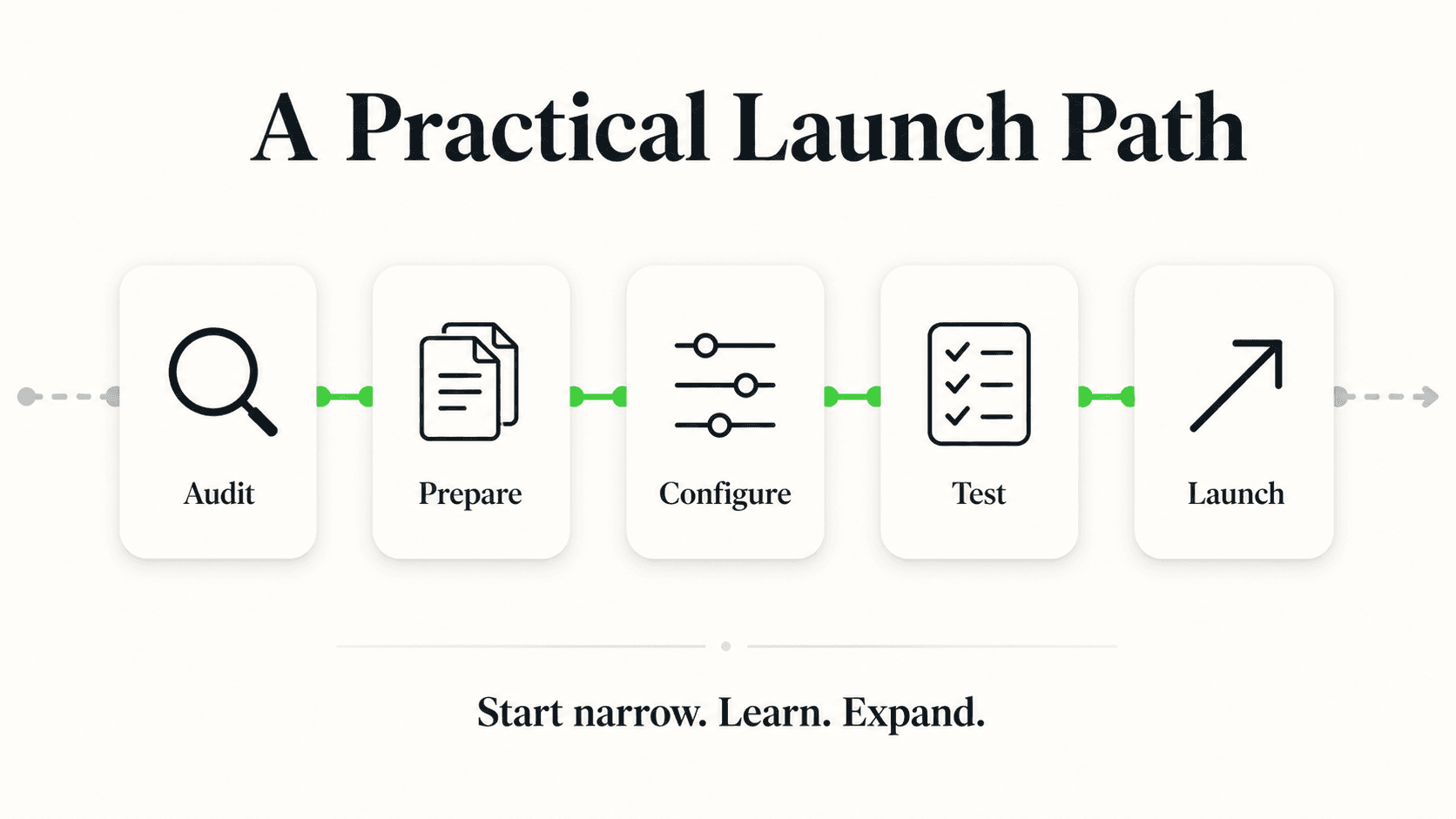
This guide is the operating manual: 12 concrete best practices for running AI customer service well, once it's live. If you're still building your automation strategy from scratch, start with the customer service automation guide for the what-to-automate framework, or how to automate customer support for the step-by-step setup. If you want the failure catalog — the specific mistakes that sink AI chatbot projects — that's covered in depth in why AI chatbot implementations fail. This post assumes you're past setup and focused on the discipline of operating an AI agent well, week after week.
Key Takeaways
- Disclose the AI, don't hide it. Customers who feel misled escalate harder than customers who simply know they're talking to AI first.
- Design your escalation path before launch, not after the first bad conversation. Define trigger conditions, not vague "if it seems hard" judgment calls.
- Ground every answer in a maintained knowledge base. An AI agent is only as current as the documents behind it — stale knowledge produces confidently wrong answers.
- Review conversation logs weekly, not quarterly. A 15-minute cadence catches drift, gaps, and PII exposure before they become patterns.
- Track outcome KPIs, not vanity metrics. Resolution rate and escalation accuracy matter more than message volume — see the full KPI framework.
- Test every knowledge base or prompt change before it goes live, the same way you'd test a code deploy.
- Know exactly when a human must take over — and make sure your team, not just your AI, knows the rule too.
Why "Set It and Forget It" Doesn't Work for AI Customer Service
An AI customer service agent is not a one-time setup task — it is a system that degrades without maintenance, the same way an untended garden does. That's the core operating truth this whole guide is built around.
The reason is structural, not a flaw specific to any one platform. Your business changes: prices move, policies update, seasonal offers start and stop, staff turn over. If the knowledge your AI draws from doesn't change with it, the AI keeps answering yesterday's questions with yesterday's facts — confidently, and in writing, where a customer can screenshot it. Zendesk's CX Trends research has repeatedly found that customers rate incorrect information from a support channel as more damaging to trust than a slow response. A late answer is forgivable. A wrong one, delivered instantly and with confidence, is not.
This is precisely why "best practices" for AI customer service center on operating discipline rather than model selection. The gap between businesses that get sustained value from AI customer service and those that quietly turn it off after three months isn't which vendor they picked — it's whether anyone owns the weekly maintenance loop. The practices below are that loop, made explicit.
Who This Guide Is For
This is written for SMB owners and operators — 5 to 200 employees — who already have an AI agent live (or are about to launch one) and want to run it well rather than just switch it on. If you're evaluating whether to automate at all, start with customer service automation first.
12 AI Customer Service Best Practices
Each practice below covers what it is, why it matters, how to do it, and the specific failure mode it prevents. None of these require a dedicated ops team — most take under an hour to implement and minutes per week to maintain.
1. Disclose That It's AI, Clearly and Upfront
What it is: Tell customers they're talking to an AI agent the moment the conversation starts — not buried in a footer, not only when directly asked.
Why it matters: Trust in a support interaction is built on expectations matching reality. A customer who knows upfront they're talking to AI calibrates their questions and patience accordingly. A customer who discovers it — especially mid-conversation, or after getting an answer that turns out wrong — feels deceived, and that feeling transfers to your brand, not just the tool.
How to do it: Set a clear opening line in your chatbot's greeting message ("Hi, I'm [Business]'s AI assistant — I can help with hours, pricing, and booking, or connect you with our team"). Keep the AI identity visible in the chat header or avatar, not just the first message that scrolls away.
The mistake it prevents: This directly heads off one of the most common failure patterns cataloged in why AI chatbot implementations fail — deploying a bot that feels human until it breaks character, which erodes trust far more than a bot that was honest from message one.
2. Design Your Escalation Path Before Launch
What it is: A documented, specific set of conditions under which the AI hands the conversation to a human — decided in advance, not improvised in the moment.
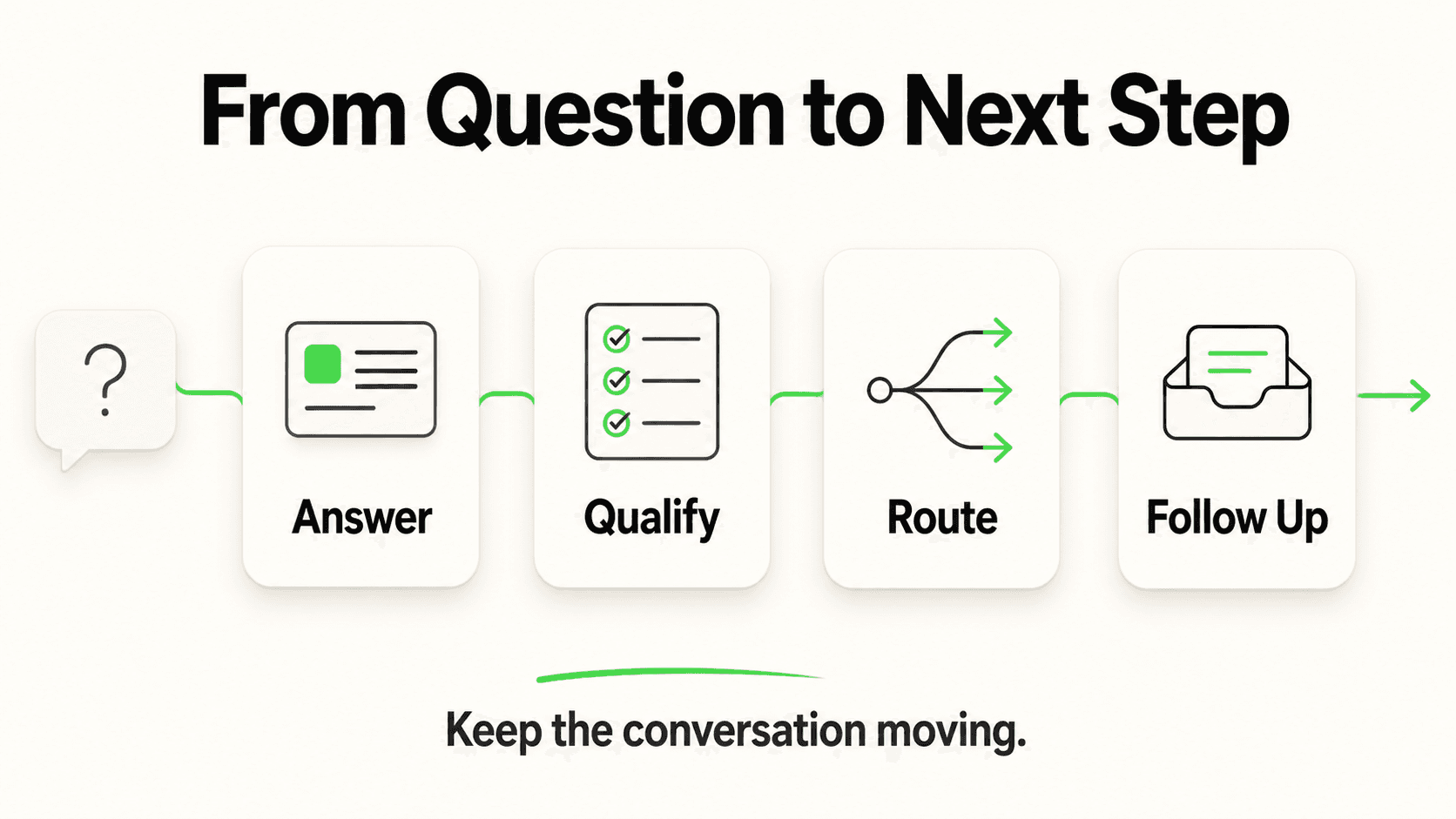
Why it matters: "Escalate when it seems too hard" is not a policy — it's a hope. Without explicit triggers, an AI agent will either escalate too eagerly (defeating the point of automating) or too rarely (leaving frustrated customers stuck in a loop). Both failure modes are visible to the customer within seconds.
How to do it: Write down 5-8 concrete triggers before launch: explicit requests for a human, repeated failed attempts to answer the same question, any mention of a complaint, refund, or legal concern, and any question touching PII or account access. Configure these as escalation rules, and make sure a real person is actually watching the queue they escalate into — an escalation path that dead-ends into an unmonitored inbox is worse than no escalation path at all.
The mistake it prevents: Escalation logic is one of the seven capabilities the customer service automation guide flags as make-or-break for a rollout — get it wrong and you either automate nothing or alienate everyone.
3. Ground Every Answer in a Maintained Knowledge Base
What it is: Configuring your AI agent to answer only from your business's actual documents, pricing, and policies — not from general internet knowledge about your industry.
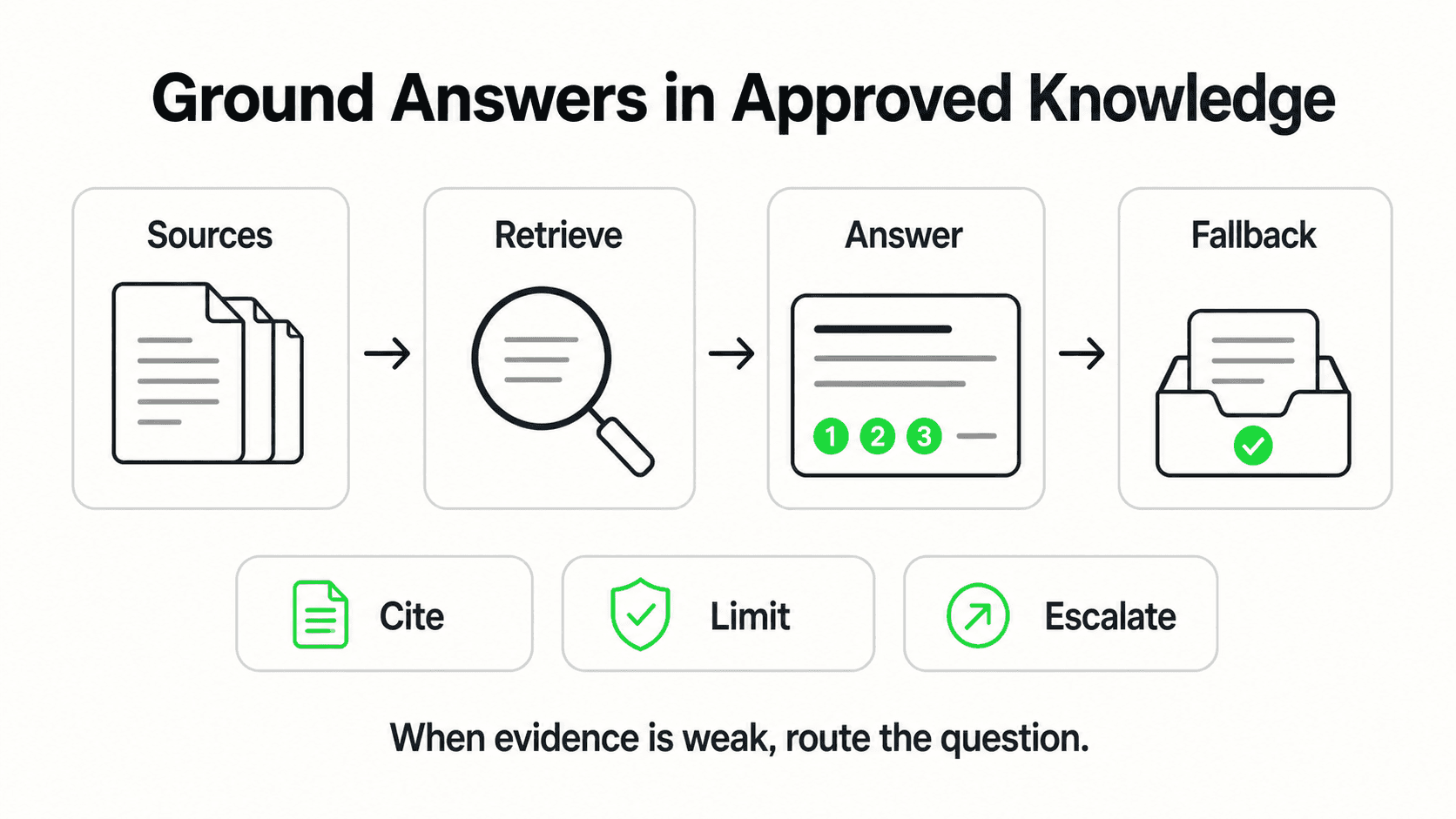
Why it matters: An AI agent that answers from general knowledge will eventually state your competitor's return policy, last year's pricing, or a service you don't offer, with the same confidence it uses for facts that are correct. Document-grounded responses (via retrieval-augmented generation, or RAG) constrain the AI to what you've actually told it — which means the quality ceiling of your automation is the quality of your source documents, not the model itself.
How to do it: Treat your knowledge base as a living asset, not a one-time upload. Assign a specific person — even part-time — to own it. Any time pricing, hours, policy, or offerings change, that update goes into the knowledge base the same day, not "eventually." The detailed setup process is covered in how to ground your AI agent in your knowledge base.
The mistake it prevents: Stale or thin knowledge bases are the single most common root cause behind "the AI gave a wrong answer" complaints — not model quality, but an unmaintained document set.
See document-grounded answers in action
Hyperleap AI Agents answer from your business's actual knowledge base — hours, pricing, policies — across web chat, WhatsApp, Instagram DM, and Facebook Messenger.
Try it free4. Review Conversation Logs on a Weekly Cadence
What it is: A recurring, scheduled 15-30 minute block — every week, not "when there's time" — spent reading a sample of actual conversations your AI agent handled.
Why it matters: Log review is the single highest-leverage habit in this list because it's how you catch drift before it becomes a pattern of complaints. Weekly review surfaces the same three or four questions the AI keeps fumbling, the customer who got looped without escalating, or the answer that was technically correct but confusing. Quarterly review catches the same problems months later, after they've compounded.
How to do it: Put a recurring 15-minute calendar block on the calendar of whoever owns customer experience. Read a random sample of 15-20 conversations, not just the ones flagged as failures — good conversations reveal opportunities to improve, not just problems to fix. Note any repeated question the AI struggled with and add it to the knowledge base that same week.
The mistake it prevents: Without a review cadence, the first time you learn something is wrong is when a customer complains publicly — by then it's already cost you the relationship, and possibly a bad review.
5. Measure the Right KPIs, Not Vanity Metrics
What it is: Tracking outcome-based metrics — resolution rate, escalation accuracy, response time, containment rate — instead of surface-level counts like "messages handled" or "conversations started."
Why it matters: Message volume tells you the AI is busy. It tells you nothing about whether customers actually got what they needed. A chatbot that handles 500 conversations a month but resolves 40% of them and frustrates the rest is a liability dressed up as a productivity win.
How to do it: The full framework — including how to set up a dashboard and what "good" looks like for each metric — is covered in 7 essential AI chatbot KPIs to measure success. At minimum, track resolution rate (did the AI actually answer the question), escalation rate and accuracy (is it escalating the right conversations, not too many or too few), and time-to-first-response.
The mistake it prevents: Optimizing for volume metrics alone is how businesses convince themselves an underperforming deployment is a success — the KPI guide walks through exactly which numbers actually correlate with retained customers.
6. Set Explicit Tone and Style Guidelines
What it is: A short, written style guide for how your AI agent should sound — formal or casual, how it handles apologies, what phrases it should never use — the same way you'd brief a new hire on your brand voice.
Why it matters: Without guidance, an AI agent defaults to a generic, slightly stiff customer-service register that doesn't match how your actual team talks to customers. That mismatch is subtle but customers notice it, especially returning customers who've talked to your human staff before.
How to do it: Write 5-10 short rules: greeting style, how formal or casual the language should be, how to phrase "I don't know" (never invent an answer — offer to connect a human instead), and any words or phrases specific to your brand. Update this guide the same way you'd update a written policy — whenever your brand voice shifts.
The mistake it prevents: Tone drift is a quiet failure — it doesn't generate a complaint, it just slowly makes the AI channel feel less like "your business" and more like generic software, which erodes the trust needed for customers to actually use it.
7. Test Every Change Before It Goes Live
What it is: Treating updates to your knowledge base, prompts, or escalation rules with the same "test before you ship" discipline you'd apply to a website change — not editing the live configuration customers are talking to in real time.
Why it matters: A knowledge base update meant to fix one wrong answer can accidentally break three correct ones, especially if it introduces ambiguity or conflicting information. Testing in a staging conversation before publishing catches this before a live customer does.
How to do it: After any meaningful change, run 5-10 test conversations covering the update and a few adjacent topics to confirm nothing broke. If your platform supports draft/preview mode, use it. Keep a simple changelog — one line per update — so you can trace a new problem back to a recent change instead of guessing.
The mistake it prevents: Untested changes are a common source of the "it was working fine last week" regressions that erode confidence in AI customer service internally, sometimes enough that teams abandon a deployment that was actually working before the untested edit.
8. Handle PII Deliberately, Not Accidentally
What it is: A clear, written policy on what personal information your AI agent can request, store, and display in a conversation — and confirming your channels and vendor agreements support that policy.
Why it matters: Customer service conversations routinely touch names, phone numbers, emails, order details, and sometimes more sensitive information. Handling this casually — asking for more than you need, or displaying it back in ways that could be visible to the wrong person — creates real risk, not just a compliance checkbox.
How to do it: Only collect the information you actually need for the interaction. If your AI agent uses a lead-capture form ahead of the conversation (the way Hyperleap AI Agents do — contact details are collected through a form before the chat begins, not extracted conversationally mid-dialogue), review what fields that form requests and whether they're all necessary. Avoid having the AI repeat sensitive details back in full within the chat transcript.
The mistake it prevents: Over-collection of PII is a quiet liability that only becomes visible during a breach, an audit, or a customer complaint — by which point it's too late to fix retroactively.
Common Mistake
Don't let "the AI can capture leads conversationally" become an excuse to skip a proper intake form. A structured form gives customers clarity about what's being collected and why — a mid-conversation data grab feels invasive even when it's well-intentioned.
9. Know Exactly When a Human Must Take Over
What it is: A short, unambiguous list of situations where AI should never handle the full interaction — separate from your general escalation triggers, and specifically about categories your business has decided are always human-only.
Why it matters: Some categories of conversation carry risk regardless of how well the AI performs technically: anything touching a medical symptom, a legal question, a safety issue, or a genuinely upset customer. These need a human not because the AI would necessarily get the facts wrong, but because judgment, empathy, and accountability matter more than speed in those moments.
How to do it: For regulated or sensitive industries, this list should be explicit and trained into your team, not just your AI configuration. In healthcare or legal contexts specifically, the AI should route — never assess or advise. It surfaces the request to the right person; it doesn't attempt a diagnosis or a legal opinion. Publish this list internally so your human team knows which conversations to expect and prioritize.
The mistake it prevents: Ambiguity about "whose job is this" is how urgent conversations sit unanswered — the AI assumes it's handling it, no human is watching, and the customer is the one who discovers the gap.
10. Keep a Human in the Loop on Judgment Calls, Not Just Errors
What it is: Distinguishing between "the AI got the fact wrong" (a knowledge base problem, fixable in the document) and "the AI answered correctly but the situation needed judgment" (a process problem, fixable only by routing to a person).
Why it matters: Teams often treat every escalation as a failure to be engineered away. Some conversations are never meant to be fully automated — a customer negotiating a refund exception, a long-time client with an unusual request, a situation where the "right" answer depends on relationship context the AI doesn't have. Automating everything and automating the right things are different goals.
How to do it: When reviewing logs, tag escalations by type — was it a knowledge gap (fixable) or a judgment call (working as intended)? This distinction tells you where to invest maintenance effort versus where the system is already doing its job correctly by handing off.
The mistake it prevents: Chasing 100% automation on categories that were never supposed to be automated wastes effort and, worse, sometimes pushes teams to force the AI to attempt answers it shouldn't be giving.
11. Audit Channel Consistency Across Every Surface
What it is: Confirming your AI agent gives the same answers, tone, and escalation behavior whether a customer reaches it through your website chat widget, WhatsApp, Instagram DM, or Facebook Messenger.
Why it matters: Customers increasingly move between channels — starting on Instagram, following up on WhatsApp, checking your site later. If the AI's knowledge or behavior differs by channel, customers notice the inconsistency, and it undermines confidence in whichever channel gave the "wrong" answer.
How to do it: Periodically run the same test question across every channel you support and confirm the responses match. Since a single knowledge base should drive every channel, discrepancies usually point to a configuration gap rather than a content gap — worth catching quickly.
The mistake it prevents: Channel drift quietly damages trust with your most engaged customers — the ones using you across multiple platforms are also the ones most likely to notice when the answers don't line up.
12. Report Results Upward — And Make the Case With Real Numbers
What it is: A simple, recurring summary — monthly is enough — that shows what the AI agent actually did: conversations handled, resolution rate, after-hours coverage, and escalations, framed against the cost of the alternative (a missed inquiry or a human handling the same volume).
Why it matters: AI customer service tools get cut during budget reviews when nobody can show what they're doing. A monthly summary, even an informal one, turns "the chatbot" from a line item into a demonstrated result — and gives you the data to decide whether to expand it, not just whether to keep it.
How to do it: Pull the KPIs from practice 5 into a short monthly note: conversations resolved without escalation, inquiries handled outside business hours, and any notable trend (a spike in a specific question type, a seasonal pattern). In Hyperleap's own Jungle Lodges deployment, 35% of chatbot inquiries arrived after standard business hours — coverage a small team couldn't staff for around the clock. That's the kind of number worth surfacing in your own monthly report, using your business's actual data.
The mistake it prevents: Without visible reporting, AI customer service tools quietly get deprioritized in favor of whatever's generating a dashboard someone actually looks at.
Real Results: What Operating Discipline Looks Like in Practice
The gap between an AI customer service deployment that compounds in value and one that plateaus (or gets quietly abandoned) is almost never the underlying model. It's whether these 12 practices are habits or one-time setup steps.
Coverage that compounds: In Hyperleap's Jungle Lodges deployment, the AI agent captured over 3,300 leads in 90 days, with 35% of inquiries arriving after business hours — a volume and coverage pattern that held because the knowledge base stayed current and the team reviewed performance regularly, not because the initial setup was flawless.
Escalation that actually protects trust: Teams that define escalation triggers before launch (Practice 2) consistently report fewer "the bot wouldn't let me talk to a person" complaints — because the rule is explicit rather than left to the AI's best guess in the moment.
Fewer surprises, fewer fire drills: Teams running a weekly log-review cadence (Practice 4) catch knowledge gaps within days instead of learning about them from an angry review three months later. The fix costs 15 minutes; the review process is what surfaces the need for the fix in the first place.
Results like these vary by industry, deployment quality, and how consistently a team follows the practices above — treat these as illustrative outcomes from operating discipline; every deployment's results will differ.
A 30-Day Operating Checklist for AI Customer Service
Use this as a starting rhythm once your AI agent is live. It maps roughly to the 12 practices above, condensed into a schedule you can actually keep.
Week 1 — Foundation
- Confirm the AI discloses itself clearly in its opening message (Practice 1)
- Document your escalation triggers and confirm a human is monitoring the queue they route to (Practice 2)
- Confirm your knowledge base reflects current pricing, hours, and policy (Practice 3)
Week 2 — Guardrails
- Write your tone and style guide (Practice 6)
- Document your PII handling policy and review your lead-capture form fields (Practice 8)
- List the categories that always require a human, and share it with your team (Practice 9)
Weeks 3-4 — Operating Rhythm
- Run your first weekly log review — 15-20 conversations, 15 minutes (Practice 4)
- Set up your KPI dashboard: resolution rate, escalation rate, response time (Practice 5)
- Test any knowledge base changes in a staging conversation before publishing (Practice 7)
- Spot-check consistency across every channel you support (Practice 11)
End of Month 1
- Pull your first monthly summary and share it internally (Practice 12)
- Tag the past month's escalations as knowledge gaps vs. judgment calls, and prioritize fixes accordingly (Practice 10)
This isn't a one-time checklist — repeat Weeks 3-4 every month. The businesses that get lasting value from AI customer service are the ones that never stop running this loop.
Key Insight
None of these 12 practices require a dedicated ops hire. Most take under an hour to set up and 15-30 minutes a week to maintain. The discipline, not the headcount, is what separates a deployment that compounds from one that quietly gets switched off.
Operating Discipline Starts Now
AI customer service doesn't fail because the technology isn't ready — it fails because nobody owns the maintenance loop after launch day. The 12 practices in this guide — disclosure, escalation design, a maintained knowledge base, weekly reviews, the right KPIs, tone guidelines, tested changes, deliberate PII handling, a clear human-handoff list, judgment-call awareness, channel consistency, and visible reporting — are what turn a chatbot from a novelty into a system your business can actually depend on.
Hyperleap AI Agents are built around this operating model from day one: document-grounded responses from a knowledge base you control, a lead-capture form that collects contact details before the conversation starts (not mid-chat), and consistent behavior across your website, WhatsApp, Instagram DM, and Facebook Messenger. Your team still owns the judgment calls — the AI just handles the volume so they can focus there.
If you're setting one up from scratch, the customer service automation guide and how to automate customer support walk through the build. This guide is what happens after that — the discipline that keeps it working.
Start running AI customer service the right way
Launch a document-grounded AI Agent with escalation built in, from $40/month with a 7-day free trial.
Get StartedEscalation design deserves the same rigor as your FAQ coverage — see chatbot-to-human handoff best practices for triggers, scripts, and routing.
Frequently Asked Questions
Should I tell customers they're talking to an AI?
Yes. Disclose it clearly in the opening message rather than leaving customers to guess or find out later. Customers who know upfront calibrate their expectations accordingly, while customers who discover it after the fact — especially following a wrong or unclear answer — tend to feel misled, which damages trust more than the disclosure itself ever would.
How often should I review my AI chatbot's conversation logs?
Weekly, for 15-30 minutes, reviewing a sample of roughly 15-20 conversations rather than only the ones flagged as failures. A weekly cadence catches recurring knowledge gaps and tone drift within days; a quarterly or ad-hoc cadence means you typically learn about problems only after a customer complains.
What's the difference between escalation and a human takeover rule?
Escalation triggers are conversation-level signals — repeated failed answers, an explicit request for a person, a mention of a complaint — that hand a specific conversation to a human. A human-takeover rule is broader: a category of topic (medical, legal, safety-related) that your business has decided should never be handled by AI alone, regardless of how the individual conversation is going.
What KPIs actually matter for AI customer service?
Resolution rate, escalation rate and accuracy, and response time matter more than raw conversation volume, since volume alone doesn't indicate whether customers got useful answers. The full breakdown of each metric, including how to set up a tracking dashboard, is covered in 7 essential AI chatbot KPIs to measure success.
How much personal information should my AI agent collect?
Only what's necessary for the specific interaction — typically name, contact method, and the nature of the inquiry. If your platform uses a lead-capture form ahead of the chat (rather than extracting details mid-conversation), review the form fields periodically to confirm you're not collecting more than the interaction actually requires.
Can AI customer service handle medical or legal questions?
AI customer service should route these to your team rather than attempt to answer them directly — the AI can recognize the topic and connect the customer to the right person, but it should not perform clinical assessment or give legal advice. Treat these as human-only categories from Practice 9, regardless of how confident the AI's response might otherwise sound.
Do I need a dedicated person to manage my AI customer service tool?
Not a full-time hire, but you do need a clear owner — even part-time — responsible for the knowledge base updates, weekly log review, and monthly reporting described in this guide. Most of these tasks take under an hour combined per week; the risk isn't time investment, it's the tasks having no owner at all.
What happens if my AI gives a wrong answer to a customer?
Treat it as a knowledge base gap to fix immediately, not an isolated incident to ignore. Add the correct information to your knowledge base the same day, note it in your weekly log review, and if the mistake was significant, consider whether a similar question might be lurking elsewhere in your document set. A single wrong answer caught and fixed quickly rarely does lasting damage — an uncorrected pattern of them does.
Industry Solutions
See how AI chatbots work for these industries:
Related Articles

Conversational AI vs Chatbot: The Real Difference
Conversational AI vs chatbot explained: rule-based scripted bots versus LLM-powered conversational AI, plus a comparison table and decision framework.

Customer Service Automation: The Complete Guide (2026)
Customer service automation done right: what to automate, what to keep human, which tools to evaluate, and how to roll it out without breaking what already works.

How to Automate Customer Support: A Practical Playbook
Learn how to automate customer support the right way — audit repetitive tickets, ground an AI agent in your docs, and keep humans where they matter most.

Benefits of Conversational AI for Business (With Caveats)
The real benefits of conversational AI — 24/7 coverage, speed, cost, scale — with the conditions that make each one true, and where it doesn't hold.