Product update · Studio
Send prospects their own website with a working chatbot on it
Partners can now make a demo link from any client's chatbot: a page with the prospect's own site and the chatbot answering in the corner, plus a count of opens.

· 3 min read
- Shipped
- Area
- Studio
- Available on
- Partner organizations
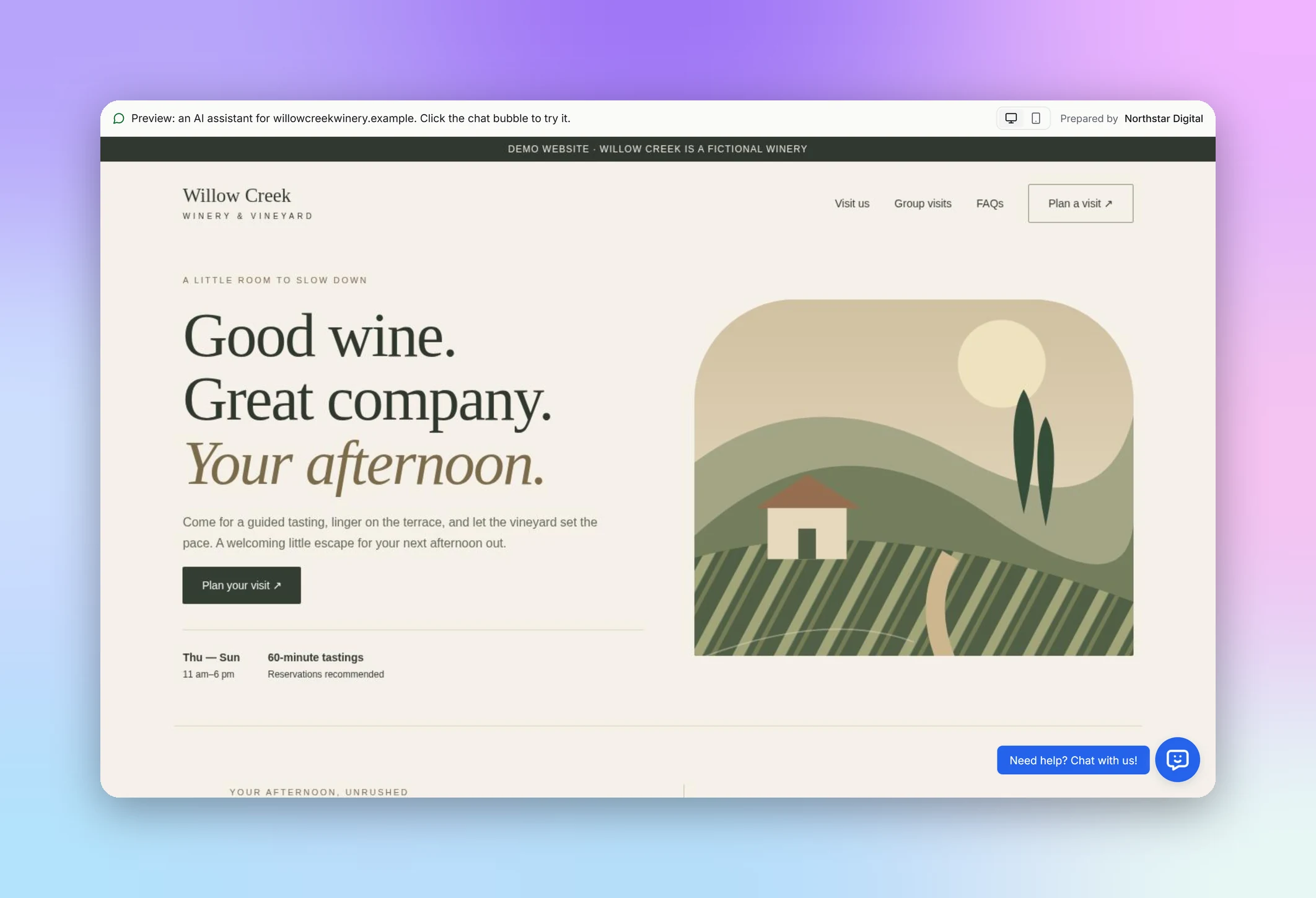
Pitching a chatbot is easier when the prospect can try one on their own website. Until now that meant building the chatbot, asking for access to their site, or explaining it on a call. Partners can now send a link instead. It opens a page with a screenshot of the prospect's website and your chatbot in the corner, ready to answer.
What's new
- Share Demo Link. A new option in a chatbot's Integrate menu, next to Share Preview URL, available when you're working inside one of your clients.
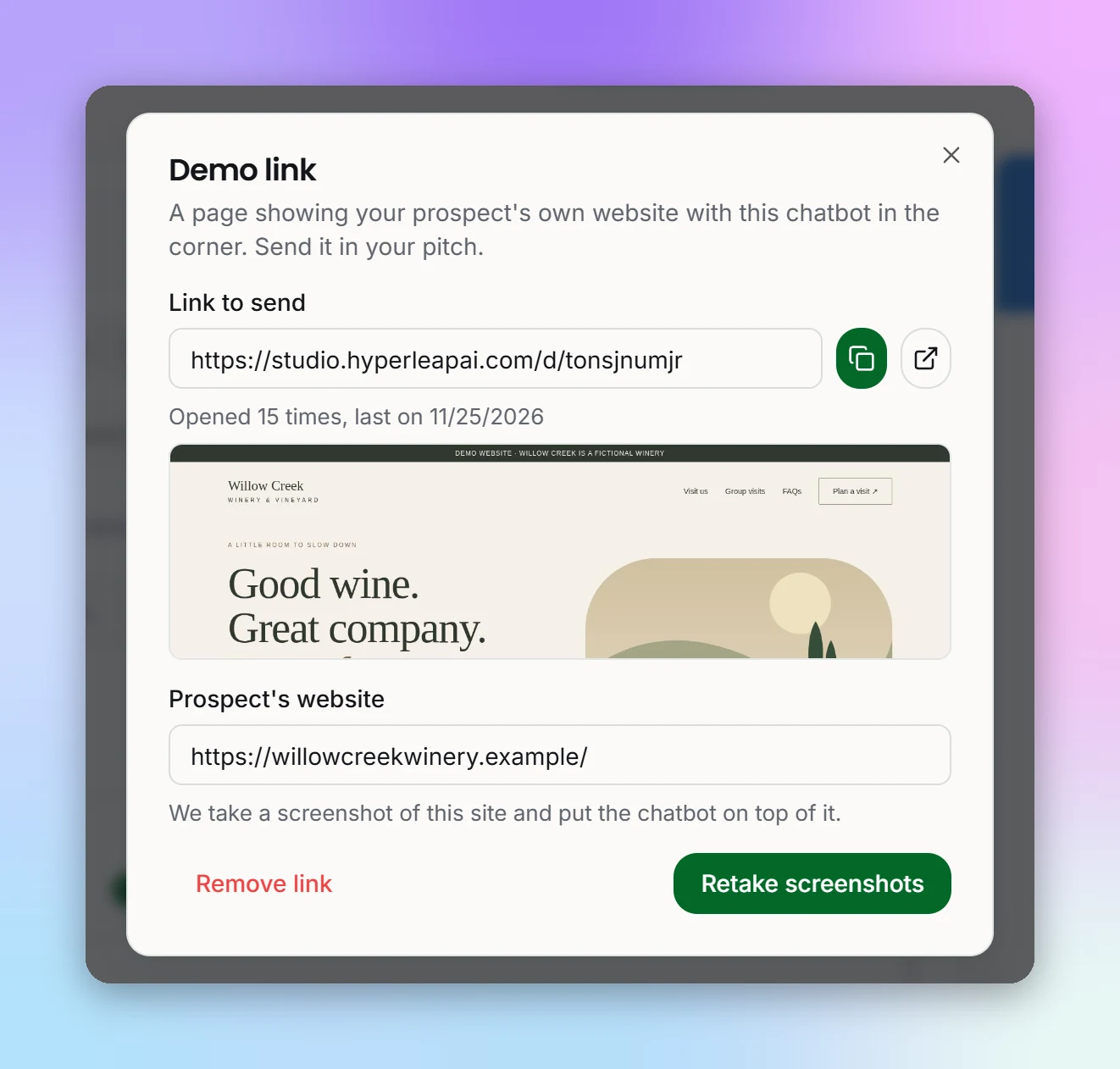
- The prospect's own site. Enter their website and Hyperleap takes a desktop and a mobile screenshot of it. The demo page shows that screenshot with the chatbot on top, the way it would sit once installed.
- No sign-in for the prospect. They open the link, click the chat bubble and talk to the chatbot. The page shows Prepared by with your partner organization's name, and a Desktop / Mobile switch.
- See if they opened it. The Demo link window shows how many times the page was opened and when it was last opened.
- Change it any time. Retake screenshots after the prospect updates their site, or point the same link at another website. Remove link switches the page off without touching the chatbot.
How to use it
- Open a client, then open the chatbot you want to show. Quick Start builds one from the prospect's website.
- Publish it. The demo page shows the published version.
- Click Integrate, then Share Demo Link.
- Enter the prospect's website and click Create demo link. The screenshots take up to a minute.
- Copy the link and send it with your pitch.
Good to know
- One link per chatbot. Pitching two prospects at once? Use a chatbot for each.
- Chats are real conversations. They use credits from your shared pool and show up in the client's conversations and leads.
- Not on search engines. Demo pages ask search engines not to index them.
- If a site can't be captured, the link still works and shows the chatbot on a plain background. Try Retake screenshots later.
Step-by-step instructions are in the help center: Demo Links for Prospects.