Booking Links vs Integrations: What AI Can Actually Do
Separate sharing a booking link from checking availability, creating a reservation and confirming it with this practical AI front desk buyer checklist.

“The AI handles bookings” can describe several very different products. One answers questions and shares a booking page. Another reads live availability. A third creates a reservation through a connected system. Only the last part of a completed transaction establishes whether the requested booking actually exists.
The difference matters when you buy an AI front desk and when you write its replies. A link can be exactly the right solution for a small business, provided the customer understands where the process continues. Problems begin when a link-sharing workflow is described as if it checks calendars, holds inventory or confirms appointments inside the conversation.
This guide separates the steps and gives you an evidence-based evaluation pack. The examples are illustrative, not claims about a particular third-party booking provider. For Hyperleap AI, the scope is explicit: with Calendly or Cal.com connected (on Pro and Max), it checks live availability and creates new bookings in the conversation; on Plus, or with any other scheduling or reservation system, it shares your approved booking link. Do not infer access to systems beyond those two.
Booking Link Sharing and Booking Integration Are Different Jobs
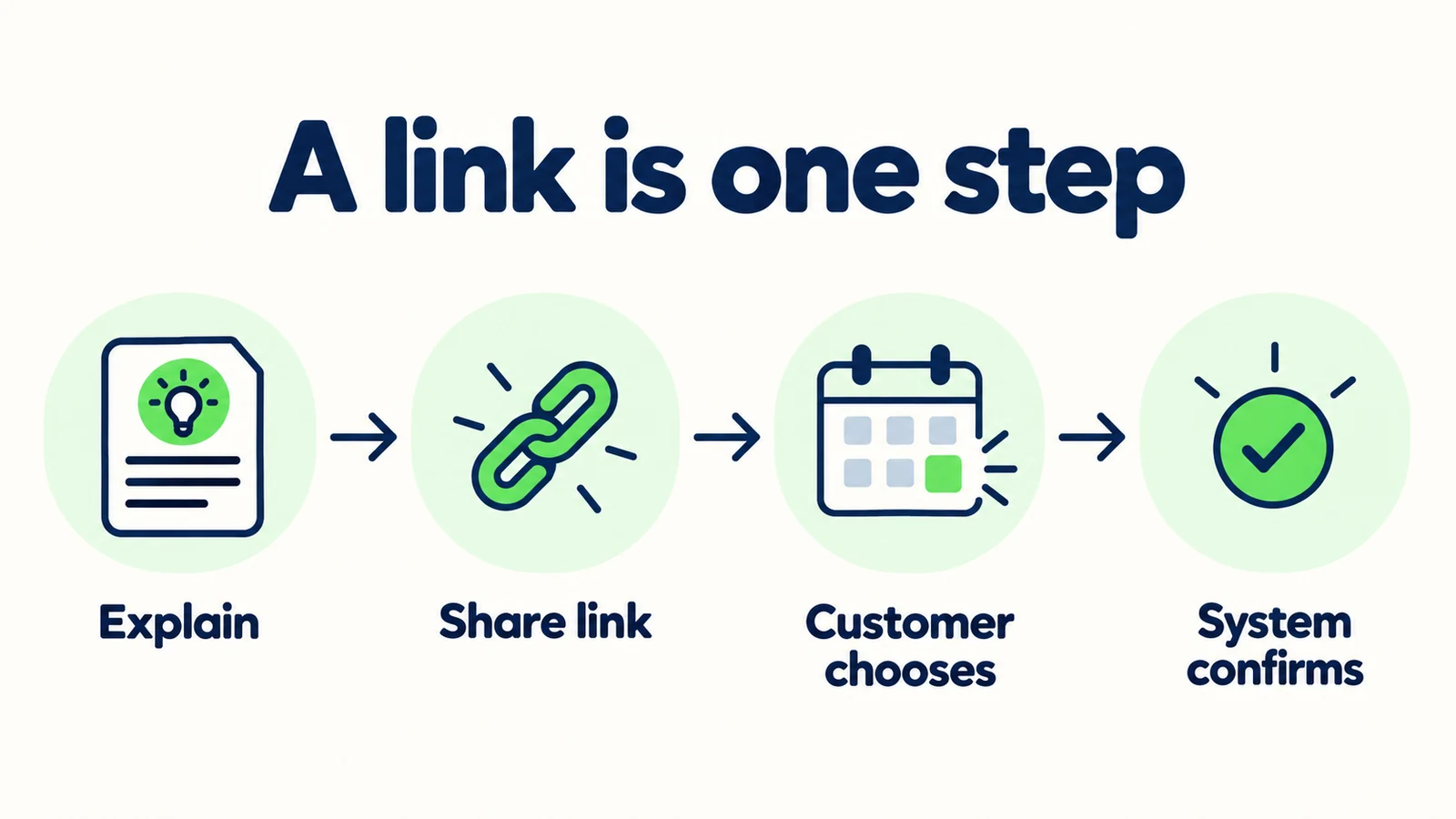
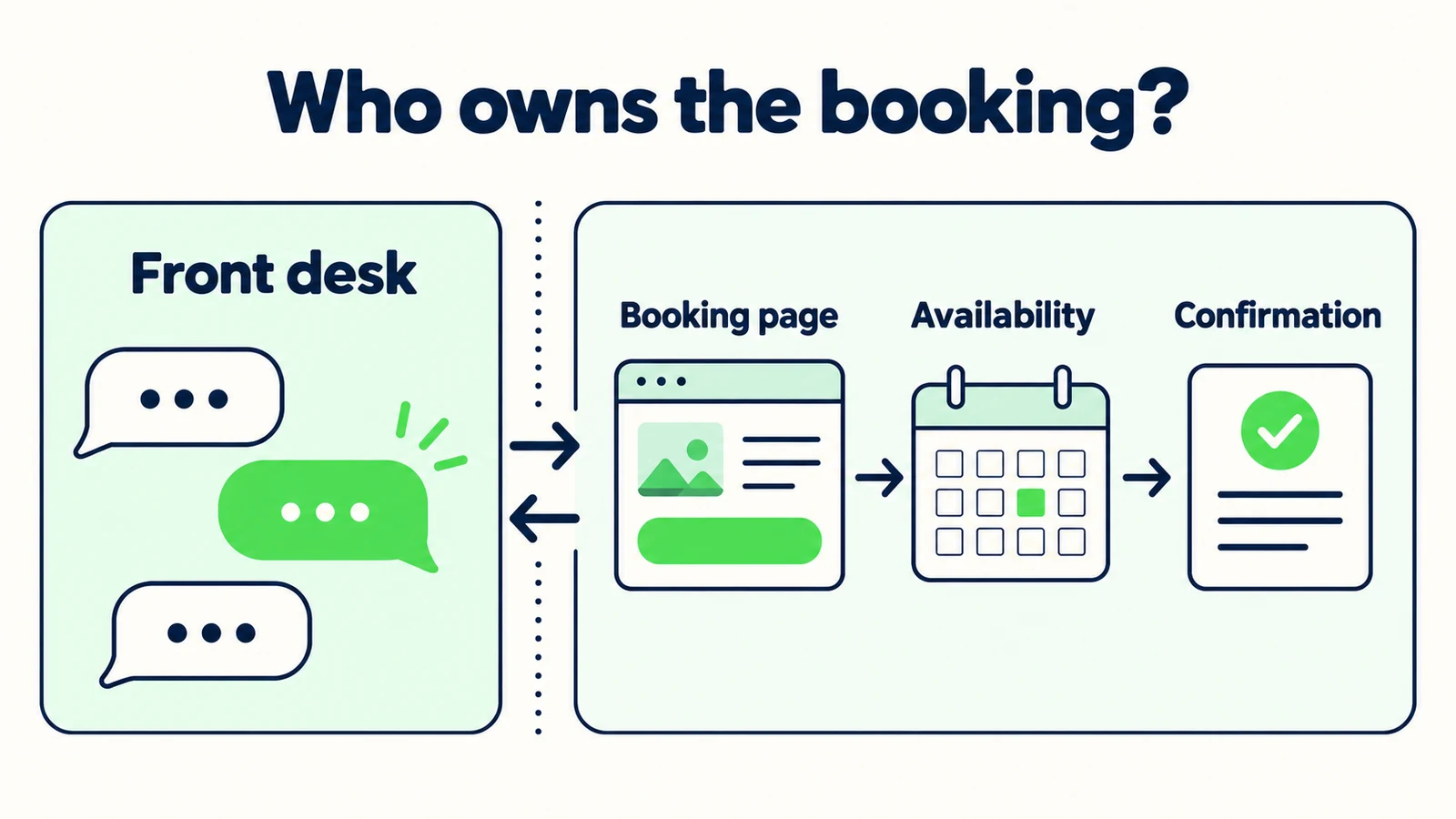
Booking-link sharing directs the customer to a separate booking experience. The AI front desk can explain the service, answer approved questions and point to the relevant page. The customer then uses that page's actual process to select an option and complete any required steps.
A booking integration is a connection to a booking system that performs defined actions. Those actions need to be named. Reading available slots, creating a reservation, changing an existing booking and checking a confirmation are different operations with different failure cases. “Integrated” is not a complete specification.
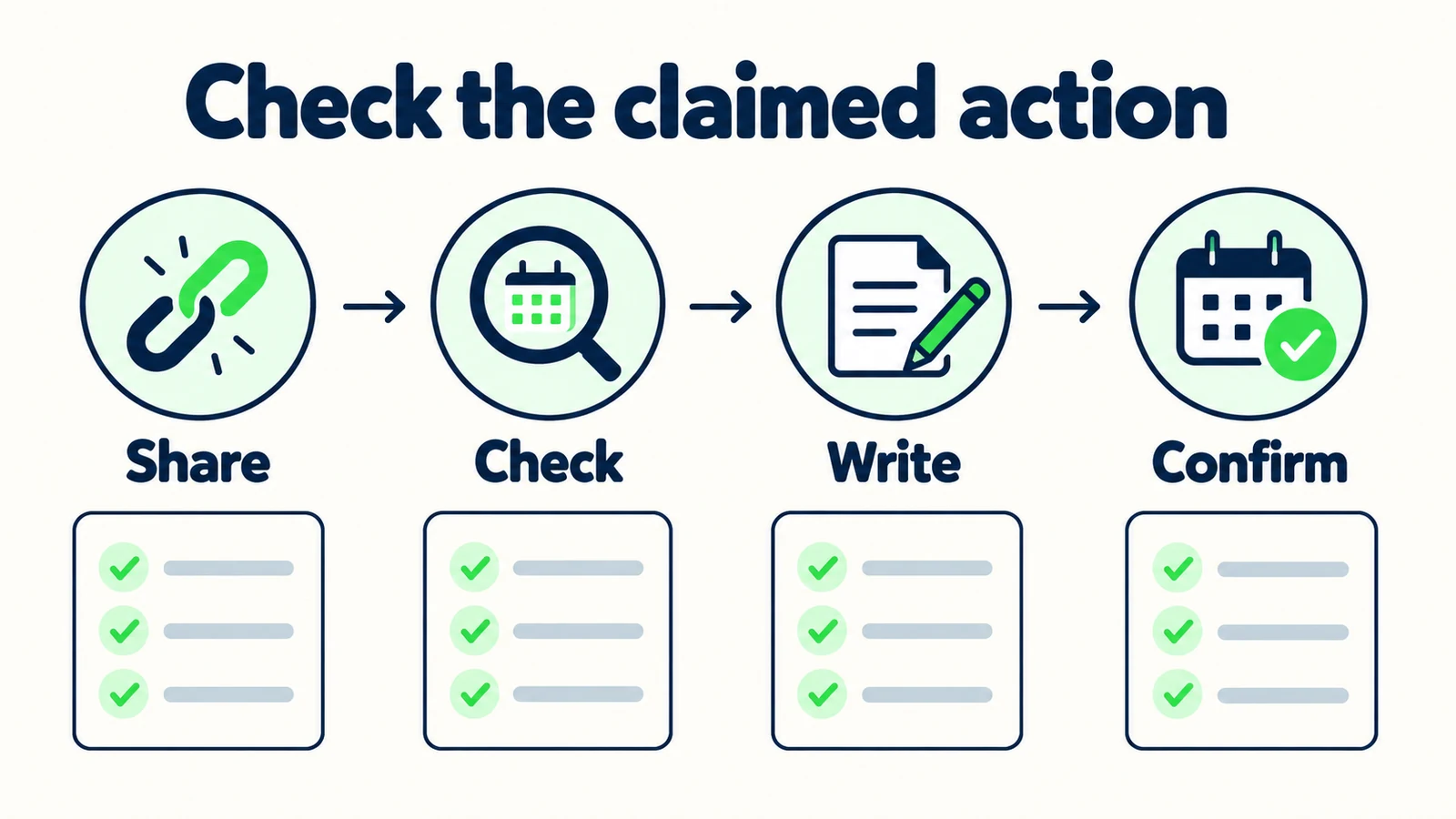
| Action | What it means | Evidence to request |
|---|---|---|
| Share | Provide the approved booking destination | Correct working link |
| Check | Read current options for a defined request | Verified response from the booking system |
| Write | Create or modify a record | Resulting record in the system of record |
| Confirm | Establish the final status | Authoritative confirmation, not chat wording alone |
An appointment-enquiry front desk can be useful without performing every action. If you already have a booking page that customers understand, answering questions and handing them to it may be a sensible workflow. Evaluate whether that path meets your needs before treating deeper integration as automatically better.
The system of record is the place your business relies on for the booking's actual status. It might be your scheduling platform or an approved manual process. The chat transcript is not automatically that source of truth. If the transcript says “confirmed” but the booking system has no record, the wording does not create the missing reservation.
The restaurant booking connection guide explores a specific industry. This article provides a general buyer's framework for appointments, venue tours and service reservations without assuming that every sector uses the same transaction process.
Ask which verb is supported
When a demonstration says the AI books, ask whether it shares, checks, writes or confirms. Request evidence for each claimed action in the actual configuration you would use.
Why the Difference Gets Lost in a Demo
The successful conversation hides the separate system
A demonstration may show a customer asking for an appointment, clicking a link and reaching a confirmation page. That can be a good experience. It does not mean the AI performed the actions that occurred after the customer left the chat. Evaluate the journey as a whole while keeping responsibility clear.
A preferred time is mistaken for availability
“Tuesday morning works for me” is a customer preference. It does not tell you whether the business has an open slot. The front desk should preserve the preference without turning it into an offer. This distinction is especially important when the next step is manual review.
A request acknowledgement sounds final
“Your request is recorded” and “your appointment is confirmed” imply different states. Friendly copy can collapse them accidentally. Review acknowledgements as carefully as the integration diagram, because customers act on the words they see rather than your internal architecture.
Only the happy path is tested
The booking page may be unavailable, the requested service may be missing or the customer may leave before completing the process. A workflow is not fully understood until you know what the front desk says in those cases. The channel-choice guide helps place chat within the broader customer journey rather than treating it as the entire transaction.
7 Questions to Ask Before You Buy or Configure Booking Help
1. Where does the customer complete the booking?
Ask the vendor or implementer to show the exact completion point. Is it inside the conversation, on a separate page or through a person who reviews the request? Each can be legitimate, but the customer-facing wording must match the journey.
For link sharing, inspect the destination on a phone and desktop. Does it open the right service or merely a generic homepage? Is the business location clear? Can the customer understand what they need to do next without returning to the chat for directions?
Clear link-sharing reply: “You can choose an appointment through the booking page. This conversation has not reserved a time.”
Unclear reply: “You are booked in. Use this link to finish.”
The second example claims completion before the required action has happened. Replace it with a statement that identifies the remaining step. If the booking page itself requires review, do not describe submitting that page as final confirmation either.
Ask whether the conversation can observe completion. If it cannot, avoid claims such as “I can see your booking went through.” A customer returning to say they completed it provides a statement to record, not necessarily an authoritative system verification.
2. What information is used to select the right link?
The front desk may need to know the service, location or appointment type before sharing a destination. Ask only for the details that determine the correct path. A visitor looking for general hours should not be forced through a booking questionnaire.
Create a simple approved link map:
| Customer need | Front-desk action | Boundary |
|---|---|---|
| General service appointment | Share the current service booking page | Do not promise a slot |
| Venue tour | Share the approved tour route | Do not reserve the event date |
| Existing booking change | Share the approved change/contact process | Do not claim the record changed |
| Unclear service | Ask a clarifying question | Do not choose a service by guesswork |
Keep the map maintained by the business. An old link can remain technically live while pointing to a retired package or wrong location. “The page loads” is not enough to prove it is the correct destination.
For a home-services front desk, a visit request may require scope review before scheduling. For a hospitality front desk, a group enquiry may need a different route from an individual reservation. The right link follows the business process, not a generic desire to end every conversation with a booking button.
3. Is live availability actually being checked?
If live availability is claimed, ask where the data comes from and how the result is verified. A source document describing opening hours is not a live calendar. A list of services is not inventory. A previous customer's booking is not evidence that the same option remains available.
Use a test that makes the distinction visible. Ask for a particular time or a date known to require a real availability check. Observe whether the system actually consults the authoritative source or simply offers the booking page. Both behaviors can be acceptable within their stated scope; only one is a live availability check.
For a link-sharing setup, the correct reply might be:
“I cannot confirm availability from this conversation. The booking page shows the options available through that process.”
Do not add “real-time” unless the linked experience and its behavior have been verified. Your AI front desk does not need to make claims about a third-party system's refresh behavior to share its approved link honestly.
When availability is not available to the chat, keep customer preferences labeled as preferences. “Requested Friday afternoon” is useful context. “Friday afternoon available” is a different claim and requires different evidence.
4. Can the workflow create or change a booking record?
A write action should leave a verifiable result in the system of record. Ask to see that result during a controlled test, using synthetic details and an approved test environment where possible. A generated confirmation sentence is not sufficient evidence.
Clarify the exact scope of any claimed write capability. Creating a new appointment does not automatically establish support for modifications, cancellations, multiple attendees, deposits or complex resource allocation. Avoid buying a broad phrase when your business depends on a narrow operation.
Hyperleap AI covers both sides of this line. Connected to Calendly or Cal.com on Pro and Max, it reads live availability, creates the booking in the conversation, and the customer receives the calendar invite by email. In-chat booking needs Calendly Standard or higher (on Calendly Free the customer confirms on Calendly's own page), Cal.com must be a cal.com-hosted event link, and it creates new bookings only — changes and cancellations go through the links in the confirmation email. On Plus, or with any other scheduling tool, the customer completes the booking in the linked process and the front desk does not hold, write or confirm the appointment itself. Those boundaries should appear in your test expectations and any procurement notes, not merely in small print after implementation.
If custom development is proposed, treat it as a separate project with its own requirements and verification. The existence of a REST API or webhook capability does not prove a native connection to your chosen calendar or reservation platform. Ask what has actually been built, what must still be built and who will operate it.
Keep technical details available for the evaluator who needs them, but let the business owner begin with the outcome: can the requested action be performed, and how will the team know it succeeded?
5. What does confirmation mean in this process?
Define confirmation with the business before writing the message. A request may be received, awaiting review, provisionally accepted or fully confirmed according to the actual system. Do not flatten those states into “booked” for convenience.
Ask what the customer receives as authoritative evidence. It might be a confirmation page or a message from the booking system. Do not invent reference numbers or claim that an email was sent unless the action is verified.
Test the customer who returns to the chat and asks, “Am I definitely booked?” If the front desk cannot inspect the booking record, it should direct the customer to the authoritative confirmation or the appropriate team. It can explain the process without pretending to know the individual status.
Bounded reply: “Please check the confirmation from the booking process. I cannot verify an individual reservation here, but I can share the team's approved contact route if you need help.”
Avoid asking the customer to paste private confirmation details into a general chat simply to make the answer feel more personalized. If staff need a reference, use the business's approved process for collecting it. The purpose is to resolve uncertainty, not to collect unnecessary information.
6. What happens when the journey cannot be completed?
Test a broken link, a customer who cannot find the requested option and someone who needs an exception. The front desk should offer a real next step and avoid claiming that retrying will necessarily solve the issue.
For link sharing, the fallback might be an approved contact route with a short description of the unresolved request. For a custom integration, the implementer needs a defined failure response and evidence that incomplete actions do not produce misleading acknowledgements. Keep those requirements concrete.
Do not say “try again and your booking will be confirmed” when you cannot verify the state. Repeated attempts may create confusion in some workflows. The safe copy identifies the uncertainty and directs the customer to the system or team that can resolve it.
Use the human-handoff guide to prepare that route. Include the requested service, preferred timing and the step that failed. Do not state that a booking failed or succeeded if all you know is that the customer saw an unexpected screen.
The receiving person should be able to tell whether they are handling a new enquiry, a completion question or a possible duplicate request. That distinction is more useful than a generic “booking issue” label.
7. Who maintains the links, rules and evidence?
Name an owner for each approved destination and its business purpose. The person who changes your service pages should know that a booking link in the AI source set may also need review. A successful launch does not keep a link correct indefinitely.
Maintain a record of the last meaningful test, not just the date someone opened the page. The test should cover the selected service, the visible next step and the wording the chat uses to describe it. If you change the process from automatic confirmation to manual review, the customer reply needs to change too.
For custom connections, clarify ongoing support responsibilities before launch. Who investigates a failed action? Who validates changes in the booking system? Who can disable a broken path without leaving the customer at a dead end? These are evaluation questions, not claims that a particular integration requires a specific technical design.
Review the final handoff note with the team. The lead-summary guide provides a useful structure: customer intent, known details, unresolved question and next action. Keep “link shared,” “request submitted” and “confirmed booking” separate wherever those distinctions matter.
Give customers a clear booking path
Use Hyperleap AI to answer service questions and book in the chat through Calendly or Cal.com (on Pro and Max) — or share your approved booking link — with honest boundaries around confirmation.
Start for freeA Buyer Evidence Sheet for Booking Claims
Use this sheet during a demonstration rather than relying on the presentation's labels. The same sheet can guide your own acceptance review before customers see the workflow.
| Claim being evaluated | Evidence observed | Remaining question |
|---|---|---|
| Correct link shared | Destination and service checked | Who owns future changes? |
| Availability read | Actual system response observed | Which cases are supported? |
| Record created | Booking record verified | What happens on failure? |
| Confirmation issued | Authoritative status checked | Can the chat verify it later? |
| Change supported | Existing record changed in a test | What approvals are required? |
| Human fallback works | Request reaches responsible process | What is the customer told? |
Mark unsupported actions plainly. A blank is not a reason to infer capability from another row. A vendor that accurately shares links may fit your needs better than an unfinished custom integration, especially if your existing booking page already does the transactional work well.
Compare the amount of customer effort as well as the scope. Does the visitor receive a useful explanation before leaving chat? Is the correct page obvious? Does the customer understand whether the request is complete? More automation is not automatically a better experience if it introduces uncertain status or fragile promises.
Record your own outcomes after launch: wrong-link reports, repeated availability questions, completion confusion and staff time spent resolving booking-status enquiries. Do not equate link clicks with confirmed bookings. A click proves a step in the journey, not the final transaction or its value.
Configure the Smallest Workflow That Meets the Need
Start with the existing booking process. Identify where customers struggle before they reach it: understanding a service, choosing a location or knowing what to prepare. An AI front desk can address those questions while leaving the transaction in a system your team already trusts.
Choose and test the approved link map. Add a clear response for ambiguous requests and a human path for exceptions. Avoid collecting a long list of details that the booking page will immediately ask again unless the information genuinely helps select the right route.
Write acknowledgements only after the states are defined. In a link-sharing workflow, success might mean the customer received the right destination and understood the next step. Do not write a “booking complete” message merely because the conversation reached its end.
Test the process from the customer's device and channel. A link that works on a desktop may be awkward on a phone, and a long explanation may bury the action in a messaging conversation. Keep the wording short while preserving the boundary. Ask a colleague unfamiliar with the configuration whether they think a booking has already been made.
If the business truly needs the chat to perform transaction actions, document those requirements before evaluating a custom connection. Name the system of record, each required operation and the evidence that will establish success. Avoid treating an API logo or broad integration claim as a substitute for this work.
Finally, review the current Hyperleap AI offering against the role you actually need. It books natively through Calendly and Cal.com on Pro and Max and shares links for everything else; it should not be purchased under an assumption that other calendars, practice-management schedulers or reservation systems are written to. Honest scope is part of a workable implementation, not a footnote to it.
Frequently Asked Questions
Is sharing a booking link a real form of booking assistance?
Yes. It can answer questions and direct the customer into the correct booking process. The important distinction is that the transaction continues elsewhere. Describe the action as sharing a link, not as checking availability or creating a confirmed reservation inside the chat.
Does Hyperleap AI book appointments natively?
Yes, with Calendly and Cal.com on Pro and Max. Connected to either, it offers real open times from live availability and creates the booking in the conversation on your website, WhatsApp, Instagram or Messenger (in-chat booking needs Calendly Standard or higher). It creates new bookings only and does not reschedule or cancel. On Plus, or for any other calendar, reservation system or scheduler, it shares your approved booking link and collects enquiry context; do not infer native writes, holds or confirmations there.
What proves that an AI integration created a booking?
A verified record in the authoritative booking system is the relevant evidence. A generated sentence alone is not enough. In a controlled test, inspect the actual result and its status, then verify that the customer-facing acknowledgement describes that state accurately.
Can a link click be counted as a confirmed booking?
No. It shows that the customer took a step toward the destination. They may still need to select an option, provide information or receive approval. Use evidence from the booking process to establish completion rather than treating chat engagement as the transaction itself.
What should the front desk say when it cannot check availability?
It should say that availability is not confirmed in the conversation and share the approved booking or contact route. It can record a preferred date as a preference. It should not present opening hours, historical information or the customer's requested time as evidence that a slot is available.
When is a deeper integration worth evaluating?
Evaluate it when a specific business requirement cannot be met by a clear link handoff and existing process. Name the required actions and failure handling before buying. Consider implementation and ongoing ownership as well as the demonstration, and verify each claimed operation in the actual configuration.
Buy the Action You Need, Not the Broadest Label
The useful question is not whether a vendor says it handles bookings. It is which part of the journey it handles, how that action is verified and what the customer is told when the next step remains unfinished.
Separate sharing, checking, writing and confirming. Keep your booking system's authority clear. Test the ordinary path and the moments where the customer asks for certainty the chat cannot provide. A simple workflow with honest wording can be more dependable for your team than an impressive description with undefined boundaries.
An AI front desk should help the customer reach the right booking process and help staff understand what remains to be done. That is a concrete outcome you can inspect before you make it a promise.
Build a booking handoff customers can follow
Create a Hyperleap AI front desk for approved answers, useful enquiry context and in-chat booking through Calendly or Cal.com (on Pro and Max).
Start for freeIndustry Solutions
See how AI chatbots work for these industries:
Related Articles
AI Front Desk Test Plan: 25 Customer Questions
Test your AI front desk before launch with 25 customer questions, clear pass criteria, booking boundaries and a practical review record.

HVAC Repair or Replacement: Enquiry Questions
Use HVAC enquiry questions to capture the customer's concern, property context and contact preference while leaving diagnosis and quotes to technicians.

Hotel Late-Arrival Questions: An Approved Answer Pack
Prepare accurate hotel late-arrival replies with public policy sources, private-access boundaries and a clear route to your reception team.

When Customers Ask for a Person: Reply Examples
Use respectful replies for customers who ask for a person, with clear availability wording, honest handoff status and a practical copy-review pack.