Agency AI Front Desk: A Client Launch Checklist
Launch a client's AI front desk with an evidence-based checklist for source approval, branding, access, acceptance tests, ownership and handover.

An agency can finish configuring an AI front desk while the client still has not approved the opening hours, decided who receives enquiries or tested the answer to a refund question. The widget looks finished, but responsibility for its customer-facing behavior is unclear.
A client launch checklist closes that gap. It turns “looks good” into explicit approval of sources, visible branding, access, answer boundaries, handoff behavior and ongoing ownership. The agency can demonstrate what was tested, and the client can see which decisions remain theirs.
This guide provides an original sign-off pack for agencies delivering an AI front desk to a small-business client. It is an operating workflow, not a claim about a special agency plan, resale billing system or automatic approval feature. The examples are illustrative. Use the checklist alongside your actual engagement terms and the platform capabilities you have verified, without presenting a completed setup as proof of every possible customer outcome.
What Should a Client Launch Sign-Off Cover?
A useful sign-off covers the decisions that make the front desk safe and usable in the client's real business. It identifies which sources are approved, what the AI may answer, what it must refer to staff, how the website experience behaves and who maintains the deployment after launch.
It should separate business approval from technical completion. The agency can verify that a source was attached and a link opens. The client must confirm that the source describes the right policy and that the destination is the intended customer route. Neither party should assume the other has checked both.
Branding approval is another distinct task. A logo and color review does not approve the content of an answer. Conversely, accurate knowledge does not prove that the mobile widget fits the site layout. Keep those evidence categories separate so a change in one area does not silently invalidate the entire sign-off.
The general implementation checklist covers the broader setup sequence. This article focuses on the agency-to-client boundary: what must be handed over, what the client should actually approve and how to avoid an ambiguous “done.” The white-label branding guide provides visual context, while the white-label product page describes the relevant product surface.
White-label has a specific meaning
For Hyperleap AI, white-label means the Hyperleap badge comes off the widget on Pro and Max. It does not, by itself, imply a special agency tier, resale billing, a custom mobile app or ownership of every underlying platform surface.
Where Agency Handoffs Become Ambiguous
The client approves a demo, not the deployed configuration
A demonstration can use different sources, pages or recipients from the final site. If the sign-off references only a meeting, nobody can tell which version was approved. Record the deployment and evidence the client actually reviewed, including any changes made afterward.
Source collection is mistaken for source approval
A client may send an entire folder because it is convenient. That does not mean every document is current or suitable for customer answers. The agency needs a clear approval list, not a large pile of files whose authority will be decided by an AI response.
Branding becomes the only visible acceptance criterion
Colors and logos are easy to discuss, so they can dominate the review. The harder questions—what happens when the source is missing, who receives an enquiry, whether a booking is merely requested—need equally explicit attention. A polished interface can still contain an unapproved promise.
Maintenance is left to whoever notices first
After launch, a client changes prices or opening hours and assumes the agency will update the front desk. The agency assumes the client owns content. The answer becomes stale because responsibility was never assigned. A launch pack should name the owner of each future change, not just the people who attended the handover call.
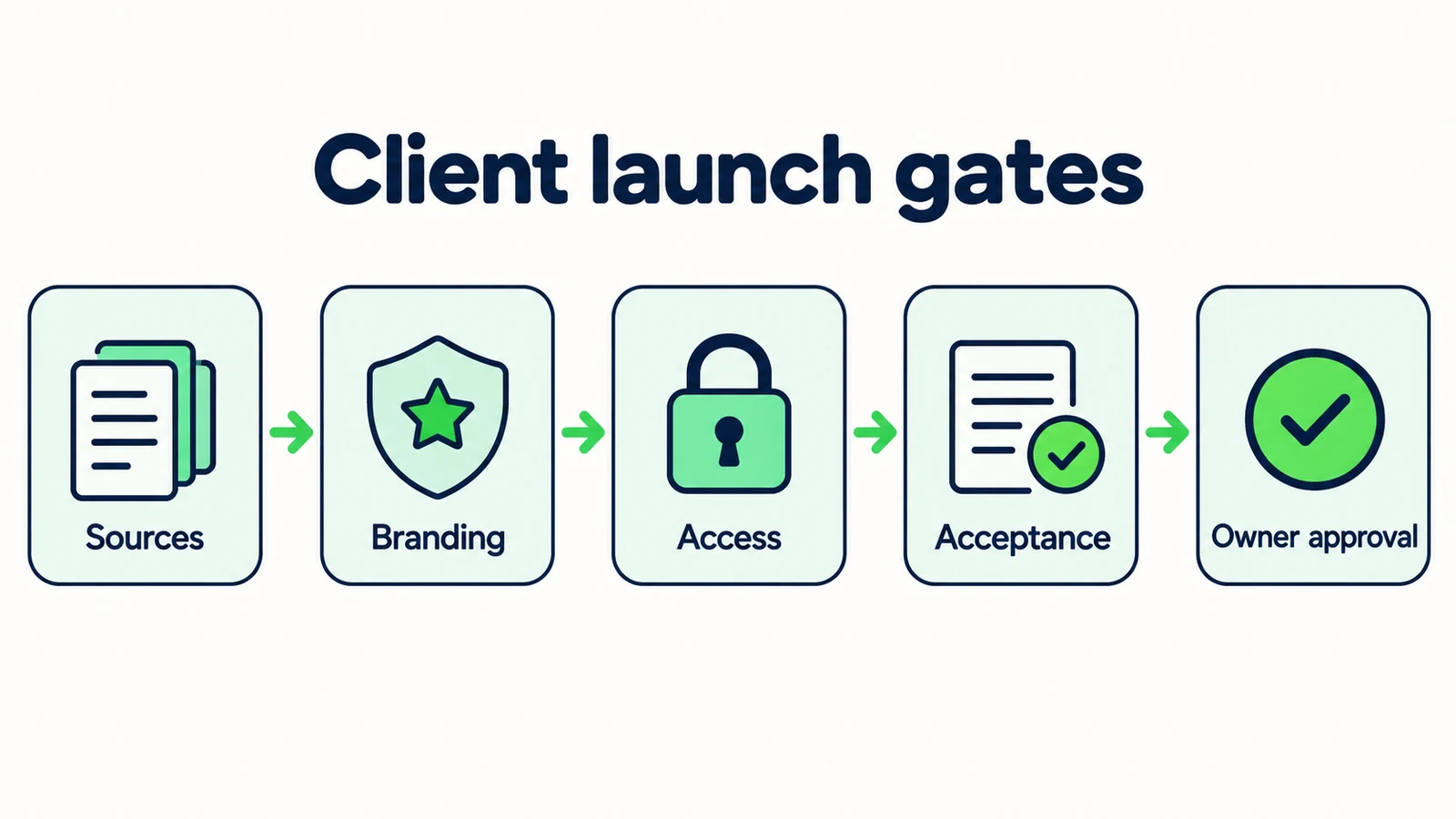
7 Gates for an Agency-to-Client Launch
1. Agree the first customer task and its boundaries
Define what the initial deployment is meant to help a customer do. “Answer general service questions and collect an enquiry for the team” is more testable than “automate customer service.” A clear task makes it easier to choose sources, write questions and judge the result.
Identify the decisions that remain with the client. A hotel front desk leaves reservation and rate decisions with the hotel. A service business retains diagnosis and quotations. A real estate agency retains listing confirmation and professional advice. The front desk can support these conversations without claiming to make the underlying decision.
Write an out-of-scope statement alongside the task. For example: “No live inventory lookup, appointment confirmation or end-user payment processing.” Use the actual capabilities of the selected platform, not a generic agency sales template.
The AI front desk overview is a useful starting point for explaining the category in plain language. Keep the client-facing brief focused on what customers will experience: answers, useful questions, approved links and a clear next step. Technical details can be documented separately for the person who needs to maintain them.
2. Obtain approval for a specific source inventory
List each website page or document that will support customer answers. Give it an owner, purpose and approval state. Ask the client to identify obsolete material, draft policies and internal-only documents before those sources are used.
Illustrative inventory entry:
Source: published service-area page. Owner: operations manager. Purpose: explain where the standard service is offered. Open issue: boundary locations require staff confirmation. Approval: current wording approved for customer use.
Do not treat a file's presence in a shared folder as approval. A presentation may contain aspirational features, old prices or an exception intended for a particular customer. The knowledge-base best-practices guide explains how to structure useful material; the agency's responsibility is to make the approval decision explicit.
When sources conflict, pause that answer topic and ask the relevant client owner to decide. Avoid solving a business disagreement through an undocumented prompt rule. Keep the resolution in the launch record so a later editor understands why a source was excluded or rewritten.
The final inventory should be small enough to inspect. A clear approved set is a stronger handover artifact than a claim that the agent has learned “everything about the business.”
3. Review the actual branding and website placement
Show the client the front desk on the pages where it will appear, including a mobile view. Review the greeting, display name, colors, logo and placement in the actual site context. Check that the wording identifies the role honestly and does not imply a person is available when the interaction is automated.
White-label removal is available on Hyperleap AI Pro and Max. Use that statement precisely: the Hyperleap badge comes off the widget. Do not promise custom platform branding or a resale system unless separately verified and agreed. Plan features and limits should come from the current pricing page, not an old proposal.
Ask the client to approve the visible text as well as the appearance. A greeting such as “I can confirm your booking” is a capability claim, not merely brand voice. The agency should identify that issue before asking for aesthetic sign-off.
Record which site pages and device states were reviewed. A homepage screenshot does not verify a chat panel on a long service page with a sticky booking button. Keep cosmetic preferences separate from task-blocking issues so the team can prioritize changes without losing the functional launch criteria.
4. Establish access and operational ownership
Identify who needs access to configure the front desk, review conversations and maintain sources. Use the platform's supported account and permission controls. Do not share credentials as a shortcut, and do not assume an agency retains indefinite access after handover without agreement.
The launch pack should name roles rather than contain secrets. Record the client owner, the agency contact, the person responsible for source updates and the person reviewing incoming enquiries. Keep credentials and sensitive account material out of the editorial sign-off document.
Clarify what happens when a person leaves or the engagement ends. The appropriate account owner should know how to review access through the normal process. This is not a request to invent a new authentication workflow; it is an ownership check using the controls already available.
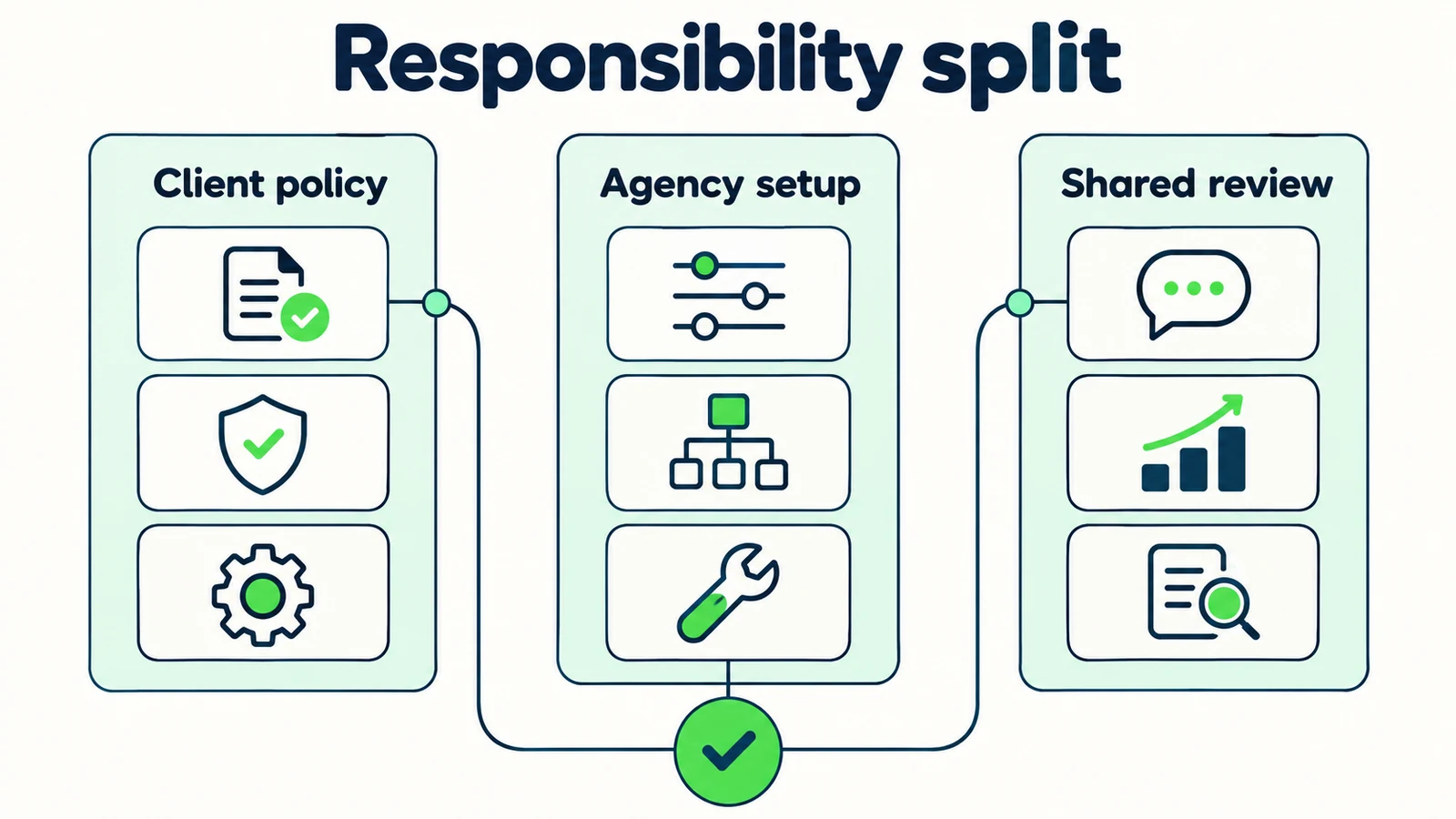
Separate access from responsibility. A team member may be able to view conversations but not be the person expected to follow up. A client may own policy decisions while the agency applies approved edits. Write that split plainly. If nobody is responsible for a recurring task, the platform cannot resolve the gap merely by providing a shared view.
5. Run customer-question acceptance tests with the client
Use questions the business recognizes, plus cases that challenge the boundaries. Test known information, missing information, ambiguous requests, requests for a person and pressure to make an unsupported promise. The client should review the meaning of the answer, not just whether it sounds fluent.
Record the question, expected behavior, observed answer and result. An expected behavior might be “asks which property” rather than one exact sentence. This allows natural wording while preserving the important decision boundary.
Include a test for the phrase your sales process is most likely to overstate. If the service shares booking links, ask whether an appointment is confirmed. If it answers from attached property documents, ask for live availability. The response should explain the supported role and direct the customer appropriately.
Do not hide failed tests from the client. A clear issue with an owner and retest date is more useful than a clean report created by selecting only easy questions. Mark unresolved launch blockers separately from improvements that can reasonably follow later. The client should know which customer tasks remain outside the approved scope.
6. Verify the handoff beyond the chat window
Test the actual next step with fictional data and the client's authorization. If an enquiry should reach a particular record or email recipient, verify that result in the relevant system. A success message displayed to the visitor is not enough to prove delivery.
Review the content the receiving person sees. Does it preserve the customer's question, contact preference and unresolved decision? Does it accidentally claim a booking or quotation was completed? The lead-summary guide describes a useful record, and the human-handoff guide explains expectation setting.
Hyperleap AI supports emailed summaries, lead exports and a REST API and webhooks (webhooks on Pro and Max) for separately implemented connections. Do not describe an unbuilt connection as a native CRM integration. If a custom workflow is part of the engagement, give it its own delivery, failure and correction tests.
Use precise evidence language in the sign-off: collected, delivered, received, reviewed or confirmed. These are different states. A client should never have to discover after launch that “handoff tested” meant only that the assistant said it would contact someone.
7. Hand over a maintenance pack and a launch decision
The final pack should include the approved source inventory, boundary statements, acceptance results, handoff evidence, access owners and maintenance responsibilities. Keep it readable. A collection of screenshots without an explanation of what they prove is not a useful operating document.
List the changes that require review: revised prices, new service areas, altered hours, changed booking destinations or a new policy. Name who approves the change and who applies it. If the agency offers ongoing support, describe that arrangement in the actual engagement terms rather than implying the platform itself includes the service.
The launch decision should state the version and scope approved, outstanding non-blocking items and any remaining exclusions. “Approved for routine service enquiries on the named website pages” is clearer than “AI approved.” Do not claim that sign-off guarantees future accuracy or removes the need to review new questions.
Give the client a simple way to report an issue: the customer question, observed answer, relevant source and consequence. That turns maintenance into an evidence-based task. A handover succeeds when the next person can make a responsible change without needing the original agency team to reconstruct every decision.
Prepare a front desk your client can approve
Build from approved business knowledge and demonstrate the real customer journey before handover.
Start for freeA Client Sign-Off Worksheet
The worksheet below is an original operating template. It is not a contract or a statement that any platform automates these approvals.
| Gate | Evidence to attach | Decision owner | Open issue to record |
|---|---|---|---|
| Scope | Customer task and exclusions | Client business owner | Unsupported requests or unclear boundaries |
| Sources | Approved inventory and disputed-source decisions | Client policy owner | Missing or contradictory facts |
| Branding | Actual page views and approved visible wording | Client brand owner | Placement, copy or plan-dependent badge setting |
| Access | Named roles and verified account ownership | Appropriate account owner | Missing access or unclear ongoing responsibility |
| Answers | Questions, expected behavior and observed results | Shared client and agency review | Failed or untested cases |
| Handoff | Actual destination and recipient evidence | Client operations owner | Delivery, summary or follow-up gaps |
| Maintenance | Change triggers and named responsibilities | Client launch owner | Unassigned tasks after handover |
Use the table to distinguish three states: ready, blocked and intentionally outside scope. An outside-scope item is not a passed test. For example, a deployment that only shares a booking link should not list native calendar confirmation as complete simply because it was excluded from the project.
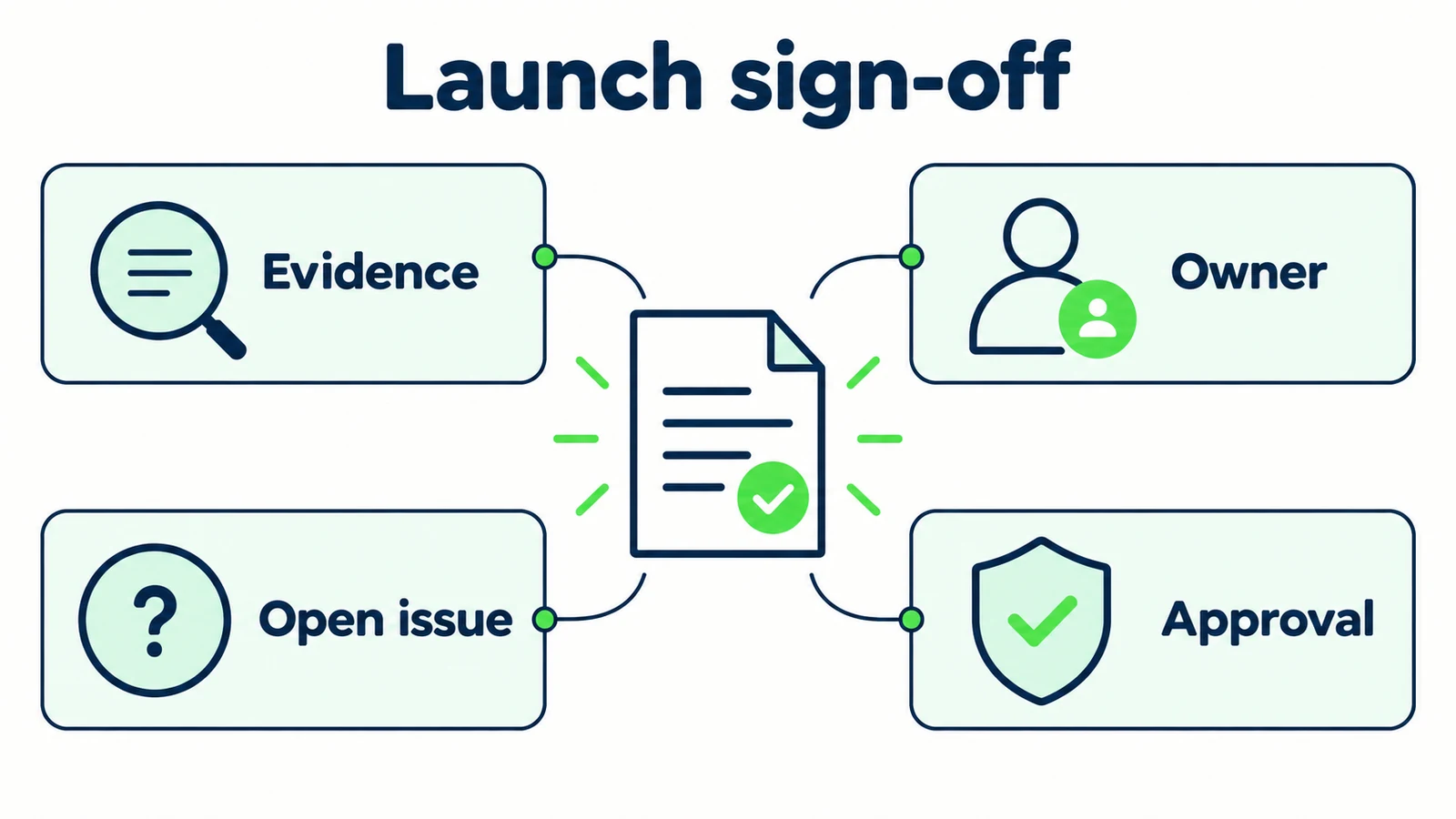
Include a short narrative decision: what is approved to launch, what remains unapproved and why. This helps the client understand the significance of the evidence rather than treating the sheet as a ceremonial checkbox exercise.
The quality benefit is visible in the handover itself. Another person can identify the owner, find the source and repeat the test. Do not turn that operational benefit into an unsupported claim about conversion, labor savings or customer satisfaction. Those outcomes require their own measurement after launch.
Keep the Launch Review Proportionate
Begin with one client workflow and a manageable approved source set. A small service business does not need an enterprise governance program to answer opening-hour and service questions responsibly. It does need someone who can confirm the facts and receive the enquiries.
Send the client the specific decisions needed before the review. “Please approve these service-area statements and this follow-up route” is easier to act on than “please review the chatbot.” Use the review meeting to resolve open questions, not to read every document aloud.
Hyperleap AI's quick-start path can put an agent live in under five minutes. Client approval, source tuning and acceptance testing are the work around that fast setup, not evidence that the installation itself takes weeks. Explain the distinction so the client understands both the speed of deployment and the responsibility of approving customer-facing information.
If the project requires capabilities beyond the selected platform, name them as separate work and verify them. The build-versus-buy guide can help frame that discussion. Avoid promising an integration because a general API exists; an implemented and tested connection is a different deliverable.
After launch, review the first relevant conversations under the client's approved access process. Look for gaps in sources or expectations, record changes and retest the affected tasks. The handover pack should remain a working reference, not a PDF that becomes obsolete the moment the client approves it.
Frequently Asked Questions
What should the client approve before launch?
The client should approve the business scope, source facts, visible wording, handoff process and ongoing owners. The agency should provide evidence of configuration and testing. A visual demo alone does not approve every policy or prove recipient delivery.
Does white-label mean the agency can resell every platform feature?
No. For Hyperleap AI, white-label means the Hyperleap badge comes off the widget on Pro and Max. Do not infer resale billing, special agency tiers or custom platform surfaces from that feature. Commercial arrangements need their own verified terms.
Who should decide when source documents disagree?
The client's authorized policy owner should decide the business fact. The agency can identify the conflict, explain its effect and apply the approved source change. A prompt should not silently choose a policy the client has not approved.
Is a successful lead form enough to approve the handoff?
No. Verify the actual resulting record or notification when the test is authorized, and review what the receiving person sees. Browser success, delivery and human follow-up are different states and should be reported separately.
Can the agency keep access after handover?
That depends on the actual engagement and the client's approved access arrangement. Name the account owner and use supported permission controls. Do not assume indefinite access or include credentials in the handover document.
What should trigger a post-launch retest?
Retest when a relevant policy, price, service area, source, booking destination, site layout or handoff route changes. Also retest when a conversation reveals an ambiguity. Repeat the affected customer task and record the observed result.
Make “Ready” Mean Something Both Parties Understand
A strong agency launch is not just a configured widget. It is a deployment whose facts, boundaries and operating responsibilities the client can understand and approve. The checklist makes that evidence visible without turning a small project into unnecessary bureaucracy.
Use separate gates for sources, branding, access, answers and handoff. Preserve failed tests until they are resolved. Name the person who owns the next policy change. Those small habits prevent the agency and client from discovering after launch that they meant different things by “finished.”
An AI front desk can make routine customer conversations easier to handle. A clear client handover gives that front desk a responsible place in the business rather than leaving it as an attractive demonstration with no owner.
Build a client-ready AI front desk
Start with approved sources, clear boundaries and a handoff your client can verify and maintain.
Start for freeIndustry Solutions
See how AI chatbots work for these industries:
Related Articles

Booking Links vs Integrations: What AI Can Actually Do
Separate sharing a booking link from checking availability, creating a reservation and confirming it with this practical AI front desk buyer checklist.
AI Front Desk Test Plan: 25 Customer Questions
Test your AI front desk before launch with 25 customer questions, clear pass criteria, booking boundaries and a practical review record.

Hotel Event-Space Enquiries: Build a Useful Brief
Collect useful hotel meeting-space enquiries with layout, attendance, equipment and catering prompts, without implying a venue reservation.

Cleaning Enquiries: Scope Questions Before a Quote
Collect clearer cleaning quote enquiries with residential and commercial scope questions, exclusions, access notes and a practical team-review worksheet.