Chatbot-to-Human Handoff: Escalation Design That Works
How to design chatbot-to-human handoff: when to escalate, what context to pass, routing options, SLAs, and a copy-ready escalation script.
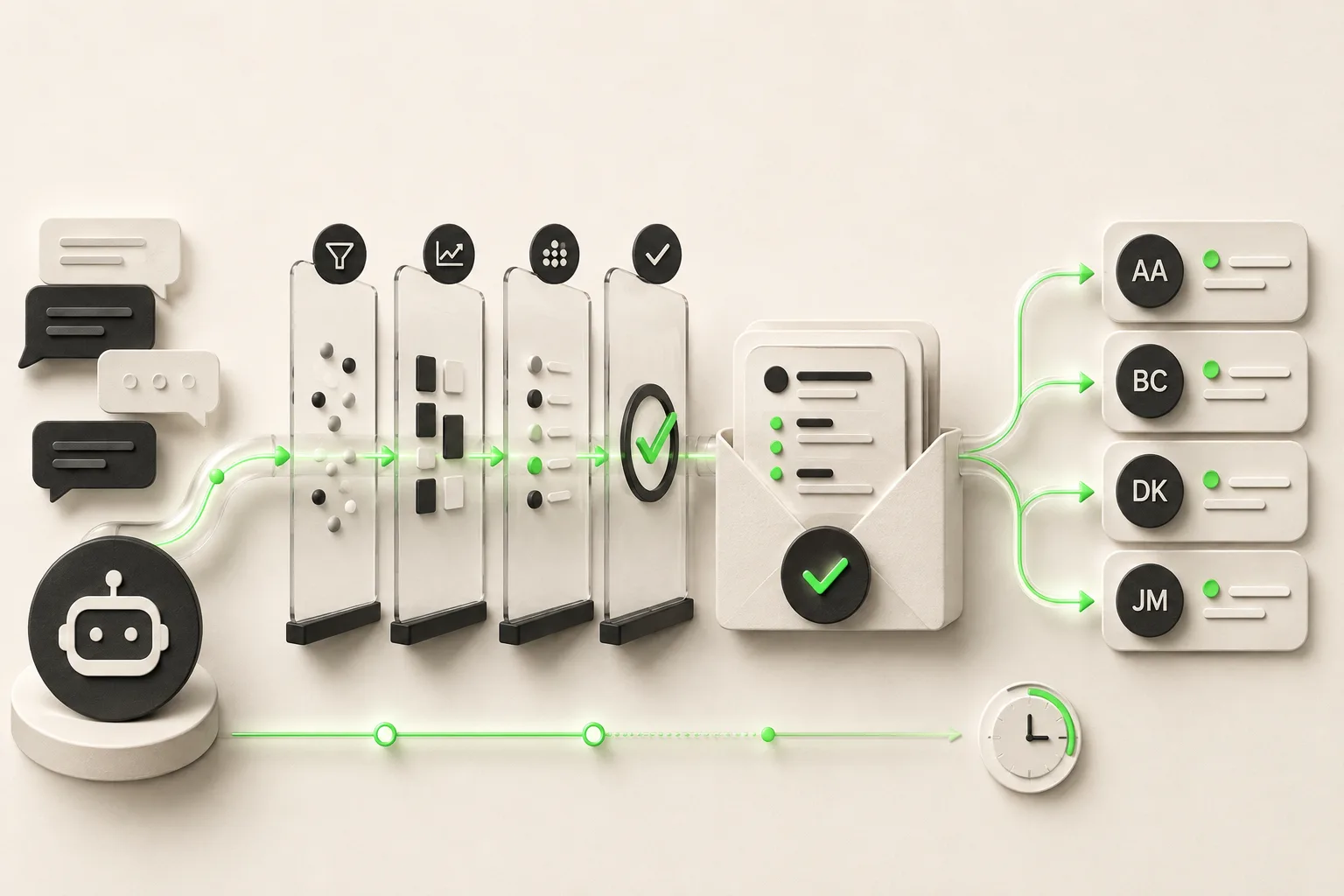
TL;DR: Chatbot-to-human handoff is the process of transferring a conversation from an AI agent to a person when the AI reaches the edge of what it can responsibly answer — and it is the single most under-designed part of most AI deployments. Escalate on four triggers: an explicit request for a human, negative sentiment or repeated frustration, low confidence or a knowledge-base gap, and policy-restricted topics (billing disputes, complaints, anything regulated). A good handoff carries the full transcript, any lead details already captured, and — where available — the source citations the AI drew on, and routes to email, Studio's unified inbox (handoff alerts and live takeover there are on Pro and Max), or a webhook into your own tools. Set expectations in the handoff message itself ("a team member will follow up," not silence), and measure handoff rate alongside deflection — a low escalation rate can mean the AI is guessing, not succeeding.
Before you read this
This is the design guide for the escalation itself — when to trigger it, what to say, what data to pass, and how to route it. For the definition of the underlying mechanism, see What is Human Handoff?. For how handoff rate relates to the metric it trades off against, see what is ticket deflection.
A chatbot-to-human handoff is what happens the moment your AI agent decides — correctly or not — that it should stop answering and hand a conversation to a person. Get this moment wrong and it costs you twice: once when the AI gives an answer it shouldn't have, and again when the customer who should have been passed to a human instead hits a dead end. Most public writing about AI customer service focuses on what the AI answers. Almost none of it focuses on what happens when it can't — which is strange, because that moment is where trust is either preserved or lost.
This guide is the deeper design layer: the specific triggers that should fire an escalation, what the handoff message needs to say, what context has to travel with the conversation, where it should route, and how to measure whether your escalation design is actually working. If your team handles the follow-up after the AI hands off, this is the guide that makes those handoffs worth answering.
What Is Chatbot-to-Human Handoff?
Chatbot-to-human handoff is the mechanism by which a conversation moves from an AI agent to a human team member, along with the context needed to continue it without the customer repeating themselves. It is not a failure state — it's a designed feature, and every credible AI customer service deployment needs one, because no AI agent should attempt 100% of conversations on its own.
The mechanics break into three parts, in sequence:
- Trigger — something in the conversation crosses a threshold that says "this needs a person" (see the four trigger types below)
- Package — the system assembles what a human needs to pick up cleanly: transcript, any captured contact details, and relevant metadata
- Route — the packaged conversation reaches the right person or team, through the right channel, within a reasonable time
Handoff quality is measured by what happens at each of those three steps, not by whether a handoff happened at all. A business can have a technically-working escalation button that still produces terrible outcomes if the trigger fires too late, the package is thin, or the routing lands in an inbox nobody checks. For the base definition and the AI/human split most deployments target, see what is human handoff in our glossary.
Why Escalation Design Gets Skipped
Escalation design gets skipped because it feels like the "unhappy path" — the part of the deployment nobody wants to spend time on when the AI is answering most questions correctly. That instinct is backwards: the conversations that reach a human are disproportionately your highest-stakes ones — complaints, high-value leads, and situations where a bad experience is most likely to cost you the customer.
Teams design the happy path and stop
Most AI chatbot setup time goes into the knowledge base — writing FAQs, uploading policies, testing common questions. The escalation path gets a single default message ("Sorry, I can't help with that") bolted on at the end, if it gets designed at all. That default message is precisely the moment a frustrated customer is most likely to give up.
"It rarely happens" is the wrong lens
A 15-25% escalation rate — a healthy range per our chatbot KPI benchmarks — still means roughly one in five or six conversations needs a well-designed handoff. At any real volume, that's not an edge case; it's a regular operational flow that deserves the same design attention as the AI's primary answers.
The cost is invisible until you go looking
A bad handoff doesn't throw an error. The conversation just ends — the customer closes the tab, or replies once more into silence and never comes back. Nothing in a standard dashboard flags "customer gave up here" the way it flags a system error, which is exactly why so many businesses have no idea how much of their escalated volume is being quietly lost.
When to Escalate: The Four Trigger Types
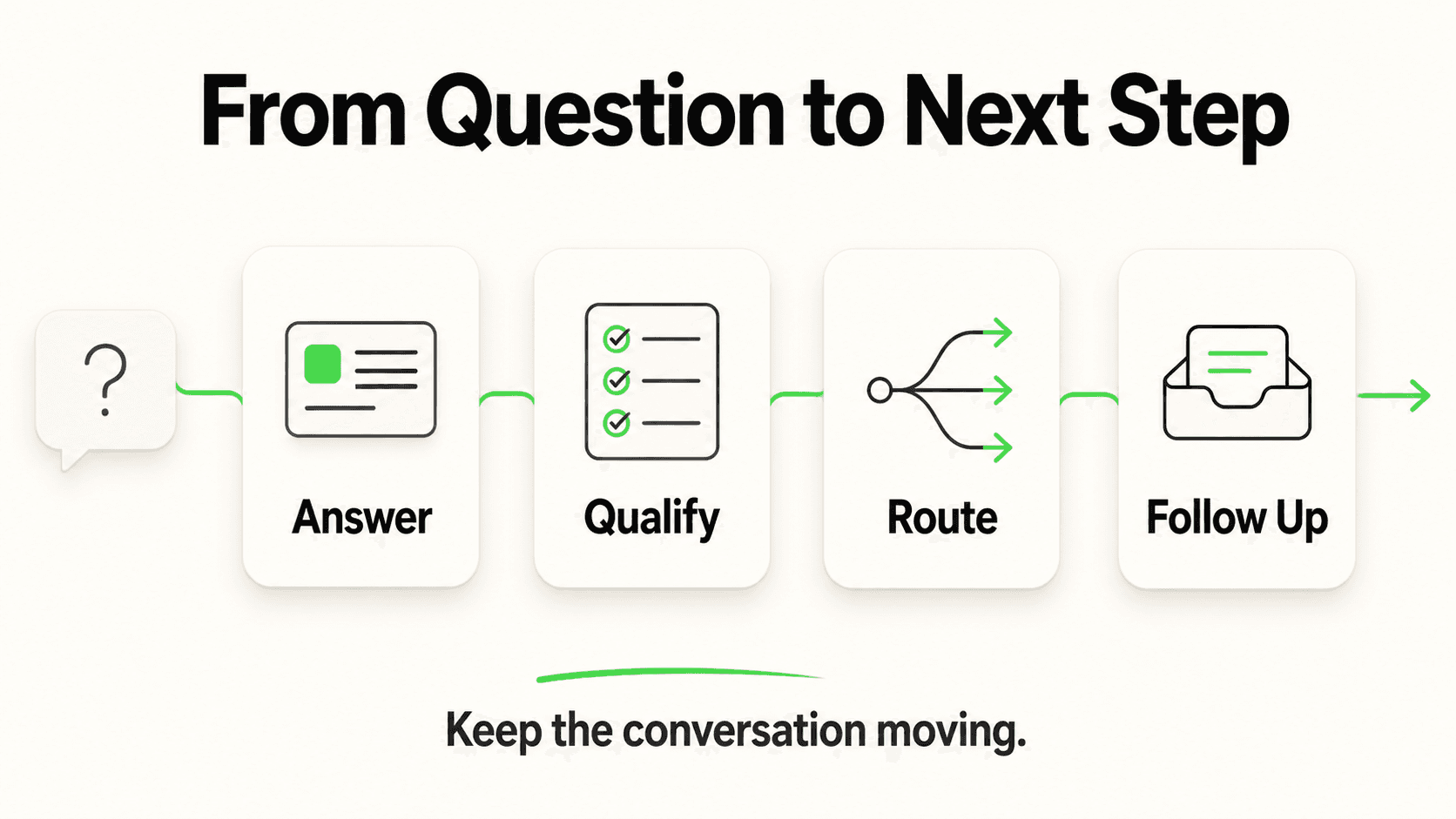
An AI agent should escalate on four trigger types: an explicit request for a human, sentiment or frustration signals, low-confidence or knowledge-gap situations, and policy-restricted topics that should never be handled by AI regardless of confidence. Each needs a distinct detection method and a distinct handoff message — treating them all the same produces a generic experience that undersells the ones that matter most.
1. Explicit request
The customer directly asks for a person: "can I talk to someone," "is there a human I can speak to," "connect me to support." This is the easiest trigger to detect and the one every deployment should handle flawlessly — a delayed or fumbled response to a direct request reads as the AI actively obstructing the customer, which is worse than never having built the feature.
Design note: Escalate on the first request, not the third. Some AI configurations are tuned to try one more time to resolve the issue before handing off — that instinct actively damages trust with a customer who already stated what they want.
2. Sentiment and frustration signals
The customer's language signals rising frustration even without an explicit ask: repeated phrasing of the same question, short or clipped messages, words like "useless," "still not right," or "this isn't working," or a visibly escalating tone across consecutive messages. A well-configured AI should treat two or three of these signals stacked together as an escalation trigger on their own, without waiting for the customer to say the word "human."
Design note: The threshold matters. Escalating on the very first mildly negative word ("annoying") undermines the AI's usefulness for constructively worded complaints it could actually resolve. Escalating only after outright hostility means several frustrated exchanges happen first. Tune this against real conversation logs from your own deployment rather than guessing.
3. Low confidence or knowledge-base gap
The AI cannot find a sufficiently relevant, document-grounded answer to the question asked. This is the trigger that separates a responsibly built deployment from a reckless one: a system that is document-grounded is designed to recognize when a question falls outside its knowledge base and decline to guess, rather than generating a fluent-sounding answer that happens to be wrong.
Design note: "I don't know" is not a good enough handoff message on its own. Pair the admission with a specific next step — "let me connect you with someone who can help with that" — so the moment reads as a handoff, not a shrug.
4. Policy-restricted topics
Certain categories should escalate automatically regardless of how confident the AI is in its answer — billing disputes, refund exceptions, account security changes, and anything touching a regulated area. In healthcare or legal-adjacent contexts specifically, the AI should route rather than assess: it can gather what the person needs and connect them to the right team, but it should never render a clinical judgment or legal opinion. This is a design decision made up front, independent of the model's actual confidence score, because some categories carry consequences an AI shouldn't be trusted with even when it "knows" the answer.
A trigger you can't tune your way out of
Policy-restricted topics need a hard rule, not a confidence threshold. A model can sound extremely confident while giving advice it has no business giving. Configure these categories as an always-escalate list, separate from your general confidence tuning.
Writing the Handoff Message: What It Should Actually Say
A good handoff message tells the customer three things in one or two sentences: that a person is taking over, roughly what to expect next, and that they will not need to repeat themselves. Skipping any one of those three elements is what turns a designed escalation into something that feels like an ejection.
The three components, broken down:
- The transition itself — say plainly that a team member is stepping in, not a vague "let me check on that"
- A timing expectation — even an approximate one ("usually within a few hours," "our team will reply by email shortly") beats silence, because uncertainty is what drives people to give up and go elsewhere
- Continuity assurance — explicitly state that context carries over, so the customer doesn't feel obligated to summarize everything again
A copy-ready escalation script
Adapt the wording to your brand voice, but keep the structure — transition, expectation, continuity — intact:
Standard escalation (knowledge gap):
"That's a great question, and I want to make sure you get an accurate
answer rather than a guess. I'm passing this along to our team — they
have the full conversation here and will follow up by [email/your
preferred channel] within [timeframe]."

Explicit request for a human:
"Of course — connecting you with our team now. They'll see everything
we've discussed so far, so you won't need to start over."

Policy-restricted topic (e.g. billing dispute):
"This is something our team needs to handle directly so it's resolved
correctly. I've flagged this conversation for them along with what
you've shared, and they'll reach out within [timeframe]."

Sentiment-triggered escalation:
"I can see this hasn't been resolved the way it should be, and I don't
want to keep you going in circles. Let me get a member of our team
involved directly — they'll have this full conversation in front of
them."
Notice what none of these do: none of them say "I'm just a bot" as an excuse, none of them leave the timeframe entirely open-ended, and none of them ask the customer to restate their issue. Each one closes the loop on what happens next.
What Context Should Travel With the Handoff
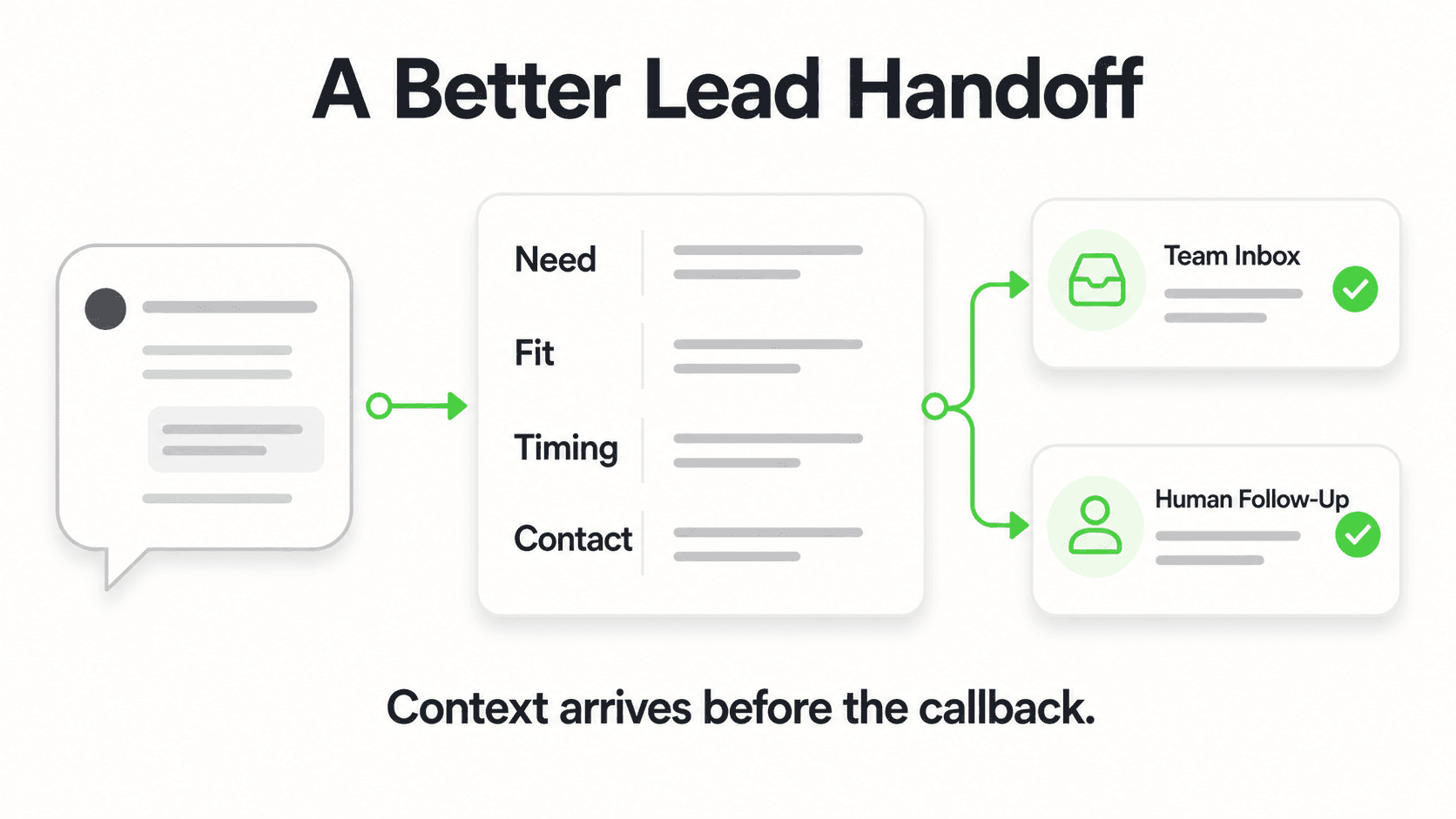
The context that should travel with every handoff is the full conversation transcript, any lead details already captured, and — where the platform supports it — a record of which knowledge sources the AI drew on for its answers. Passing a bare notification ("someone wants to talk to a human") without this context defeats the entire purpose of automating the first contact.
Full transcript
The human picking up the conversation should see every message exchanged, not a one-line summary. Summaries lose nuance — the specific phrasing a frustrated customer used, the exact question that triggered the escalation, any detail mentioned three messages back that's now relevant. The transcript is the baseline; anything less forces the human to ask the customer to repeat information the AI already collected.
Lead and contact details
If a lead capture form gathered the customer's name, email, or phone number before or during the conversation, that record needs to travel with the handoff, not live in a separate system the human has to cross-reference. A clean handoff means the person picking up the thread has the transcript and the contact details in one place — not "a form was submitted somewhere and a conversation is happening somewhere else."
Source citations from the conversation log
Where the platform logs which knowledge-base sources an AI answer drew from, that citation trail is genuinely useful context for the human taking over — it tells them exactly what the AI already checked and what it didn't find, so they aren't duplicating a search the AI already ran. This is a log-level detail visible to your team reviewing the conversation, not something shown directly in the customer-facing chat window.
What good handoff packaging looks like
A well-packaged handoff answers three questions instantly for the human who picks it up: What did the customer ask? What has the AI already told them? And who is this person, if we know? If your escalation notification doesn't answer all three without extra clicks, the packaging needs work — not the AI's answers.
Routing Options: Where Handoffs Should Go
Where a handoff routes depends on your team's size and existing tools — the common options are a direct email notification, a unified inbox that consolidates every channel, or a webhook that pushes the conversation into your own systems. None of these is universally correct; the right choice depends on how many people need visibility and whether you already have a system of record.
Email notification is the simplest and lowest-friction option for small teams — a lead or escalation summary lands in a shared inbox or a specific team member's email the moment it happens. It works well when one or two people own follow-up and don't need a dedicated dashboard.
Studio's unified inbox consolidates every conversation from all your channels — website, WhatsApp, Instagram DM, and Facebook Messenger — into a single view, so a team handling volume across channels isn't checking four separate places. On Pro and Max, your team is alerted there when a conversation needs a person and can take over the live chat. This is the right fit once handoff volume outgrows a single inbox scanning approach.
A webhook into your own tools (Pro and Max) pushes the conversation and its metadata into whatever system you already use — a shared spreadsheet, an internal ticketing tool, or a CRM via its own API — through Hyperleap's REST API and webhook events (lead created, new message, reply, conversation started). This is the option for teams that already have a workflow and don't want the AI vendor to be the system of record. Native one-click integrations with specific CRMs or helpdesks (Zendesk, HubSpot, Salesforce) are in active development rather than shipped today — plan on REST API and webhook connectivity in the meantime. SMS, Slack, Telegram, Microsoft Teams, and a dedicated email channel for routing are roadmap items, not current delivery options.
See what a well-designed handoff looks like
Watch an AI agent recognize when to escalate, pass the full transcript and captured lead details, and hand off cleanly (Pro and Max) — instead of leaving customers stuck.
See It In ActionSLAs and After-Hours Behavior
An escalation needs a stated response-time expectation even outside business hours — the goal is not to promise instant human replies at 2 AM, it's to make sure the customer knows their message was captured and roughly when to expect a follow-up. Silence after an escalation is worse than a clearly stated delay, because silence reads as "this went nowhere," while a delay with a stated timeframe reads as "this is being handled."
A workable after-hours pattern:
- The AI still attempts to resolve what it can — after-hours doesn't mean the knowledge base stops working; document-grounded answers are available 24/7 regardless of staffing.
- When escalation triggers fire outside business hours, the message adjusts — instead of "a team member will follow up shortly," it states the actual expected window: "our team is offline right now and will follow up first thing tomorrow morning."
- The lead or escalation is still captured and routed immediately — the notification doesn't wait until morning to fire; only the human response does. This matters because a meaningful share of inbound volume for many service businesses arrives outside standard hours, and capturing that inquiry the moment it happens (rather than losing it entirely) is one of the clearest reasons to run AI coverage at all.
- Set the expectation once, then honor it — an SLA that's stated but consistently missed erodes trust faster than not stating one at all.
Measuring Handoff Rate Alongside Deflection
Handoff rate and deflection rate are two sides of the same measurement and should always be reviewed together, never in isolation — a business optimizing purely for a low escalation number can end up with an AI that avoids handing off questions it should have. Our detailed breakdown on chatbot KPIs covers human escalation rate as one of seven core metrics, with a healthy target range of roughly 15-25% for most SMB deployments; meaningfully below that range is often a red flag, not a win.
The relationship works like this: deflection tells you how much volume the AI resolved without a human, and it only means something if you also know how the remaining share was handled. High deflection paired with a well-designed handoff for the rest is a strong outcome. High deflection paired with customers silently abandoning conversations the AI couldn't answer looks identical on a deflection chart — but it's a very different business result. For the full breakdown of how deflection is defined and measured, see what is ticket deflection.
Track these two numbers side by side, weekly:
| Metric | What it tells you | Warning sign |
|---|---|---|
| Escalation/handoff rate | Share of conversations routed to a human | Below ~10% may mean the AI is answering things it shouldn't |
| Deflection rate | Share of conversations resolved without a human | High deflection + high silent drop-off = handoffs are failing quietly |
| Handoff response time | How long until a human actually replies after escalation | Rising trend erodes the SLA you set in the handoff message |
| Post-handoff resolution | Whether escalated conversations actually got resolved | Low resolution means routing, not just triggering, needs work |
Common Handoff Failures (and How to Fix Them)
The most common handoff failures are dead-end loops with no real escalation, generic messages that don't set an expectation, and escalation timing that's either too early or too late — each has a specific, fixable cause.
Dead-end loops
The AI repeats "I'm sorry, I don't understand" or offers the same menu of options after a failed attempt, with no actual path to a human. This happens when an escalation trigger exists in theory but isn't wired to a real routing destination — a config gap, not a model limitation. Test this directly: intentionally ask your live deployment something it can't answer and confirm a human notification actually fires.
No expectation-setting
The handoff message says only "connecting you with our team" with no sense of timing, so the customer has no idea whether to wait five minutes or five days. Fix this by adding a stated (even approximate) timeframe to every escalation message, tuned to your team's real response capacity — don't promise faster than you can deliver.
Escalating too early
The AI hands off questions it could have answered directly from the knowledge base, because the confidence threshold is tuned too conservatively or the knowledge base itself has gaps that make correct answers look uncertain. This inflates handoff volume, burns your team's time on answerable questions, and undersells what document-grounded AI can actually do. Review escalated conversations weekly — if a meaningful share of them had a clear answer sitting in your knowledge base, the retrieval or confidence tuning needs adjustment, not more escalation.
Escalating too late
The opposite failure: the AI keeps attempting to resolve a frustrated or clearly out-of-scope conversation for too long before finally handing off, by which point the customer is already annoyed or has given up. This usually traces to sentiment triggers that are tuned too loosely or a confidence threshold set too permissively. The fix is the same discipline in reverse — review conversations where a customer's tone escalated before the handoff triggered, and tighten the thresholds accordingly.
Design escalation that doesn't lose customers
Configure explicit-request, sentiment, confidence, and policy-based escalation rules, with the full transcript and lead details attached to every handoff (Pro and Max). 7-day free trial, all plans.
Start Free TrialGetting Started: A Handoff Design Checklist
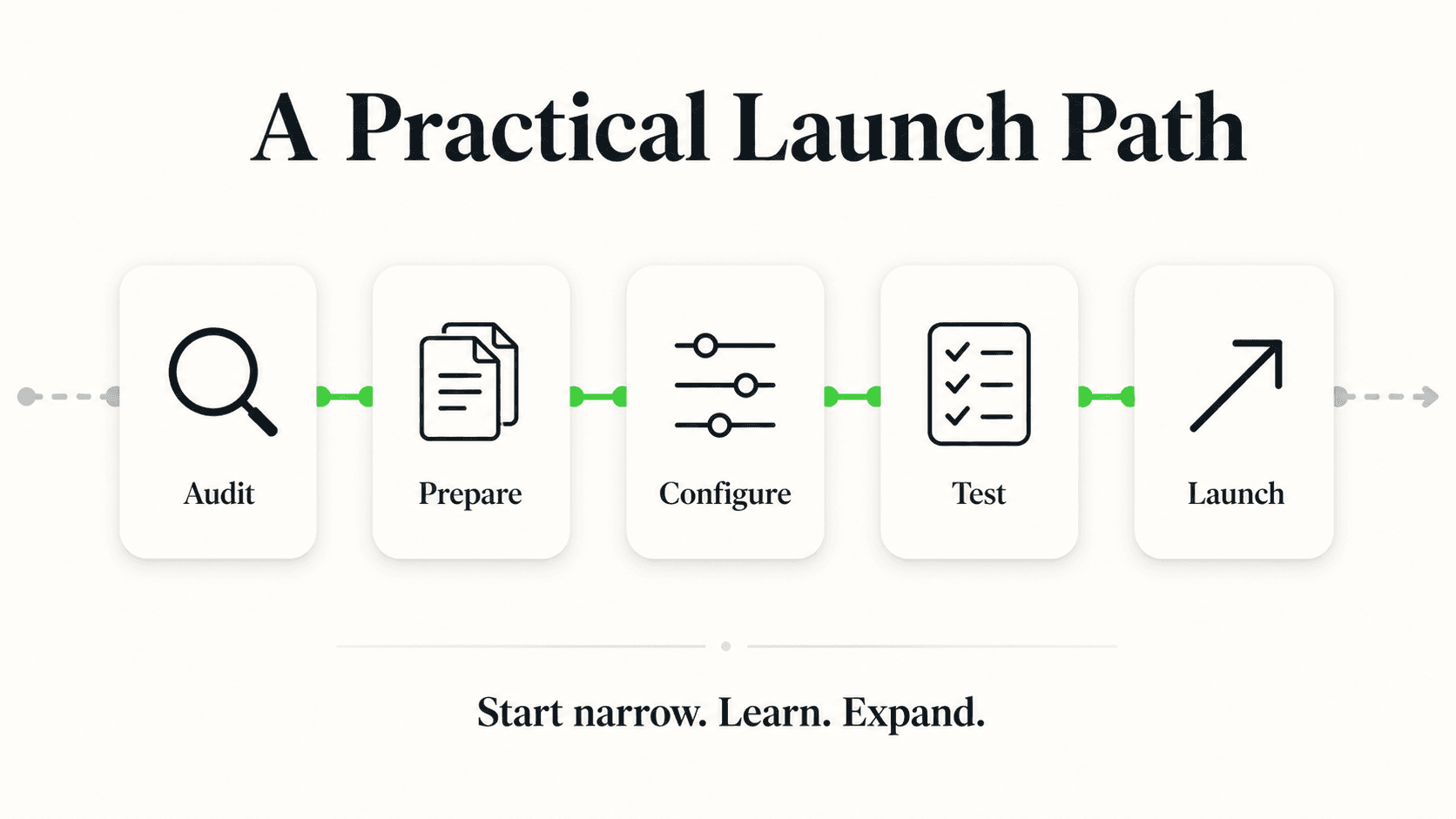
Before launch, confirm each of these is explicitly configured rather than left to platform defaults:
- All four trigger types are enabled — explicit request, sentiment signals, low confidence, and a hard-coded policy-restricted list.
- Each trigger has a distinct handoff message that names the transition, sets a timing expectation, and confirms continuity.
- The full transcript and any captured lead details travel with every handoff — verify this by triggering a test escalation and checking what actually lands on the receiving end.
- Routing matches your team's real workflow — email for a small team, Studio's unified inbox for multi-channel volume (live takeover on Pro and Max), or a webhook into your own tools via REST API for teams with an existing system of record.
- After-hours messaging states realistic timing, and the lead is still captured and routed immediately even if the human reply waits until morning.
- Handoff rate and deflection rate are reviewed together weekly, not deflection alone — see chatbot KPIs for the full measurement framework.
Getting this right is not a one-time setup task. Review a sample of escalated conversations every week, the same way you'd review any other part of conversational AI for customer service — because the handoff moment is where an AI deployment either earns lasting trust or loses it.
Frequently Asked Questions
What triggers a chatbot to hand off to a human?
Four trigger types should fire an escalation: an explicit request from the customer to speak with a person, sentiment signals like repeated frustration or negative language, low confidence or a gap in the knowledge base where the AI can't find a grounded answer, and policy-restricted topics — billing disputes, account security, regulated categories — that should always route to a human regardless of the AI's confidence.
What information should be passed during a handoff?
A complete handoff should include the full conversation transcript, any contact details already captured through a lead form, and, where the platform logs it, which knowledge-base sources the AI consulted. Passing only a bare notification without this context forces the human to start the conversation over, defeating the purpose of AI-assisted first contact.
How long should a business take to respond after an AI escalates a conversation?
There's no universal number, but the response time should match a stated expectation set in the handoff message itself — whether that's minutes during business hours or "first thing tomorrow morning" after hours. The specific timeframe matters less than consistently honoring whatever you promise; a stated SLA that's regularly missed damages trust faster than a longer but reliable one.
What is a healthy escalation rate for an AI chatbot?
Most SMB deployments land in a healthy range around 15-25%, per our chatbot KPI benchmarks. A rate meaningfully below 10% can indicate the AI is answering questions it should be escalating instead, and a rate above 35-40% usually means the knowledge base has real gaps or the confidence threshold is too conservative.
Should an AI chatbot ever refuse to escalate?
No — an explicit request to speak with a human should always be honored immediately, without the AI attempting additional resolution first. Delaying or resisting a direct request undermines trust more than any single wrong answer would, because it reads as the system actively working against what the customer asked for.
Does Hyperleap AI support routing handoffs to tools like Slack or a CRM directly?
Handoffs route through email notification, Studio's unified inbox across all channels, or a webhook via the REST API into your own systems; handoff alerts and live takeover in Studio, like webhooks, are on Pro and Max. Native one-click integrations with specific CRMs and helpdesks like HubSpot, Salesforce, and Zendesk are in active development rather than shipped today; Slack, Microsoft Teams, and SMS routing are roadmap items. Teams building a custom workflow today typically connect the webhook events (lead created, new message, reply, conversation started) into whatever system they already use.
Does escalating a conversation mean the AI failed?
No — a well-designed escalation is a feature, not a failure. No responsible AI deployment should attempt to resolve 100% of conversations on its own; complaints, account-specific issues, and regulated topics are supposed to reach a human. The measure of success isn't how rarely the AI escalates, it's whether the handoffs that do happen are packaged well enough that the human picking them up can actually help.
Industry Solutions
See how AI chatbots work for these industries:
Put this into practice
Related Articles

When Customers Ask for a Person: Reply Examples
Use respectful replies for customers who ask for a person, with clear availability wording, honest handoff status and a practical copy-review pack.
Conversational AI vs Generative AI: A Business Guide
Conversational AI vs generative AI explained: how they relate, a comparison table, risks and controls, and what a small business actually buys.
AI for Small Business Customer Service: Where to Start
A step-by-step guide to AI for small business customer service — triage your support load, choose buy vs. DIY vs. hire, set a budget, and roll out in 30 days.

AI Virtual Receptionist: Your Messaging-Based Digital Front Desk
An AI virtual receptionist handles your website chat, WhatsApp, Instagram DM, and Facebook Messenger 24/7 — greeting visitors, answering questions, capturing leads, and routing to your team.