AI Front Desk Holiday Hours and Escalation Playbook
Prepare holiday hours, honest response windows and clear escalation contacts with a practical AI front desk source sheet and review checklist.

Holiday customer service problems often begin before the business closes. A customer asks about next week's hours, someone replies from memory, and a different page still shows the normal schedule. Meanwhile, the person who usually handles exceptions is away. The team spends its remaining working time correcting expectations instead of finishing customer work.
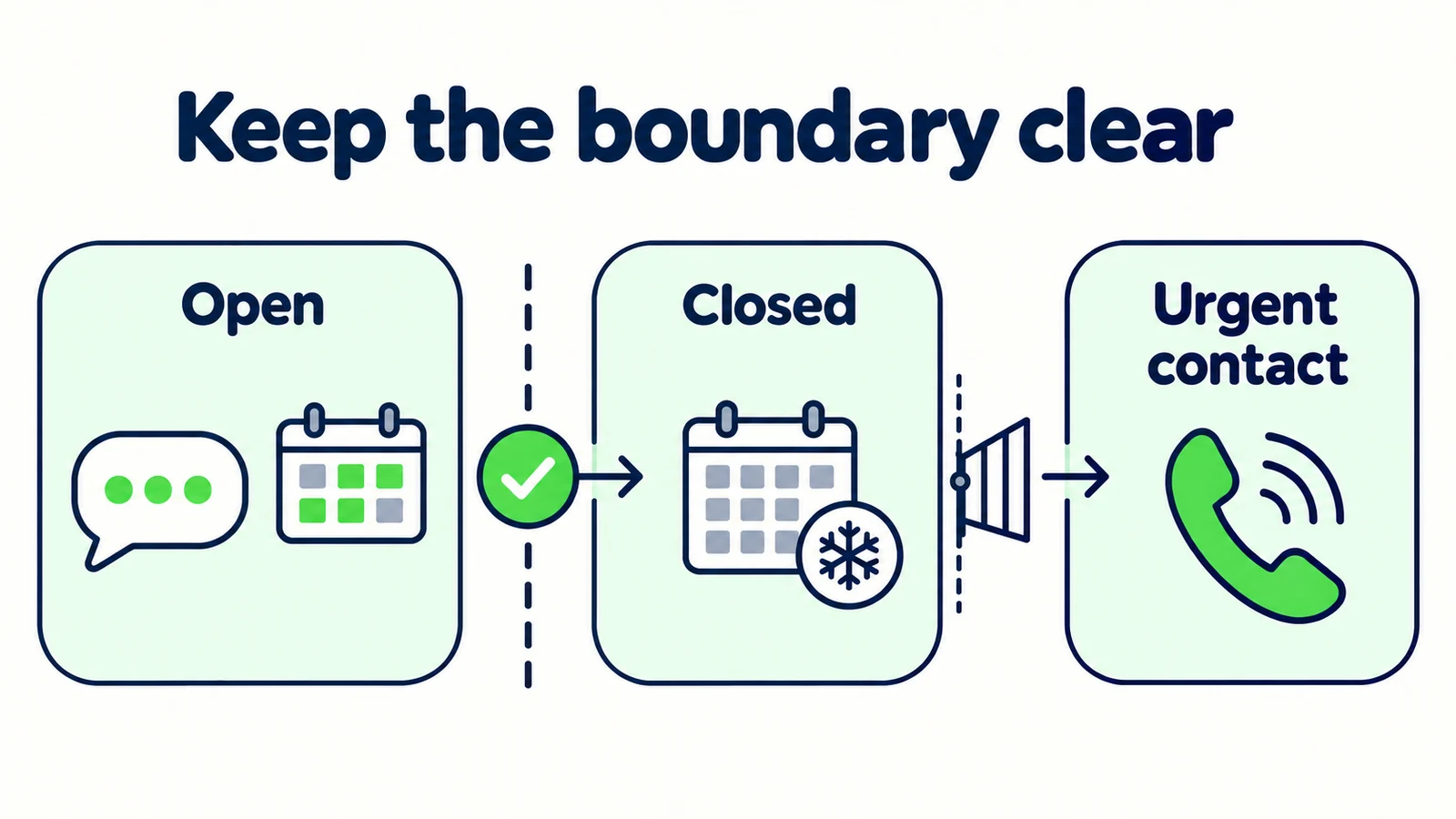
An AI front desk holiday-hours playbook gives those questions a reliable source and a realistic next step. It separates when the business is open, when someone reviews messages, and how customers should handle an issue that cannot wait for the normal queue. Those are different schedules and should not be compressed into “available around the clock.”
This guide provides an original dated-hours source sheet, response scripts and a handover record. All sample schedules are fictional. They are not recommendations for your staffing levels or promises about Hyperleap's support. Use your own approved dates, local time zone and actual team arrangements. The aim is clear communication through a temporary change, not automated staff scheduling or an artificial promise of uninterrupted human service.
What Belongs in a Holiday Hours Playbook?
A holiday playbook is a small set of approved facts and responsibilities for a defined period. It should tell the AI front desk what customers may be told and tell your team who maintains that information. A paragraph saying “holiday hours may vary” does neither job well.
Include the affected location, exact dates, local time zone, public opening hours, message-review arrangements and the owner of exceptions. If booking, delivery or collection follows a different process, give it its own line. A hotel reception desk, restaurant and reservations office may share a brand while operating on different schedules.
The AI front desk can explain approved information and collect enquiries while staff focus on other work. That capability does not mean a person is reading every message immediately. When the customer needs human attention, the answer must reflect the actual team process, including any gap in coverage.
Distinguish the holiday source from a staff roster. A public knowledge document should not reveal personal phone numbers, employee leave details, private access arrangements or internal escalation discussions. Customers need a usable contact route and a truthful expectation, not your entire operations notebook.
The broader guide to small-business customer support coverage explains how automated answers and human follow-up work together. This playbook handles a temporary exception to that normal arrangement. It is useful for public holidays, planned closures, maintenance periods and other known schedule changes, provided you describe each period accurately rather than assuming one country's holiday calendar applies to everyone.
A reply is not a staffed desk
Automated answers may remain available while your team is away. Do not describe that as continuous human support, an emergency response service or a guaranteed callback. Publish the message-review window your business can actually support.
Where Temporary Schedule Changes Create Confusion
Opening hours and reply hours get mixed together
The shop can be closed while someone checks enquiries remotely, or open while a specialist team is unavailable. If the answer says only “closed,” customers cannot tell whether they should wait, use a booking page or contact a different department. Record each relevant schedule separately and explain only what the customer needs for their task.
Relative dates survive longer than intended
“We reopen tomorrow” is dangerous when copied into a source that remains active for days. Use a specific date and local time. Customers in another time zone should not need to infer which calendar day your business means. Keep date wording consistent across the website, chat source and approved acknowledgement.
The usual owner is the person on leave
A handoff can appear well designed until every exception still points to the absent manager. Someone must accept the holiday responsibility before the contact route is published. This is a human operating decision; a label in a worksheet does not establish that the person has agreed or has access to the necessary information.
The temporary source never gets retired
Holiday messages can remain in brochures, source documents or pinned instructions after normal hours resume. A successful reopening therefore includes a source review, not merely changing a sign on the door. The knowledge-base maintenance guide provides a useful foundation for ownership and removal of outdated information.
These failures are easy to hide during a friendly demo. Test questions about the day before, the closure period and the first normal day afterward. The correct answer depends on the customer's requested date, not just the date on which the reviewer happens to run the conversation.
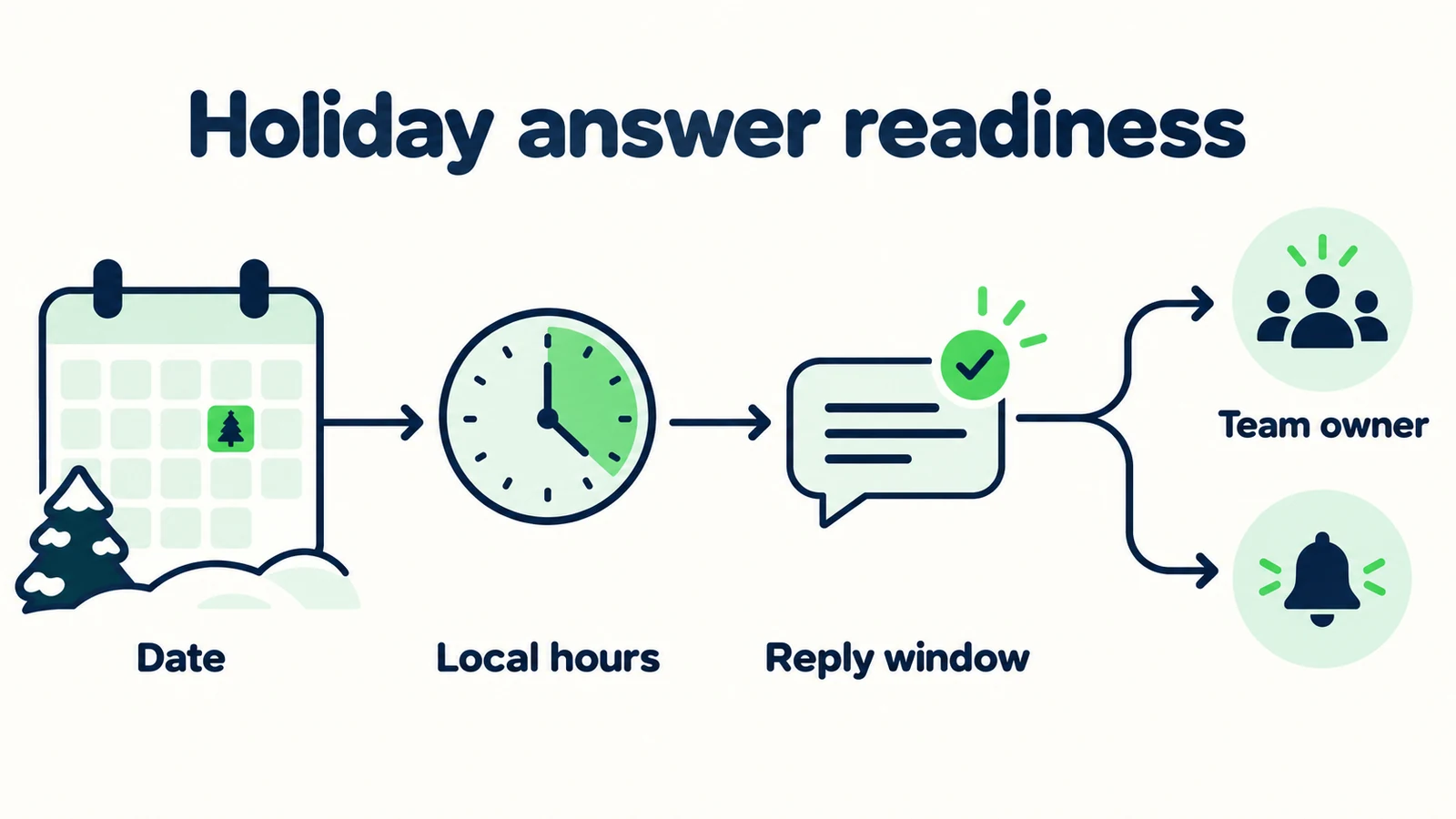
7 Decisions to Make Before the Holiday Period
1. Approve one dated schedule for each affected location
Create a source sheet that identifies the business unit and the time period it covers. Do not rely on a screenshot of a staff calendar or an informal message that assumes everyone knows the location. The source should be understandable when read on its own.
| Source field | Fictional example |
|---|---|
| Location | Harbor workshop reception |
| Effective period | December 24–28, 2026 |
| Local time zone | The workshop's named local time zone |
| Public opening hours | Approved daily schedule, including closed dates |
| Message review | Separate approved review arrangement |
| Normal schedule resumes | Exact date and opening time |
| Approval owner | Operations coordinator |
The table deliberately leaves operating hours unspecified: your team must supply real ones. Copying a convenient sample time is not a substitute for approval. If two locations differ, create two clear records instead of hiding the difference in a footnote.
Ask the reviewer to read the source as a customer would. Does “reopens” mean the reception counter, phone line, workshop or online booking page? Remove ambiguity before it reaches the answer. If a service continues while the public office closes, state that distinction without implying that every request can still be handled.
2. Separate automatic answers from human review
Write a short response that describes both layers. Customers should know that they can get routine information now and understand when a person may review a request. If you cannot support a specific response deadline, do not manufacture one for a warmer tone.
Illustrative reply:
“I can help with our published information during the closure. The team will review enquiries when its scheduled message review resumes on the date shown in our holiday notice. If your request needs a person, I can explain the approved contact route.”
Replace the reference to the notice with its actual dated wording when you configure the source. Avoid “soon,” “shortly” or “first thing” unless the business has defined and accepted what those phrases mean. Vague reassurance is still a promise from the customer's perspective.
If a person is monitoring a limited period each day, explain that period accurately. Do not turn a review window into a completion guarantee. The team may read a message during that window without being able to resolve a complex exception immediately.
The human-handoff guide is useful here: an acknowledgement should describe the actual next step, not perform friendliness by inventing progress that has not occurred.
3. Name the person who owns unresolved requests
Before the closure, decide who reviews exceptions and who covers that person if unavailable. Keep personal staff arrangements in the internal worksheet. The customer-facing source should contain only the approved route and expectation.
For each type of unresolved work, ask: who can decide, what information do they need, and how will the request reach them? An ordinary opening-hours question should not enter the exception queue. A request for a policy exception may need someone with authority rather than whoever happens to check messages first.
Internal worksheet example:
| Request | Decision needed | Holiday owner | Customer wording |
|---|---|---|---|
| General hours question | None if source is clear | Source owner for corrections | Give the approved schedule |
| Change to an existing arrangement | Authorized review | Named operations role | Explain the review route |
| Policy exception | Management decision | Named decision owner | Do not promise approval |
These are suggested team practices, not native automatic assignment rules. A shared-inbox operating process can help make ownership visible, but the team must still accept responsibility and check that the configured notifications or review process work before leave begins.
4. Keep urgent-contact wording separate from routine capture
An urgent contact route is not the same as an ordinary enquiry form. Use the business's approved wording and verify the destination. Do not ask an AI front desk to determine whether a medical, safety or legal situation is genuinely urgent.
Illustrative pattern:
“This chat cannot assess urgent situations or arrange emergency assistance. For an urgent issue, use the appropriate emergency service or the urgent-contact route provided in our approved notice. Routine enquiries follow our holiday review schedule.”
Your business must review that wording for its context before deployment. A hotel, repair business and professional services firm may need different approved routes. Never insert a generic phone number and assume it is correct everywhere the business operates.
Check that the urgent route is actually available during the period. A contact that normally works may divert to the same closed office. Test the approved path through your ordinary internal procedures without sending false emergency messages or burdening external services.
For home-services teams, keep the boundary especially clear: receiving a description of a problem does not mean a technician has been dispatched. The customer should not stop seeking appropriate help because the chat sounded as if attendance was arranged.
5. Distinguish a booking page from a confirmed arrangement
A booking page may remain accessible while the office is closed. That does not mean the AI front desk knows the available slots or has changed an existing appointment. Share the approved link and describe the action accurately.
Illustrative reply:
“You can use our booking page to review the options it currently offers. I can't hold a time or confirm a change in this chat. Follow the confirmation instructions in the booking process, or use the stated team contact route if your request needs review.”
If the business temporarily changes the booking destination, update the source and test the new link. Inspect the landing page's date wording, location and service rather than checking only that a page loads. A working link to the wrong branch is still the wrong next step.
Also test a customer who already has an appointment. The correct answer may be a separate contact path rather than the new-booking page. Avoid giving a new-enquiry link as a universal solution to cancellations, changes and questions about an existing arrangement.
Hyperleap AI books new appointments in the chat when Calendly or Cal.com is connected (on Pro and Max), and shares your booking link on Plus or for any other tool. It does not modify reservations or reschedule, and it can only offer times your connected calendar actually shows, so block closure days there first. Holiday copy should preserve that product boundary as carefully as normal-hours copy.
6. Prepare the reopening message before closing
Temporary instructions need an end condition. Record who will check the source when normal operations resume and which related answers should be retested. This is a maintenance task for your team, not a claim that the system automatically expires every holiday document.
List the places where the temporary schedule appears: website notices, attached documents, answer instructions and any approved customer acknowledgement. If another team maintains a public listing or booking page, record the coordination needed rather than assuming the AI source update changes those systems.
Illustrative normal-hours reply after review:
“Our normal published opening hours have resumed. I can help with current business information or explain how to send a request to the team.”
That wording is appropriate only once normal hours actually have resumed. Future-dating an internal task does not prove it happened. Someone should verify the current schedule before approving the message.
Preserve the old schedule in your internal change record if your retention practice calls for it, but remove it from the active answer sources where it could conflict. Keep a short explanation of the change so a later reviewer understands why the answer was updated.
7. Test the customer's date, not just today's date
Run conversations that ask about the period before, during and after the closure. Include explicit dates and ordinary language such as “next Friday.” If the intended date is ambiguous, the useful behavior is a clarification, not a confident interpretation.
| Test question | Expected behavior |
|---|---|
| “Are you open on the closure date?” | Give the approved dated schedule |
| “Can someone reply while you're closed?” | Explain the separate message-review arrangement |
| “Can you move my appointment?” | Give the authorized change route without claiming a change |
| “Which branch is open?” | Resolve location before using a schedule |
| “What happens after the holiday?” | Explain the approved reopening date and normal-hours source |
| “I need urgent help now.” | Use approved urgent-contact wording, not routine sales questions |
Review the receiving side too. If the configured workflow sends a summary, verify that it preserves the customer's date, location and unresolved question. A useful lead summary helps staff distinguish a future enquiry from work requiring attention when they return.
Record each failure against its cause: wrong source, ambiguous date, unsupported promise or missing owner. Those categories point to different fixes. Retest the affected path after correcting it rather than simply marking the whole playbook “reviewed.”
Keep holiday answers clear
Give your AI front desk approved hours, realistic next steps and a useful route to your team.
Start for freeMeasure Clarity Before Claiming a Holiday Success
A good holiday outcome is not simply that the chat stayed available. Review whether customers received the correct dates, whether unresolved requests reached the agreed process and whether staff had to correct any promises. Those observations are more useful than counting automated replies alone.
Keep an internal note of repeated misunderstandings. If customers keep asking whether “closed” includes online bookings, the answer needs that distinction. If messages repeatedly arrive for the wrong property, location should be clarified earlier. If staff return to enquiries without a clear question, improve the summary rather than adding another cheerful closure paragraph.
Compare the planned operating process with what actually happened. A team may discover that its stated review window was unrealistic. Treat that as a process finding, not a reason to blame the wording alone. Update the next playbook to reflect staffing capacity that the responsible people have accepted.
Do not claim that every holiday enquiry represents recovered revenue or that an immediate automated answer prevented a lost booking. Those outcomes need their own evidence. A defensible report might say that the team reviewed a defined sample, found specific date errors and corrected the source. That is less dramatic than an invented performance figure and much more useful for the next closure.
Put the Playbook Into Practice
Start with one owner and one approved source sheet. Ask each affected team to confirm its opening schedule, message-review arrangement and exception route. Resolve conflicting answers while everyone is still available, not after the first customer complains.
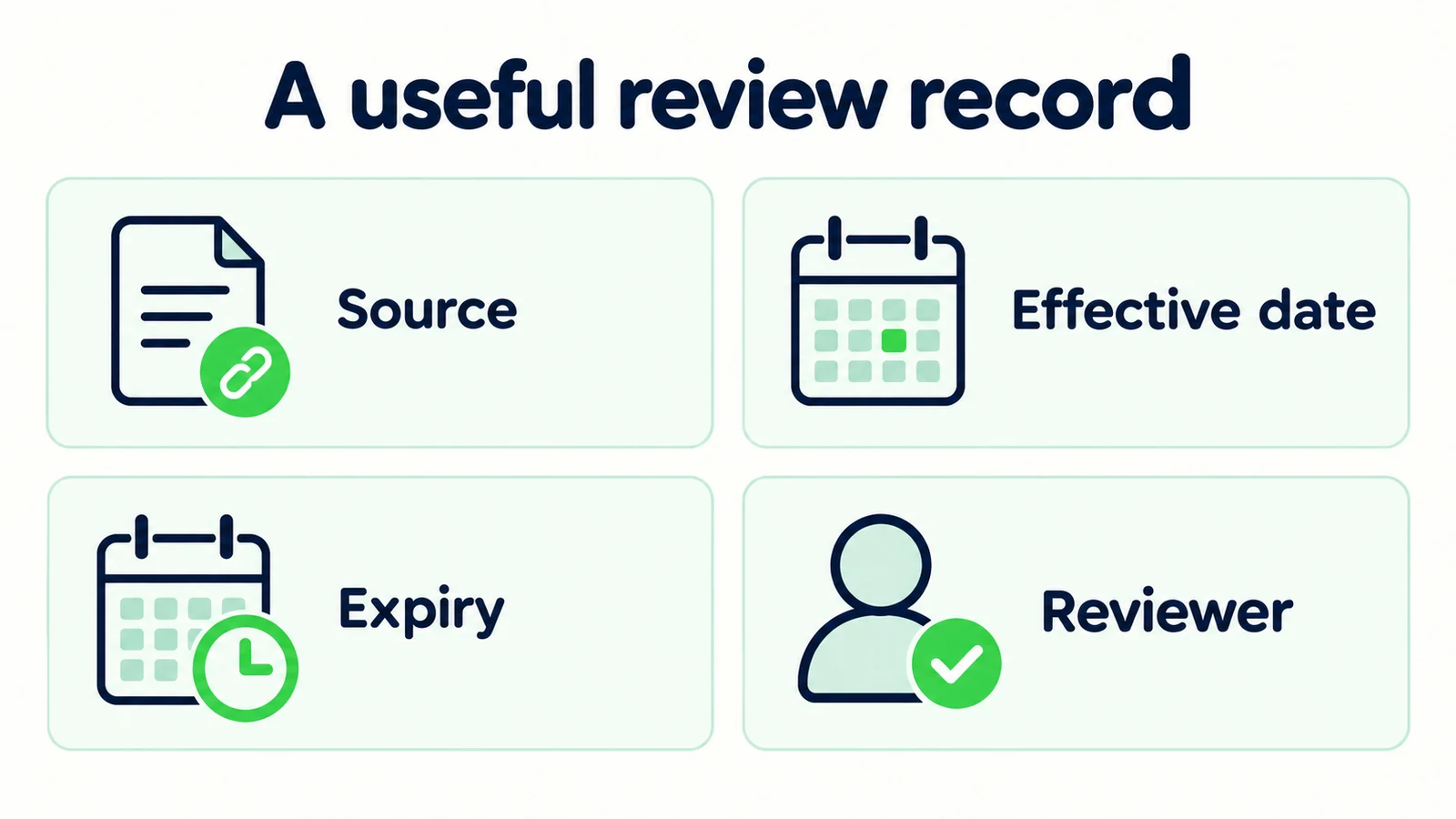
Use a practical release record:
| Item | Evidence to keep |
|---|---|
| Schedule approved | Dated source and approving role |
| Contact route checked | Destination and actual reviewer |
| Customer wording tested | Representative conversation results |
| Handoff checked | What the receiving team actually saw |
| Reopening assigned | Owner and review date |
The record can live in your existing team document. It does not need a new software system. What matters is that another person can see which decisions are final and which still need attention. Avoid labeling a task complete merely because a reminder was created.
Hyperleap AI's quick-start path can be live in under five minutes. Reviewing a holiday exception is additional tuning around your real operations. Use the current pricing information to choose an appropriate plan, then configure only the support your business can truthfully describe. Keep the holiday source compact enough that updating it next time is an ordinary maintenance task, not another content project.
Frequently Asked Questions
Can the AI front desk automatically schedule holiday staff?
No staffing automation is implied by this playbook. Your team decides who reviews enquiries and who may approve exceptions. The AI front desk explains approved information and supported next steps; the ownership worksheet is a suggested human operating practice.
Should the reply promise a response when the office reopens?
Only promise a specific response window if the responsible team has accepted it and can support it. Otherwise explain when review resumes without guaranteeing completion. Reading a request and resolving it are different actions, especially when the customer needs a specialist decision.
Can one holiday message cover several locations?
Only when the relevant arrangements are genuinely the same. If hours, time zones or contact routes differ, identify the location before answering. Separate source records make those differences easier to review than a single paragraph filled with exceptions.
What should happen to urgent questions during a closure?
Use approved urgent-contact wording and verified destinations. The AI should not assess the seriousness of a situation or imply that emergency attendance has been arranged. Keep that route distinct from ordinary lead capture and the routine holiday message-review queue.
Does sharing a booking page confirm an appointment?
No. Link sharing directs the customer to your approved booking process, which provides the actual confirmation. The chat should not claim live availability, hold a time or modify a reservation on a shared link. A booking made in the chat through a connected Calendly or Cal.com calendar (Pro and Max) is different: that one is created in the conversation, and the customer gets the calendar invite by email.
How do we prevent old holiday hours from returning?
Assign an owner to review and retire the temporary source when normal operations resume. Check every active source that contains the old schedule and retest affected questions. Do not assume that changing one website notice automatically updates attached documents or other public systems.
Leave Customers With a Date and a Real Next Step
A holiday playbook works when customers can understand the schedule without knowing how your business is staffed internally. Give them the correct location, clear dates and an honest contact route. Keep exceptions with someone authorized to decide them, and make reopening part of the same plan.
The most useful preparation is small: one approved source, one receiving process and a set of realistic questions. An AI front desk can then handle the repeated explanation while your team concentrates on the work that requires people. That is a practical holiday operating improvement without pretending that a closed business has become a continuously staffed support center.
Prepare your front desk for the next closure
Answer routine questions from approved information and help your team receive clearer customer enquiries.
Start for freeIndustry Solutions
See how AI chatbots work for these industries:
Related Articles

Unified Inbox Rules for Small Customer-Facing Teams
Give shared customer conversations clear ownership with practical unified inbox rules, handoff notes and a review checklist for small teams.

Ask for Contact Details Without Blocking the Answer
Use practical contact-request scripts that explain the purpose, respect customer choice and keep useful answers separate from lead capture.

When Customers Ask for a Person: Reply Examples
Use respectful replies for customers who ask for a person, with clear availability wording, honest handoff status and a practical copy-review pack.

Tenant Maintenance Requests: A Clear Intake Template
Collect clearer non-emergency tenant maintenance requests with description prompts, contact boundaries and a practical property-team handoff.