Ask for Contact Details Without Blocking the Answer
Use practical contact-request scripts that explain the purpose, respect customer choice and keep useful answers separate from lead capture.

A visitor asks whether you serve their area. The chat asks for a name, phone number and email before answering. From the business's side, that may look like efficient lead capture. From the visitor's side, a simple question has become an unexplained exchange of personal information. They still do not know whether the business can help.
A useful chatbot contact information request comes at a moment when its purpose is clear. Answer approved general questions when you can. When a person needs to follow up, explain why a contact detail helps, ask for the appropriate method and leave an honest path for someone who declines. The conversation should not imply that every field is necessary merely because it appears in a default form.
This guide provides original contact-request scripts and a review worksheet. They are suggested conversation practices, not claims that every conditional field, consent control or correction flow is a built-in Hyperleap AI feature. Review your actual configuration and your organization's data-handling requirements before deploying them. The goal is a useful next step, not a larger spreadsheet of people who never understood why they were asked.
When Does a Contact Request Help the Customer?
A contact request helps when the information enables an action the customer wants and the business can actually perform. An email address may let a team answer an unresolved quotation question. A phone number may support a requested callback handled by your staff. Neither is inherently necessary to explain published opening hours.
Begin with the customer's task, then work backward to the minimum information needed. If the task can be completed with a public answer or an approved link, do that first. If it needs a person, explain the follow-up purpose before requesting the contact detail. The reason should be specific enough that the customer can judge whether they want that next step.
An AI front desk can answer approved questions and collect enquiry information. It should not blur those jobs into a rule that information is always withheld until the visitor becomes a lead. That is an operating choice the business should make deliberately, not an accidental consequence of a form template.
The lead qualification guide covers the context needed for a useful enquiry. This article concentrates on one narrower decision: how and when to ask for the contact method. A well-qualified request may still lack contact permission or contain a mistyped address; a complete contact form may still say nothing about the customer's need.
The distinction also matters across channels. A messaging profile or channel identifier is not an excuse to assume which additional contact method the person wants you to use. Explain the intended follow-up in the context of your supported channel and actual process. Do not imply automatic cross-channel identity matching or universal verification.
Scripts are not hidden product controls
The optional-field rules, correction prompts and no-contact paths below are proposed conversation practices. Confirm what your configured form and workflow actually support. Do not promise conditional form behavior, deletion, consent logging or identity verification without verifying the specific functionality.
Why Contact Requests Feel More Intrusive Than Intended
The business asks before explaining the benefit
“Enter your phone number” gives an instruction without a reason. “Would you like the team to call about this unresolved service question?” explains the proposed action. The second wording lets the customer understand the trade-off instead of guessing whether they are signing up for unrelated outreach.
Every field looks compulsory
If the team can follow up by either phone or email, asking for both may be unnecessary. A required-looking form can make a flexible process feel rigid. Review which fields are actually essential, which are useful only for a specific task and which were included by habit.
The customer does not know what happens after submission
Collecting a contact detail does not tell someone whether a person will reply, when review occurs or which question will be addressed. A clear request includes a truthful next step. Avoid “someone will contact you immediately” unless the business has an accepted process that supports that promise.
A refusal starts a persuasion loop
A customer who says no should not be asked the same question repeatedly in slightly different words. That behavior turns a helpful assistant into an obstacle. Preserve the no-contact choice and explain any limitation plainly: you can still share public information, but the team cannot send a reply without an appropriate contact route.
The first-party lead information guide explains why volunteered context can be useful. Its value depends on the quality and purpose of the record, not simply the quantity collected. A smaller request that the customer understands is often operationally easier to handle than a large, ambiguous form.
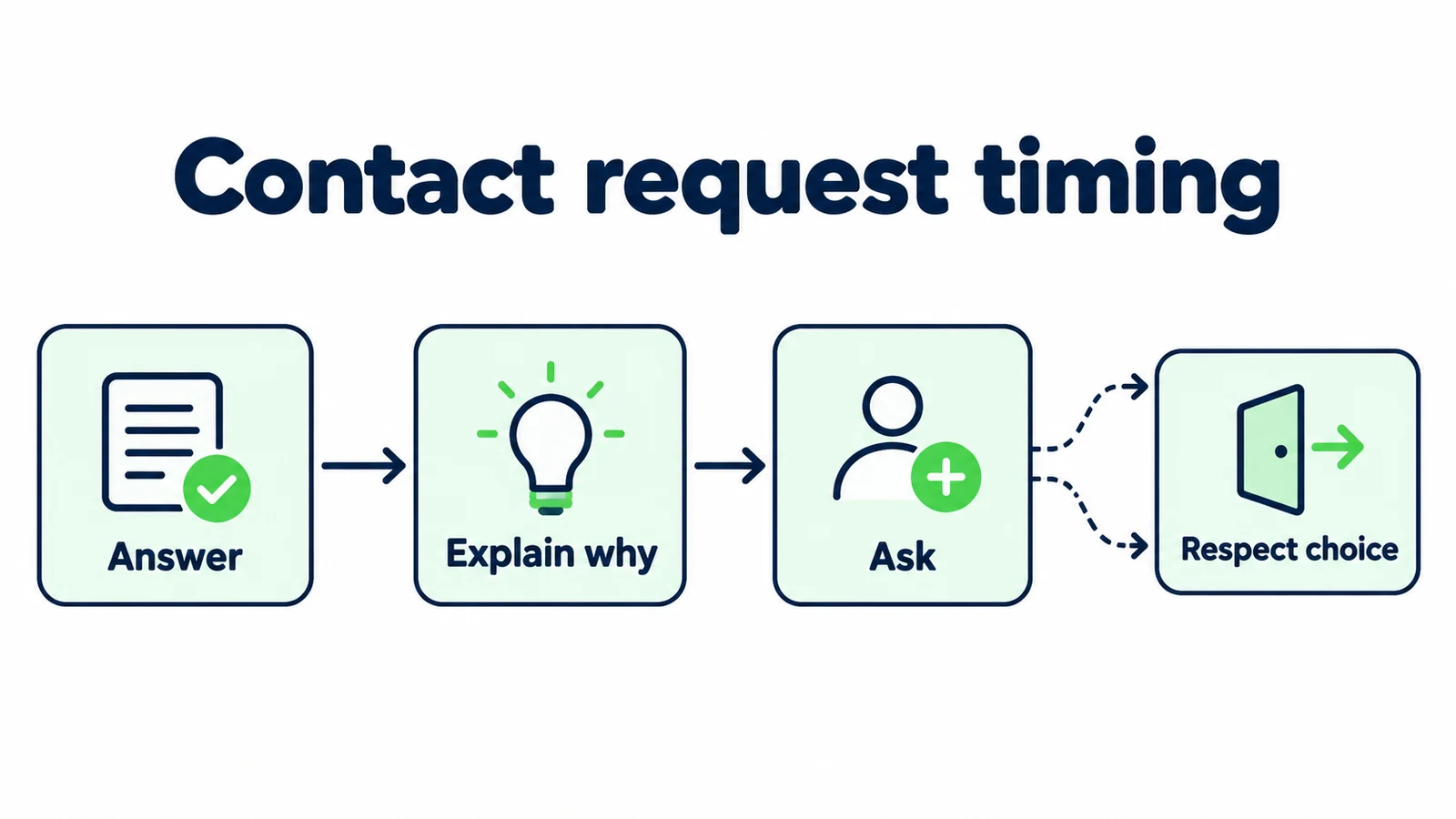
7 Contact-Request Scripts With a Clear Purpose
1. Answer the public question before offering follow-up
If the approved source answers the question, provide that answer without turning it into an unnecessary lead form. A contact request can follow when the visitor asks for a person or when a specific unresolved issue requires one.
Illustrative exchange:
Customer: “Do you work in Northbridge?”
Front desk: “Northbridge is listed in our published service area for this service. If you would like the team to review your particular request, I can explain the next enquiry step.”
That reply provides immediate value while leaving room for a useful enquiry. It does not claim an appointment is available or demand contact details to reveal a public fact. If the source does not establish coverage, explain the uncertainty and the purpose of a team review instead.
For a home-services front desk, this separation is especially practical: a general service-area question and a request for a job assessment are not the same task. The first may need only a location; the second may need service context and an agreed follow-up method.
Test the opening with a customer who wants only information. They should be able to understand the answer and leave without being told that a sales enquiry is required for every interaction. This is a conversation-design recommendation, not a promise about a default form setting.
2. Explain the specific reason for the requested detail
When follow-up is needed, name what the person will do. “For our records” is usually less useful than “so the team can reply to your question about access arrangements.” The reason should reflect the actual unresolved request, not a generic phrase pasted into every conversation.
Illustrative request:
“Your question needs the team's review because the published information does not cover that arrangement. If you would like a reply, which contact method would you prefer us to use for this enquiry?”
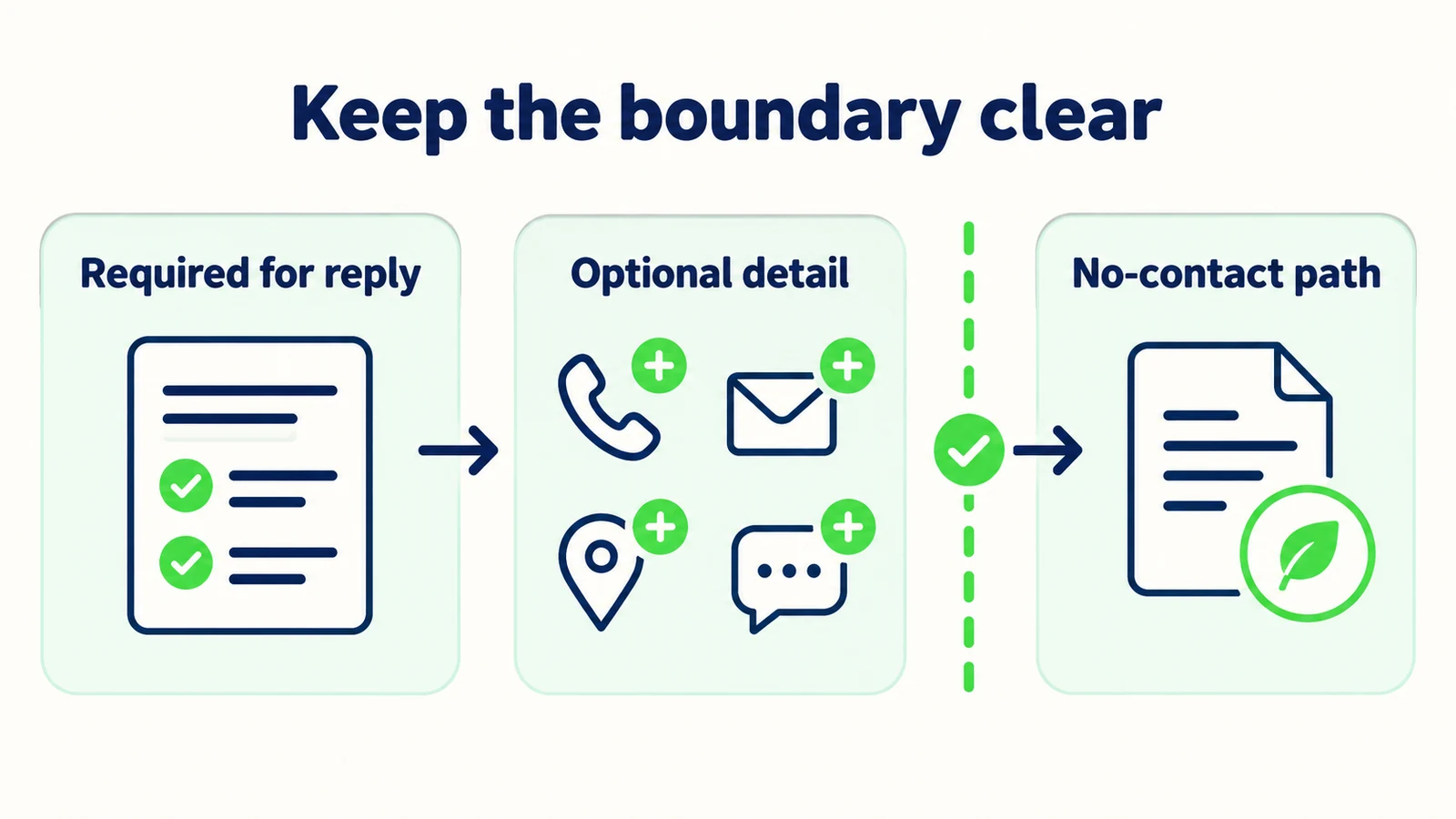
If only one contact route is supported by the business process, say so. Do not offer a phone call, channel reply or email option that staff cannot provide. Choice should be real rather than cosmetic.
Keep the request brief. A paragraph explaining every possible use of business data is not a substitute for the organization's appropriate notices and policies. Link or present those through the actual configured process where relevant, and avoid making legal assurances this script cannot establish.
The same principle helps the receiving team. A record stating “email supplied for a reply about the access question” is clearer than “new email lead.” Preserve the customer's purpose with the detail so staff do not have to infer what response the person expected.
3. Ask for one appropriate method rather than every possible field
Choose the smallest useful set of fields for the task. If a reply can be sent by email, a telephone number may not be needed. If the customer requested a callback, asking for their full postal address may be irrelevant to arranging that conversation.
Illustrative request:
“For this enquiry, the team can reply by email. What email address would you like them to use? You do not need to provide a phone number for that reply.”
Use that wording only when the configured form and operating process agree. A script that says a field is optional while the interface blocks submission without it creates a worse experience than honest wording. Test the actual customer path, not only the written answer.
Separate contact information from qualification context. The team may need to know the requested service or location, but that does not automatically justify collecting unrelated personal details. Write a purpose beside every proposed field before deciding to keep it.
| Proposed field | Ask what it changes |
|---|---|
| Can the team use it for the requested reply? | |
| Phone | Did the customer request or accept a phone follow-up? |
| Company | Does it affect the enquiry, or is it unnecessary here? |
| Postal address | Is exact location needed now, or can it wait? |
The table is a review tool, not a universal data-collection policy. Your business should adapt it to its real task and obligations.
4. Confirm corrections without claiming verification
Customers mistype contact details or decide to use a different method. A clear correction path helps, but repeating an address back does not prove that the customer owns it or that a message will be deliverable.
Illustrative correction reply:
“Thanks for the correction. You would like the team to use the updated email address for this enquiry. Please check that it is written as intended. Confirming the spelling here does not verify ownership or delivery.”
In a real interface, use a proportionate acknowledgement rather than an unnecessarily long disclaimer. The essential rule is that the wording must not say “verified” when the process only collected or repeated a value.
Check what happens to the old detail. If the product does not support changing a captured field through conversation, the answer should not pretend that it did. Explain the supported correction route or ensure the receiving staff can clearly see the updated preference. Avoid promising deletion or replacement without verifying that action.
This distinction matters in summaries too. A record can say “customer corrected the contact address in the conversation; staff should review the latest value.” It should not silently present conflicting values as two separate people. Keep the original conversation available through the appropriate review process when resolving uncertainty.
5. Respect a no-contact choice and offer a useful alternative
A customer may want an answer without a follow-up. Accept that choice. If public information is available, continue to help. If a person must decide the question, explain what cannot happen without an appropriate contact path and offer an approved route the customer can use themselves.
Illustrative reply:
“That's fine. I can still share our published information. Your specific exception needs a person to review it, so I can't resolve it here without a team contact step. You can use the approved contact page whenever you are ready.”
Do not follow this with another demand for an email. Test a refusal expressed casually, such as “just browsing,” as well as a direct “no.” The conversation should not treat politeness or silence as permission to keep pushing.
A no-contact interaction can still be successful. The customer may learn that the service is not suitable or find the correct public booking page. Your review process should recognize those outcomes rather than treating every uncaptured visitor as a problem to solve with more aggressive prompting.
The welcome-message guide helps set this expectation from the start. If the greeting says the assistant can answer service questions, the next step should not unexpectedly block every answer behind a contact form unless the business has deliberately chosen and clearly explained that requirement.
6. Keep a requested callback separate from a promised call
If the customer wants a phone conversation, collect the appropriate contact detail and their preferred window through the supported process. State that a preference is not a confirmed appointment or a guaranteed response time.
Illustrative request:
“I can help collect a callback request for the team. What number would you like them to use, and is there a preferred time window and time zone? The team still needs to review the request; a call time is not confirmed here.”
Hyperleap AI does not make voice calls as a shipped channel. This example concerns a callback performed by your staff, not an automated calling capability. If the business does not offer callbacks, remove the option instead of presenting it as a generic engagement tactic.
Ask for the purpose of the call in plain language so the right person can prepare. Do not collect an extensive personal history simply to fill a lead record. If the topic is sensitive or requires a specialist, use the approved contact route and keep the public conversation bounded.
The acknowledgement should preserve the requested window exactly enough to be useful. “Afternoon in the customer's stated time zone” is not a staff commitment. If no window is supplied, label it unknown rather than inventing a convenient time.
7. End with a truthful contact-use summary
Before the conversation closes, make the next step understandable. Say which question needs follow-up, which method the customer selected and what the team still needs to do. Do not imply that submitting a detail creates a booking, approves a quotation or guarantees a reply deadline.
Illustrative acknowledgement:
“You asked the team to review the access arrangements and chose an email reply. The enquiry still needs staff review. No appointment or quotation has been confirmed in this conversation.”
Only describe delivery to the team if the configured workflow actually completed that action. An on-screen acknowledgement is not proof of a notification arriving. Test the receiving side and use wording that matches the evidence.
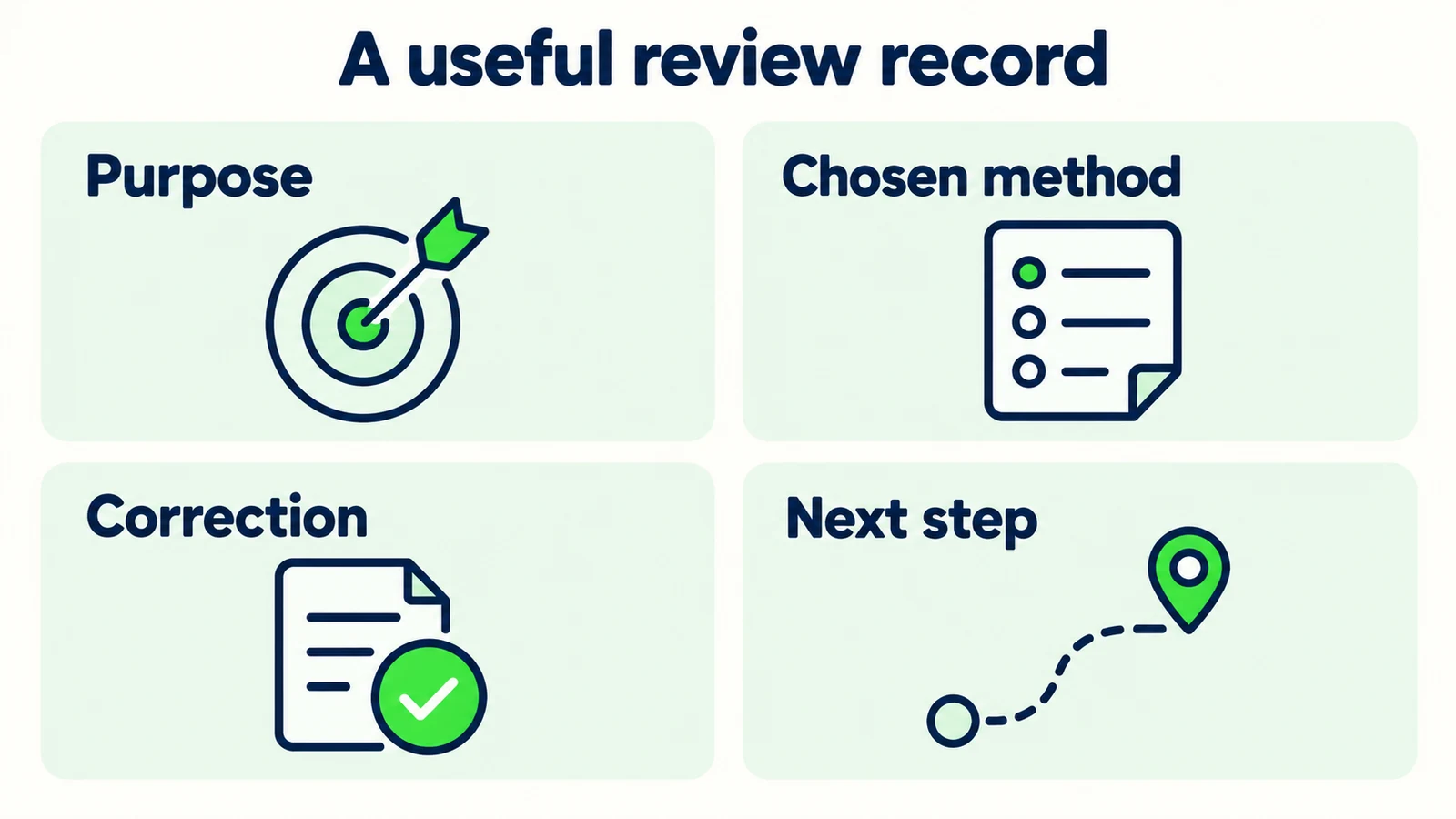
The lead-summary guide provides a useful structure for preserving purpose and uncertainty. A practical contact record can include the request, chosen method, customer-supplied detail, any correction, the open question and the next-action owner. These are proposed operating fields, not a guarantee of native custom status or assignment controls.
Review the summary for unwanted expansion. “Customer wants an email answer about parking” should not become “customer subscribed to promotions.” Keep the scope of the requested interaction clear and follow the organization's actual processes for any different use.
Make lead capture feel like useful help
Answer approved questions and collect the context your team needs for a clear next step.
Start for freeReview Usefulness, Not Just Form Completion
A completed form is not automatically a good enquiry. The customer may have entered incorrect information to reach an answer, supplied a method they did not want used or left without understanding what the team would do. Your review should look beyond whether fields contain text.
Compare the contact request with the customer's original task. Did the agent answer the public question? Was follow-up actually needed? Did it explain the reason for the requested detail? Did it respect a refusal or correction? Those checks expose friction that a simple submission count cannot explain.
Look at the receiving team's experience too. If staff cannot identify why a person supplied an email, the purpose was not preserved. If two contact methods appear without a preference, staff may choose incorrectly. If a callback window is recorded without a time zone, another clarification may be required.
Record these findings as observations from your own sample. Do not claim that a shorter form raises conversion by a particular amount without evidence. A useful first result is simply that the team can connect the contact method to an actual requested next step and that visitors can obtain public information without an unexplained barrier.
Build a Contact-Request Review Sheet
Start by listing the recurring enquiries that genuinely require follow-up. For each one, identify the minimum contact route and the staff action it enables. Then compare that list with your configured forms and conversation instructions. Resolve mismatches before publishing new wording.
| Review field | Question to answer |
|---|---|
| Customer task | What did the visitor want to accomplish? |
| Public answer | What can be explained without contact details? |
| Follow-up purpose | Why does a person need to respond? |
| Requested method | Which supported method is actually needed? |
| Optional information | What can the customer decline? |
| Correction route | How is a changed detail handled in reality? |
| No-contact path | What useful option remains? |
Test a direct enquiry, a general information request, an incomplete address, a corrected contact detail and a visitor who declines every follow-up method. Check the visible form as well as the generated wording. A thoughtful script cannot compensate for an interface that contradicts it.
Hyperleap AI supports customizable lead forms and enquiry context alongside approved answers. Its quick-start path can be live in under five minutes; reviewing these contact choices is additional tuning. Check the current plan details and confirm the actual controls in your setup. Start with the contact request that currently causes the most confusion, then improve other paths based on observed customer and staff feedback.
Frequently Asked Questions
Should contact details be required before every answer?
Not as a default conversation rule. Published opening hours, general service information and approved policy links may be useful without follow-up. Decide requirements based on the customer's task and your actual process, then make the reason clear. Test that the interface matches the wording.
Can we say an email is verified after repeating it back?
No. Confirming the spelling of a customer-supplied value does not establish ownership or deliverability. Describe only the action that happened. If a separate verification process exists, check its actual behavior before using verified language in the answer or summary.
What should the assistant do when someone refuses contact capture?
Respect the choice and continue with available public information. If the unresolved task requires a person, explain the limitation and share the approved contact route the visitor can use later. Do not keep asking for the same detail after a clear refusal.
Does this guide describe built-in conditional form controls?
No. It provides writing and operating patterns. Optional fields, branching behavior, correction handling and other controls must be checked in the actual product configuration. Do not promise a workflow because a sample script describes how you would like it to behave.
Can Hyperleap AI place the requested callback?
Voice calling is not a shipped Hyperleap AI channel. A callback request in this guide is information your staff may use through their own process. Collecting a preferred time does not confirm a call, and the business should offer callbacks only if its team actually supports them.
How do we know whether the new wording is better?
Review whether visitors understand why information is requested and whether staff receive a usable purpose and contact preference. Inspect refusals, corrections and incomplete records as well as submissions. Measure actual outcomes in your own workflow rather than assuming that more captured fields mean better leads.
Ask When the Next Step Makes Sense
A contact detail should connect a customer's question to a useful action. Answer what you can, explain what needs a person and request only the information that helps that person continue. Keep corrections and refusals understandable, and do not turn a conversational preference into an unsupported promise.
Begin with one enquiry type and compare the script, form and staff handoff. When those three agree, contact capture becomes part of helping the customer rather than a barrier placed in front of the answer. That is a practical standard for an AI front desk serving a small team.
Build a clearer enquiry conversation
Help customers get useful answers and give your team the right context for follow-up.
Start for freeIndustry Solutions
See how AI chatbots work for these industries:
Related Articles

When Customers Ask for a Person: Reply Examples
Use respectful replies for customers who ask for a person, with clear availability wording, honest handoff status and a practical copy-review pack.

Real Estate Lead Handoff: The Agent-Ready Checklist
Use a real estate lead handoff checklist to preserve buyer intent, property context, unanswered questions and the next action without inventing certainty.

Tenant Maintenance Requests: A Clear Intake Template
Collect clearer non-emergency tenant maintenance requests with description prompts, contact boundaries and a practical property-team handoff.

Wedding Venue Tour Enquiries: A Question Pack
Prepare better wedding venue tours with questions on date flexibility, guest range, event shape and priorities, plus a copy-ready host handoff.