Hotel Event-Space Enquiries: Build a Useful Brief
Collect useful hotel meeting-space enquiries with layout, attendance, equipment and catering prompts, without implying a venue reservation.
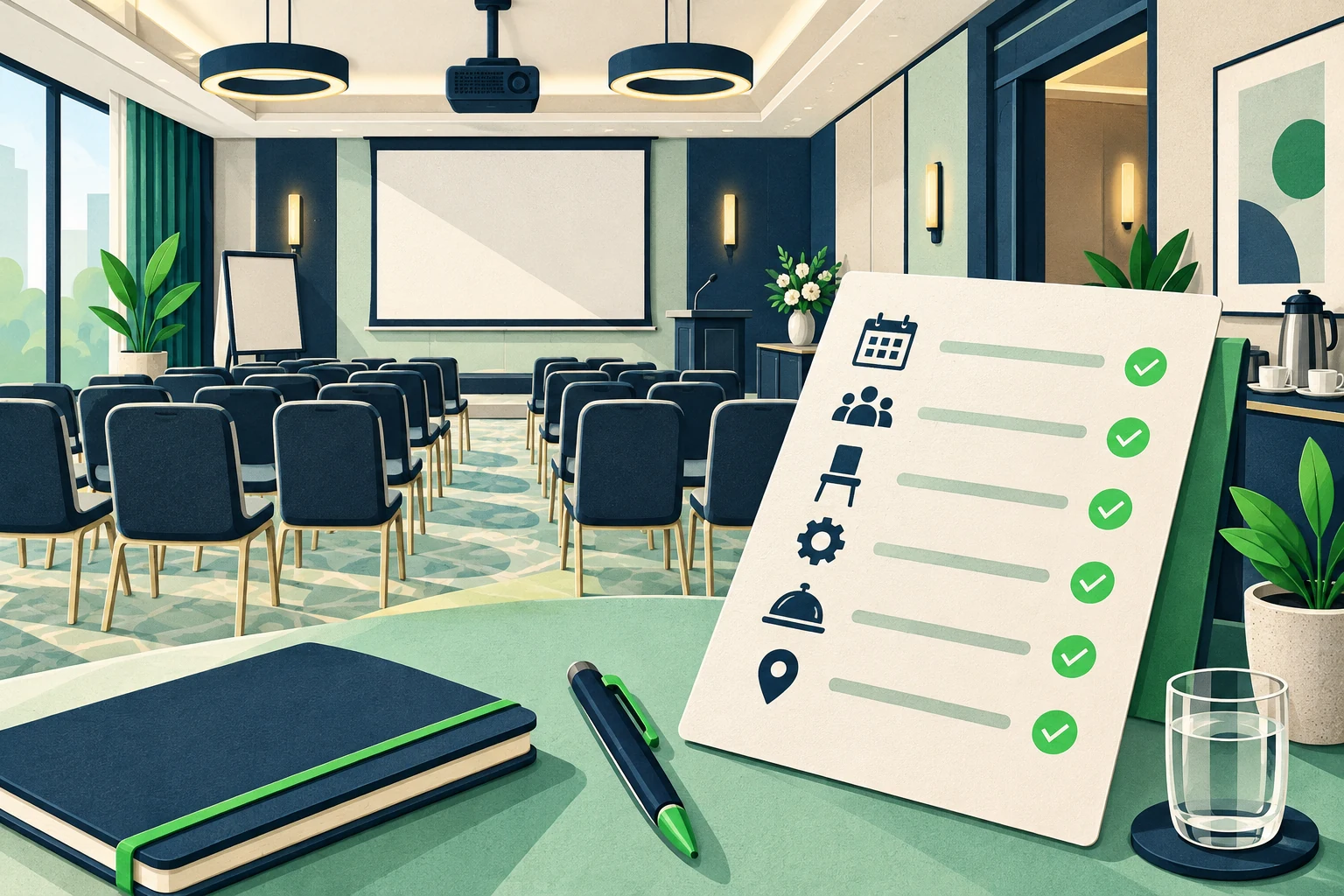
“Do you have a meeting room for our team?” is a useful opening, not a complete event brief. The hotel still needs to understand the date, approximate attendance, layout and any equipment or catering requirements. Asking for a finished event specification immediately can overwhelm an organizer who is only beginning to plan. Asking nothing sends the events team another vague message to untangle.
A hotel meeting room enquiry template should help the organizer describe the shape of the event while preserving what is still provisional. An AI front desk can explain published facilities, collect useful preferences and prepare a clearer request for staff. It should not promise availability, choose a safe capacity, approve a package or hold a venue.
This guide provides an original enquiry brief, practical prompts and a review record for meeting-space conversations. The examples are fictional planning scenarios, not client results. They focus on event space rather than group accommodation: room blocks may be a related question, but they are not the main object of this workflow. Adapt the questions to your hotel's approved information and actual events-team process.
What Makes an Event-Space Enquiry Actionable?
An actionable enquiry tells the events team what the organizer is trying to achieve, which details are known and which decisions still require discussion. It does not need to contain a final menu, signed contract or complete attendee list. A useful early brief can be deliberately incomplete while still making the next conversation easier.
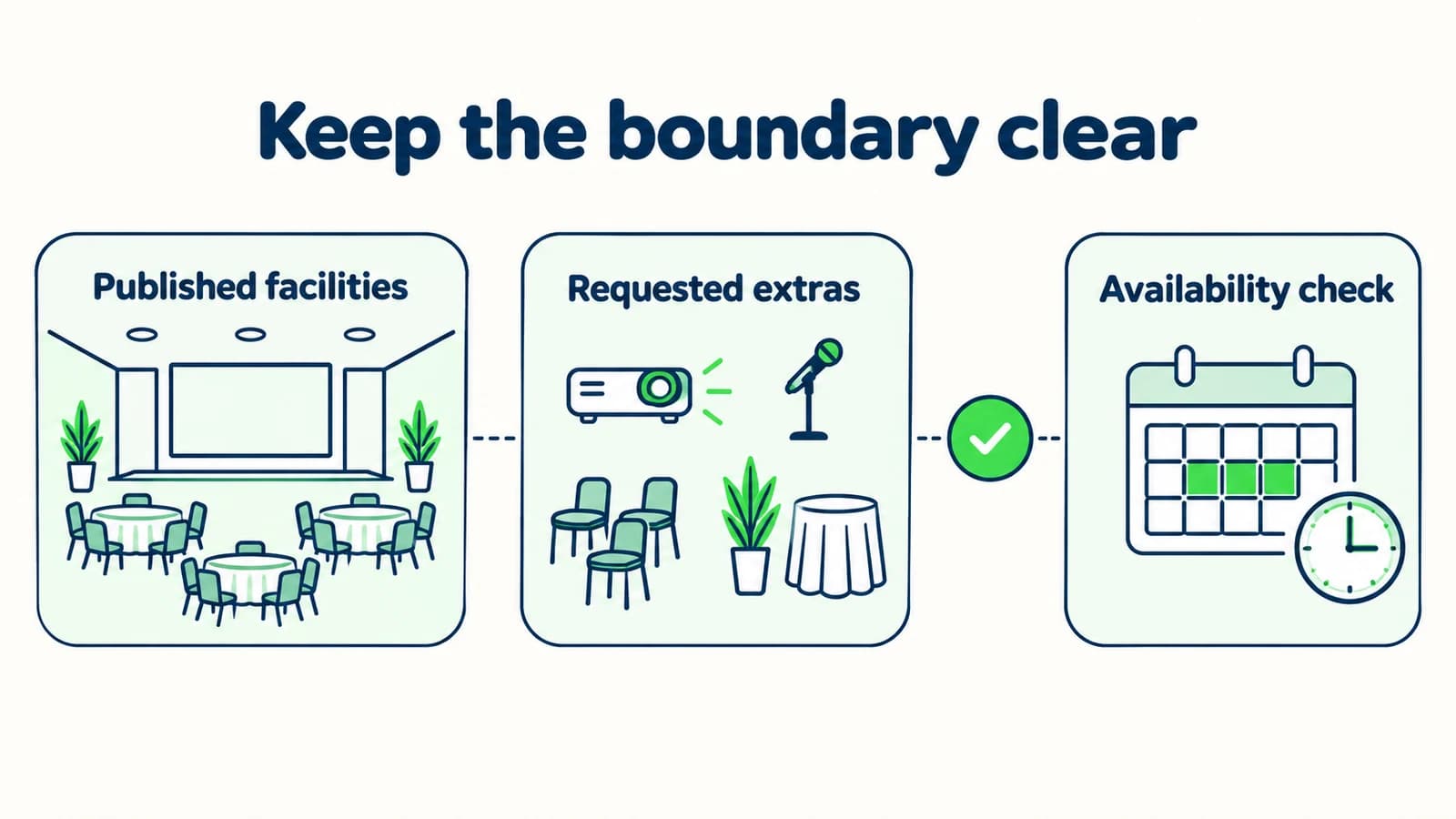
The core distinction is between published venue information and a specific event proposal. A brochure may describe a room, available equipment or general catering options. It does not establish that the space is available on the requested date or suitable for a particular arrangement. Staff must review those questions through the hotel's authorized process.
For a hotel AI front desk, the supported role is to answer approved questions and gather enquiry context. The assistant can share an attached brochure (Pro and Max) or an approved link. It should not act as if reading a brochure gives it live access to the hotel's event calendar, pricing decisions or operational approvals.
The event-planning enquiry guide discusses the broader qualification pattern. This article supplies a specific artifact for hotel meeting spaces: a brief that covers purpose, timing, approximate attendance, layout preferences and open equipment or catering questions.
Keep provisional words intact. “Around twenty attendees” is different from a confirmed headcount, and “possibly classroom layout” is different from an agreed floor plan. The events team needs to see where the organizer is flexible. Removing those qualifiers to make the summary look tidy can make it less useful and can encourage assumptions that the organizer never intended.
A brief is not a reservation
The scripts collect event preferences and share approved information. They do not check live availability, hold a space, approve occupancy, quote a final package, process payment or confirm an event. The hotel's authorized team handles those decisions.
Why Meeting-Space Enquiries Need Their Own Questions
A date without a time window is incomplete
An organizer may need a room for a short meeting, a full working day or setup before an evening event. A date alone does not describe the request. Ask for the intended event window and distinguish setup preferences from the session itself without promising access at either time.
A headcount does not define a layout
The same group might want a discussion circle, classroom seating or a presentation arrangement. The agent should collect the purpose and preference rather than decide which layout is safe or suitable. Published capacity information should retain its stated conditions and be referred to staff for event-specific confirmation.
Equipment words mean different things to different organizers
“We need AV” might mean a screen for a laptop or a supported hybrid meeting. Ask what the organizer wants to do rather than claiming a technical package from a vague label. If the hotel's source does not confirm a capability, record the question for the events team.
Catering preferences become accidental package promises
An enquiry about refreshments is not an approved menu, allergy accommodation or final price. Explain published options carefully and route individual arrangements for staff review. Do not collect unnecessary attendee health information in public chat to make an early venue enquiry appear complete.
The luxury city hotel guide covers the wider hotel front desk. A separate event brief prevents meeting-space requests from disappearing into generic room enquiries and gives the events team a coherent starting point for a human conversation.
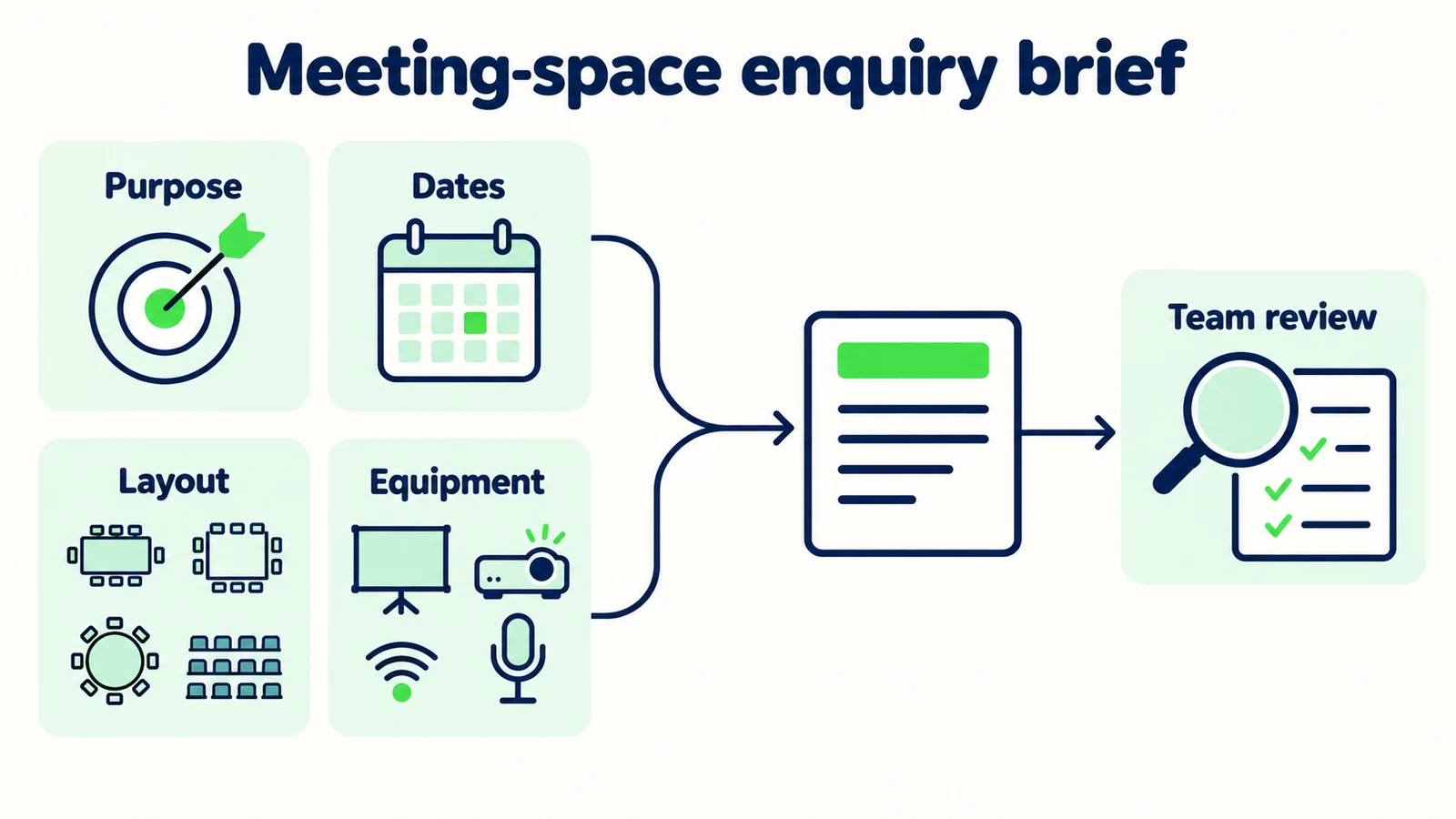
7 Questions That Build a Useful Meeting Brief
1. Begin with the work the event needs to support
Ask what the organizer is planning in ordinary language. A training session, board discussion and product presentation may need different arrangements even when their attendee counts are similar. The purpose helps staff ask better follow-up questions without requiring the organizer to know hospitality terminology.
Illustrative opening:
“I can share our published meeting-space information and help prepare an enquiry for the events team. What kind of session are you planning, and what would you like the space to support?”
If the visitor already explained the purpose, acknowledge it and move to the next missing detail. Avoid restarting with a generic menu that makes them repeat the message. An organizer saying “a team training day” has already given a useful category, even if the full agenda is not ready.
Keep the brief focused on the event, not unnecessary business intelligence. The team may need a company name for its enquiry process, but it does not need confidential presentation material or a list of employees in the opening chat. Ask for a broad description that helps the hotel understand the request.
This is a practical application of lead qualification: collect information because it changes the next conversation, not because every possible field could be interesting later.
2. Capture dates, session timing and flexibility separately
Ask for the preferred date or date range, then clarify the intended session window if relevant. Preserve flexibility rather than turning a tentative plan into a fixed booking. If the organizer is still exploring, the enquiry can say so.
Illustrative prompt:
“Do you have a preferred local date or a short range of dates? If you know the session timing, please share that too. I will record these as preferences for the team to review, not as a space hold.”
Setup and pack-down may also matter, but do not ask for an exhaustive production schedule before the team has established basic fit. A short note such as “organizer may need setup access before the session” can be enough for the first handoff.
If the customer asks “Is that date free?”, answer the capability boundary directly. The agent can share the enquiry or approved booking contact, but it should not infer availability from a blank public calendar or an older brochure. No listed event is not evidence of an available venue.
Use the hotel's local date and time context. If the organizer provides another time zone, clarify rather than silently converting an ambiguous schedule. A meeting brief should make the proposed timing easier for staff to review, not introduce a confident but unverified interpretation.
3. Record approximate attendance without deciding capacity
Ask for the estimated attendee count and whether it is likely to change. That helps the team review possible spaces, but the AI should not decide a room's suitability or override published conditions based on simple arithmetic.
Illustrative prompt:
“Approximately how many people are you planning for, and is that number still flexible? The events team will review the room and layout requirements with you.”
If the approved brochure includes capacity information, preserve the layout and other stated conditions when summarizing it. Do not quote the largest number as if it applies to every arrangement. If the source is unclear, share the brochure and ask staff to clarify rather than choosing a capacity interpretation.
Avoid collecting an attendee list for an early venue enquiry. The approximate count is usually the relevant planning detail at this stage. If later event administration requires names or other information, that should follow the hotel's authorized process rather than an improvised public chat request.
The internal brief should say “estimated attendance” when that is what the organizer supplied. If the count changes during the conversation, preserve the updated figure and relevant uncertainty. Do not add the old and new figures together or treat them as separate groups.
4. Ask about layout as a preference, not a technical specification
Many organizers know what they want people to do but not the name of a room layout. Offer plain descriptions: discussion around a table, rows facing a presentation, or small working groups. Use approved venue terminology only when it makes the choice easier.
Illustrative prompt:
“Will attendees mainly discuss together, watch a presentation or work in smaller groups? If you already have a preferred layout, I can include it for the events team to review.”
Do not present every layout as available in every space. A preference should remain a request until the hotel confirms the arrangement. The assistant should not create or approve a floor plan, determine accessible circulation or make safety claims about a setup.
If an organizer asks for a combination, capture the practical need. “Presentation followed by small-group work” is often more useful than forcing the request into a single label. The events team can discuss transitions and whether the venue can support them.
Keep equipment and layout linked in the brief where it matters. A screen preference may affect seating, but the AI should record that relationship rather than resolve it independently. The purpose of the question is to prepare staff for a better conversation, not to design the event automatically.
5. Turn equipment shorthand into a clear open question
Ask what the organizer needs the equipment to accomplish. A request for a projector, microphone or remote participation should be recorded in language that staff can verify against actual facilities and support. Do not claim compatibility or technical support from a generic “AV available” line.
Illustrative prompt:
“What would you like to do during the session: show slides, amplify a speaker, include remote attendees or something else? I can record the requirement and share any relevant published equipment information.”
If the hotel's approved source names an available item, share that fact with its conditions. If it does not specify connections, staffing or support arrangements, preserve those as questions. A brochure photograph of a screen is not evidence that a particular device or meeting platform will work.
Avoid asking the organizer to submit confidential meeting links, passwords or internal presentation files in public chat. The initial enquiry needs a description of the requirement. Later technical coordination can use the hotel's authorized process.
For the handoff, write “organizer asks whether hybrid participation can be supported” rather than “hybrid setup included.” That small wording choice prevents an open equipment question from becoming an accidental commercial commitment in the next email.
6. Separate catering interest from individual arrangements
Ask whether the organizer wants the events team to discuss refreshments, meals or another published catering option. Keep the initial question broad and avoid collecting attendee medical details. Staff should manage individual requirements through the hotel's appropriate process.
Illustrative prompt:
“Would you like the events team to discuss refreshments or meals with the venue enquiry? I can share published options, while the team confirms the arrangements and any specific requirements through its usual process.”
Do not promise that a dietary requirement can be accommodated simply because a menu contains a related label. The responsible hotel team must confirm what it can provide. Likewise, a published package description should not become a final quotation for the customer's date and group.
If the organizer is undecided, record “catering to discuss.” An early enquiry does not need a forced choice. The team can make the next conversation easier by knowing which decisions remain open rather than receiving a falsely complete specification.
Accommodation is a separate related question. If rooms are also needed, capture that as a linked request and use the hotel group-enquiry guide for the relevant context. Do not assume that an event enquiry includes a room block or that a meeting package includes overnight stays.
7. Hand over a brief that names the remaining decisions
The closing should summarize the organizer's request without confirming the event. Keep known details, provisional preferences and hotel decisions in separate phrases. Ask the organizer to correct a misunderstanding if useful, then explain the actual next step.
Illustrative brief:
“The enquiry is for a team training session on a preferred date, with approximate attendance still being finalized. The organizer is considering presentation seating and asks about slide display and refreshments. The events team needs to review availability, layout, equipment and a proposal. No space has been held.”
Use a practical record:
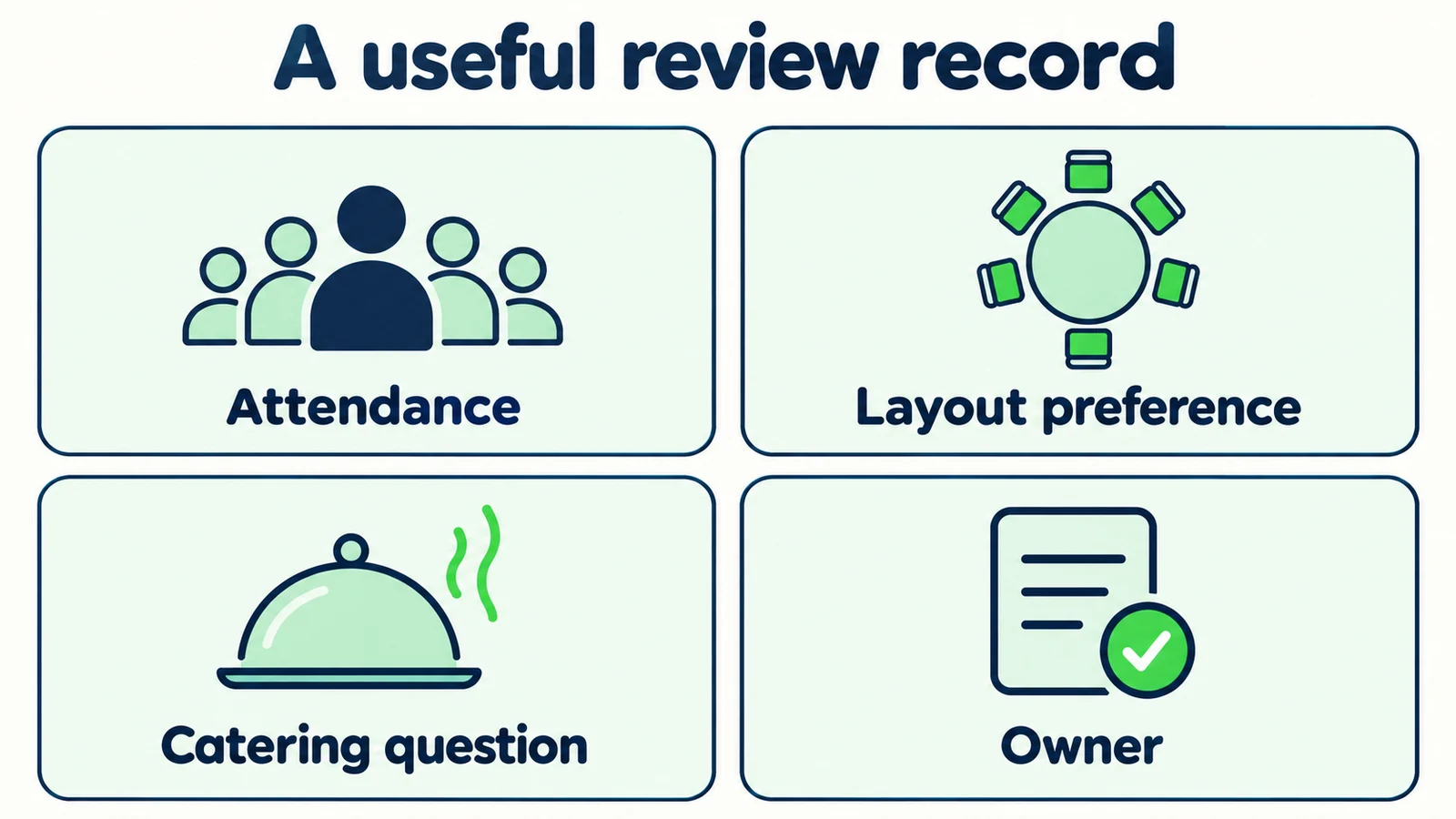
| Brief field | Record this |
|---|---|
| Purpose | What the session should support |
| Timing | Preferred local date, session window and flexibility |
| Attendance | Estimated count, with uncertainty |
| Layout | Preference or activity description |
| Equipment | Requested function and open questions |
| Catering | Interest to discuss, not an approved menu |
| Next action | Events-team review and chosen contact route |
The lead-summary guide explains why a brief is not merely a shorter transcript. The summary should make the next decision visible. Verify that the configured handoff reaches the actual receiving process before telling the organizer that the team has received it.
Prepare better meeting-space enquiries
Answer approved hotel questions and help your events team receive a clearer initial brief.
Start for freeWhat the Events Team Should Be Able to Do Next
A useful brief lets staff begin with the decision that matters instead of repeating the entire opening conversation. They should understand the event's purpose, see which details are provisional and know what the organizer expects them to review. That is the immediate benefit to evaluate.
Compare a fictional message saying “Company wants a room” with a brief saying “training session; flexible local dates; estimated attendance; presentation layout preferred; slide display and refreshments to discuss.” The second does not establish availability or value. It simply gives the events team a more coherent starting point.
Review whether the script asks too much too early. If organizers abandon a long equipment questionnaire before sharing a date, simplify the first exchange. If staff always need to clarify the session window, move that question earlier. Use your own conversation evidence to decide which detail earns its place.
Keep performance claims separate. A better initial brief may support more efficient follow-up, but an enquiry is not a booked event. Do not count a shared brochure as a qualified sale or a submitted contact detail as confirmed commercial intent. Follow the request through your actual sales process before making outcome claims.
Build the Hotel's Approved Event Enquiry Pack
Start with a guest-facing source sheet approved by the events manager. Include published room descriptions, relevant layout information, public equipment details, catering information and the approved enquiry destination. Remove outdated packages and resolve contradictions between the brochure and website before testing answers.
Give each source a clear owner. The knowledge-base maintenance guide provides a practical foundation for keeping those sources current. A detailed brochure is useful only if staff can identify which version governs the answer.
Test a straightforward meeting, an organizer without a fixed date, a request above an uncertain capacity, a hybrid-event question, a catering exception and an enquiry that also needs bedrooms. Judge whether the answer is helpful without crossing into availability, safety, price or reservation decisions.
Hyperleap AI can be live through its quick-start path in under five minutes. The events-team source review is additional tuning for this particular workflow. Consult the current plans, configure a modest enquiry scope and verify the staff receiving path. The first goal is a brief the hotel can responsibly act on, not an imitation of a venue reservation system.
Frequently Asked Questions
Can the AI front desk tell an organizer whether a room is free?
Not without separately verified access to an authorized availability system. These scripts do not provide that access. The assistant can explain published venue information and route the requested dates for review, but it should not infer availability or hold a space.
Should the assistant recommend a layout based on headcount?
It can collect a preference and share approved layout information with its stated conditions. It should not decide safe capacity, approve a floor plan or assume the largest published capacity applies to every arrangement. The events team confirms suitability for the specific event.
How much equipment detail should the first enquiry collect?
Collect enough to understand what the organizer wants to do, such as show slides or include remote attendees. Preserve technical questions the source does not answer. Avoid asking for confidential meeting links, credentials or presentation files in the public conversation.
Can the front desk provide a catering quotation?
It can share approved published information where relevant, but a final event proposal requires the hotel's authorized process. Do not turn a general package description into a confirmed price for a particular date and group. Individual arrangements should be reviewed by staff.
What if the organizer also needs guest rooms?
Record accommodation as a related request and collect the relevant group context separately. An event-space enquiry does not automatically create a room-block request, and a meeting package should not be described as including rooms unless the approved source explicitly says so.
What proves that the enquiry handoff is working?
Check the receiving process directly with an appropriate test. Confirm that staff can see the purpose, timing, provisional preferences and open questions. A customer-facing acknowledgement alone does not prove delivery, staff acceptance, venue availability or a completed booking.
A Better Brief Leaves Room for Human Expertise
The purpose of an AI front desk is not to negotiate an event contract in a chat window. It is to answer the questions your hotel has already approved and prepare the information that helps an events professional continue. A clear brief makes the unknowns visible instead of hiding them behind confident wording.
Start with the event purpose, date flexibility and the most useful missing requirement. Keep public facts separate from requests, and finish with a truthful next step. That gives organizers a helpful first conversation while preserving the staff decisions that turn an enquiry into a workable event proposal.
Make your hotel's event enquiries easier to review
Build a front desk that shares approved information and prepares useful context for your events team.
Start for freeIndustry Solutions
See how AI chatbots work for these industries:
Related Articles
Hotel Group Enquiry Scripts: From Question to Handoff
Use practical hotel group enquiry scripts to gather dates, room needs and event context, then hand a clear brief to your reservations team.

AI Front Desk Leads to CSV: A Follow-Up Workflow
Turn a chatbot lead export into a usable follow-up list with field checks, careful deduplication, clear ownership and a synthetic CSV example.

Seller Enquiries: A Real Estate Intake Template
Use a seller enquiry template to capture property type, broad area, timing and the next agent conversation without promising valuations or collecting documents.
Hotel Accessibility Questions: A Source Sheet
Prepare factual hotel accessibility answers with a source sheet for entrances, room features, measurements, review dates and named staff follow-up.