AI Front Desk Welcome Messages: Examples That Help
Write useful AI front desk welcome messages with practical examples, clear capability boundaries and a checklist for your website greeting.
“Hi! How can I help?” is friendly, but it leaves a new visitor to guess what the conversation can actually do. Can it answer a question about services? Check a reservation? Reach a person? A welcome message that sounds capable of everything can create confusion before the first customer question arrives.
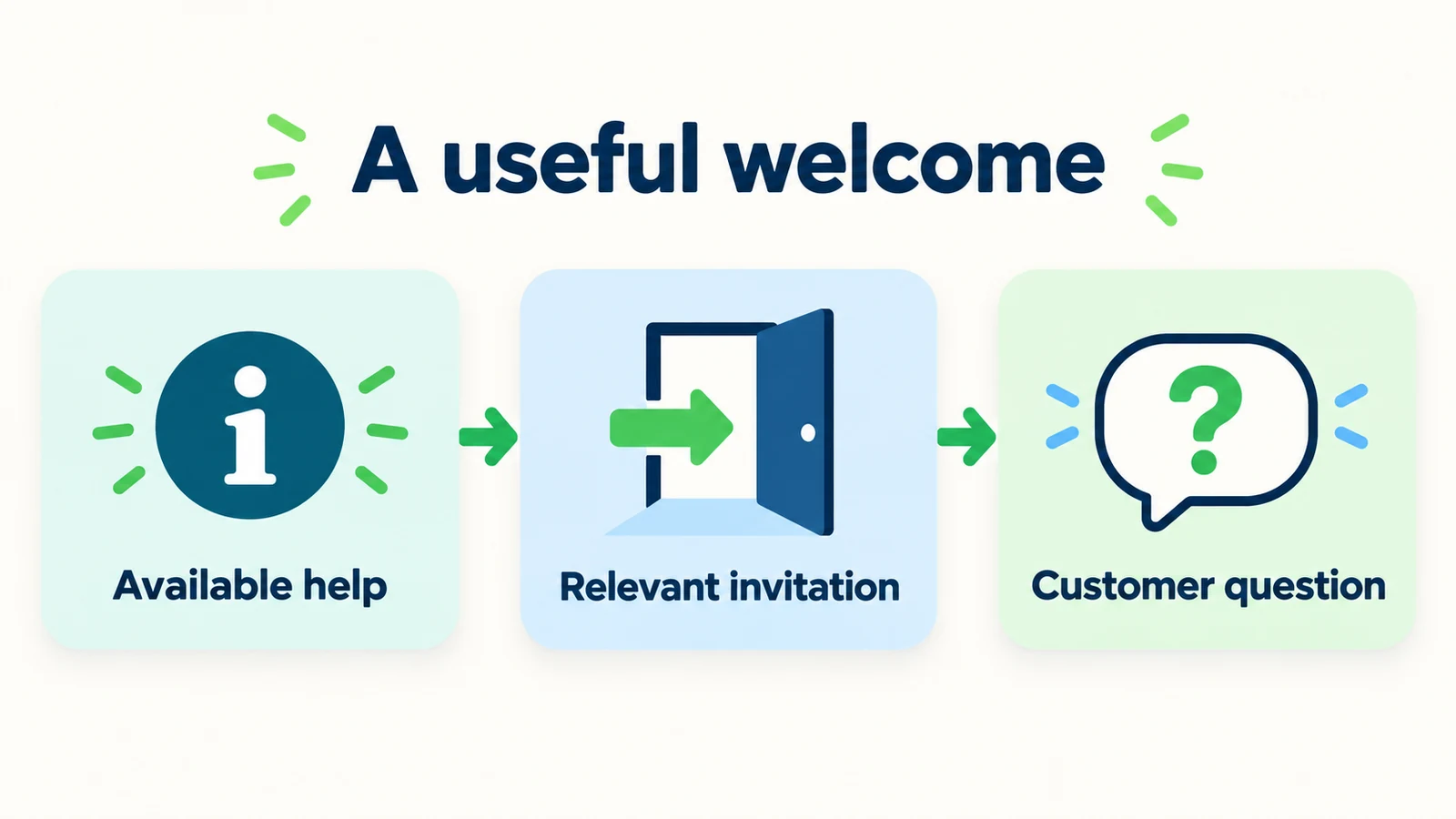
A useful AI front desk greeting does a smaller, clearer job. It identifies the assistance available, suggests a relevant next step and avoids promises that the business cannot support. The wording should help a visitor start their task, not introduce a fictional personality or demand contact details before offering any value.
This guide contains original welcome-message examples, context-specific variations and a practical review rubric. They are suggested copy, not measured conversion winners or screenshots of a product configuration. Adapt each example to your approved information and actual workflow. A good greeting is the beginning of an honest conversation: it tells customers enough to proceed without pretending that an enquiry, link or automated reply is a completed business transaction.
What Should an AI Front Desk Welcome Message Do?
A welcome message is the short introduction a customer sees when they open the conversation. Depending on your configuration, there may also be launcher text or a short invitation on the page. Review those surfaces together, but do not assume that every platform supports a different message for every page or visitor.
The message has three jobs: orient the visitor, make a supported action easy to understand and leave room for the customer's own question. It does not need to list every feature. “I can answer questions about our services and help you send an enquiry to the team” is more useful than a long paragraph about advanced technology.
Microsoft's Guidelines for Human-AI Interaction emphasize making capabilities clear to users and supporting them when the system is wrong. Applied to a greeting, that means being specific about useful assistance without implying unlimited knowledge or authority. The examples in this article are our own practical applications, not Microsoft-approved templates.
For an AI front desk, useful starting actions may include answering approved business questions, collecting enquiry details, sharing an approved booking link or — with Calendly or Cal.com connected — offering open times and booking an appointment in the chat. Those actions are different from reading a customer's private account or confirming a reservation in a system the front desk is not connected to. A greeting should not blur those boundaries simply to sound welcoming.
The wording also needs to fit the page. Someone on a service page may want scope and eligibility information; someone on a contact page may already know they need a person. If your setup supports only one global greeting, choose a broad but accurate message. Do not imply page-aware personalization just because you wrote several variations in a document.
Why Common Greetings Create Friction
They promise everything and explain nothing
“Ask me anything” is easy to write, but it can invite requests the agent has no approved information or authority to handle. A visitor may reasonably ask for a refund, a private order status or an exception. A narrower introduction helps them understand the front desk's actual role without making the experience feel closed.
They introduce the technology instead of the useful task
A small-business customer usually does not need a description of models, retrieval systems or automation architecture before asking about opening hours. Technical detail can live elsewhere. The greeting should answer the visitor's immediate question: “What can I do here?”
They turn a general question into an intake form
Requiring a name, email and phone number before answering a published service question creates unnecessary work. There are valid reasons to request contact details for follow-up, but the conversation should explain that reason at the right moment. Do not make optional lead capture sound like a condition of receiving basic information.
They use human language that implies a human presence
A named persona saying “I am at the desk and ready to book you in” can create expectations about staff availability and booking authority. A warm tone does not require pretending to be a person. Identify the assistance accurately and reserve human commitments for the team actually providing them.
They ignore the next response
A greeting may sound excellent in isolation but fail when the customer chooses the suggested action. If it says “check availability” and the system can only share a link, the mismatch appears immediately. Review the first exchange as a sequence, not the welcome sentence as a slogan.
The chat-widget guide covers the wider placement and interaction experience. Here the focus is the opening copy and the promises it makes. Fix the words and the supported next step together.
Treat these as adaptable copy examples
Every message below is illustrative. Use only the actions your deployed setup supports, replace generic team references with approved wording and test the reply that follows each invitation. No example is a claim of proven conversion performance.
7 Welcome-Message Patterns You Can Adapt
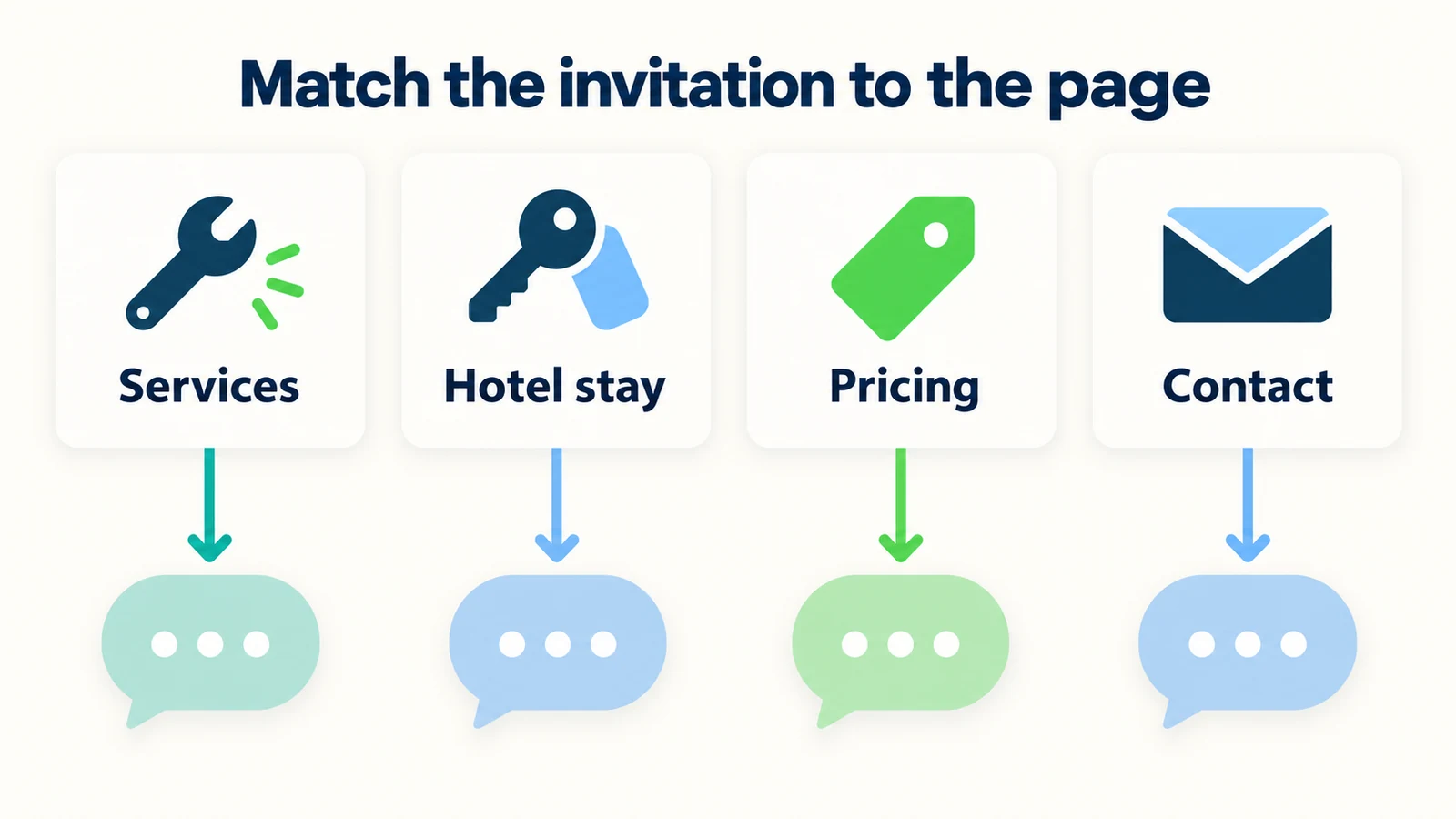
1. A clear global greeting for the whole website
Use a global greeting when the same introduction appears across your site. Keep it broad enough to cover the business but specific enough that visitors know where to start. Name practical tasks, not a catalogue of product features.
Example:
“Welcome. I am the AI front desk for this business. I can answer questions about our services and help you send an enquiry to the team. What would you like to know?”
Shorter variation:
“Hi. I can help with service information, common questions and the next step for your enquiry. What are you looking for?”
Use the shorter variation only if the interface elsewhere makes the automated nature of the assistance clear. Do not hide material context merely to shorten the sentence. Review the entire opening experience, including the widget name and any existing disclosure.
The example deliberately says “help you send an enquiry,” not “connect you instantly to a specialist.” The latter may imply staffed availability or an immediate transfer your business does not provide. If a human-contact route exists, explain it accurately when the visitor asks or chooses that path.
For more examples beyond the opening line, the customer-support script library covers broader conversation patterns. Keep the greeting compact and let the actual question determine what comes next.
2. A service-page greeting that helps visitors understand fit
On a service page, customers often want to know whether the business handles their particular need. A useful message invites that description without suggesting that the AI can diagnose, inspect or approve the work.
Example for a service business:
“Have a question about this service? I can explain the published scope and help you prepare an enquiry for the team. Tell me what you are looking for.”
Example with a service-area emphasis:
“I can help with our service information and coverage-area questions. What service do you need, and which area are you in?”
The second version asks for context because coverage depends on it. Do not request a full address when a town or broad area is sufficient for the initial question. Your approved service-area information should govern the answer; the greeting does not create a live location lookup capability.
For a home-services front desk, avoid wording such as “I will send a technician” or “I can diagnose the fault.” A general enquiry can collect the customer's description and share the authorized route forward. Scheduling, diagnosis and attendance commitments remain with the appropriate business process.
If your widget cannot change its greeting by page, do not copy a service-specific message globally. Use the broad greeting and let the customer's question establish the context. Contextual copy is useful only when the implementation matches it.
3. A hospitality greeting that does not imply a reservation
A hotel website visitor may need information about rooms, facilities or policies before opening the booking system. The front desk can help with those questions while keeping availability and confirmation in the authorized process.
Example:
“Planning a stay? I can help with the hotel's published information and share the booking or enquiry route. What would you like to know?”
Group-enquiry variation:
“I can help with hotel information and collect a group enquiry for our team. Are you considering accommodation, an event with rooms, or something else?”
Neither version says that rooms are available or that a rate has been held. If the visitor asks, the next response should explain what the front desk can actually verify. A greeting that promises “your perfect room, booked in seconds” would create a very different expectation.
Use the hotel enquiry guide to align the invitation with the rest of the conversation. The greeting is not the right place to explain every reservation condition, but it should avoid implying that the conditions have already been satisfied.
Keep imagery honest too. A calendar icon can suggest a next step, but accompanying text should clarify whether the action is an enquiry or a link. Visual friendliness should not disguise a capability boundary the customer needs to understand.
4. A pricing-page greeting that explains without quoting
Visitors on a pricing page may want to understand inclusions, eligibility or what happens when their needs do not fit a standard option. The greeting can invite those questions without promising a discount or a personalized quote.
Example:
“Comparing options? I can explain the published plans and help you find the right information. What would you like to clarify?”
For a service business that quotes individually:
“I can explain our published service information and help prepare a quote enquiry for the team. What work are you considering?”
Choose the version that matches the business. Do not mention published plans if the page has no plan structure, and do not imply that submitting details instantly produces an approved quotation. A starting price, an indicative range and a final quote are different things.
If a customer asks for an exception, the next response should identify the authorized review route. The welcome message should not advertise “exclusive deals” unless the business has a real approved offer and a process for applying it. Invented promotions are not a harmless tone choice.
Your lead qualification questions can help collect relevant context after the visitor's need is understood. The greeting itself should not force a full budget discussion before explaining a published inclusion or directing someone to the relevant information.
Give visitors a useful place to start
Create an AI front desk with approved business information and a welcome message that explains the help available.
Start for free5. A contact-page greeting that respects requests for a person
Someone visiting the contact page may not want another automated conversation. Offer help without making the customer prove they deserve access to the team. If they ask for a person, provide the approved route rather than repeatedly pushing suggested topics.
Example:
“I can answer common questions or help you find the right way to contact the team. What would you prefer?”
Follow-up when the visitor wants a person:
“Of course. Here is the approved contact route for the team. If you would like to include a short description of your enquiry, that can help them prepare.”
Replace the generic wording with the actual route your business supports. Do not say that a staff member has joined the conversation unless that has happened. Do not promise a callback simply because the visitor provided a phone number.
Contact capture should serve a stated next step. Explain whether the details are being collected for an enquiry or whether the visitor must use another channel to reach the team. Review the receiving process as part of your human-handoff setup, because the most respectful wording is still misleading if the request has nowhere to go.
This pattern can be warm without being obstructive. A customer who declines to share details may still need an address, published contact information or a policy link. Provide supported information without treating the refusal as a failed sales interaction.
6. An unstaffed-period greeting with honest expectations
The automated front desk may be available when the human team is not. That is useful, but it should not become a promise that a person will respond immediately. If your setup supports a time-specific greeting, use approved staffed-hour information. If it does not, use wording that remains true throughout the day.
Evergreen example:
“I can help with published business information now. If your request needs the team, I can explain the enquiry route and what happens next.”
Time-specific example, only when actually configured:
“The team is currently outside its staffed hours. I can still help with published information and collect an enquiry for review during the team's operating hours.”
The second version requires a real match between the displayed message and the business's current staffing state. A static greeting that always says “we are closed” is wrong during staffed periods. Holiday schedules and location differences make this especially important.
Avoid unsupported countdowns such as “a person will be with you in a minute.” A polite statement of the process is more useful than an estimate nobody owns. For the wider operating choices, see the small-business coverage guide. The greeting should reflect your actual arrangement, not the most ambitious option described in a guide.
7. A greeting for customers who are unsure what to ask
Some visitors understand their problem but not the terminology your business uses. A useful invitation lets them describe the situation in their own words. It should not require choosing a precise service category before receiving any help.
Example:
“Not sure which service fits? Describe what you are trying to arrange, and I can help with the published information or the right enquiry route.”
Optional prompt suggestions:
- “What services do you offer?”
- “How do I request an appointment?”
- “How can I contact the team?”
Use suggested prompts only if your interface supports them, and test the answer to each. A prompt labeled “Book now” should not lead to a response that can only collect an unspecified enquiry. Prefer a label describing the action the visitor will actually take.
Do not assume uncertainty means low intent. The visitor may be ready to proceed but unfamiliar with your terminology. Ask one useful clarifying question rather than presenting a long service catalogue. The customer-service best practices guide offers broader advice on clear replies; the welcome should simply make that first exchange easier.
Keep the customer's own question available even when suggestions exist. The suggestions are examples, not an exhaustive menu of what the business will listen to. An open invitation can remain bounded by approved information without forcing every visitor through the same script.
A Practical Rubric for Choosing the Final Message
Do not choose a greeting only because the team finds it charming. Review whether it makes the next exchange clearer. The original rubric below uses concrete questions rather than a synthetic conversion score.
| Review question | What a useful message does |
|---|---|
| Is the assistance identified accurately? | Makes the automated role clear in the opening experience. |
| Does it name a useful task? | Mentions service information, questions or an actual enquiry route. |
| Is the invitation relevant? | Fits the page, or remains accurate as a global greeting. |
| Does it avoid unsupported authority? | Does not imply account access, or availability and confirmation your setup cannot provide. |
| Is contact capture proportional? | Does not block general answers behind unnecessary fields. |
| Can the visitor request a person? | Provides an approved route without a conversational obstacle course. |
| Does the next response deliver? | The suggested action leads to supported assistance. |
Imagine a fictional business comparing two openings. “Your personal concierge can arrange everything” sounds expansive but does not define the task or its limits. “I can explain our services and help prepare an enquiry for the team” is less theatrical and easier to test. The second is not guaranteed to convert better; it makes a more specific, verifiable promise.
Review the whole opening on a phone. A message that feels short in a document can occupy most of a small chat panel. Keep the essential orientation visible, and move policy detail into the relevant answer. Short does not mean vague: remove filler before removing the task and boundary.
If you compare variants, define the observation first. Look at whether visitors can begin their intended task and whether the replies remain accurate. Keep traffic sources, page context and measurement limitations in mind. A change in conversation count alone does not establish that the welcome copy caused a business improvement.
How to Write and Test Your Own Greeting
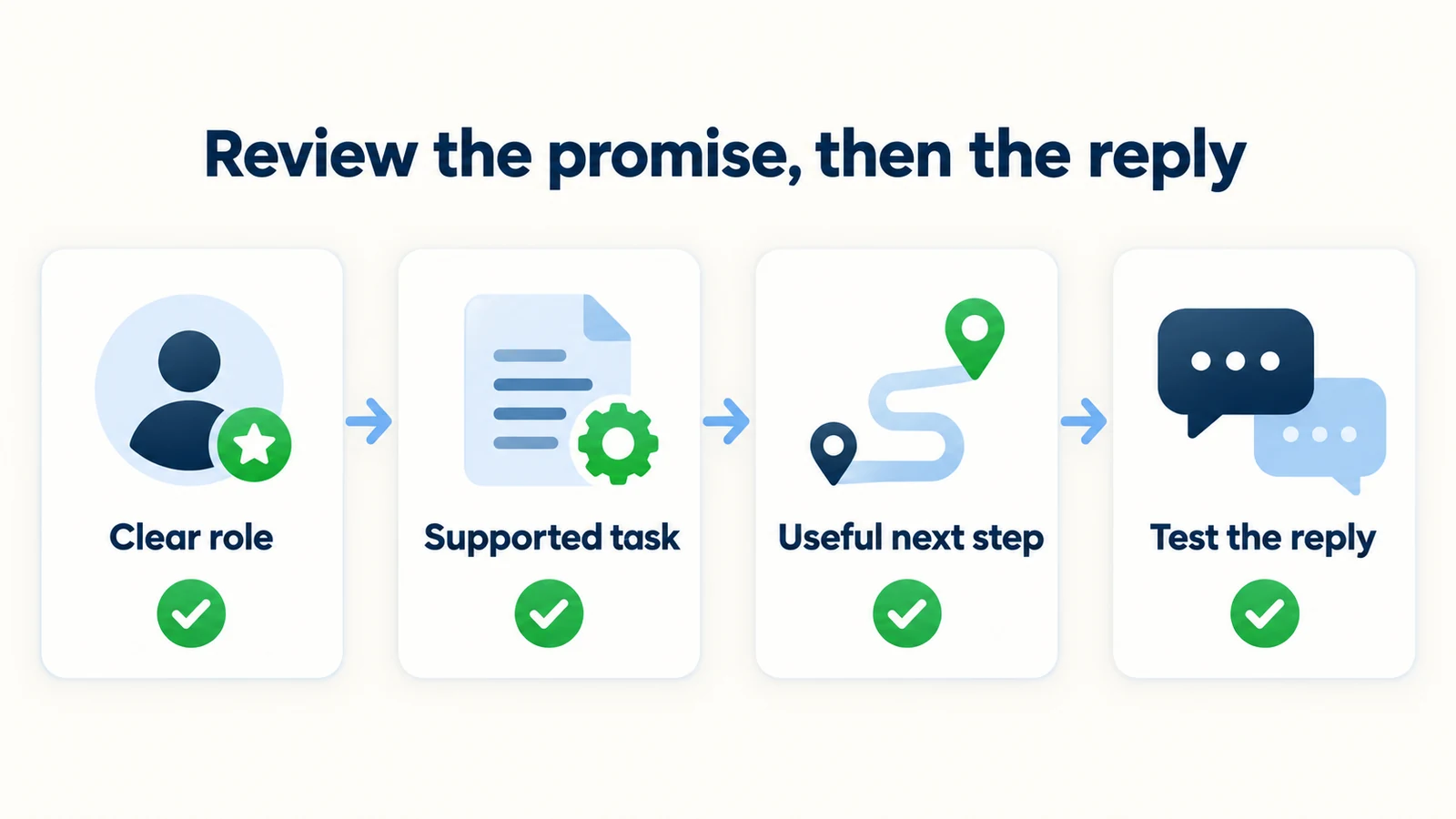
Begin with the business task, not the personality. Write a plain sentence describing what customers can reliably accomplish in the conversation. Then check each verb against your actual setup. “Explain,” “collect an enquiry” and “share a link” carry different responsibilities from “confirm,” “refund” and “reserve.”
Choose the surface next. Is this a global first message, a launcher invitation or a context-specific variant that your configuration truly supports? Keep the copy aligned with the implementation. A document containing several variants is not proof that the website will display the correct one automatically.
Draft a concise message using one of the patterns above, then remove unnecessary adjectives and internal terminology. A customer does not need to read that the system is sophisticated, powerful or intelligent before asking a useful question. Let the quality of the answer demonstrate usefulness.
Verify the sources behind the likely first replies. Opening hours, service scope, locations and contact routes should be current. Use the knowledge-base checklist to resolve conflicting pages or outdated documents. Accurate welcome copy cannot compensate for stale information immediately behind it.
Test several paths: a common question, a vague request, an unsupported action, a request for a person and a visitor who declines contact capture. Include a follow-up that checks whether the agent has overstated what happened. “So am I booked?” is a useful test after a conversation about an appointment link.
Ask someone unfamiliar with the setup to describe what they think the greeting allows them to do. If their interpretation exceeds the real capability, revise the wording. This is a small qualitative review, not a formal study or a performance benchmark, but it can reveal assumptions the setup author no longer notices.
Finally, inspect desktop and mobile presentation using the website's actual theme and chat placement. Check that the message is readable, the conversation can be closed, links work and the contact route is understandable. Keep a copy of the approved wording and the test observations so later edits do not quietly reintroduce unsupported promises.
Frequently Asked Questions
Should the greeting say that it is an AI assistant?
The opening experience should accurately identify the assistance and avoid implying a human presence that does not exist. Review the widget name, greeting and surrounding interface together. A warm tone is compatible with being clear about the automated role.
How long should a welcome message be?
Long enough to identify useful help and invite the next step, but short enough to read comfortably in the actual chat panel. There is no universal word count that guarantees performance. Test the message on mobile and remove filler before removing essential context.
Is “How can I help?” a bad greeting?
Not necessarily, but on its own it leaves the visitor to infer the available capabilities. Add a short description of the tasks the front desk supports. The useful question is whether a new customer can understand what to do next without guessing.
Can the greeting ask for an email immediately?
Only use contact requests where they serve a clear, appropriate purpose in your workflow. For general published information, avoid creating an unnecessary barrier. Explain why details are needed when the visitor wants follow-up, and keep optional fields genuinely optional.
Should every page have a different greeting?
Only if your setup supports those variants and you can maintain them accurately. A clear global greeting is preferable to context-specific copy displayed on the wrong page. Page variations are a design option, not an assumed product feature.
How do we know which version works better?
Review whether visitors start relevant tasks, receive accurate answers and understand the next step. If you run a comparison, define the audience, period and measures in advance. Do not call a wording change the cause of a conversion improvement from an uncontrolled before-and-after observation.
Make the First Promise a Small, Useful One
Your welcome message does not need to sell every capability. It needs to make the opening exchange understandable. Say what help is available, invite a relevant question and avoid implying authority the front desk does not have.
Choose the pattern that fits your website, adapt it to approved facts and test what happens after the visitor responds. A good greeting is not just a polished sentence. It is a promise the next part of the conversation can actually keep.
Start with a clearer welcome
Build an AI front desk around your business information, with practical answers and an honest next step for visitors.
Start for freeIndustry Solutions
See how AI chatbots work for these industries:
Related Articles
When Customers Ask for a Person: Reply Examples
Use respectful replies for customers who ask for a person, with clear availability wording, honest handoff status and a practical copy-review pack.
Tenant Maintenance Requests: A Clear Intake Template
Collect clearer non-emergency tenant maintenance requests with description prompts, contact boundaries and a practical property-team handoff.

AI Front Desk Holiday Hours and Escalation Playbook
Prepare holiday hours, honest response windows and clear escalation contacts with a practical AI front desk source sheet and review checklist.
Unified Inbox Rules for Small Customer-Facing Teams
Give shared customer conversations clear ownership with practical unified inbox rules, handoff notes and a review checklist for small teams.