Tenant Maintenance Requests: A Clear Intake Template
Collect clearer non-emergency tenant maintenance requests with description prompts, contact boundaries and a practical property-team handoff.
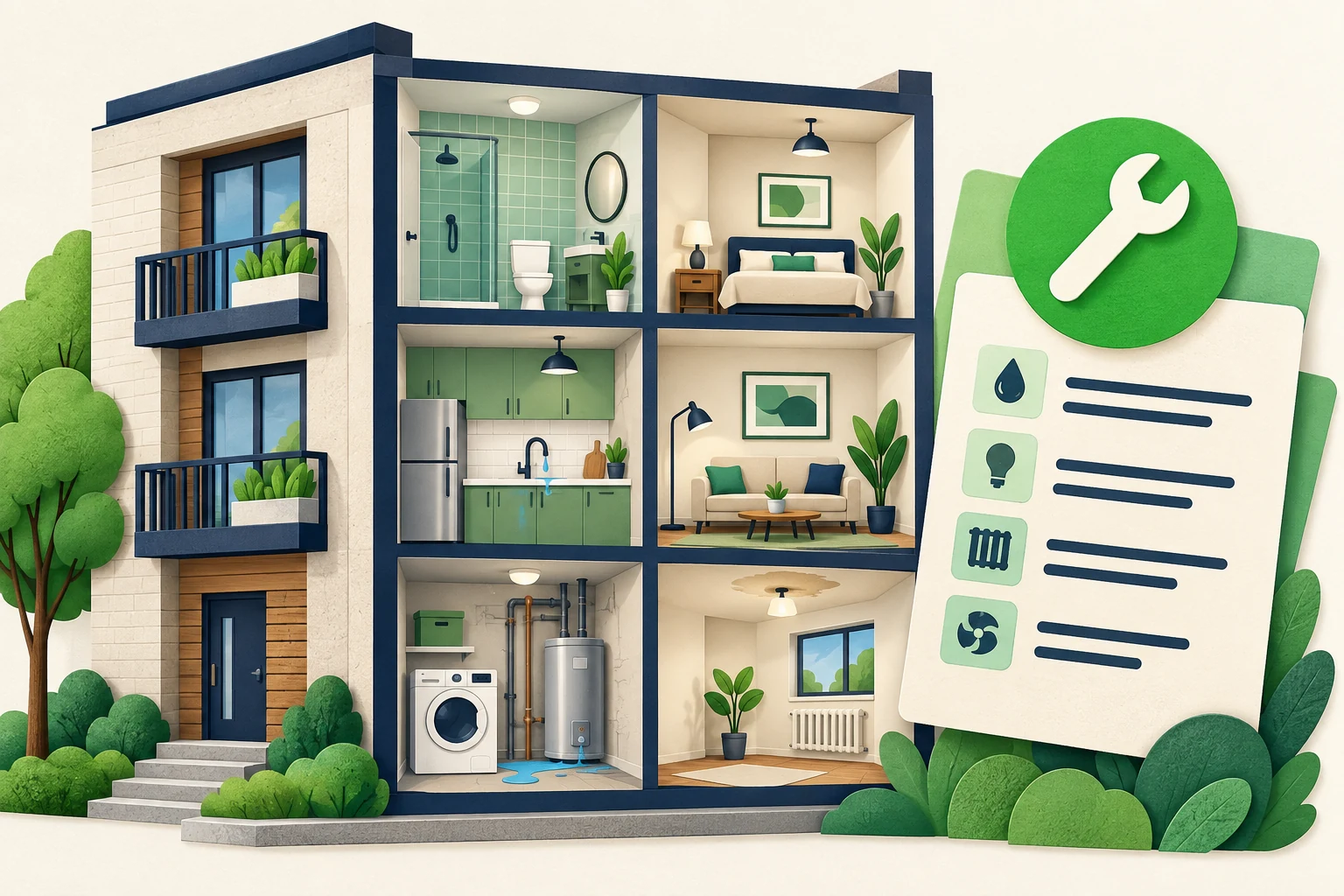
“Something is wrong in the kitchen” is enough to begin a maintenance conversation, but not enough for a property team to understand the request. Someone still needs to ask where the issue is, what the tenant observed and how the team should follow up. When that clarification happens through scattered messages, both sides repeat themselves.
A tenant maintenance request intake template makes the first conversation more useful without pretending to diagnose the problem. It records the tenant's description, preserves missing information and gives the property team a clear next action. The AI front desk can help collect that context and explain the approved reporting process. It should not decide what is safe, dispatch a contractor or promise a repair time.
This guide focuses on non-emergency descriptions and human review. Its sample messages are fictional and are not repair instructions, tenancy advice or a substitute for your approved emergency procedures. Property managers should supply the correct contact routes and review the information they request. The goal is a better initial record, not an automated maintenance decision.
What Is a Maintenance Intake Record?
A maintenance intake record is a structured account of what the tenant reported and what the property team still needs to establish. It is different from a diagnosis, a work order or permission to enter a home. Those decisions belong to the authorized people and systems in your property-management process.
The record should distinguish observation from interpretation. “Tenant reports water appearing below the kitchen sink” preserves the report. “Pipe failure confirmed” adds a conclusion that the chat has not established. Likewise, “tenant prefers an afternoon contact” is not the same as an agreed contractor visit.
At its simplest, the record includes a property reference appropriate to your process, the location within the property, the tenant's description, when they first noticed the issue, a chosen contact route and any unresolved question. Ask only for information that the receiving team uses. Avoid treating the template as permission to collect identification documents, payment information or access codes in an open conversation.
An AI front desk for property management can answer approved process questions and help tenants describe a request. It should make the human boundary obvious: reporting an issue does not prove that the team has accepted a job, arranged entry or assigned a contractor.
The broader tenant request guide covers the overall reception role. This article supplies a narrower working artifact: the questions, acknowledgement and review record used before a property professional decides what to do. Keeping that scope narrow makes the template easier to test and reduces the temptation to hide unsupported maintenance automation behind a friendly answer.
Do not use this as an emergency assessment
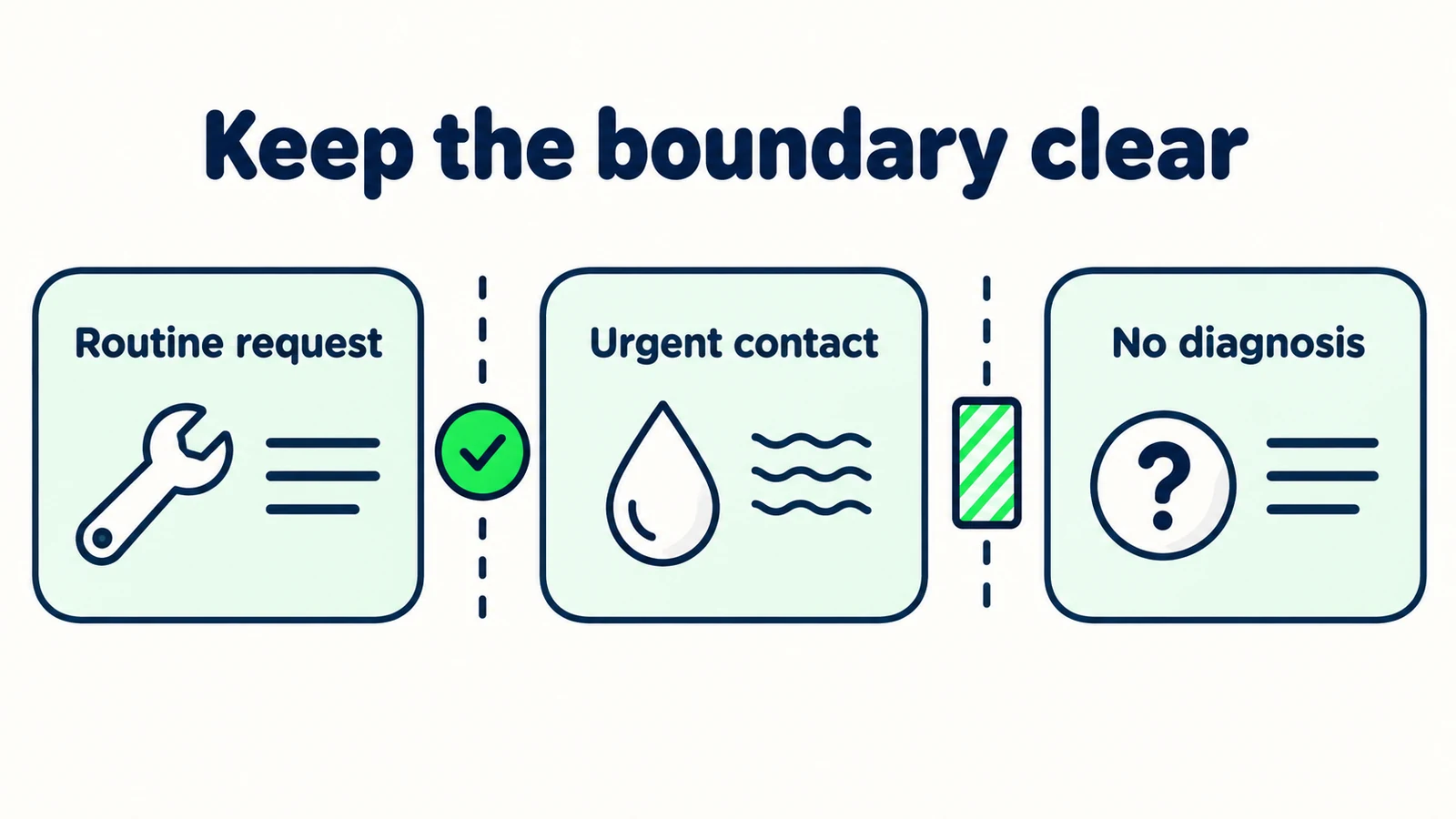
The examples support routine request descriptions. They do not assess hazards, determine whether waiting is safe, provide repair advice or replace appropriate emergency assistance. Use property-approved urgent-contact instructions and keep them separate from routine intake.
Why Routine Maintenance Messages Need Clarification
The tenant names a symptom, not the context
“The light does not work” might refer to a fixture inside the apartment or a shared hallway. Asking where the problem is helps the receiving team understand the report. Asking the tenant to identify the electrical cause does not. The intake should seek observable details that a person can provide without technical expertise.
A description is converted into a diagnosis
Summaries can sound more certain than the original message. A tenant saying “it might be the dishwasher” should not produce “dishwasher leak confirmed.” Preserve tentative wording and label it as the customer's report. The difference matters when another person reads only the summary rather than the entire conversation.
Entry preferences become assumed authorization
A customer may say that they are usually home in the afternoon. That is useful contact context, not permission for someone to enter. Your team must follow its authorized access process. The chat should not collect door codes or describe a preference as a confirmed visit arrangement.
A receipt message sounds like a repair commitment
“We'll get that fixed” may feel reassuring but implies a decision and outcome. A more accurate acknowledgement explains what was captured and how review works. The human-handoff guide helps distinguish receipt, review and a completed action.
The remedy is not a longer form. It is a more disciplined record. Ask the missing question that changes the next step, preserve what remains unknown and leave technical judgments with the property team. The same approach can make the conversation less frustrating for tenants who are already dealing with an inconvenience.
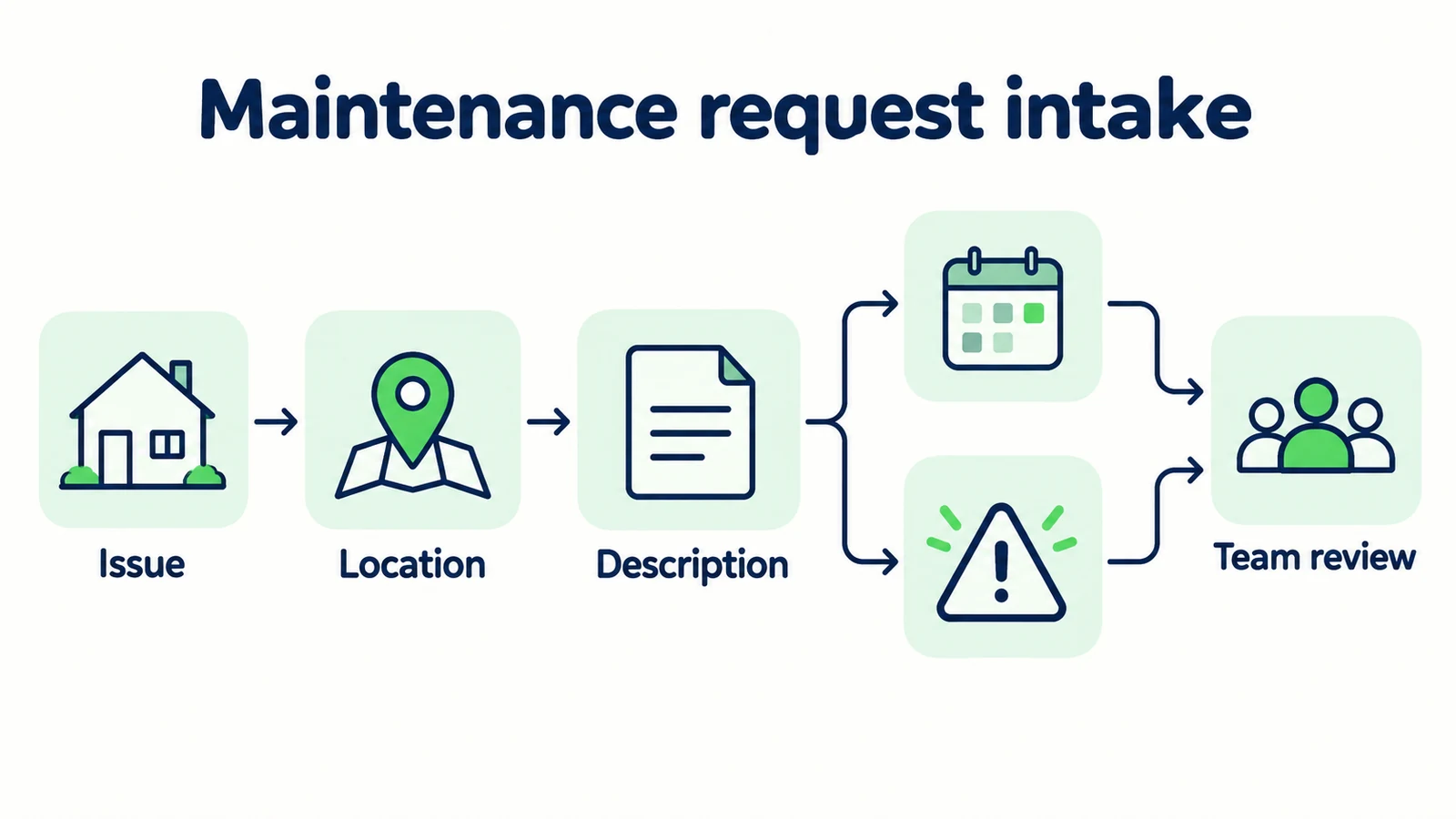
7 Parts of a Useful Tenant Request
1. State the reporting boundary before collecting details
Begin with a clear description of what the conversation can do. A tenant should know whether they are getting general information, submitting a routine enquiry or using the property's official maintenance-reporting route. Do not use those descriptions interchangeably.
Illustrative opening:
“I can explain the property's approved maintenance reporting process and help collect a routine request for team review. This chat cannot assess urgent situations or confirm a repair visit. If you need urgent help, please use the approved urgent-contact instructions.”
The property manager must supply the real urgent-contact route. Avoid publishing a generic placeholder or assuming that an office number is monitored at every hour. The chat should not delay an urgent request with ordinary qualification questions.
If your process requires a secure tenant portal, direct the customer there for the official submission. A helpful public conversation can explain what to prepare without duplicating private tenant records in another place. Be explicit about whether a message in chat itself creates any record in the official process.
This distinction is operational, not decorative. Test it by asking a reviewer, “After reading this message, what would a tenant believe has happened?” If they think a work order exists when the system only captured an enquiry, the opening needs revision.
2. Identify the property without unnecessary exposure
Ask for the property detail your team actually needs, using the least intrusive route available. A general question about how to report maintenance may require no identity information at all. A request for a particular property may need a reference, but the method should follow your approved process.
Illustrative prompt:
“Which property or approved property reference does this concern? Please do not share access codes, identification documents or payment information here.”
Do not invent identity verification just because someone supplies an address. Knowing a unit number does not prove that the person is authorized to receive private information about that unit. The AI front desk should not reveal an existing request, resident details or access instructions based only on a matching location.
If the visitor is reporting a shared-area issue, a building and location description may be more useful than a personal unit identifier. Ask the question that fits the report instead of requiring every field in every case.
The property-management policy and maintenance guide separates public policy questions from individual requests. Keep that distinction in your template: approved general information can be answered openly, while private records follow the property's authorized contact process.
3. Capture what the tenant observed in their own words
Ask for a plain description of what is happening and where. Good prompts invite observable detail; poor prompts ask the tenant to diagnose equipment or perform a test. The intake should not become an improvised troubleshooting session.
Illustrative prompt:
“What have you noticed, and where in the property is it happening? A short description in your own words is enough. Please do not attempt a repair or inspection because of this chat.”
If the tenant says “noise near the window,” the next useful question may be which room or whether they are describing a fixture, not what component has failed. If they cannot explain more, preserve the incomplete description and let the team decide what follow-up is appropriate.
A useful internal format separates the report from any staff interpretation:
| Record element | Fictional example |
|---|---|
| Tenant's wording | “The kitchen cupboard feels damp underneath.” |
| Location given | Kitchen, below the sink area |
| Cause | Not established |
| Further detail | Tenant has not provided more information |
The example does not tell the tenant whether the situation is safe or what to do about it. It illustrates a record that remains faithful to the message and leaves assessment to the authorized team.
4. Ask about timing without promising priority
When the issue was first noticed can help the property team understand the report. It should not be used by the AI to decide that an older issue is harmless or that a newer one is automatically urgent. Timing is context, not a diagnosis.
Illustrative prompt:
“When did you first notice this, and has your description changed since then? If you are unsure, it is fine to say that. The property team will review the information through its usual process.”
Use the customer's level of precision. “Earlier this week” should stay “earlier this week” unless they provide a date. Do not invent a timestamp to make the record look complete. If the tenant corrects the timing, preserve the latest account and note the correction when it matters.
Avoid promising a priority category such as “same-day repair” unless an authorized person or separately verified process has made that commitment. Even a well-intentioned “this is now our top priority” can mislead a tenant about what the team has accepted.
Your lead-summary structure can help keep reported facts separate from the next action. In this setting, the next action is usually review or clarification, not a predicted repair outcome. A complete-looking record is less valuable than an honest one.
5. Record contact and access preferences separately
Ask how the tenant would like the team to follow up. If a timing preference is relevant, record it as a preference. Keep entry arrangements separate and direct them through the property's approved process rather than treating the chat as a permission slip.
Illustrative prompt:
“What is your preferred contact method for this request? You can also tell us a suitable time window for a reply. That preference does not confirm a visit or authorize entry.”
Only request a contact detail if it is needed and not already available through the appropriate channel or process. Explain why you need it. Do not require both phone and email simply because a default lead form includes both fields.
If the tenant volunteers a private code, do not repeat it in a summary intended for broad circulation. Follow your organization's handling process and guide the customer to the authorized secure method for access arrangements. The template should not invite those details in the first place.
If the tenant declines to provide contact information, explain the limitation without pressuring them. You may still be able to share the official reporting route or answer a public process question. Do not promise follow-up when the team has no usable, authorized way to contact them.
6. Name the remaining question for the property team
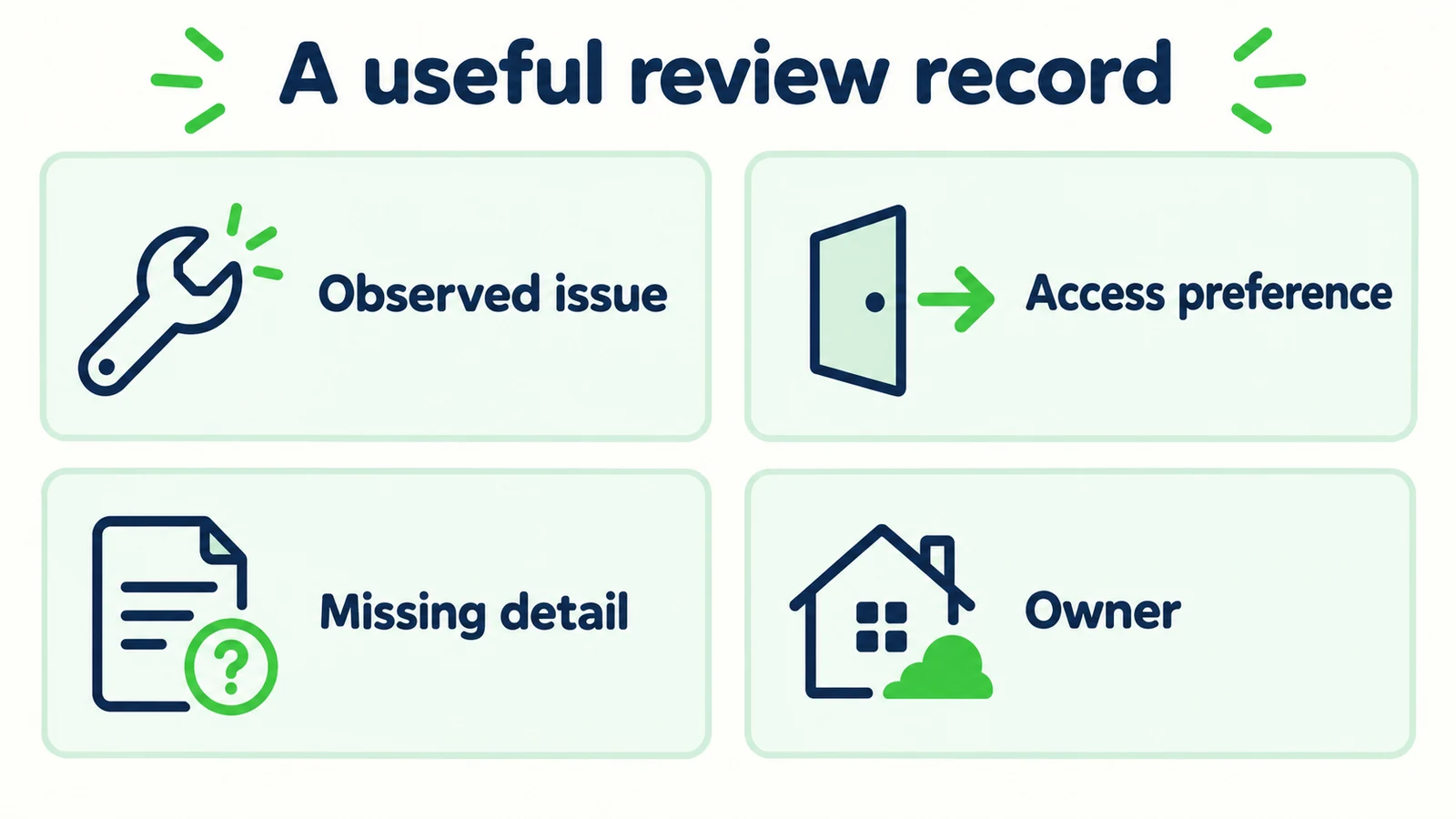
The handoff should tell the receiving person what needs attention. “Maintenance request” is a category, not an action. “Tenant reports a loose cupboard handle; location supplied; contact preference missing” identifies a concrete review gap without diagnosing the repair.
Use a small request record:
| Field | Purpose |
|---|---|
| Property reference | Connect the enquiry through the approved process |
| Reported issue | Preserve the tenant's description |
| Location within property | Clarify where the issue was observed |
| First noticed | Capture timing as reported |
| Contact preference | Support an appropriate reply |
| Missing information | Show what remains unresolved |
| Review owner | Identify the human next-action role |
These fields are a suggested team worksheet, not a claim that Hyperleap creates a maintenance ticket or updates a property-management system. If your organization uses an official work-order platform, document the actual step that transfers or recreates the request there.
Before calling the handoff usable, ask a team member to read it without the full transcript. Can they identify the reported issue and the next action? Then compare it with the transcript to check that useful brevity has not removed uncertainty or added an unsupported conclusion.
7. Acknowledge the action that actually happened
The closing message is where a careful intake can accidentally overpromise. Use verbs that match the verified workflow. “I have collected your description” differs from “a contractor is assigned.” “Use this reporting link” differs from “your repair ticket is open.”
Illustrative acknowledgement:
“The request description is a loose cupboard handle in the kitchen, first noticed this week. You prefer an email reply. The property team still needs to review the report; a repair visit has not been arranged.”
If your configured process actually delivered a summary, you can describe that verified action accurately. If delivery is uncertain, do not tell the tenant that the team received it merely because a message appeared in the chat. Test the receiving path before relying on it in production copy.
Let the tenant correct the summary. A brief “Is that description accurate?” can catch a wrong room or misunderstood issue before it reaches staff, provided the conversation remains optional and does not imply an official approval step that the process lacks.
Finally, explain the approved contact route for changes to the request. Do not invite repeated new submissions as a substitute for a follow-up process. Multiple descriptions of the same issue can make the team's review harder unless staff can recognize them as related.
Make routine property enquiries clearer
Use approved information and careful intake questions to prepare better context for your property team.
Start for freeWhat a Better Intake Record Changes
The immediate improvement is a clearer conversation for the receiving team. Staff can see what the tenant observed, what remains unknown and which next step the tenant was told to expect. That can reduce avoidable clarification, but it does not establish a repair outcome or a performance percentage.
Compare a fictional vague record, “Kitchen problem, please fix,” with a bounded one: “Tenant reports a loose kitchen cupboard handle, noticed this week; prefers email; no visit arranged; property team review required.” The second gives more usable context while making fewer assumptions.
Review omissions as well as incorrect facts. A summary that drops “I am not sure which appliance” may look cleaner but be less accurate. A record that includes contact details without explaining the customer's chosen method may encourage an unwanted follow-up route. Quality means preserving the details that change a responsible action, not maximizing the number of fields.
Measure the effect in your own process. Ask staff which questions they still repeat, where they find contradictory descriptions and whether acknowledgements match actual delivery. Keep those observations separate from repair completion times, tenant satisfaction or cost savings unless you have evidence linking the workflow to those outcomes.
Set Up the Template Without Creating a Shadow Work-Order System
Begin with the property manager's approved reporting process. Identify which questions may be answered publicly, which details may be collected in chat and which tasks must move to an authorized portal or staff member. If that boundary is unclear, resolve it before adding more intake fields.
Prepare one source document that covers the routine reporting route, approved contact destinations and the wording used when the chat cannot help. Do not attach private tenant files merely to make the agent appear informed. The knowledge-source guide can help organize public business information separately from records that do not belong in the answer set.
Test the template with fictional cases: a clear routine description, an unclear room, a customer who cannot provide more information, an existing-request question, a declined contact request and a message that needs approved urgent-contact wording. Review both the reply and the record the team receives.
Hyperleap AI can answer from approved sources, collect enquiry details and provide conversation summaries to a team. It is not a contractor-dispatch or repair-status system. Its quick-start path can be live in under five minutes; reviewing property-specific boundaries is additional tuning. Check the plan information, then begin with a small routine intake scope that the responsible property team has approved and can actually review.
Frequently Asked Questions
Can an AI front desk decide whether maintenance is urgent?
This template does not support that decision. The AI should use property-approved urgent-contact wording without assessing hazards or telling a tenant that waiting is safe. Appropriate emergency assistance and authorized property procedures remain separate from routine enquiry collection.
Does collecting a request create a work order?
Not necessarily. A chat enquiry, a delivered summary and an official work order are different records. Describe only the action your configured process has verified. If staff must create the work order in another system, document that step and avoid telling tenants it has already happened.
Should tenants share access codes in chat?
The routine template should not ask for access codes. Entry arrangements should follow the property's approved secure process. A preferred contact window or a statement that someone is usually home is not permission for entry and should not be summarized as a confirmed visit.
What if the tenant cannot explain the cause?
They do not need to diagnose the problem. Ask for a plain description of what they noticed and where, then preserve any uncertainty. The property team can decide what further information is appropriate. Do not instruct the tenant to perform tests or repairs to complete the form.
Can the AI provide an update on an existing repair?
Do not imply access to private repair records or live contractor status unless a separately verified system provides that functionality. The front desk can explain the approved contact route and collect a status enquiry. A property reference alone should not be treated as identity verification.
How should the property team judge intake quality?
Compare the received record with the tenant's original message. Check that the description, uncertainty, chosen contact route and open question are preserved. Confirm that no diagnosis, access authorization, contractor assignment or repair deadline was added without an actual authorized decision.
Collect the Description, Preserve the Decision
A clear maintenance intake template helps tenants explain a problem without asking them to become technicians. It also helps the property team start from an accurate account rather than a vague message or an overconfident summary. The useful boundary is simple: collect what was observed, explain the real reporting process and leave assessment and arrangements to authorized people.
Start with the repeated clarification that most often interrupts your property team. Add the minimum question that resolves it, test the resulting record and review the acknowledgement. An AI front desk earns its place by making that first exchange easier while keeping the next human decision visible.
Give your property team better enquiry context
Build a front desk that answers approved questions and supports a clear, bounded handoff.
Start for freeIndustry Solutions
See how AI chatbots work for these industries:
Related Articles

Ask for Contact Details Without Blocking the Answer
Use practical contact-request scripts that explain the purpose, respect customer choice and keep useful answers separate from lead capture.

When Customers Ask for a Person: Reply Examples
Use respectful replies for customers who ask for a person, with clear availability wording, honest handoff status and a practical copy-review pack.

AI Front Desk Holiday Hours and Escalation Playbook
Prepare holiday hours, honest response windows and clear escalation contacts with a practical AI front desk source sheet and review checklist.

AI Front Desk Welcome Messages: Examples That Help
Write useful AI front desk welcome messages with practical examples, clear capability boundaries and a checklist for your website greeting.