24/7 Customer Support for Small Business: 5 Real Options
Compare 5 ways small businesses offer 24/7 customer support — realistic costs, coverage, and what each option actually handles at 3am.

TL;DR
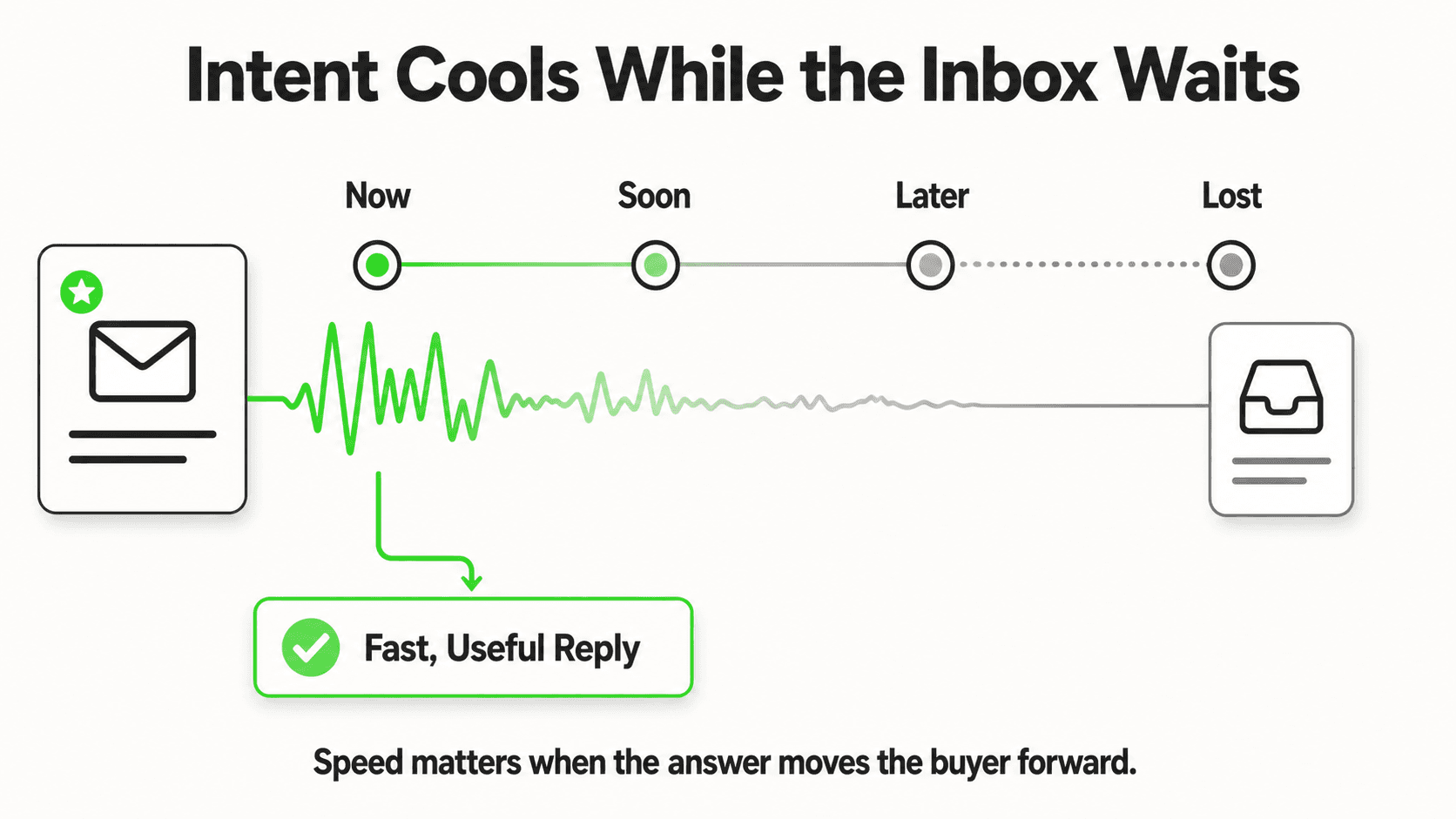
- A homeowner, patient, or shopper who messages you at 11pm doesn't wait for morning — they message your next-closest competitor, and 78% of customers hire whoever responds first (InsideSales / Convoso).
- There are five realistic ways small businesses cover the after-hours gap: rotating on-call staff, an offshore night-shift team, a traditional (phone-based) answering service, an AI chat agent, or a hybrid of AI plus human escalation.
- Each option trades off differently on cost, coverage hours, and what it can actually do — take a message versus qualify a lead versus book an appointment.
- An AI receptionist chat agent can answer FAQs, qualify leads, and capture contact details through a lead form at any hour, starting at $40/month — but it doesn't answer phone calls, and it should hand off anything urgent, ambiguous, or high-stakes to a human.
- In Hyperleap's Jungle Lodges case study, 35% of all inquiries arrived after standard business hours — a rate broadly consistent with after-hours volume patterns across service industries.
Option four in detail: conversational AI for customer service covers what the AI resolves on its own, the channels it runs on, and how deployment works.
Every small business eventually hits the same 11pm problem. A customer has a question, a complaint, or an emergency, and your team is asleep. What happens in the next sixty seconds decides whether that person becomes a customer tomorrow morning or a lead in a competitor's inbox. Research on lead response shows that contacts made within 5 minutes convert up to 100 times more often than those made after 30 minutes (InsideSales.com / Harvard Business Review), and 82% of customers expect an immediate response to a sales question, day or night (HubSpot). Small businesses can't staff a night shift to match that — but they don't need to. This guide compares the five realistic ways to offer 24/7 customer support for small business operations without adding overnight payroll: what each one actually costs, what it can handle at 3am versus what should wait for morning, and how to design the escalation path so nothing urgent falls through the cracks.
Who This Guide Is For
This guide is written for owners and operators of small and mid-size businesses — home services, healthcare, hospitality, real estate, professional services, retail — who get inquiries outside a 9-to-5 window and don't have the budget or headcount for a 24/7 call center. If your customers research, book, and complain at night and on weekends, this applies to you.
What Does 24/7 Customer Support Actually Mean for a Small Business?
24/7 customer support for a small business means every inquiry — a website chat, a WhatsApp message, a phone call, an Instagram DM — gets some form of response at any hour, not that a fully staffed team is standing by around the clock. For most SMBs, "24/7" is really two different jobs stitched together: instant, always-on acknowledgment and triage for routine questions, plus a reliable escalation path for anything urgent that genuinely needs a human.
That distinction matters because it's the difference between a system that's actually affordable and one that isn't. True around-the-clock staffing — three shifts, seven days a week — is a call-center-scale investment few businesses under 200 employees can justify. What's achievable, and increasingly expected, is:
- Instant acknowledgment of every inquiry, at any hour, on the channel the customer chose
- Automatic answers to the questions that repeat every day — hours, pricing, availability, "do you offer X"
- Lead capture through a short form that collects name, contact details, and the reason they're reaching out, before or during the conversation
- Triage and routing that separates "can wait until 9am" from "needs a human right now"
- A defined escalation path — who gets notified, how, and within what window, when something urgent comes in overnight
None of that requires a night shift. It requires picking the right combination of the five options below, and being honest about what each one is actually built to do.
Why the After-Hours Gap Costs Small Businesses Real Revenue
Small businesses lose after-hours inquiries not because their product or service is worse, but because the customer never waited around to find out. The pattern shows up the same way across verticals: whoever answers first, wins.
Customers Don't Wait — They Move to the Next Option
Home service companies miss an estimated 27% of inbound calls, and 85% of callers who reach voicemail never call back — they call the next contractor on the list (Invoca). The same logic applies to chat and DM inquiries: if nobody responds within a reasonable window, the customer assumes you're closed for business, not just closed for the night, and moves on. Our deep dive on response-time economics across industries breaks down exactly how fast that drop-off happens by vertical.
A Third of Your Demand Might Already Be Arriving After Hours
It's easy to assume after-hours inquiries are a rounding error. In Hyperleap's own Jungle Lodges deployment, 35% of all inquiries arrived outside standard business hours — over a third of total demand happening while the front desk was unstaffed. That's not an edge case; for many service and hospitality businesses, it's a third of the funnel sitting exposed every single night. Our analysis of how hotels lose revenue to after-hours silence walks through the mechanics in more detail.
The Math Is Brutal at Small-Business Scale
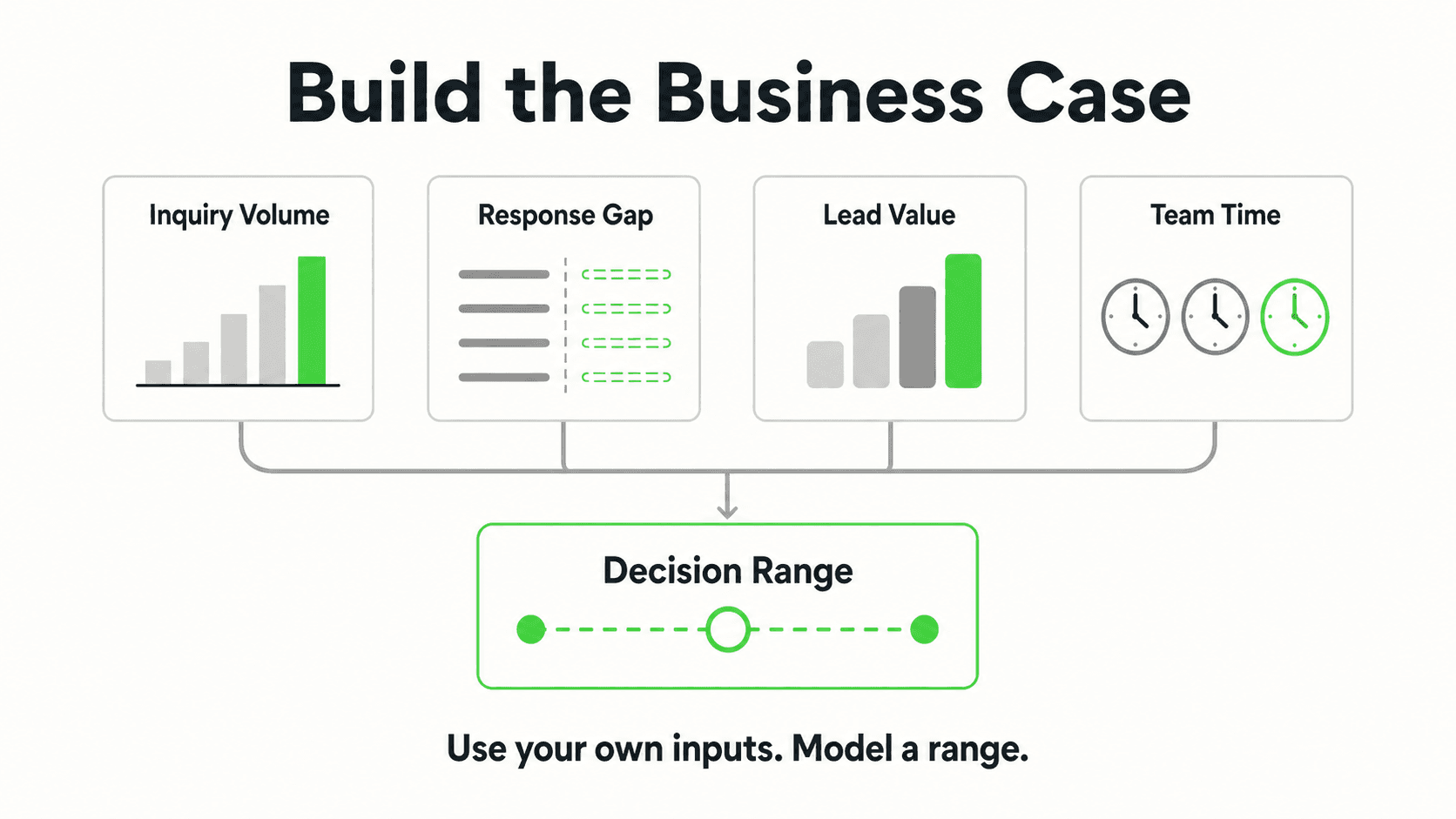
Take a business fielding just 8 after-hours inquiries a week, with an average job or booking value of $400. If half of those inquiries go unanswered and are lost to a faster competitor, that's roughly $6,400 a month — over $76,000 a year — walking out the door not because of price or quality, but because nobody picked up. Our broader breakdown of what slow response times cost businesses in lost sales uses the same framework across industries — the exact multiplier changes by vertical, but the direction never does.
Home Services Feel It Hardest, But It's Not Unique to Them
Emergency plumbing, HVAC, and electrical calls that hit voicemail at 2am are famously expensive to lose — see our guide on capturing emergency service calls 24/7 and why home service businesses lose jobs to faster rivals for the home services-specific math. But the same pattern shows up in law firms, dental practices, insurance agencies, and real estate — anywhere a prospective customer is comparing multiple providers and picks whoever responds first.
5 Realistic Ways to Offer 24/7 Customer Support
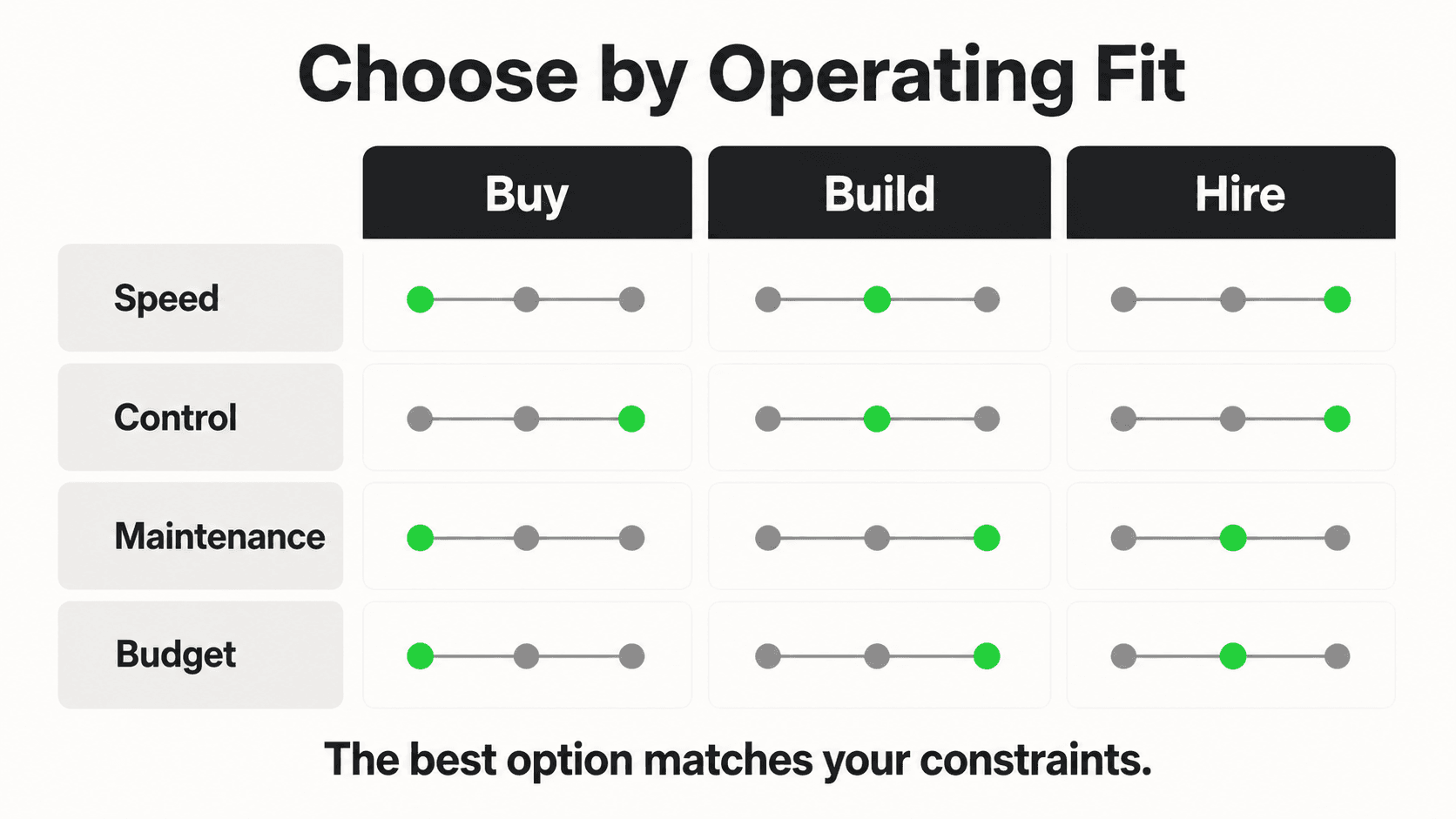
There is no single "right" answer here — the right option depends on how many after-hours inquiries you actually get, how urgent they tend to be, and what channel they arrive on. Here's an honest comparison of the five approaches small businesses actually use.
1. Rotating On-Call Staff
What this looks like in practice: You or a team member carry a phone (or a shared inbox) on a rotating schedule, answering whatever comes in — calls, texts, or messages — during your assigned nights or weekends.
What it handles well: Genuine emergencies where a real, knowledgeable human needs to make a judgment call immediately — a burst pipe, a medical concern, a VIP client issue. Nobody understands your business better than the person who runs it.
What it doesn't handle well: Volume and sustainability. On-call rotations burn people out fast, and under US federal labor law, non-exempt employees carrying an on-call phone with real response obligations are often entitled to overtime pay for that time (U.S. Department of Labor, Fair Labor Standards Act) — a cost many small businesses underestimate until the first payroll audit. It also doesn't scale: one exhausted owner can't out-respond a chat agent answering multiple inquiries at once.
Cost and coverage: No incremental software cost, but real (often underpriced) labor cost, plus the compounding cost of burnout and turnover. Coverage is only as reliable as whoever is holding the phone that night.
2. Offshore or Night-Shift Team
What this looks like in practice: You hire or contract a team in a different time zone — or a dedicated overnight shift — to handle inquiries while your primary team sleeps.
What it handles well: Genuine, sustained conversation with a real person, at a lower loaded cost than domestic overnight staff. Works well for businesses with high after-hours volume that justifies dedicated headcount.
What it doesn't handle well: Small businesses with modest after-hours volume rarely have enough inquiries to justify a full shift's worth of staffing, and management overhead — training, quality control, time-zone handoffs — eats into the savings. It also introduces a knowledge-transfer problem: an offshore agent answering questions about your specific business needs the same documentation and training your daytime team has.
Cost and coverage: Ongoing payroll or contractor cost that scales with hours covered, plus management time. For most businesses under 50 employees, this only pencils out once after-hours volume is consistently high.
3. Traditional (Phone-Based) Answering Service
What this looks like in practice: A live human operator — or a basic automated phone tree — answers your business line after hours and either takes a message or follows a simple script you provide.
What it handles well: Phone calls, specifically. If the bulk of your after-hours demand is people picking up the phone, an answering service is built for exactly that channel.
What it doesn't handle well: Everything that isn't a phone call. Website chat, WhatsApp, Instagram DM, and Facebook Messenger inquiries — an increasingly large share of how customers actually reach out — go completely unaddressed by a phone-only answering service. Most answering services also can't answer specific questions about your business (pricing, availability, service area) beyond a basic script; they take a message and promise a callback.
Cost and coverage: Small-business answering service plans typically run $50–$450/month, or $0.75–$2.00+ per minute on usage-based plans, according to 2026 industry pricing guides (Nextiva, HouseCallPro). Coverage is 24/7 for phone calls only.
4. AI Chat Agent (AI Receptionist)
What this looks like in practice: A chat-based AI system — like an AI receptionist — answers customer messages on your website chat widget, WhatsApp, Instagram DM, and Facebook Messenger, using your own business documents and FAQs to generate accurate, on-brand answers, and gating each conversation behind a short lead form that captures name and contact details up front.
What it handles well: Instant, consistent answers to repetitive questions (hours, pricing, availability, "do you offer X"), lead capture with contact details collected before the conversation continues, and simultaneous handling of multiple conversations across channels at any hour, with document-grounded responses designed to minimize made-up answers.
What it doesn't handle well: it does not take phone calls. Voice is currently a roadmap item, not a shipped capability — see our full comparison of AI receptionists versus answering services for exactly where each one fits. It also should not be the final word on genuinely urgent, high-stakes, or ambiguous situations — those need a defined escalation path to a human (more on that below).
Cost and coverage: Hyperleap's AI receptionist starts at $40/month (Plus plan, 3,000 AI responses, 1 chatbot, 4 channels), with Pro at $100/month and Max at $200/month for higher volume and multiple chatbots — see full pricing details. A 7-day free trial is available, credit card required. Coverage is 24/7 across chat channels, at a fraction of per-minute phone answering service pricing.
5. Hybrid: AI Agent Plus Human Escalation
What this looks like in practice: The AI chat agent handles the volume — routine questions, lead capture, initial triage — around the clock, and a defined set of rules routes anything urgent, high-value, or outside the AI's knowledge to a human via webhook-triggered notification, which your team follows up on through whatever on-call system (phone, SMS, pager app) you already use.
What it handles well: Nearly everything. This is the combination most small businesses converge on once they've tried the other four in isolation — it gets the coverage and cost benefits of AI for the 80% of inquiries that are routine, while preserving a real human safety net for the 20% that genuinely need one.
What it doesn't handle well: It requires you to actually define the escalation rules up front (see the next section) — a hybrid system with no escalation logic is just an AI agent with an unused webhook.
Cost and coverage: The AI agent's monthly cost, plus whatever your existing on-call or emergency-response process already costs — no new dedicated night staffing required.
Cost and Coverage at a Glance
| Option | Monthly Cost (typical) | Channels Covered | Handles Complex/Urgent Cases |
|---|---|---|---|
| Rotating on-call staff | Labor cost (often underpriced; overtime rules may apply) | Whatever the on-call person monitors | Yes — real judgment |
| Offshore/night-shift team | Ongoing payroll + management overhead | Phone, chat (if trained) | Yes, with training |
| Answering service | $50–$450/mo, or $0.75–$2.00+/min (Nextiva, HouseCallPro) | Phone only | Limited — message-taking |
| AI chat agent | From $40/mo (Hyperleap Plus) | Website, WhatsApp, Instagram DM, Facebook Messenger | No — routine only |
| Hybrid (AI + escalation) | AI cost + existing on-call cost | Chat channels + human backup | Yes, via routed escalation |
See What an AI Receptionist Handles at 3am
Answer FAQs, capture leads, and qualify inquiries across chat channels — 24/7, starting at $40/month.
Start Free TrialWhat AI Handles Well at 3am — and What Should Wait for a Human
The most common mistake small businesses make with 24/7 AI support isn't underusing it — it's expecting it to do a human's job. Setting realistic boundaries up front is what makes the hybrid model actually work.
Good Fits for an AI Chat Agent, Any Hour
- Repetitive FAQs — hours, location, pricing ranges, services offered, policies
- Availability and booking questions — "do you have anything this weekend," with a link to your booking page or a request to share your booking link
- Initial lead qualification — collecting name, contact details, and the reason someone is reaching out, gated behind a lead form before the conversation continues
- Order or appointment status questions that reference information already in your knowledge base
- Basic troubleshooting for common, well-documented issues
Should Wait for a Human — Even If That Means Morning
- Genuine emergencies — anything involving safety, health, or property damage should route to an urgent escalation path immediately, not wait passively in a queue
- Complaints and dissatisfaction — an unhappy customer typically wants acknowledgment from a person, not a bot
- Anything requiring clinical or legal judgment — the AI should route these inquiries to your team rather than attempt an assessment; it is not a substitute for a licensed professional's evaluation
- Pricing negotiations or custom quotes that fall outside a standard rate card
- Anything the AI's knowledge base doesn't cover — a well-configured agent should say "let me connect you with our team" rather than guess
Common Mistake
Businesses that configure their AI agent to attempt an answer for everything — including questions it has no reliable information on — end up with a worse experience than no automation at all. The goal isn't to eliminate every human touchpoint; it's to make sure the routine 80% never waits until morning, so your team's limited hours go toward the 20% that actually needs them.
Designing the Escalation Path
An escalation path is the set of rules that decides, in real time, whether an inquiry gets handled automatically or gets flagged for a human — and it's the single most important design decision in a 24/7 support setup, hybrid or otherwise.
Start With Tiers, Not a Single Threshold
Most small businesses do well with three simple tiers:
- Handle automatically — the AI answers using your documented FAQs and knowledge base, no human involved
- Capture and queue — the AI answers what it can, captures full contact details through the lead form, and flags the conversation for review during the next business hours
- Escalate now — specific keywords, phrases, or conditions (e.g., "emergency," "gas leak," "in labor," "flooding") trigger an immediate webhook notification to whoever is on call, so a human can step in fast
Route Escalations Through Tools You Already Use
Hyperleap's AI agent supports webhooks (Pro and Max) for events like "lead created," "new message," and "conversation started" — these can fire into your existing CRM, project management tool, or on-call alerting system via REST API and webhooks, so your team gets notified through whatever paging or messaging tool already reaches them, rather than requiring a new inbox to babysit.
Set Expectations With the Customer, Honestly
The single biggest trust-killer in 24/7 chat support is pretending a bot is a person, or promising a response time you can't hit. Configure your agent to say plainly when a human will follow up — "our team typically responds within X hours" — rather than implying someone is standing by around the clock if they aren't.
Illustrative Example
Consider a small dental practice using an AI receptionist on their website and Facebook Messenger. At 9:40pm, a patient messages asking about weekend availability for a cleaning — the AI answers from the practice's published hours, captures the patient's name and phone number through the lead form, and confirms someone will call to schedule. At 1:15am, a different patient messages describing significant swelling and pain — the AI recognizes the escalation keywords configured for the practice, tells the patient to seek emergency care if severe, and triggers a webhook that pages the on-call dentist. Neither patient waits until 8am for a first response — but only one of them wakes up a human immediately. This is an illustrative scenario, not a specific customer result.
Real Results: What Businesses Report From Closing the After-Hours Gap
Businesses that put a 24/7 chat layer in place — instead of leaving nights and weekends unattended — consistently report the same three shifts, even though the specific numbers vary by vertical and starting point.
Fewer Inquiries Lost to Silence
Once every channel gets an instant response, the "went to voicemail and never called back" pattern documented by Invoca stops applying to that channel. Businesses that previously had no after-hours coverage at all typically see the most dramatic change, since they're going from zero response to instant response rather than incrementally improving an existing process.
Mornings That Start With Warm Leads, Not Cold Voicemails
Instead of a stack of overnight voicemails that need to be triaged and called back one by one, teams open a queue of already-qualified conversations — name, contact details, and reason for reaching out already captured — ready to follow up on immediately.
A Front Line That Scales Without Adding Payroll
Inquiry volume during a busy season, a marketing push, or simple business growth no longer means a proportional staffing increase just to keep response times reasonable. The AI layer absorbs the routine volume; your team's hours go toward the conversations that actually need a person.
Time Back for the Owner or Manager Who Used to Carry the Phone
For businesses that relied on rotating on-call staff before, the biggest reported change is qualitative: fewer 2am phone calls about questions the business's own website already answers, and a genuine night's sleep more often than not.
Implementation Roadmap: Getting to 24/7 Coverage in 30 Days
You don't need a big-bang rollout to close the after-hours gap. A phased approach lowers risk and lets you tune the system with real conversations before it's fully unattended.
Days 1–7: Foundation
- Audit your current after-hours inquiry volume — check your website analytics, missed call logs, and social DM counts for the last 30 days
- Gather your core FAQ content — hours, pricing, services, policies, service area — into a single document
- Decide which channels matter most: website chat, WhatsApp, Instagram DM, Facebook Messenger
Days 8–14: Configure and Train
- Set up your AI agent with your knowledge base documents so responses stay grounded in your actual business information rather than generic answers
- Define your escalation tiers and the specific keywords or phrases that should trigger immediate human notification
- Connect webhooks (Pro and Max) to your existing CRM or notification tool for real-time lead alerts
Days 15–21: Soft Launch
- Turn the agent on for one channel first — typically the website widget — while monitoring conversations closely
- Review a sample of transcripts daily and refine the knowledge base for anything the agent handled poorly or couldn't answer
- Confirm the escalation path actually reaches the right person, at the right hour, by testing it end to end
Days 22–30: Full Rollout
- Extend to your remaining channels — WhatsApp, Instagram DM, Facebook Messenger
- Set a recurring weekly review of missed or escalated conversations to keep refining the knowledge base
- Revisit your on-call or answering-service arrangement now that routine volume is automated — many businesses right-size or eliminate redundant coverage at this stage
Key Insight
The businesses that get the most value from 24/7 AI support aren't the ones that automate everything on day one — they're the ones that start with their highest-volume, lowest-complexity questions, prove it works, and expand from there. This mirrors the broader "start small, prove value, then expand" pattern that works for most SMB AI adoption.
Frequently Asked Questions
Will an AI chat agent replace my customer support team?
No. An AI chat agent is built to handle high-volume, repetitive questions and initial lead capture, not to replace the judgment, empathy, and relationship-building your team provides. The goal is for the AI to absorb routine volume at hours you can't staff, while genuinely urgent or complex conversations escalate to a human — your team spends less time on repetitive questions and more time on the conversations that need them.
How much does 24/7 customer support cost for a small business?
It depends on the approach. A phone-based answering service typically runs $50–$450/month or $0.75–$2.00+ per minute (Nextiva, HouseCallPro). An AI chat agent like Hyperleap's AI receptionist starts at $40/month for up to 3,000 AI responses. Rotating on-call staff has no software cost but real labor cost, including possible overtime obligations. Most small businesses find the lowest cost-per-inquiry with an AI agent handling routine chat volume, paired with their existing on-call process for true emergencies.
Does an AI receptionist answer phone calls?
Not currently. Hyperleap's AI receptionist answers messages on your website chat widget, WhatsApp Business, Instagram DM, and Facebook Messenger — voice/phone support is a roadmap item, not a shipped feature today. If the majority of your after-hours demand arrives by phone, a traditional answering service still fits better for that specific channel; many businesses run both side by side. See our full AI receptionist vs. answering service comparison for a channel-by-channel breakdown.
How long does it take to set up 24/7 AI customer support?
Most small businesses can have a basic AI agent live within a few days of uploading their FAQ and business documents, with a full rollout across all channels — plus a tested escalation path — achievable within 30 days following a phased approach. Setup is no-code: if you can write an FAQ document, you can configure the knowledge base.
What happens if the AI doesn't know the answer?
A well-configured AI agent is designed to say it doesn't have the information and offer to connect the customer with your team, rather than guess. Responses are document-grounded — generated from your actual business content — which is designed to minimize made-up answers, though no AI system should be treated as infallible; that's exactly why an escalation path to a human matters for anything outside its knowledge base.
Can 24/7 AI support work alongside our existing on-call or answering service?
Yes — this hybrid approach is what most small businesses converge on. The AI agent handles routine chat volume across your website and social channels around the clock, while webhook-triggered alerts (webhooks are on Pro and Max) route urgent or ambiguous conversations to your existing on-call phone, SMS, or paging process via REST API and webhooks. You keep whatever human safety net you already trust, while removing the burden of manually answering every routine question at 2am.
Is 24/7 chat support only useful for emergency-driven businesses like plumbers or urgent care?
No. While emergency services feel the after-hours gap most acutely, the underlying pattern — customers researching and reaching out outside business hours, then choosing whoever responds first — shows up broadly across real estate, hospitality, retail, professional services, and healthcare. Any business whose customers browse, compare, or decide outside a 9-to-5 window benefits from instant acknowledgment, even if the inquiry itself isn't urgent.
Closing the After-Hours Gap Without a Night Shift
The after-hours gap isn't a staffing problem — it's a coverage design problem, and it has a realistic answer that doesn't require hiring a night shift or accepting hours of lost response time. Rotating on-call staff, offshore teams, and traditional answering services each solve part of the problem; most small businesses land on a hybrid model, where an AI chat agent handles the routine volume around the clock and a defined escalation path routes anything urgent to a human, fast.
The businesses still losing after-hours leads aren't losing them because their product or service is worse — they're losing them because nobody answered fast enough. Closing that gap starts with picking the right combination of coverage for how your customers actually reach out, and building an escalation path that keeps a human in the loop for everything that matters.
Never Miss an After-Hours Lead Again
Hyperleap's AI receptionist answers your website, WhatsApp, Instagram DM, and Facebook Messenger 24/7 — starting at $40/month, 7-day free trial.
Get Started FreeIndustry Solutions
See how AI chatbots work for these industries:
Put this into practice
Related Articles
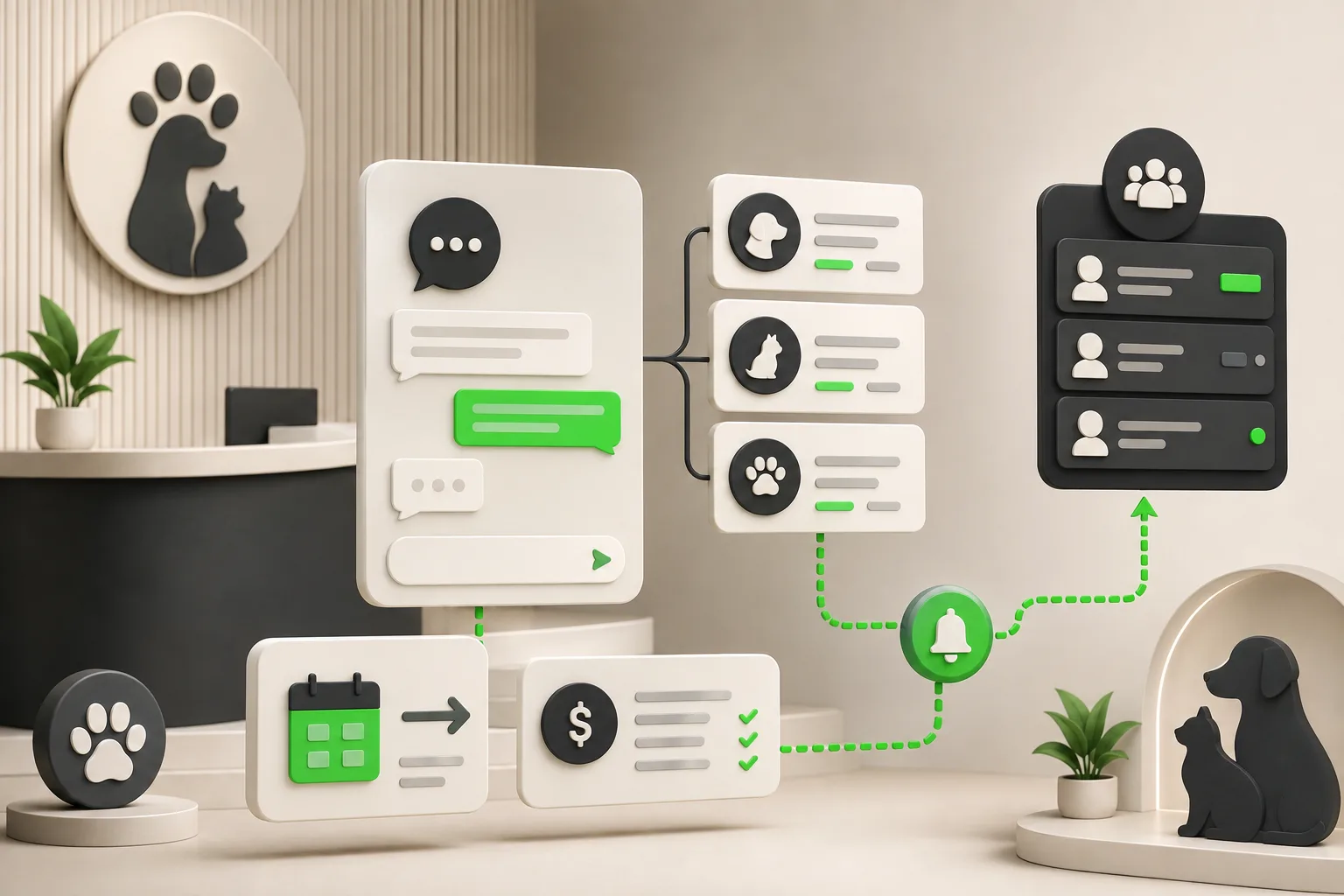
AI Receptionist for Veterinary Clinics: A Guide
An AI receptionist for veterinary clinics answers intake and pricing questions, routes emergencies to your team, and shares your booking link 24/7.
Chat vs Voice AI Receptionists: An Honest Comparison
Chat vs voice AI receptionists compared honestly: cost, setup, lead quality, and which fits phone-first vs message-first small businesses.
Small Business Answering Service Alternatives (2026)
8 small business answering service alternatives for 2026 compared on coverage, cost, and setup — from voice AI to chat-first AI receptionists.
How to Choose an AI Receptionist: A Buyer's Checklist
How to choose an AI receptionist: an 18-point buyer checklist covering channels, lead capture, pricing traps, data handling, and a 7-day trial plan.