Unified Inbox Rules for Small Customer-Facing Teams
Give shared customer conversations clear ownership with practical unified inbox rules, handoff notes and a review checklist for small teams.

Putting customer conversations in one place does not automatically make someone responsible for the next reply. A small team can share an inbox and still duplicate answers, miss an exception request or assume another person has followed up. The software makes the conversation visible; the team needs rules that make the next action clear.
Those rules do not have to resemble a large contact center's procedures. A useful starting point is simple: someone checks incoming work, one person owns the next customer-facing step, and a handoff includes enough context for that person to continue. When a decision needs the owner, the team says so without inventing a promise to the customer.
This guide gives you an original operating worksheet for a shared inbox alongside an AI front desk. It includes ownership rules, sample handoff notes and review scenarios. These are human operating practices, not claims that every label, assignment, status or escalation rule is a built-in Hyperleap AI control. Use the capabilities you have, and document any manual steps clearly.
What Does a Unified Inbox Actually Solve?
A unified inbox brings covered customer conversations into a shared working view. Hyperleap AI supports a unified inbox for its supported website and messaging channels. That visibility helps the team find context, but it should not be confused with automatic responsibility, a guaranteed response schedule or an integration with every system your business uses.
Think of the inbox as a shared reception desk. People can see the same enquiry, but they still need to agree who answers, when to involve a specialist and how to communicate an unresolved issue. Without those agreements, centralization can simply make the confusion easier to observe.
An AI front desk can answer approved questions and collect enquiry context while your team is serving customers. When a conversation needs a person, the team should be able to understand what the customer asked and what still needs to happen. The AI's role and the staff's role should be complementary, not indistinguishable.
This article focuses on the operating layer. Your multi-channel strategy determines which channels to cover and how customers reach you. Your inbox rules determine how people handle the conversations that require attention. Neither should be mistaken for a promise of automatic cross-channel identity matching or native updates to an external customer-management system.
A practical rule can be as small as “the opening-shift coordinator reviews unhandled enquiries and names a next-action owner in our team worksheet.” That is useful even if the software does not contain an assignment feature matching your process. The important thing is to distinguish what the team does from what the product demonstrably does.
Process labels are not product features
The ownership fields, review states and example worksheets below are suggested team practices. They do not imply native automatic assignment, custom inbox statuses, collision detection, service-level timers or external CRM synchronization.
Why Shared Conversations Still Get Stuck
Visibility is mistaken for ownership
When several people can see a conversation, each may assume someone else is handling it. Reading the message is not the same as accepting the next action. Your process needs an observable ownership decision, whether that lives in a supported tool or a simple internal worksheet.
Staff reply to the last message without reading the context
The final customer message might be “yes, that works,” but the unresolved issue is several turns earlier. A reply based only on the last line can confirm the wrong thing. Before a person answers, they should review the request, prior commitments and any unanswered question, not just the most recent notification.
Internal consultation looks like customer follow-up
A team member may ask the owner to approve an exception and then consider the enquiry handled. The customer, however, is still waiting for a response. Keep the internal decision and the customer-facing next step separate. Someone should retain responsibility for communicating the result.
Shift changes lose the reason for the handoff
“Please take this” does not tell the incoming person what is outstanding or what the customer was told. The handoff should preserve the request, the latest confirmed facts and the next decision. It should not require the new owner to infer urgency from an ambiguous sentence.
Channel changes are treated as proof of identity
A person may contact the business on more than one channel, but similar names or messages do not prove those conversations belong together. Avoid copying personal context between threads based on a guess. Use your approved verification process where needed, and do not describe manual recognition as automatic identity resolution.
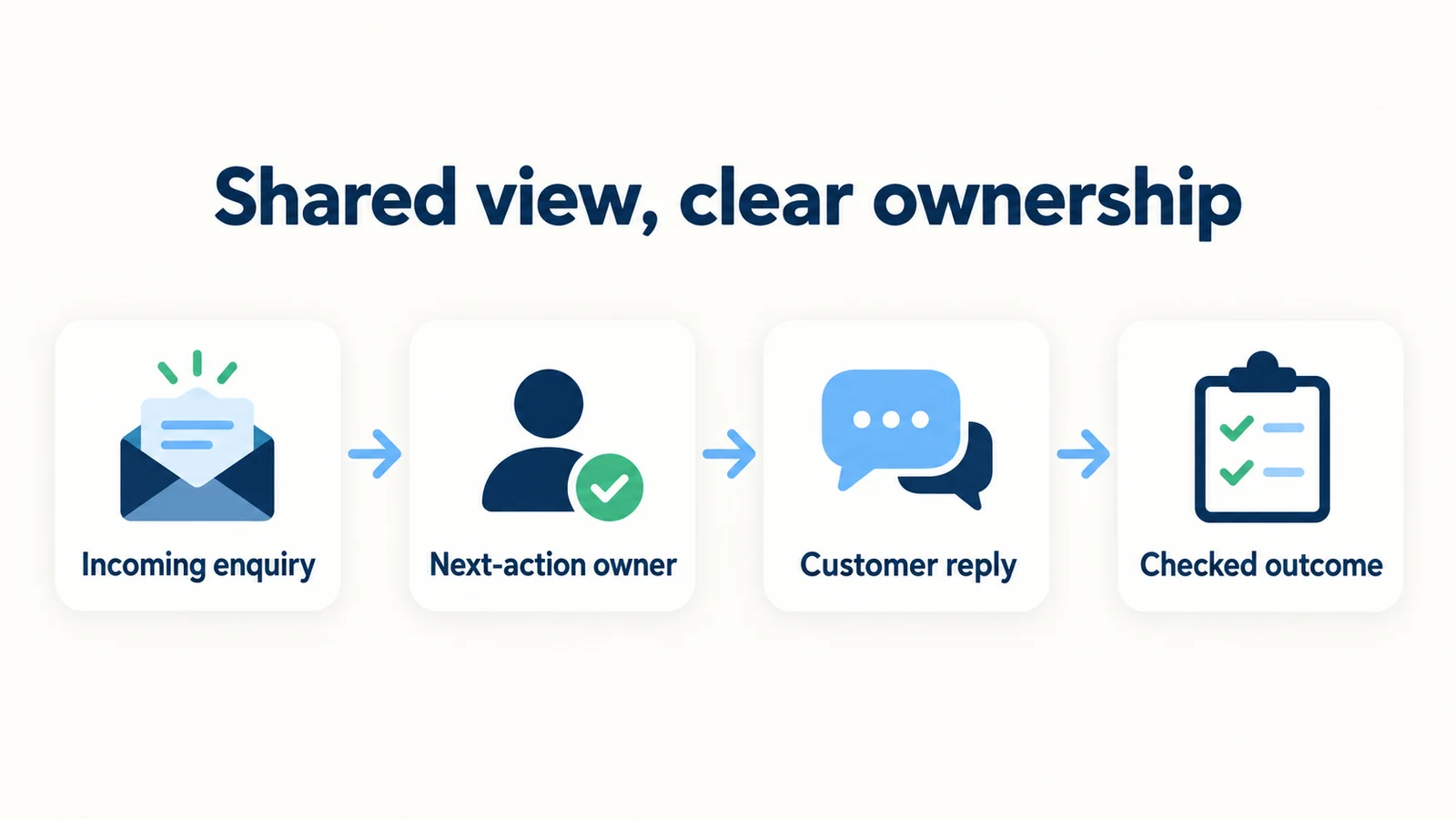
7 Rules for a Small-Team Unified Inbox
1. Name who reviews new work, and when
Start with the intake responsibility. The team should know who checks new or unresolved customer conversations during each operating period. This is a staffing agreement, not an automatic schedule created by the presence of an AI agent.
A small business might use an opening coordinator and an afternoon coordinator. Another may have one owner who reviews enquiries between appointments. Choose a routine the team can actually sustain, then describe customer follow-up expectations accordingly. Do not publish a response-time promise merely because it sounds reassuring.
Write the rule in practical terms: “The designated coordinator reviews incoming enquiries during our staffed periods and identifies those needing a person.” Include what happens when that coordinator is unavailable. A backup person should know where to find the work, not rely on a private message that may be missed.
Keep the scope visible. Some conversations may be fully answered by approved information; others require an exception, a quote or a booking decision. Reviewing new work means recognizing those differences, not manually replying to every completed FAQ. The customer-service automation guide is useful background for separating repeatable answers from human decisions.
2. Give each unresolved request one next-action owner
The next-action owner is the person responsible for moving an enquiry forward, not necessarily the person who can make every decision. If the owner needs a specialist's input, they should retain responsibility for obtaining it and communicating the next step unless a clear handoff occurs.
Use a rule such as: “One person owns the next customer-facing step until another person acknowledges taking over.” This is a team agreement. Implement it through a verified assignment capability if one is available in your setup, or through an internal record; do not assume an unverified product control exists.
An illustrative ownership note might say: “Maya is checking the service exception with the owner and will send the customer the approved answer.” The useful part is the action and responsibility, not the fictional name. “Sales is handling it” is less useful when nobody knows which person in sales accepted the work.
Avoid ownership by reaction alone. An emoji, a read receipt or a quick glance at the thread may not mean the person has taken responsibility. Agree on what acknowledgement looks like in your team's chosen process, and use it consistently. That reduces ambiguity without requiring complicated automation.
3. Read the customer need before writing the reply
Before a person responds, they should answer three questions internally: What is the customer trying to do? What has already been answered? What remains unresolved? This brief review is particularly important when an AI front desk has already supplied information or collected details.
The human reply should continue the conversation rather than restart it. If the customer already supplied a preferred date, do not ask for it again unless there is a genuine ambiguity. If the AI correctly explained the published policy, acknowledge the customer's exception request instead of repeating the entire policy without addressing it.
A useful first human response might be: “I have the dates and the room preferences you shared. I am checking the group availability question with our reservations team.” Use that language only when the person actually has those details and is carrying out that action.
Review your lead-summary structure so the team can find the relevant context quickly. A summary supports review; it does not eliminate the need to check consequential details in the conversation. If the summary and the transcript disagree, resolve the discrepancy before making a customer-facing commitment.
4. Define decision boundaries, not just priority labels
An enquiry can be easy to read and still require an authorized decision. Discounts, complaints, refunds, service exceptions and unusual scheduling requests should have a clear owner. A label such as “important” does not tell staff who is allowed to approve the request.
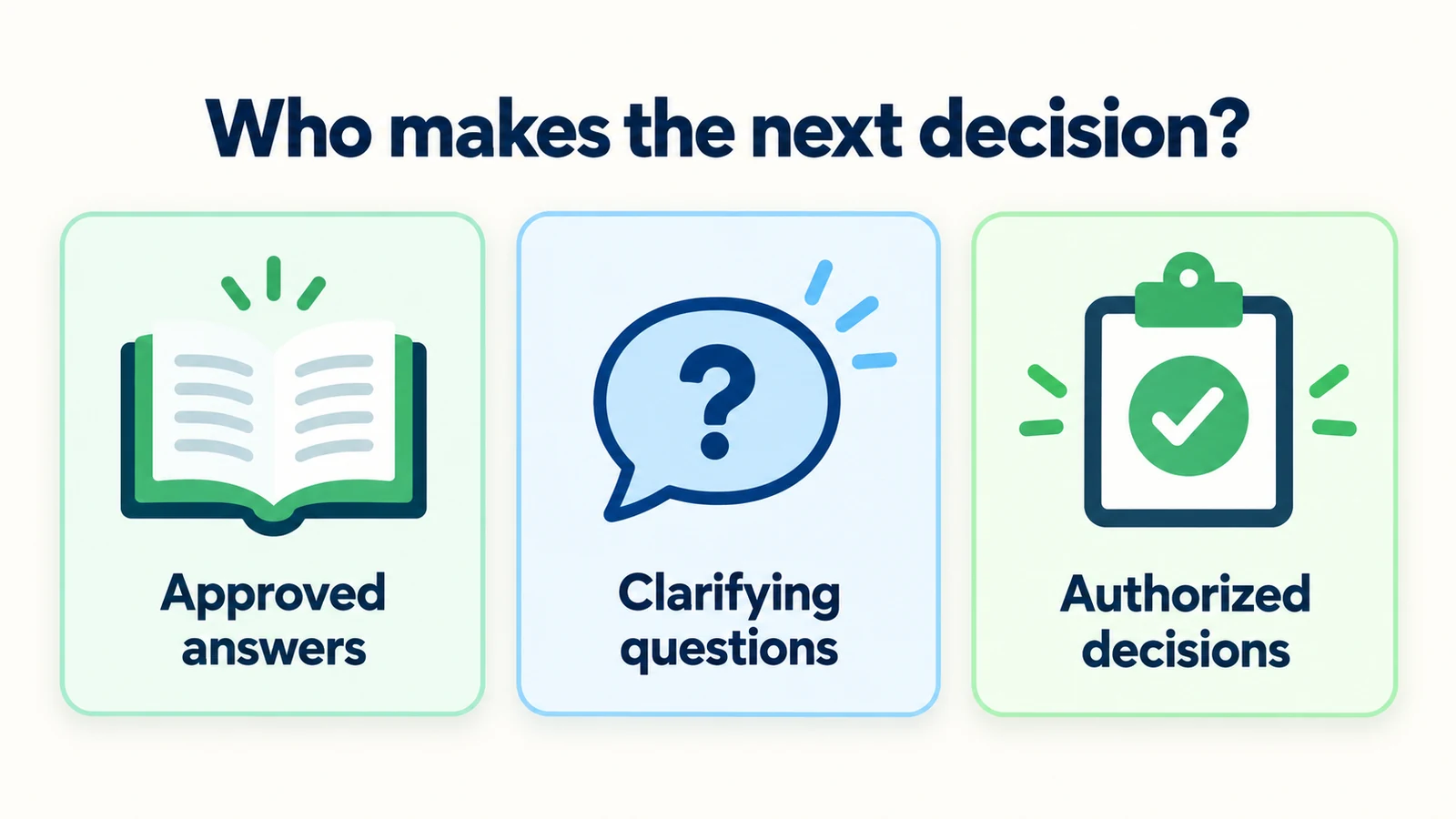
Build a short decision table for your business. State what the front desk may answer from approved information, what a coordinator may clarify and what the owner or specialist must decide. This is not a substitute for professional judgment or your established emergency procedures.
| Request | Suggested operating boundary |
|---|---|
| Published opening hours | Answer from the approved current source. |
| Missing enquiry detail | Ask a relevant clarifying question. |
| Quote or availability decision | Send to the responsible team for review. |
| Exception to a policy | Request approval from the authorized person. |
| Explicit request for a person | Provide the approved human-contact path. |
For a home-services team, an enquiry about coverage may be answered from a service-area policy, while a promise to attend a particular job needs the business's authorized process. Do not treat a customer-described urgent problem as something the AI has assessed or dispatched.
The table is useful because it replaces vague escalation language with actual responsibility. Review it when staff roles or policies change, and test what customers are told while a decision is pending.
Give your team a clearer starting point
Let an AI front desk answer approved questions and collect enquiry context, with human decisions kept in your team's process.
Start for free5. Keep customer promises separate from internal intentions
There is a difference between “we would like to respond this afternoon” and “we told the customer we would respond this afternoon.” The second is a commitment that needs an owner. Your handoff note should preserve actual promises accurately, without inventing a deadline that was never agreed.
When the next step depends on another person, use honest language. “Our team needs to review the request” is clearer than “someone will call shortly” if no call has been arranged. A courteous acknowledgement can explain the process without giving an unsupported time estimate.
Track two things separately in your internal worksheet: the next action the team intends to take and any expectation already communicated to the customer. This helps the incoming owner understand whether a delayed decision also requires a customer update.
Do not use an AI reply as evidence that the team has capacity to meet every follow-up promise. The product may provide continuous automated answers, while staff review remains tied to your operating hours. Your customer communication practices should reflect that distinction. A clear boundary is more trustworthy than a reassuring promise that nobody is responsible for keeping.
6. Hand over context and obtain acknowledgement
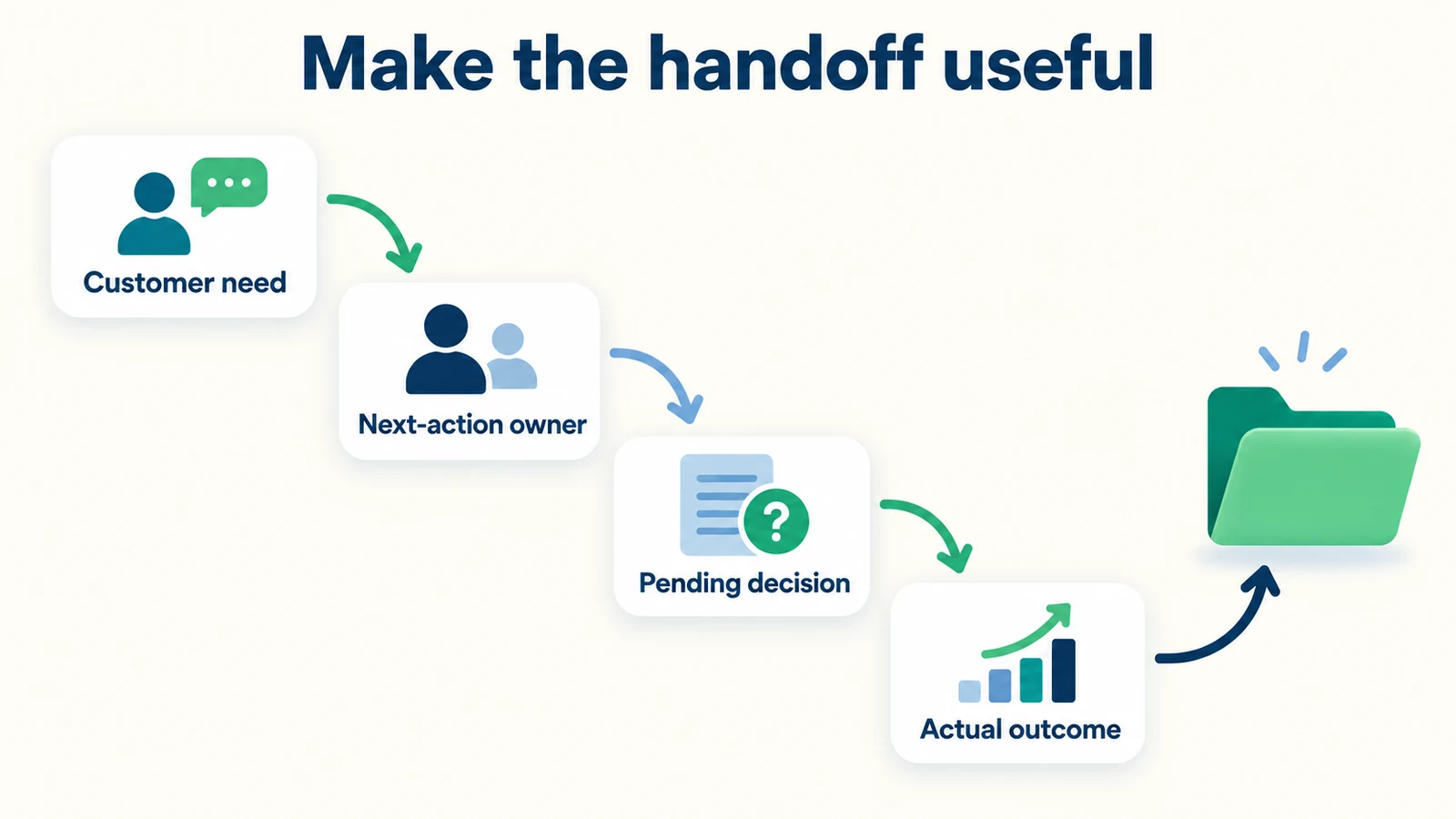
A handoff is a transfer of responsibility, not a forwarded message. The outgoing owner should state the customer need, the relevant facts, what has been tried and the precise next action. The incoming owner should acknowledge taking it before the outgoing owner assumes the transfer is complete.
Illustrative internal note:
“Group-stay enquiry. Preferred dates and approximate room needs are in the conversation. The customer asks whether a meeting room can be included. No availability or rate was confirmed. Please review with reservations and send the approved next step. The customer was told that the hotel team would review the enquiry; no response deadline was promised.”
This note is deliberately factual. It avoids “hot lead,” “easy booking” or other interpretations that can distract from the work. If commercial prioritization is part of your process, keep it distinct from the facts the customer supplied.
Use the human-handoff checklist for the broader transition from automated assistance to a person. Test what happens when the intended recipient is absent. The process needs a fallback owner or approved contact route; otherwise the handoff may exist in the record but not in practice.
7. Review outcomes without hiding unfinished work
Choose a clear meaning for “handled” in your team process. It might mean the customer received an approved answer, the request reached an authorized booking process, or a person completed the agreed next action. Merely opening the message or sending an internal note should not count as a completed customer outcome.
Use a small review sample to identify recurring problems. Look for duplicated questions, unsupported commitments, incomplete handoffs and unresolved requests that have no owner. Treat these as opportunities to improve sources or operating rules, not as a reason to blame whoever saw the conversation last.
Keep conversational outcomes separate from sales outcomes. An enquiry can be handled correctly even if the customer does not buy. A captured email address does not prove a qualified lead, and a shared booking link does not prove a booking. Define each measure before comparing periods.
The chatbot KPI guide can help organize the reporting questions. For a small team, a short review with concrete examples may be more useful than a large dashboard whose labels nobody interprets consistently. Record the changes you make so you can see whether the same issue appears again.
A Simple Inbox Operating Worksheet
Use the following as a separate team record if your existing tools do not support the same fields. It is an original process template, not a screenshot or representation of the Hyperleap AI interface.
| Field | Why it matters |
|---|---|
| Conversation reference | Lets the next person find the actual context. |
| Customer's stated need | Describes the request without guessing intent. |
| Next-action owner | Names who is responsible for moving it forward. |
| Outstanding decision | Identifies the question that remains unresolved. |
| Authorized decision-maker | Shows who can approve the relevant exception or action. |
| Customer expectation | Records what was actually communicated about the next step. |
| Internal next action | Describes the work the team intends to do. |
| Handoff acknowledgement | Confirms when responsibility was accepted by someone else. |
| Outcome | Records what happened without equating an enquiry with a sale. |
Consider a fictional service business receiving a request outside its usual area. The AI front desk can explain the published coverage and record the customer's request for an exception. A coordinator can ask the owner whether the business will consider it. Until that decision is made, nobody should tell the customer that attendance is confirmed.
The worksheet makes this sequence visible. The coordinator remains responsible for communicating the decision unless another person accepts the handoff. The owner provides authorization, but that does not automatically mean the owner will reply to the customer. Those are different responsibilities.
This structure does not guarantee faster responses or fewer missed enquiries. It gives the team an inspectable process and makes ambiguity easier to identify. Evaluate actual performance after introducing it, using your own records and consistent definitions. Do not present the suggested workflow as a measured customer result.
How to Introduce the Rules Without Creating Extra Bureaucracy
Start with a few real operating situations, with personal details removed. Ask the team who would handle each one and what they would tell the customer. If the answers differ, resolve those differences before creating a long procedure document. The disagreements reveal where the rules are actually needed.
Choose one review routine and one way to record ownership. Use capabilities already verified in your setup, or a simple shared internal worksheet. Avoid describing an imagined automation as part of the launch plan. A reliable manual step is better than a rule that nobody can execute with the tools available.
Then agree on the decision boundaries. List the requests that can be answered from approved information, those that need clarification and those that need authorization. Ask the business owner to review consequential commitments. Do not expand a staff member's approval authority merely because the conversation now appears in a shared inbox.
Prepare a short handoff note template. Test it with a hotel-style availability question, a home-service quote request and a customer who simply asks for a person. The receiving teammate should be able to identify the next action without guessing. If they must reread everything to discover why the enquiry was handed over, improve the note.
Next, test absence and overlap. What happens when two people begin reviewing the same request? What happens when the next-action owner finishes their shift? This guide does not assume collision detection or automatic shift routing. The team needs an explicit check before replying and an acknowledgement when responsibility changes.
For businesses covering several customer entry points, review the channel-specific operating constraints described on the channels overview. Do not assume that the same reply method, identity information or follow-up permission applies everywhere. Keep your own procedures aligned with the channels and permissions actually configured.
Finally, review the process after staff have used it. Remove fields that do not support a decision, but keep the customer need, ownership and outstanding commitment visible. Update the rules when a recurring enquiry reveals a gap. A short living procedure is more useful than a lengthy document that no longer matches how the business works.
Frequently Asked Questions
Does a unified inbox automatically assign conversations?
Do not assume that. A shared view and an assignment workflow are different capabilities. This guide recommends human ownership rules and an optional internal worksheet. Use a product control only after verifying it exists and behaves as required in your actual setup.
Can the AI front desk replace the inbox coordinator?
It can answer approved questions and collect context, but the team still needs responsibility for exceptions and human follow-up. The coordinator role may be lightweight in a small business. What matters is that someone owns the review process rather than assuming every conversation resolves itself.
What if two people start answering the same customer?
Use an explicit team ownership check before sending a reply. If duplicate responses occur, agree who will continue and correct any conflicting information. Do not rely on collision-detection features unless they have been verified in your deployed tools.
Should every conversation become a sales lead?
No. Some visitors need a published answer, some are existing customers, and others have a genuine new enquiry. Classify outcomes according to your business definitions. A contact detail or a long conversation is not, by itself, evidence of a qualified opportunity.
Can we merge conversations from different channels?
Do not assume automatic identity matching or merge support. Similar names and messages are not sufficient proof that two threads belong to the same person. Follow your approved verification and data-handling process before using context across customer conversations.
What is the smallest useful starting process?
Name who reviews incoming work, identify one owner for each unresolved next step and use a brief handoff note. Add a clear boundary for decisions requiring authorization. Once those basics work, expand the process only where actual conversations reveal a need.
A Shared View Needs Shared Rules
A unified inbox gives the team access to customer context. Clear operating rules turn that access into responsibility. Someone reviews the work, someone owns the next step, and a handoff preserves both the request and the limits of what has been promised.
Start small and keep the distinction between product behavior and team practice explicit. Let the AI front desk handle approved information and useful enquiry collection, while people retain responsibility for decisions and follow-up. The result is a process your team can understand, test and improve.
Build a clearer customer front desk
Bring approved answers and enquiry context together, then give your team a practical process for the conversations that need a person.
Start for freeIndustry Solutions
See how AI chatbots work for these industries:
Related Articles

AI Front Desk Holiday Hours and Escalation Playbook
Prepare holiday hours, honest response windows and clear escalation contacts with a practical AI front desk source sheet and review checklist.

When Customers Ask for a Person: Reply Examples
Use respectful replies for customers who ask for a person, with clear availability wording, honest handoff status and a practical copy-review pack.

Tenant Maintenance Requests: A Clear Intake Template
Collect clearer non-emergency tenant maintenance requests with description prompts, contact boundaries and a practical property-team handoff.

AI Front Desk Welcome Messages: Examples That Help
Write useful AI front desk welcome messages with practical examples, clear capability boundaries and a checklist for your website greeting.