Guide
Customer Support AI: What It Is and How to Start
Customer support AI answers customers 24/7, cuts handling time and captures leads. Learn the benefits, approaches, rollout steps and KPIs that matter.

Gopi Krishna Lakkepuram · Founder & CEO
· 14 min read
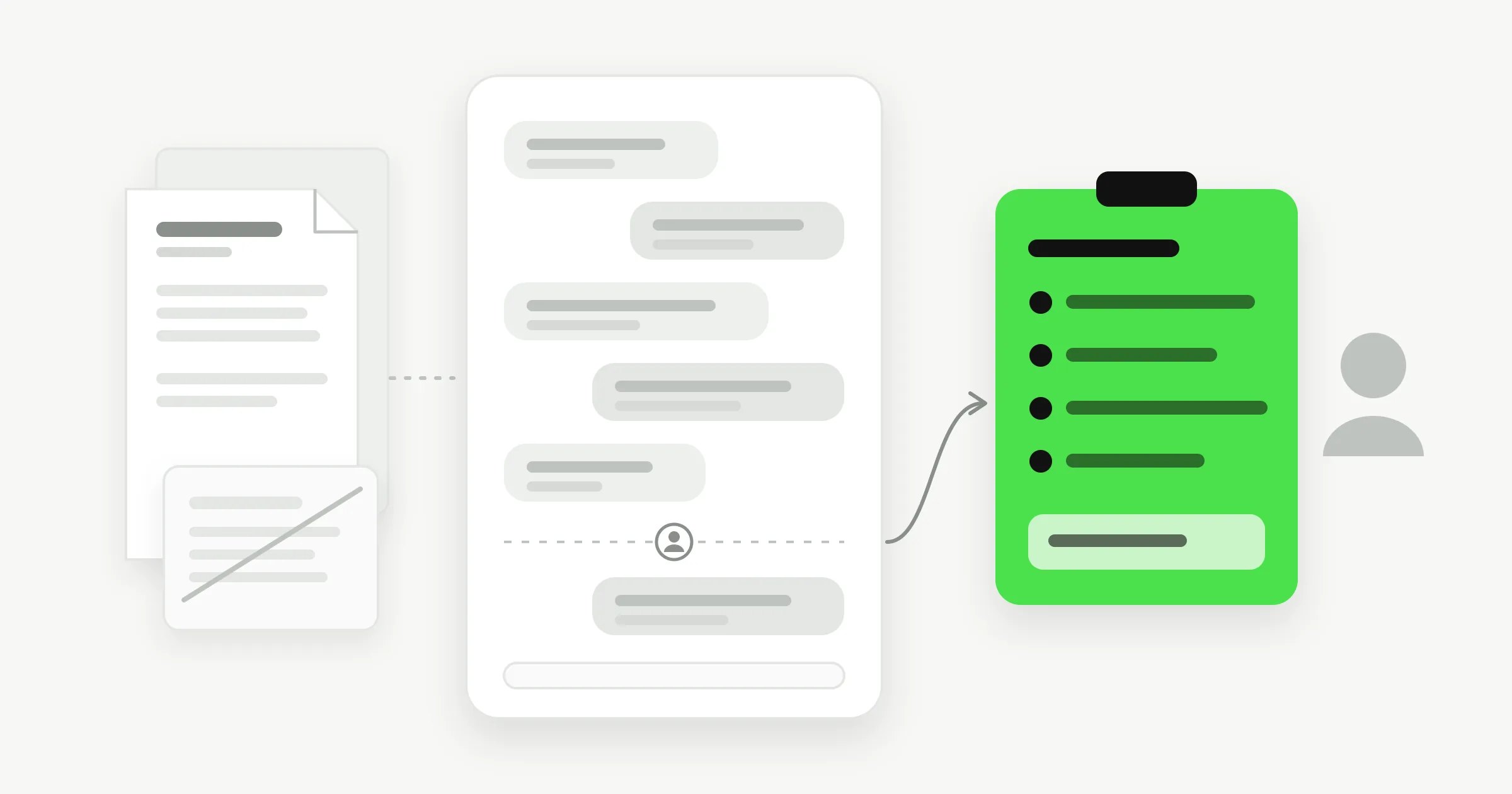
Your receptionist has gone home, but customers haven't stopped asking questions. A prospective patient wants to know whether you offer evening appointments. A hotel guest needs parking instructions. Meanwhile, your team will return to a queue of messages that all need an answer.
Customer support AI can handle that first exchange, but speed alone isn't enough. Customers need accurate information, an honest explanation of who they're talking to, and a clear route to a person when automation reaches its limit.
Table of Contents
- What Customer Support AI Is and Where It Came From
- Chatbots, RAG Assistants and Virtual Agents Compared
- Where Customer Support AI Pays Off for Small Businesses
- Escalation and Trust Pitfalls That Cost Customers
- How to Set Up Customer Support AI in Five Steps
- KPIs That Show Whether Your Support AI Works
- Pick Your First Use Case and Start This Week
What Customer Support AI Is and Where It Came From
Customer support AI is software that reads questions in everyday language, answers from your business information, collects useful details, and passes unresolved requests to your team. Depending on its connections, it can also check availability or help someone book an appointment.
Think of it as a front-desk receptionist with your price lists and policies open on the desk. It doesn't leave when reception closes, but it still needs instructions about when to call the manager.
The front-desk analogy is useful because service still depends on people.
As Sobot's history of AI in customer service explains, MIT computer scientist Joseph Weizenbaum publicly described ELIZA in 1966, a system that matched keywords to scripted conversational replies. Later systems progressed through telephone menus and decision-tree chatbots to natural-language classification and routing.
The modern difference is what sits behind the conversation. An assistant can interpret different ways of asking a question and connect that question to approved documents, customer records, messaging channels, and scheduling tools. Early systems mostly matched phrases; current systems can combine information and, with permission, take action.
Say someone asks whether they can move a booking. Answering the cancellation policy and changing the appointment are different capabilities.
Buying test: Does the product follow fixed buttons, search your documents, or take action in your tools?
Ask for a demonstration of the capability you need, rather than judging the product by how natural its greeting sounds.
Chatbots, RAG Assistants and Virtual Agents Compared
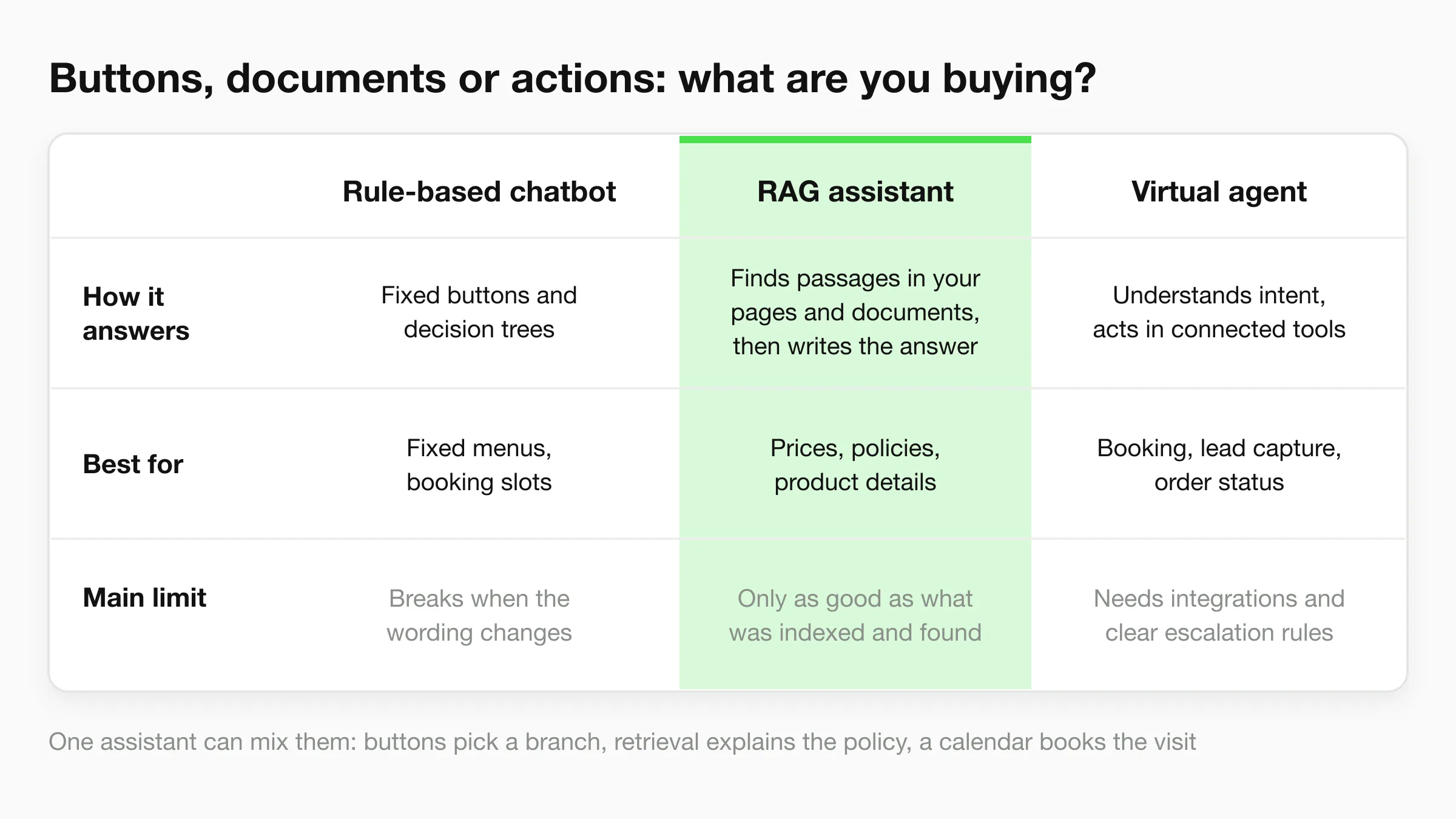
| Approach | How it answers | Best for | Main limit |
|---|---|---|---|
| Rule-based chatbot | Follows fixed buttons and decision trees | Booking slots and fixed menus | Breaks when a visitor changes the wording |
| RAG assistant | Retrieves passages from your pages and documents, then writes the answer | Prices, policies and product details | Limited by what was indexed and retrieved |
| Virtual agent | Understands intent and takes actions in connected tools | Booking, lead capture and order status | Needs integrations and clear escalation rules |
These categories describe capabilities, not mutually exclusive products. A single assistant might use buttons to select a branch, retrieval to explain its policy, and a connected calendar to book a visit.
This comparison highlights where each approach fits.
Scripts versus business knowledge
A rule-based chatbot resembles a phone menu displayed on a screen. It works well when the choices are predictable, such as selecting a service, branch, or appointment category. A button-only system may leave visitors stuck when their request doesn't match a listed option.
Retrieval-augmented generation, usually shortened to RAG, adds a reference step before writing. The assistant searches your approved pages, PDFs, prices, and policies, then uses the retrieved passages to construct its answer.
The comparative evaluation of document-based support chatbots found that connecting generation to an external knowledge base improved factual grounding and reduced hallucination, although an ungrounded baseline could sound more fluent. A polished answer isn't proof of a correct answer.
For a hotel, the useful answer isn't a plausible explanation of how parking usually works. It's the parking arrangement for the guest's actual property.
Finding information versus using it correctly
Separate these failure types during testing:
- Retrieval failure: The assistant never receives the relevant policy passage, perhaps because the document wasn't indexed or the search selected the wrong branch.
- Generation failure: The assistant receives the correct passage but misinterprets it, such as treating a conditional refund as an unconditional promise.
Keep document titles, branch labels, and approval dates attached to the content. Remove superseded policies rather than expecting the assistant to resolve contradictions.
For a visual explanation of support automation, watch the following video.
When the assistant needs to act
A virtual agent adds tools. It might retrieve an order's status, record a qualified inquiry, or submit an appointment request.
That creates another responsibility: confirming what happened. An assistant must distinguish between requesting a booking and receiving confirmation from the calendar. Give it only the permissions its assigned task requires.
Choose the least complex approach that handles your most common questions. Add retrieval when answers require documents, and actions when customers need a completed task rather than an explanation.
Where Customer Support AI Pays Off for Small Businesses
After-hours questions are a practical starting point. If a visitor can't find a clear answer about availability, pricing, or eligibility, they may leave before your team returns. An always-available assistant gives them a useful next step without requiring you to staff reception throughout the night.
The opportunity isn't to automate every customer relationship. It's to stop routine inquiries from waiting unnecessarily.
Match the work to the business
Consider these potential uses:
- Dental and med spa clinics: Explain appointment preparation, collect basic intake details, and guide visitors toward booking without attempting clinical advice.
- Multi-location hotels: Answer check-in and parking questions using the correct property's information, with language-specific answers checked for accuracy.
- Real-estate teams: Collect location preferences and property requirements, then pass viewing requests to the responsible agent.
- Marketing agencies: Organize client inquiries arriving through WhatsApp, Instagram, and Facebook without mixing one client's policies with another's.
For planning channel coverage, our guide to around-the-clock customer support for small businesses helps distinguish an immediate first answer from a request that needs staff follow-up.
What productivity evidence actually means
A National Bureau of Economic Research working paper covering 5,179 customer-support agents found that access to a generative-AI conversational assistant increased issues resolved per hour by 14% on average, with gains concentrated among novice and lower-performing workers and minimal gains among experienced, highly skilled agents.
That finding supports a narrower claim than replacing a support team. The study examined AI assistance within an existing operation. A customer-facing assistant serving your business needs its own evaluation.
For a newer receptionist, immediate access to approved answers can reduce the time spent searching or asking a colleague. For an experienced team member handling an unusual complaint, the useful contribution may be an organized summary.
Measure completed customer work, not the amount of text the assistant produces.
Build a conservative business case
Use this planning formula:
Estimated monthly benefit = repetitive-chat hours saved × loaded hourly staff cost + attributable value from additional after-hours business.
Loaded cost includes the employment costs associated with providing that staff time. For additional business, use contribution after delivery costs where possible, rather than treating every captured lead as revenue.
Then subtract the subscription, setup effort, integration costs, and ongoing review time. Don't count the same saved hour as both a staffing saving and extra selling capacity unless your team achieves both.
Repetitive, knowledge-heavy questions are the strongest first candidates. Compare the vendor's quoted monthly cost with your own measured workload, not an assumed industry saving. If your inquiry volume is low or your policies change constantly, improving your website information may deserve attention first.
Escalation and Trust Pitfalls That Cost Customers
A customer explains a billing error to your assistant, gets transferred to a person, and is asked to describe the issue from the beginning. The escalation technically happened. The customer experienced it as starting over.
Judge a handoff the way the customer does: by whether the next person already knows the story. In COPC's six-market customer-experience study, 52% of Chinese customers reported context loss during escalation, while only 20% of Australian customers described the handoff as smooth. These are market-specific findings, and your results will differ, but they define the test worth running: does your customer have to start again?
A transfer that loses context is a failed escalation, however fast it happened.
Define when automation stops
Write explicit triggers instead of asking the assistant to use its judgment without guidance. The failures below are the ones that cost customers:
- Repeated misunderstanding: Transfer when the customer corrects the same misunderstanding again.
- Distress or safety concerns: Stop routine qualification and provide the appropriate human or urgent-help route.
- High-value opportunities: Alert the person responsible for the account or inquiry.
- Unsupported exceptions: Escalate requests outside approved policies rather than improvising permission.
- Customer choice: Honor a request for human help without forcing another automated loop.
A good handoff works like a shift-change briefing in a repair shop: the next person reads the notes before touching the machine. Send the transcript, relevant identity details, stated intent, supplied documents, attempted actions, and the promised next step. For technical requests, a structured summary can capture device type, OS version, steps to reproduce, and the exact error message, which is what turns a transfer into a continuation. Assign a named owner and a response-time target your staff can meet. Our chatbot-to-human handoff practices provide a useful operational checklist.
Anxious customers judge the promise more than the speed. Say what happens next, name who is responsible, and tell the customer what to do if plans change.
Make machine involvement clear
In the 2025 Liveops U.S. holiday-shopping survey, only 22% of respondents said companies clearly disclosed AI use, while 69% believed brands should always disclose it.
That gap is a trust problem you control entirely. Label the assistant as AI in its greeting. Explain its role plainly: it answers business questions and helps route requests, and staff handle exceptions.
Safe failure means admitting uncertainty, identifying the relevant policy where possible, requesting only necessary information, and offering a human or booking path. You choose what the assistant says when it cannot answer, such as asking the visitor to call or email your team, and you decide which topics it should avoid. An unsupported answer delivered in confident language costs more trust than an honest admission of uncertainty.
Collect only the personal details needed for follow-up. State how long transcripts are retained and how contact information will be used. A narrow, transparent assistant is a better service choice than a broad one that conceals its limits.
How to Set Up Customer Support AI in Five Steps
Treat setup as an operating procedure, not just a document upload. Someone must decide what the assistant can answer, which information is authoritative, and who handles requests it can't complete.
The workflow below keeps those responsibilities visible.
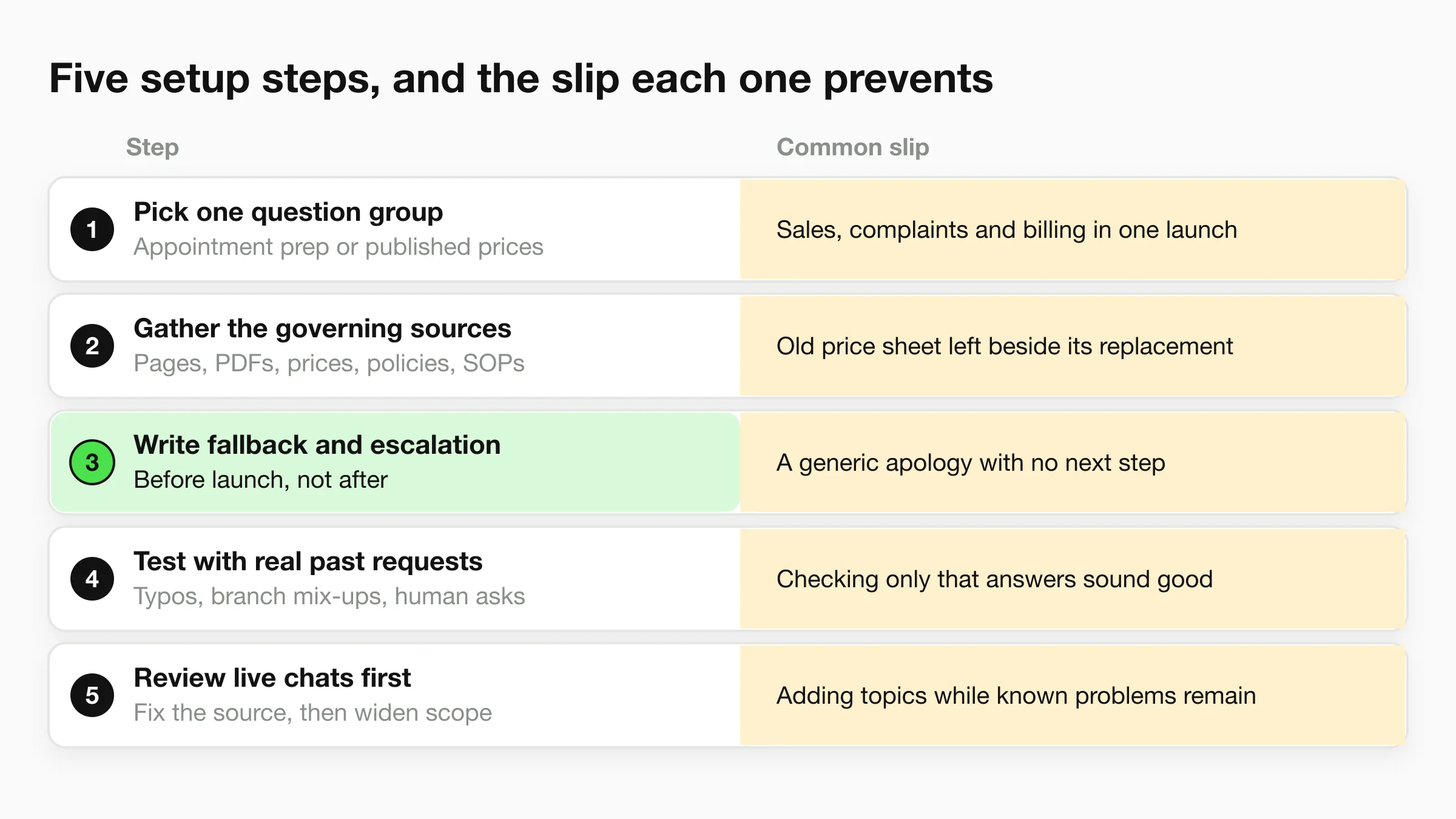
Choose a high-volume question group. Start with a bounded task such as appointment preparation or published pricing, because a narrow scope is easier to maintain and measure. The common slip is combining sales questions, complaints, billing disputes, and specialist advice into the same launch.
Gather authoritative source material. Collect the relevant website pages, PDFs, price lists, policies, service catalog, service-level agreement sheet, operating procedures, and onboarding checklist so answers reflect how your business works. The common slip is uploading an old price sheet alongside its replacement without identifying which one governs.
Write fallback and escalation instructions before launch. Specify what the assistant says when it can't answer, which topics it must avoid, and whether the next step is a call, email, or staff review. A generic apology is the common slip because it leaves the customer with neither an answer nor an actionable route forward.
Connect the chosen channel and test realistic requests. Use past customer emails and chats, including spelling errors, incomplete questions, branch confusion, and requests to speak to someone, because staff-written demonstrations rarely expose the awkward cases. The common slip is checking only whether an answer sounds good instead of whether it matches the policy and completes the intended task.
Review live conversations before widening scope. Examine wrong answers, abandoned exchanges, and staff corrections, then update the source or workflow responsible for each failure. The common slip is adding more topics while known problems remain unresolved.
Turn documents into usable instructions
A folder of files isn't automatically a useful knowledge base. Give each policy a clear title, remove duplicate versions, and separate public answers from internal instructions that customers shouldn't receive.
For example, your cancellation document should distinguish the published customer rule from the manager's authority to make exceptions. Otherwise, the assistant may present discretionary guidance as a customer entitlement.
During our setup process, you can attach your service catalog, SLA sheet, SOPs, and onboarding checklist. Our Quick Start reads your website and drafts the assistant's instructions, so you can be live in under 5 minutes with no coding, but operational preparation still belongs to your team.
Check readiness before publishing
Use a compact launch record that the owner can sign off:
- Sources loaded: Current documents are present, and conflicting versions are removed.
- Fallback written: An unanswered question produces a specific next action.
- Escalation owner named: Someone is responsible for receiving and closing requests.
- Test result recorded: Keep the questions, expected answers, actual answers, and reasons for any failures.
Launch boundary: An unresolved policy conflict is a reason to pause that topic, not a reason to make the assistant sound more confident.
KPIs That Show Whether Your Support AI Works
| KPI | What it measures | Starting target or benchmark |
|---|---|---|
| First response time | Seconds from customer message to first reply | Compare website and messaging response times with your current human average |
| Resolution rate | Chats answered correctly without a human | Track the monthly trend from your baseline |
| Containment rate | Chats closed without handoff | Read alongside CSAT and repeat contact |
| Escalation rate by reason | Share of chats handed to a person and why | Reduce avoidable knowledge-gap transfers |
| Handoff context score | Handoffs where the agent had transcript and intent | Require both for every supported handoff |
| Handling time per chat | Agent minutes spent per conversation | Improve against your own baseline without lowering quality |
| Resolutions per hour | Issues resolved per agent hour | Compare equivalent question groups and staffing conditions |
| CSAT after chat | Customer rating of the conversation | Don't fall below your human-agent baseline |
| Lead capture rate | Chats that leave verified contact details | Set from your baseline |
| Booking conversion | Eligible chats that end in a booked appointment | Improve against the same channel's baseline |
Read the measures together
Containment isn't the same as resolution. A customer who gives up may never request a handoff, leaving the dashboard looking healthier than the experience was.
Pair containment with customer satisfaction, repeat-contact rate, and a manual correctness check. Define a resolved conversation as one where the customer's request was answered accurately or the intended action was confirmed, not merely where the session ended.
Watch the distinction between the assistant's response time and the customer's time to a useful outcome. An immediate greeting followed by a long wait for staff doesn't justify calling the whole service fast.
Our guide to measuring AI chatbot success can help turn these measures into a consistent reporting routine.
Establish a fair baseline
Record current response times and review a fixed sample of past chats before judging the launch. Label each conversation by channel, question type, outcome, and whether staff needed to intervene.
Compare monthly using the same definitions. Don't compare simple opening-hours questions handled by AI with complex complaints handled by people and conclude that automation is better.
If escalation remains high and staff repeatedly cite missing policy information, repair the knowledge base. If the correct policy was available but the assistant applied it incorrectly, investigate answer-generation instructions and testing.
For sales-facing businesses, track qualified inquiries through to bookings rather than celebrating contact collection alone. Verified contact details help avoid wasted follow-up, but a genuine phone number still doesn't prove buying intent.
The strongest dashboard shows what customers accomplished, what staff inherited, and what remains unresolved.
Pick Your First Use Case and Start This Week
Choose a single channel and a clearly defined question group. You don't need to automate your entire front desk to find out whether customer support AI can help.
Say a dental clinic starts with after-hours booking questions on its website. The owner loads opening hours, treatment pages, the approved price list, and the cancellation policy, then keeps clinical recommendations outside the assistant's scope.
Make the pilot a real service test
The clinic gives unanswered booking requests a clear fallback asking patients to call during opening hours. Staff review transcripts for inaccurate treatment descriptions, missing booking details, and promises reception can't honor.
Only after the website workflow is dependable does the clinic extend it to WhatsApp. At the pilot review, the owner compares first response time, booking conversion, and escalation reasons with the recorded baseline.
- Keep: Answers that are correct, useful, and supported by current information.
- Repair: Missing content, confusing wording, and incomplete follow-up instructions.
- Remove: Tasks the team can't safely supervise or reliably complete.
One practical option is our Hyperleap AI front desk, which answers from your website and documents, collects contact details, books appointments across website chat, WhatsApp, Instagram, and Facebook Messenger (native Calendly and Cal.com booking on Pro and Max; on Plus it shares your booking link), and emails your team a summary. We don't provide support coverage for your clients: your team still provides the support, while the assistant handles the first answer and intake.
Start with concrete ownership rather than a broad automation promise. Name the person responsible, choose the launch channel, and write the questions the assistant must answer correctly before it goes live.
Visit Hyperleap AI to set up an AI front desk using your business information, with customer-detail collection and appointment booking (native booking on Pro and Max). Bring your approved policies and first question group, then define the human fallback before publishing so faster answers don't come at the expense of customer trust.