Chatbot actions: let your AI agent check and send things in your own system
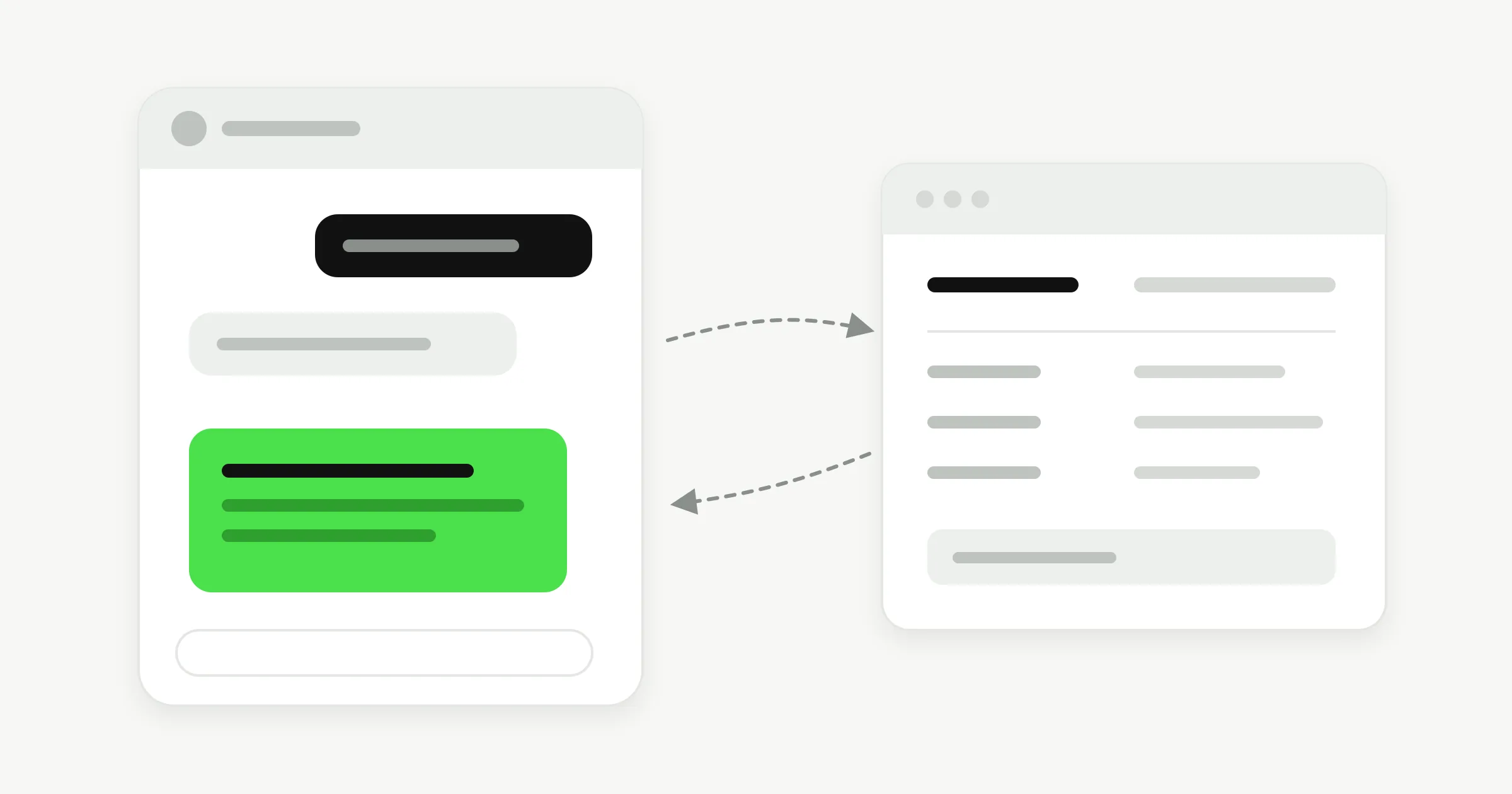
Actions let your agent call your own HTTPS APIs while it talks to a customer. It can check an order, look up stock or create a ticket, then answer with the real result. It works on your website, WhatsApp, Instagram, and Messenger.
Quick Answer
Yes, an AI chatbot can take actions. With Hyperleap AI, you describe a call to your own HTTPS API and the agent makes it mid-conversation, either to look up information or to submit data. You can add up to 10 Actions per chatbot on the Pro ($100/month) and Max ($200/month) plans, with a 7-day free trial.
What Actions do
Answers that come from your live data
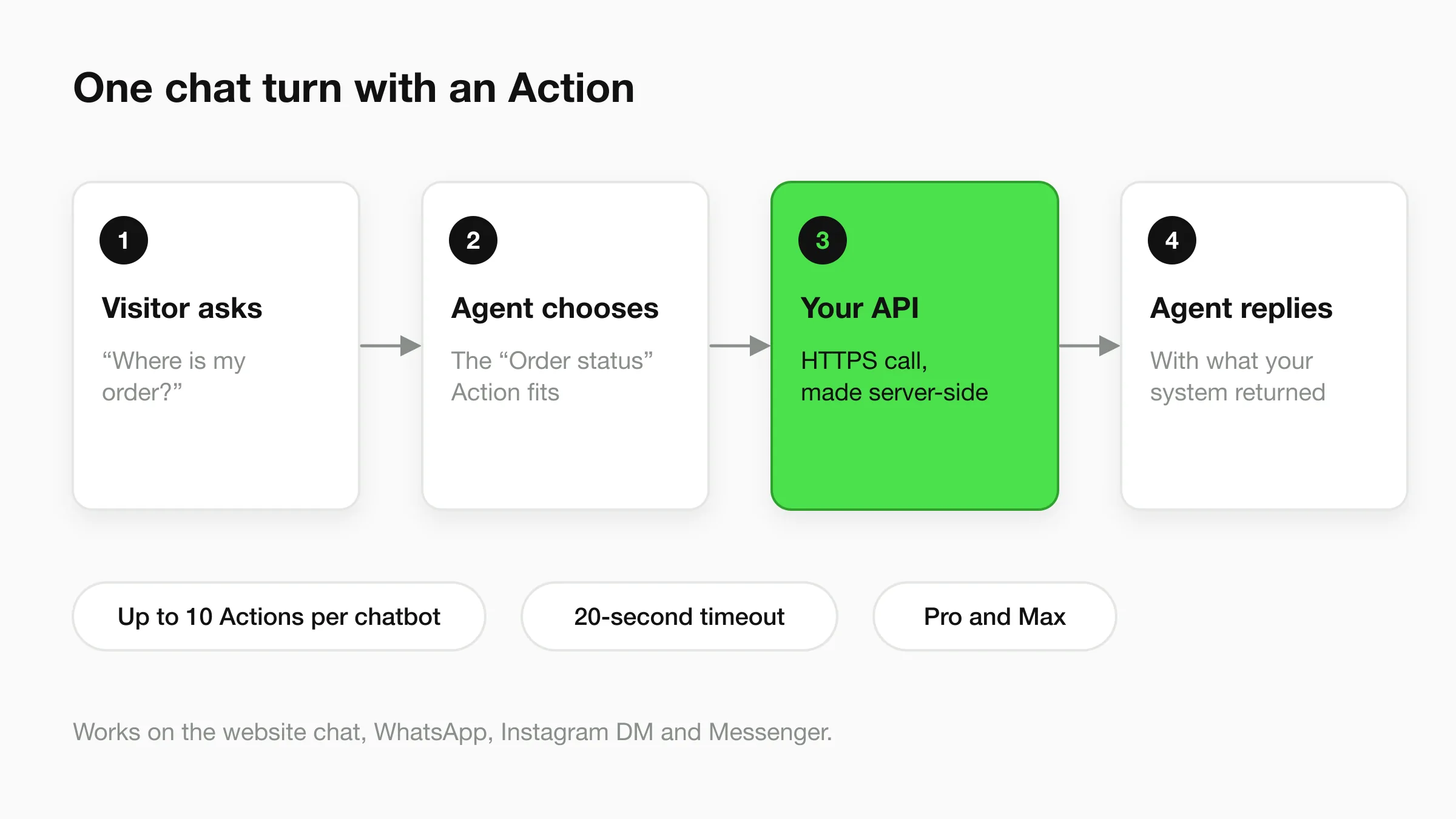
A knowledge base answers questions that stay the same, like opening hours or return policy. An Action answers questions whose answer lives in your system and changes: where is my order, is it in stock, is my account active. Each Action does one job, either looking something up or submitting something. Hyperleap connects to your API. It is not a native integration with the system on the other end. For the bigger picture, read agentic AI vs generative AI and how an AI agent differs from a plain chatbot.
Online store: check an order
A shopper asks where their parcel is. The agent asks for the order number, calls your order-status endpoint and tells them what it returns. A stock check works the same way: the agent asks your inventory endpoint whether the size is available.
Service business: look up a job
A customer asks when the technician is coming. The agent looks up the job by reference number in your scheduling system and gives the status you store there. It can also send a quote request into your own system as a new record.
Clinic: non-clinical appointment info
A patient asks what time their appointment is or whether the front desk has their forms. The agent reads that from your own endpoint. It does not give medical advice. Anything clinical goes to your team.
Software company: account status
A customer asks whether their workspace is active. The agent calls your account endpoint and reports the plan status you return. Support tickets can be created the same way, with the details the customer gave in chat.
Illustrative examples. Each one assumes the system on your side has an API the agent can call. Running a store? See the AI chatbot for ecommerce page.
Example: what an order-status request and response look like
Example only. The address and fields below are made up, and your API will use its own. The agent asks the customer for the order number, puts it in the request, and reads the reply.
GET https://api.example-store.com/orders/lookup?order_number=10482
Authorization: Bearer <your key, stored encrypted>
{
"order_number": "10482",
"status": "shipped",
"carrier": "Example Carrier",
"estimated_delivery": "2026-11-20"
}The agent then tells the customer, in their language, that the order has shipped and when it is expected.
Setup
Set up an Action in five steps
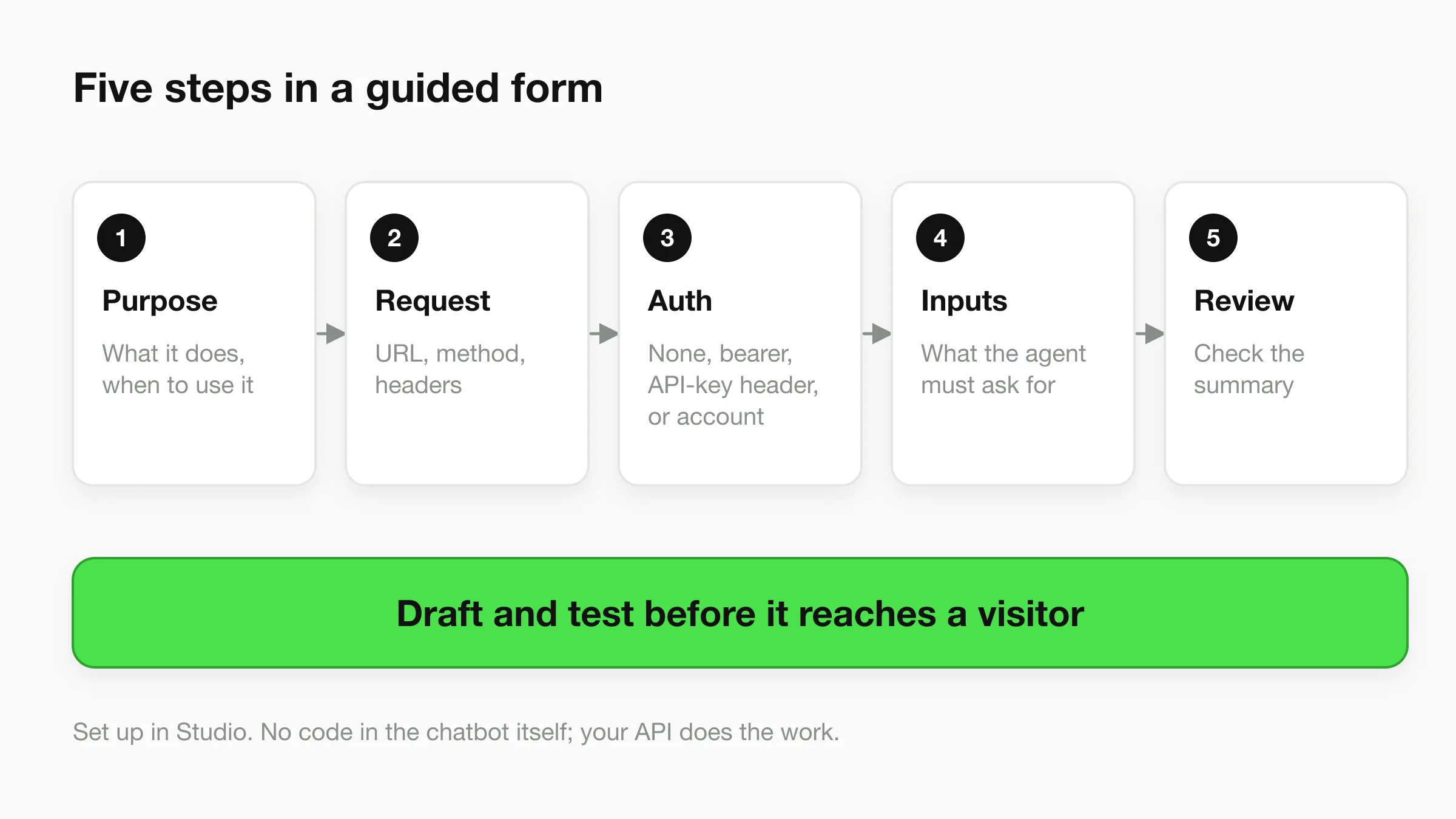
Setup is a guided form in Studio: purpose, request, auth, inputs, then review. You write what the Action is for, enter the API address, choose how it signs in, say what the agent must ask the customer for, and check a summary. Then you draft it and test it before any customer sees it.
Not everything needs an API. Booking is built in. Connect Calendly or Cal.com and the agent shows real open times and books in the chat, with no endpoint to build. It is on Pro and Max; Plus shares your booking link. For a worked example of the API side, see booking APIs and AI agents for restaurants.
Security
Your credentials stay out of the chat
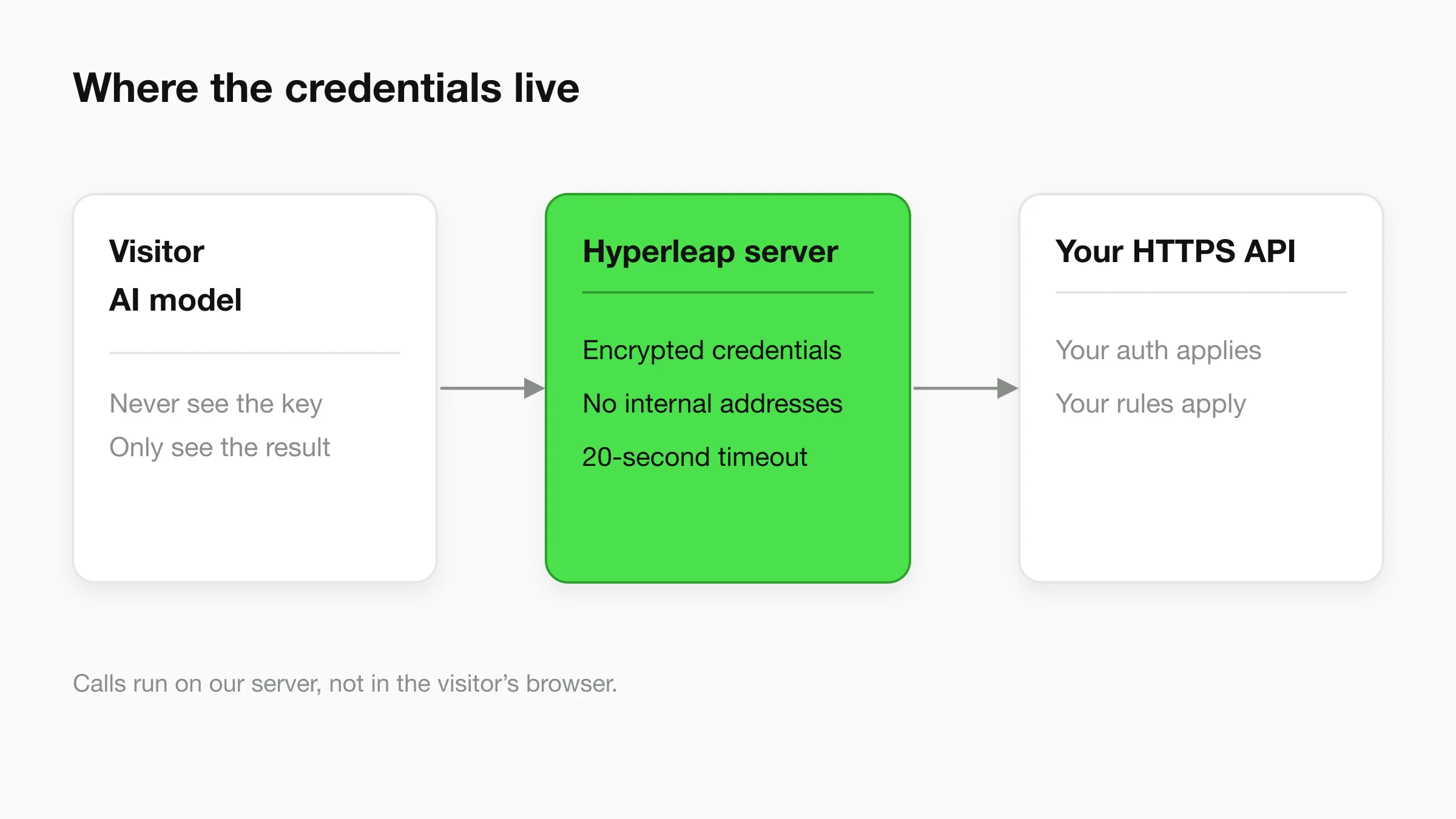
Every call runs on our server, and your keys are stored encrypted. Neither the AI model nor the visitor ever sees them. You choose which endpoints become Actions, so the agent can only do what you set up.
The security model in detail
- Auth options: none, a bearer token, an API-key header, or a connected account.
- Credentials: stored encrypted, never shown to the model or the visitor.
- Where calls run: server-side, not in the visitor's browser.
- Network limits: requests to private or internal addresses are blocked, so an Action can only reach public HTTPS endpoints.
- Timeout: 20 seconds per call.
- Scope: up to 10 Actions per chatbot, each with a fixed purpose you wrote.
Good practice on your side: give each Action a key that can only reach that endpoint, prefer read-only access for lookups, and test every Action in draft. AI can still make mistakes, so check the replies it writes from your API's results.
Compare
Actions vs webhooks vs the REST API
They point in different directions. Actions reach out from the agent to your system. Webhooks and the API are how your system hears from Hyperleap or reads its data. More on that in MCP vs REST API vs webhooks; the API docs cover the technical detail.
| Actions | Webhooks | REST API | |
|---|---|---|---|
| Direction | The agent calls your API | Hyperleap notifies your system | Your code calls Hyperleap |
| When it runs | Mid-conversation, when a customer asks | When an event happens, such as a lead captured | Whenever your code runs |
| Best for | Live answers and submitting data in chat | Passing new leads and messages to your tools | Reading and managing your Hyperleap data |
| Plans | Pro and Max | Pro and Max | See the API docs |
Plans
Actions are on Pro and Max
Pro: $100/month
Actions, native booking, human handoff, webhooks and 12,000 AI responses a month.
Max: $200/month
Everything in Pro, with 30,000 AI responses a month and more chatbots.
Plus ($40/month) does not include Actions. All plans have a 7-day free trial and require a card; there is no free plan. See every feature on the features page, the full details on pricing, or how the AI front desk fits together.
FAQ
Frequently asked questions
What are chatbot actions?
Do I need a developer to set up an Action?
Is it safe to let an AI agent call my API?
How many Actions can one chatbot have, and how long can a call take?
Which plans include Actions?
Can the agent book appointments without an API?
Give your agent something to do
Start a trial, connect one endpoint, and test the Action in draft.
7-day free trial on all plans. Card required. Cancel anytime.