Chatbot human handoff: your team takes over when it matters
Hyperleap AI is the AI front desk for your small business. It answers customers on your website, WhatsApp, Instagram, and Messenger. When a customer needs a person, your team takes over the live conversation and hands it back to the AI afterwards.
Quick Answer
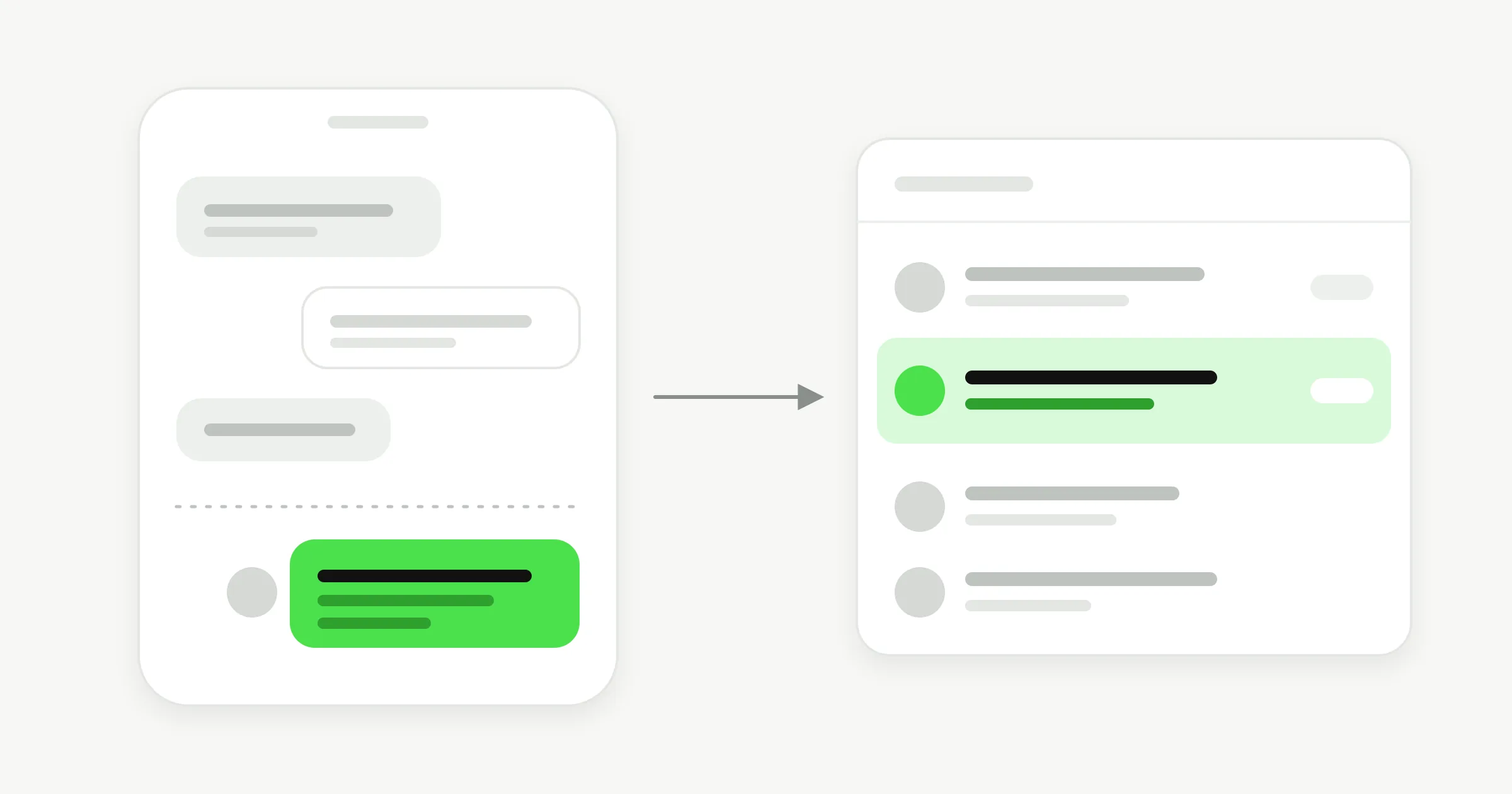
In Hyperleap AI, a visitor can ask for a person and your team is alerted in Studio. Any teammate can take over the live conversation, including on WhatsApp, Instagram, and Messenger, and hand it back to the AI. Human handoff is on Pro ($100/month) and Max ($200/month), with a 7-day free trial.
How it works
AI to human handoff in four steps
The AI handles the first reply. When a visitor asks for a person, your team is alerted in Studio. A teammate opens the conversation, takes over, and replies as a person. When the conversation is sorted, the teammate hands it back to the AI.
Nobody has to forward screenshots or copy a chat into another tool. The takeover happens inside the conversation the customer already started.
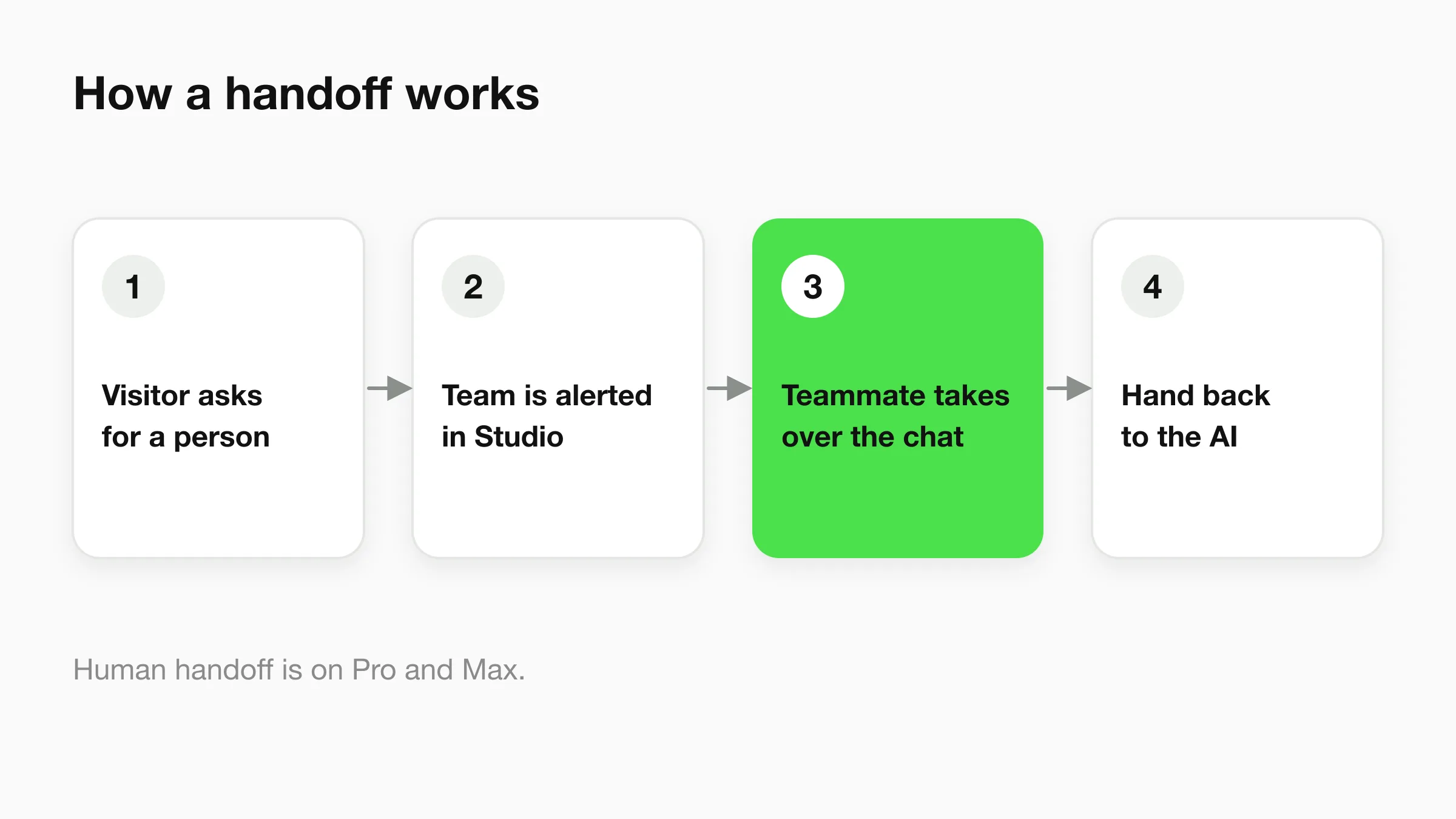
The visitor asks
Someone types that they want to talk to a person. That is the signal your team is alerted on.
Your team is alerted in Studio
The request shows up where your team already works, so the conversation does not sit unnoticed.
A teammate takes over
Any teammate can step into the live conversation and reply as a person.
The chat goes back to the AI
When the person is done, they hand the conversation back and the AI carries on.
When to hand off
Decide when the AI passes a customer to your team
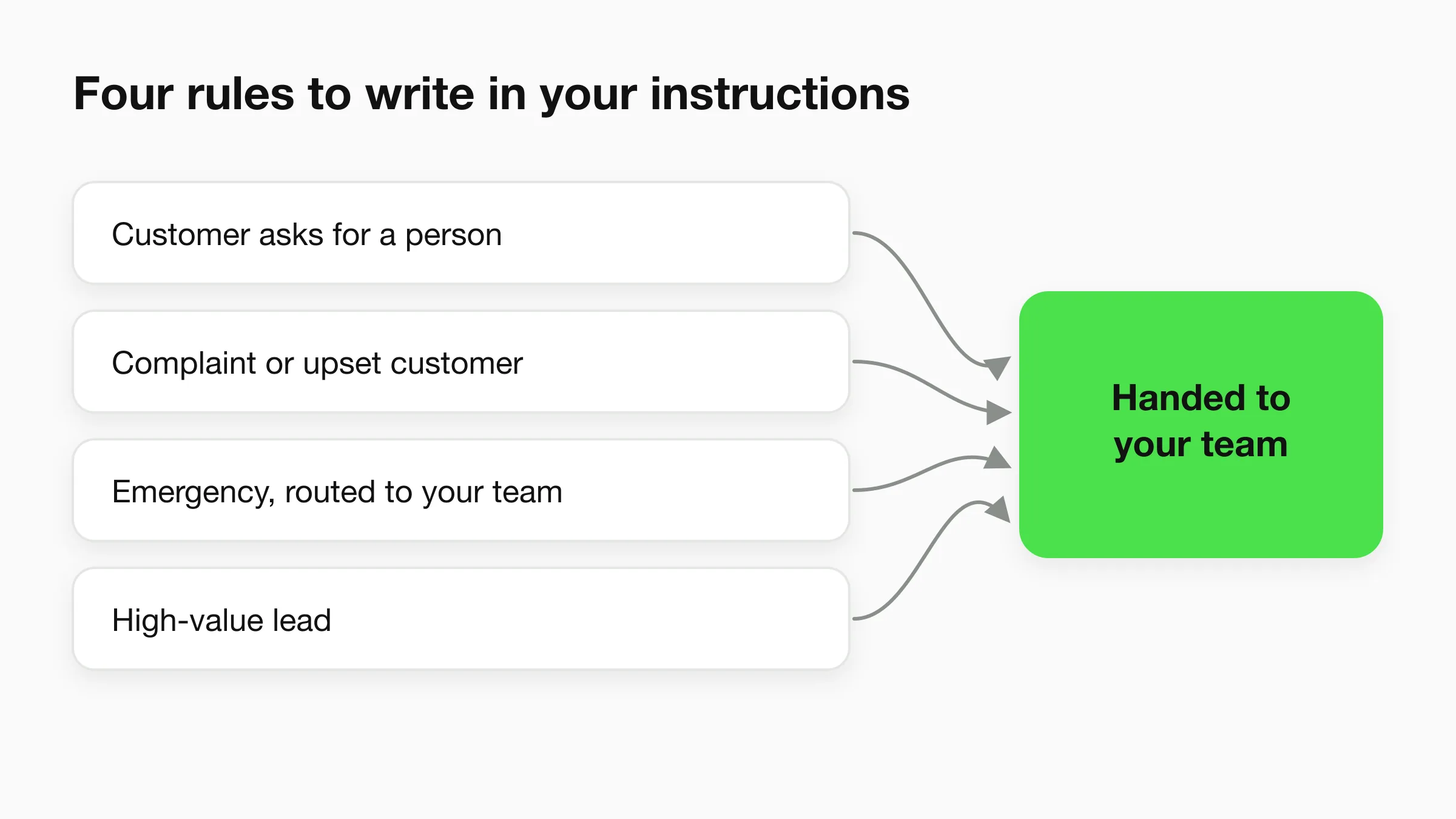
You write the handoff rules in the agent's instructions, in plain language. Beyond a plain request for a person, these are four rules a small business can start with.
- A request for a person. "If someone asks for a human, tell them a teammate will join and pass the conversation to the team."
- A complaint. "If a customer is upset or reports a problem with a booking or an order, pass it to the team instead of answering."
- An emergency. A burst pipe, a locked-out guest, a medical worry. The AI does not assess anything. Your instructions tell it to route the conversation to your team straight away.
- A high-value lead. You define it. A wedding enquiry, a full-home quote, a group booking. When the AI sees one, it passes the conversation to a person.
Write each rule as an instruction and test it in a preview before you publish. For wording that works, see our guide to chatbot human handoff best practices and the sample messages for when a customer asks for a human.
The takeover experience
Take over live chats on every channel from one inbox
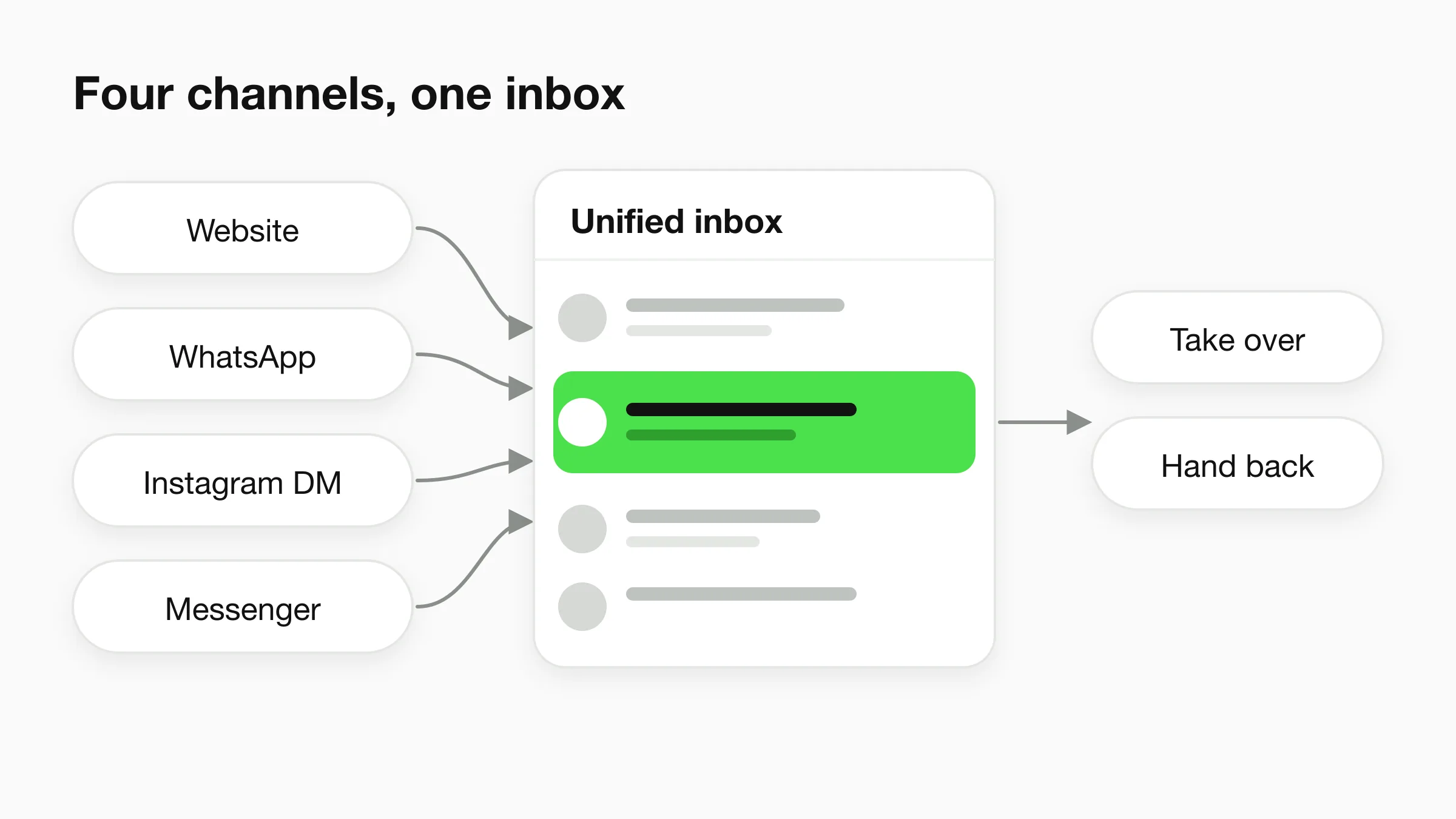
Studio's unified inbox shows conversations from your website, WhatsApp, Instagram, and Messenger in one place. Your team does not switch apps to answer a customer. Any teammate can take over a live conversation, including on WhatsApp, Instagram, and Messenger, and hand it back to the AI.
The takeover happens in the conversation itself, on whichever channel the customer used. For a closer look at the inbox, read how a unified inbox works with an AI front desk.
One inbox
All conversations from all four channels, so a teammate finds the right one without hunting.
Same chat, same channel
The takeover happens in the conversation the customer already started.
Pause per contact
Pause the AI for one contact on social channels
On social channels, the AI can be paused per contact. That is useful when your team is already in a conversation with someone and you do not want the AI to answer them in the middle of it. Every other contact keeps chatting with the AI as normal.
A salon owner might pause one client who is rescheduling a bridal party with the stylist, while the AI keeps answering opening-hours questions from everyone else.
Pausing is a per-contact control, not a switch for the whole agent. The rest of your conversations are not affected.
Plan availability
Human handoff is on Pro and Max
Pro is $100/month and Max is $200/month. On Plus ($40/month), the agent captures contact details and your team follows up. See every plan on the pricing page.
| Capability | Plus $40 | Pro $100 | Max $200 |
|---|---|---|---|
| Visitor asks for a person, team alerted in Studio | — | Yes | Yes |
| Teammate takes over a live conversation and hands it back to the AI | — | Yes | Yes |
| Pause the AI for one contact on social channels | — | Yes | Yes |
| Agent captures contact details so your team can follow up | Yes | Yes | Yes |
All plans include a 7-day free trial. A card is required to start, and there is no free plan.
FAQ
Frequently asked questions
What is chatbot human handoff?
Can my team take over a WhatsApp or Instagram conversation?
How does the team know a visitor wants a person?
What does pausing the AI per contact mean?
Which plans include human handoff?
Does the AI hand off every conversation?
Let the AI answer, and your team step in
Set up your AI front desk, write your handoff rules, and take over any conversation when a customer needs a person.
7-day free trial on all plans. Cancel anytime.