API keys allow you to access Hyperleap AI's AI features programmatically. With a single key, you can run prompts, create conversations, and use personas directly in your applications—making it simple to add powerful AI capabilities to your products.
Obtaining an API Key
You can obtain your API key from Studio by following these steps:
1
Go to API Console
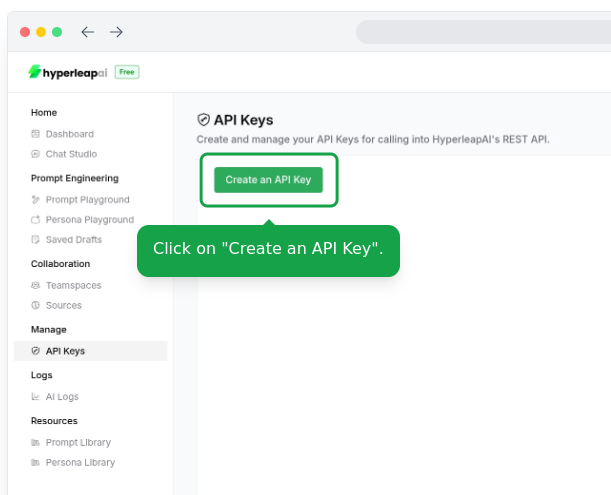
Go to Manage > API Keys
2
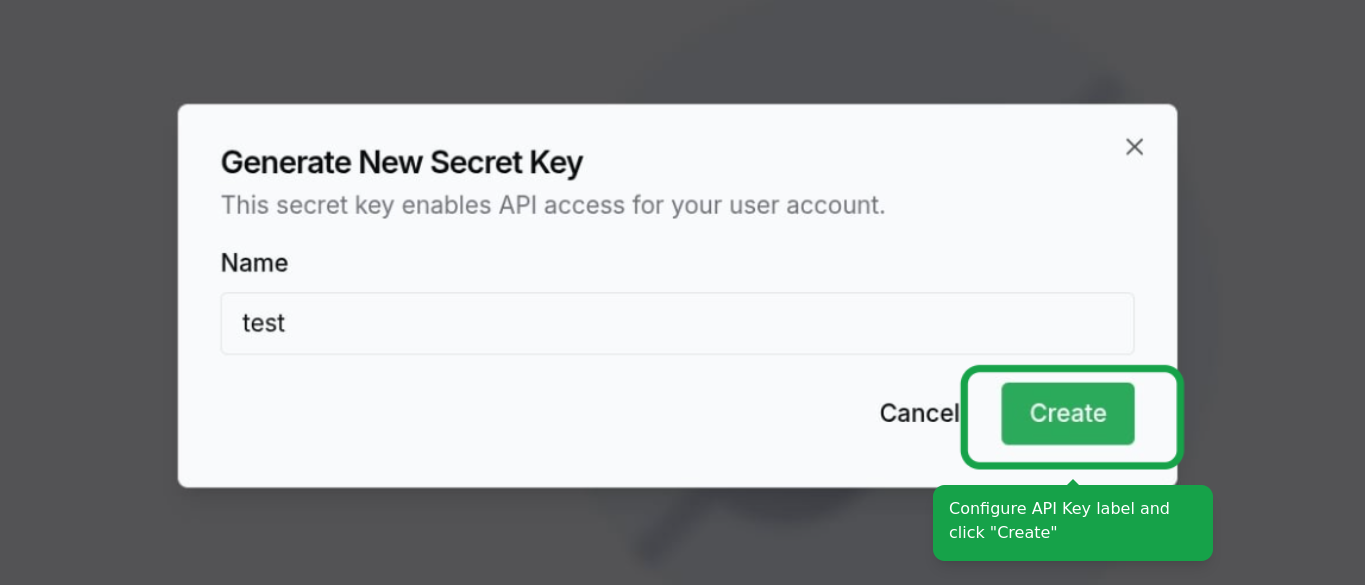
Create API Key
Configure the label and click on the "Create" button.
3
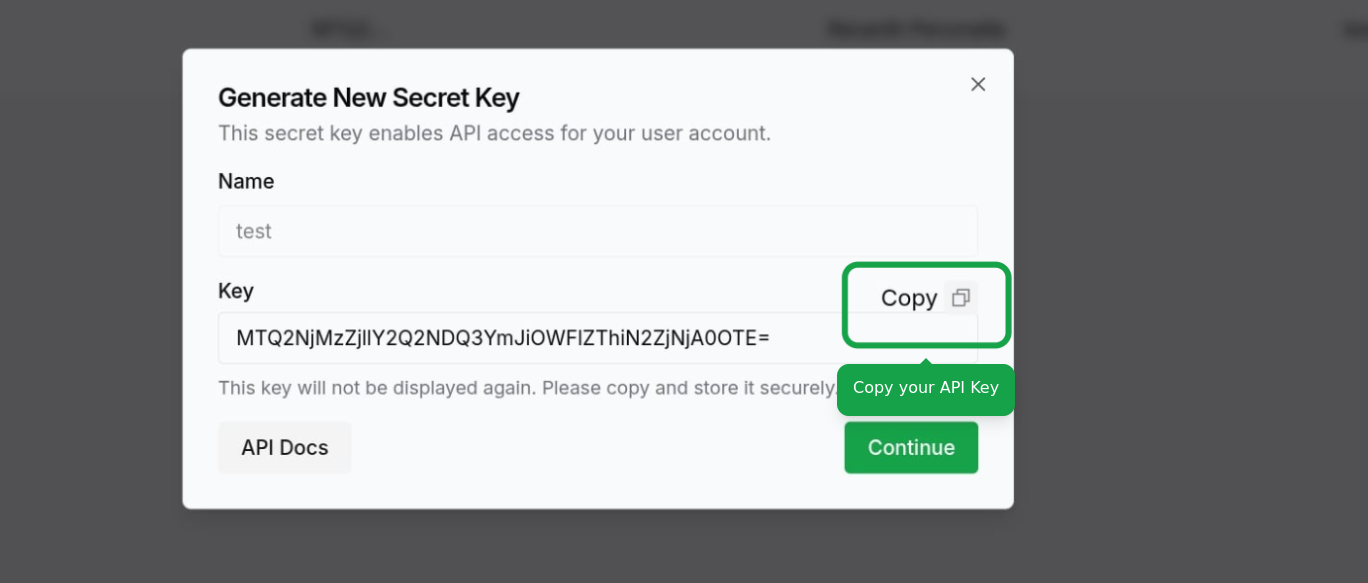
Copy API Key
Click on the Continue button to create the key. Make sure to copy your API key and store it in a safe place. You won't be able to see it again.
Using Your API Key
To authenticate API requests, include your API key in the x-hl-api-key header:
x-hl-api-key: <your_api_key>Example request using cURL:
curl -X GET "https://api.hyperleapai.com/conversations" \
  -H "x-hl-api-key: your_api_key_here"