Sources in Hyperleap AI allow you to add business documents, websites, and text content to create contextually aware AI responses. Our advanced retrieval engine (RAG) automatically processes and indexes your content, ensuring your AI delivers accurate, relevant responses grounded in your business context.
How Sources Work
Understand how Sources work in Hyperleap AI to power your AI interactions:
Upload your documents, add URLs, or input text. Our system automatically processes and indexes your content for optimal retrieval.
Advanced RAG (Retrieval Augmented Generation) technology analyzes and organizes your content for contextual understanding.
During AI interactions, relevant information is automatically retrieved and incorporated into responses.
Sources work seamlessly across Prompts and Personas, maintaining consistency in all AI interactions.
Supported Content Types
Documents
- PDF files
- Word documents
- Text files
- Spreadsheets
Every plan includes knowledge sources (documents, websites, FAQs). Source size is 40MB per chatbot on Plus, Pro, and Max. There is no free-tier file cap.
Web Content
- Website URLs
- Web pages
- Online documentation
Direct Text
- Custom text input
- Code snippets
- Business rules
- Product information
Creating Sources
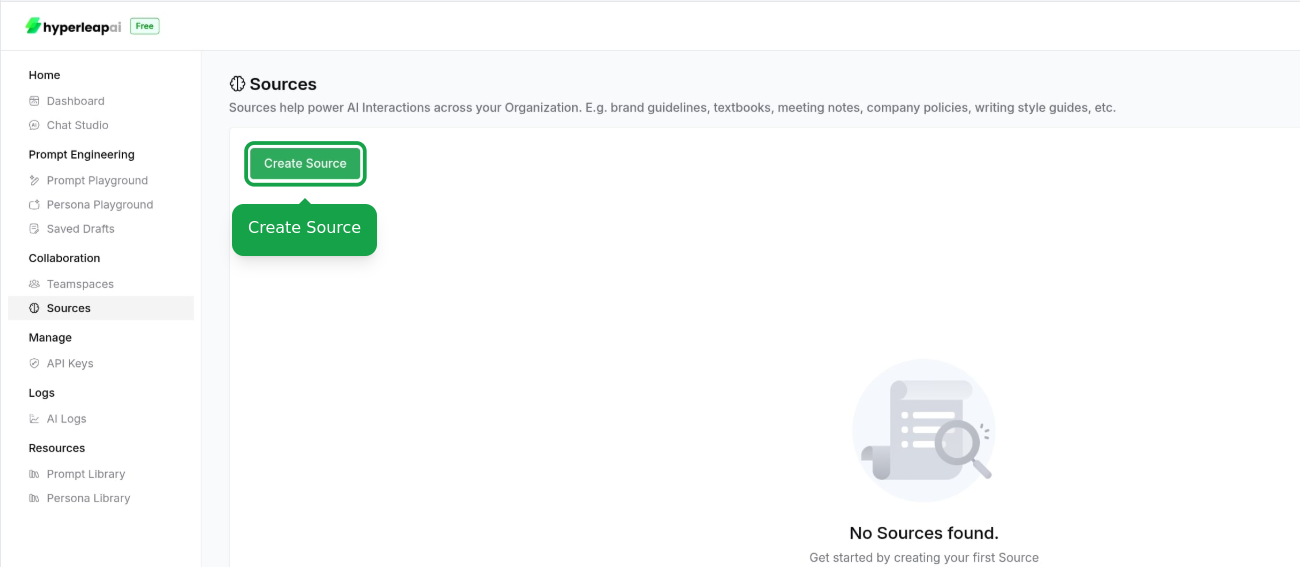
Create a Source
Navigate to the Sources section in your API-Console and click on the "Create Source" button.
Add Content
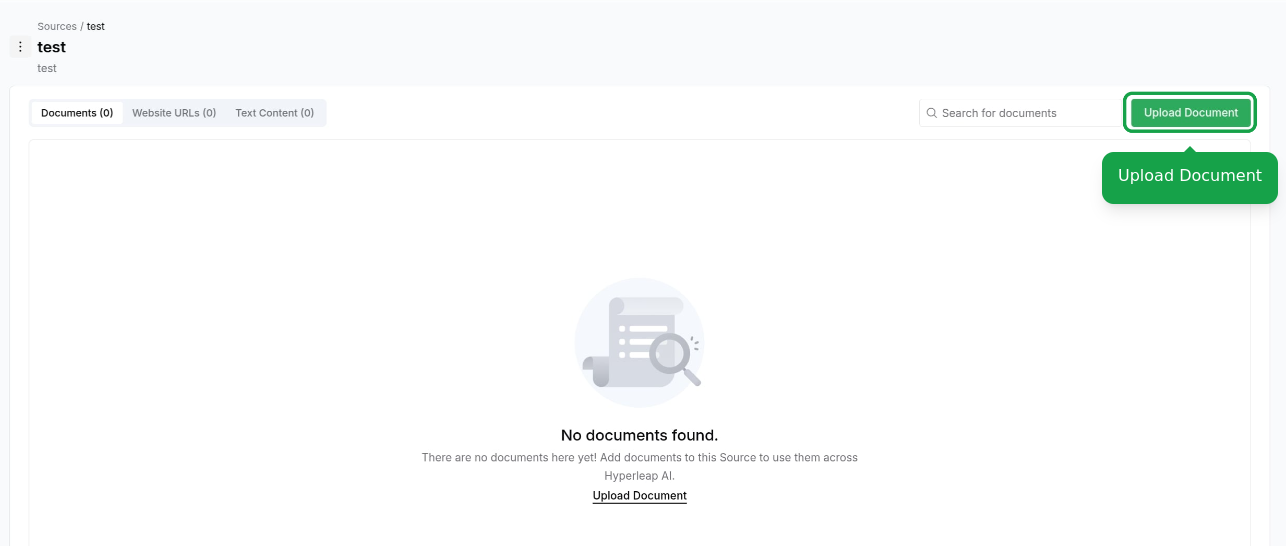
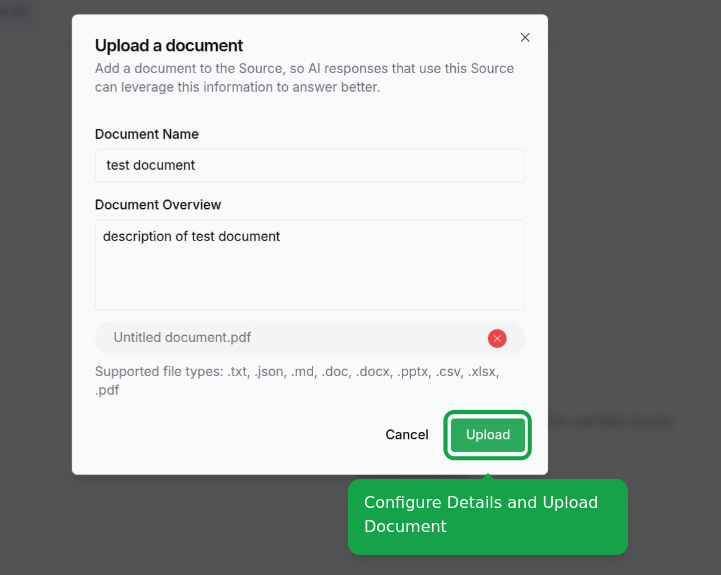
Choose your content addition method:
Drag and drop files or use the file picker
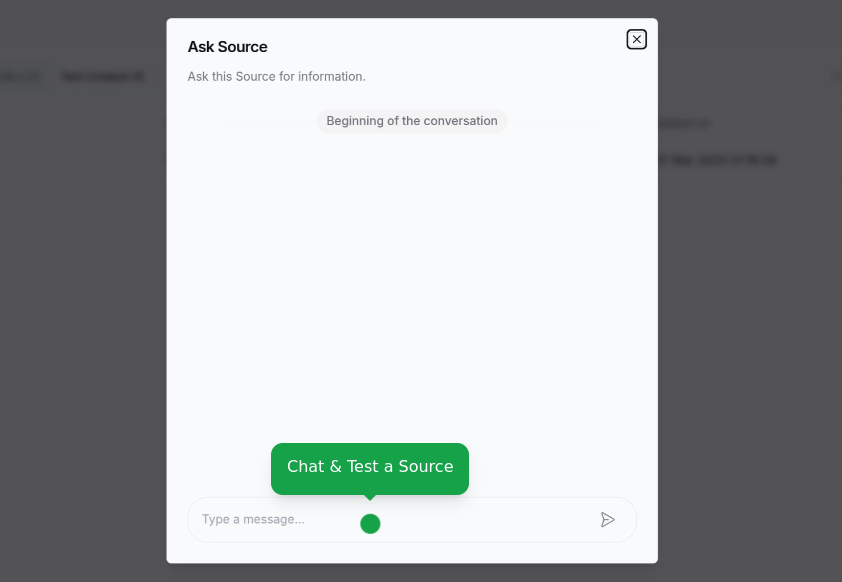
Test Source Integration
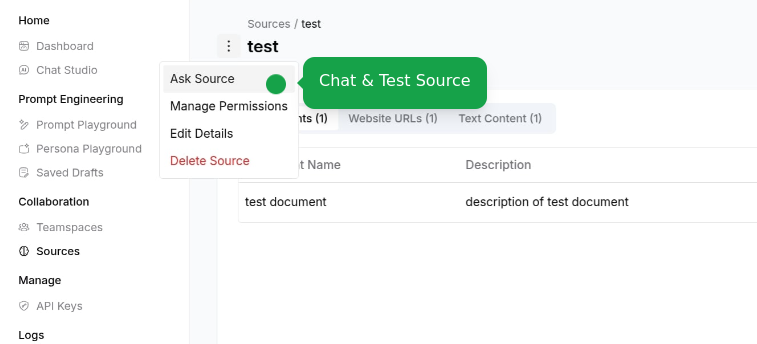
Chat with your source to verify content understanding and relevance:
Test how your AI understands and uses the source content
Every plan includes knowledge sources (documents, websites, FAQs). Source size is 40MB per chatbot on Plus, Pro, and Max. There is no free-tier file cap.
Share and Use
Your source is now ready to power AI features across your workspace:
Add your Source to Prompts, Personas, Tools, Assistants.
All Workspace members can use Sources to Build AI features, Create conversations, Generate responses
Sources are accessible to all team members within your Workspace, ensuring uniform AI responses based on your organization's information.
Troubleshooting
Processing Issues
Issue: Content not being processed correctly
Solutions:
- Verify file format compatibility
- Check file size limits
- Ensure clean, readable content
- Try breaking large files into smaller chunks
Retrieval Problems
Issue: AI not using source content effectively
Solutions:
- Review content organization
- Try Re-Indexing the source
- Verify content relevance
- Test with specific queries
Integration Challenges
Issue: Sources not working with Prompts or Personas
Solutions:
- Review access permissions
- Test in playground first
Next Steps
Learn how to use Sources in your Prompts
Add Sources to power your Personas