Before integrating a Prompt, ensure you have:
- A Prompt published to a Workspace
- Workspace Owner or Admin permissions
- API access enabled for the Prompt
- Your API key
Getting the API Integration Details
There are two ways to access your Prompt's API integration details:
1
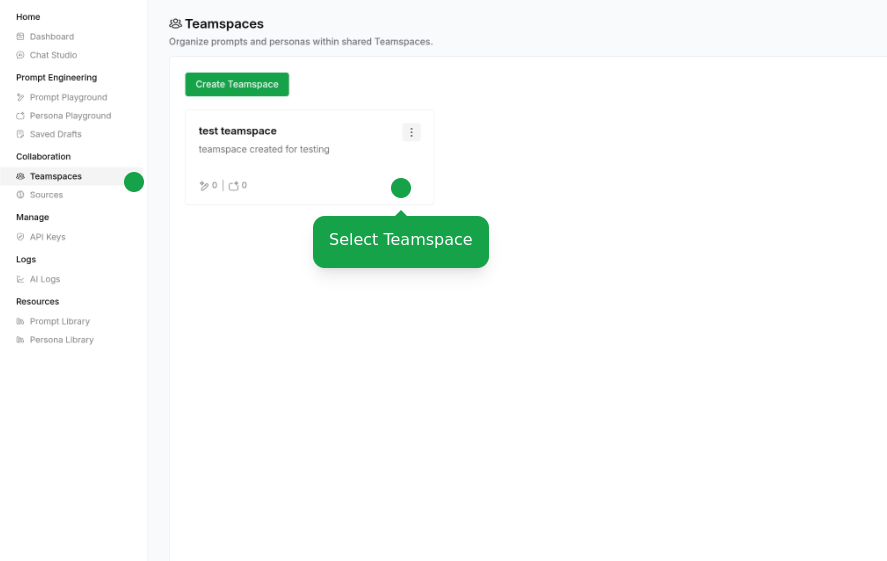
Navigate to API Console
Navigate to Workspaces page in API Console and select your Workspace
2
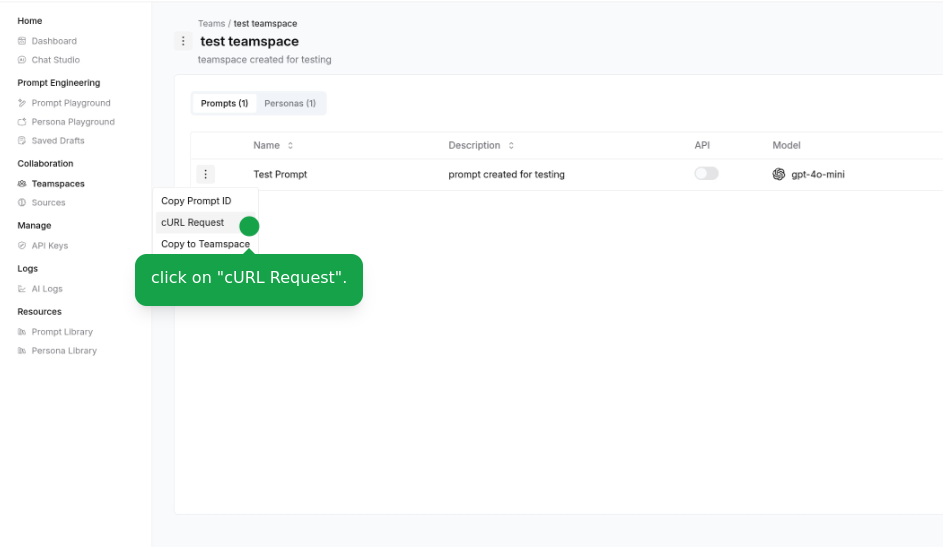
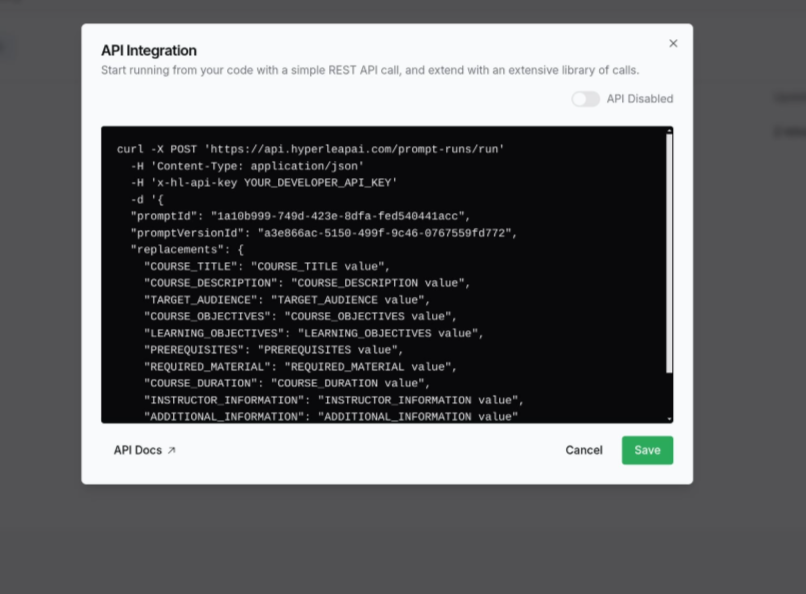
Access Integration Details
Click "cURL Request" in the actions menu beside your Prompt
Integration Options
REST API
Integrate using our REST API with your preferred programming language
SDK Support
Use our official SDKs for seamless integration (Coming Soon)
For detailed API documentation and examples, visit our API Reference.