AI Chatbot for Accounting Firms
How an AI chatbot for accounting firms answers service, fee, and process questions 24/7 — and where every question routes to a CPA instead.
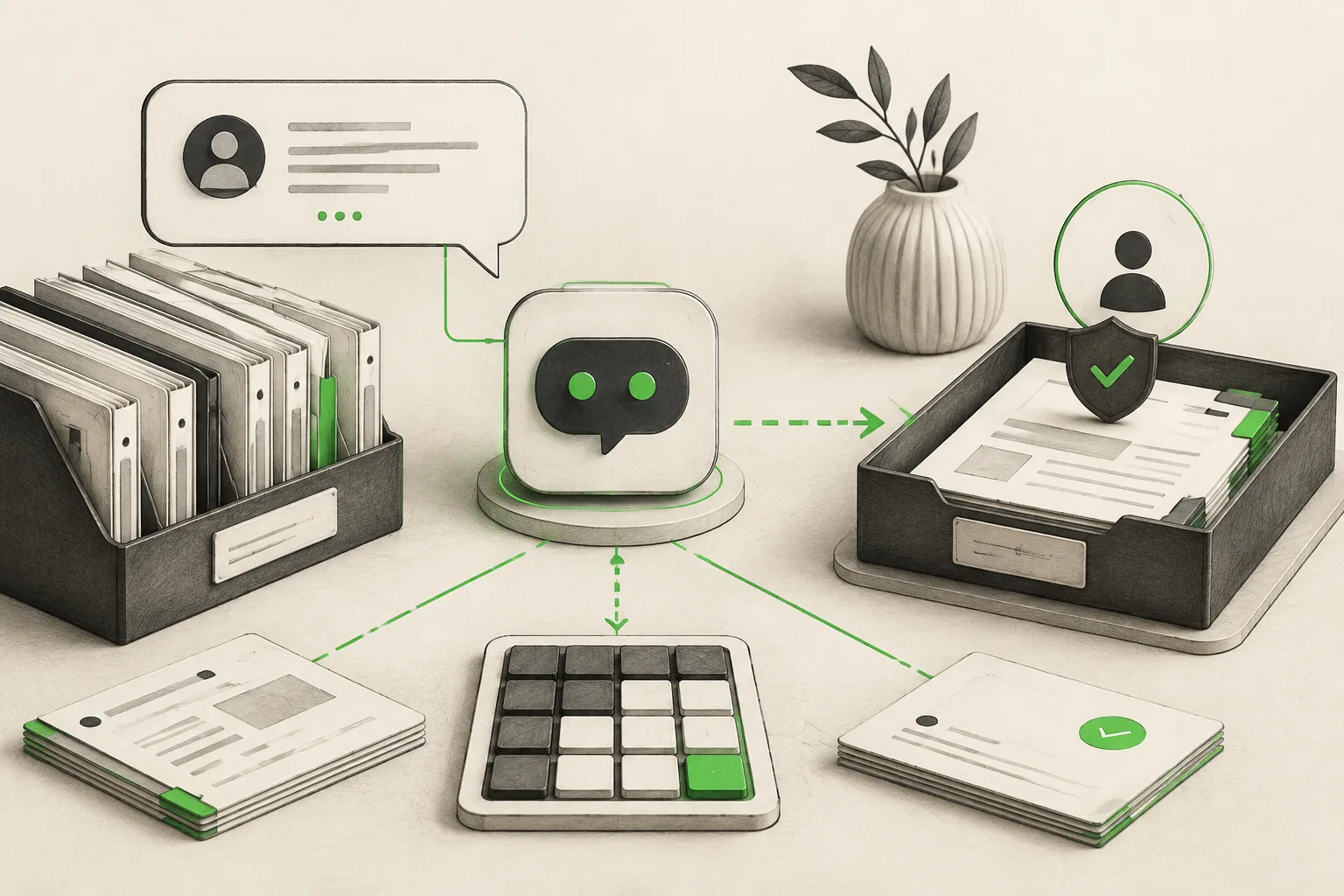
An AI chatbot for accounting firms answers prospect questions about services, fee structure, and engagement process from your own website content, 24/7, on website chat, WhatsApp, Instagram DM, and Facebook Messenger. It shares document checklists, absorbs the tax-season inquiry surge, points clients to your secure portal, and books consultations in the chat through Calendly or Cal.com on Pro and Max (or shares your existing scheduling link) — it never gives tax, accounting, or financial advice, and it never asks for financial documents inside the chat. Every question requiring a professional opinion routes to a CPA.
It's the last week of March. Your phone hasn't stopped, your inbox has forty unread messages, and somewhere in there is a new client asking a question you've answered a hundred times this month: "what documents do I need for my S-corp return?" Meanwhile a prospective client found your website at 9 PM wondering what you charge for a simple 1040, and your website's only answer is "contact us for pricing" — so they've already emailed two competitors instead.
An AI chatbot for accounting firms is built for exactly this gap: the routine, repetitive front-desk questions that eat into a small firm's busiest weeks, answered instantly, while every question that actually requires a CPA's judgment gets routed to one. This guide covers what that looks like in practice. For the full platform picture, see AI agents for accounting firms; the same pattern of qualifying prospects and protecting professional judgment shows up in AI agents for financial advisors and AI agents for law firms.
What Is an AI Chatbot for Accounting Firms?
An AI chatbot for accounting firms is a document-grounded AI agent that answers prospect and client questions from your firm's own service descriptions, fee structure, and process documentation — not generic tax advice pulled from the internet. It runs the standard AI front desk loop: answer → qualify → verify → book → route → report.
For an accounting firm, that translates to:
- A prospect asks what services you offer — bookkeeping, tax prep, payroll, advisory — and gets an answer specific to your firm's actual service lines.
- A new client asks what your fee structure looks like for their situation, and gets the range or process you've configured, not a made-up number.
- A client asks what documents they need for their return, and the AI shares the checklist you've written for that return type.
- A prospect ready to talk gets your consultation booking link immediately, instead of waiting for a callback next week.
- Anything that requires an actual professional opinion — "can I deduct this," "should I file jointly" — gets collected and routed straight to your team, never answered by the AI.
Lead form comes first
Every conversation starts with a short lead form — name, phone, and a brief description of what they need — before the chat begins. That means every inquiry your team reviews already has contact details attached, rather than an anonymous thread with no way to follow up.
Why Accounting Firms Are Turning to Chatbots
Tax season multiplies inquiry volume without multiplying staff
Firms don't hire more front-desk staff for eight weeks a year. The result is a predictable surge of the same repetitive questions — fee estimates, document checklists, deadline reminders — landing on the same small team that's also trying to actually prepare returns.
Fee and process questions are the biggest drop-off point
Prospective clients researching a new accountant frequently bounce at the first sign of friction — a contact form with no response for two days, a website with no pricing information at all. A firm that can give an honest fee range immediately keeps that prospect in the funnel.
Document collection is a back-and-forth that eats real time
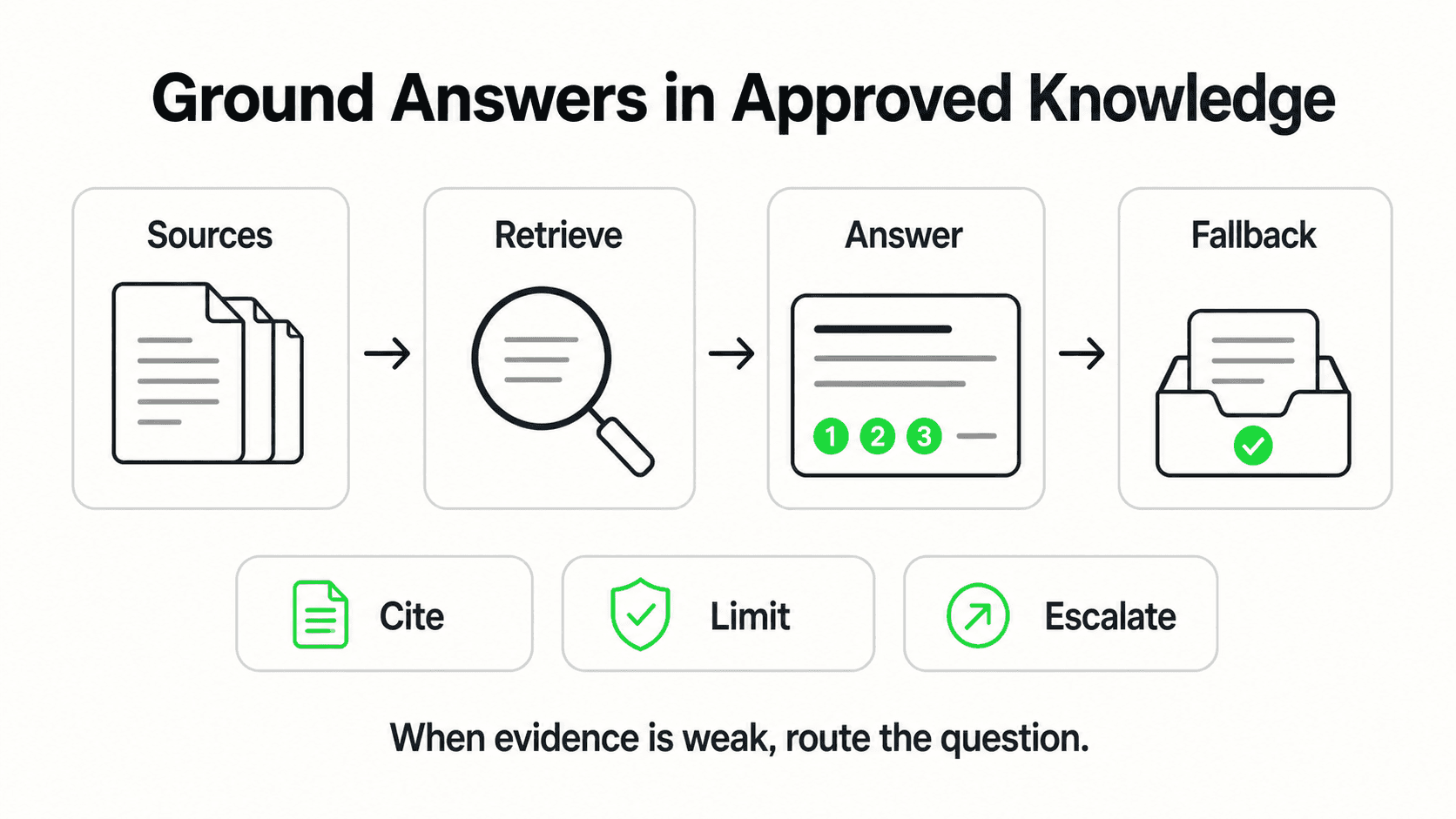
"What do I need to bring" is one of the most repeated questions in any accounting practice, and the answer varies by engagement type — a W-2 employee's return looks nothing like an S-corp owner's. Sending the right checklist upfront, automatically, cuts down the email chains that follow.
Confidentiality concerns make the automation question higher-stakes
Accounting firms handle sensitive financial information, so any automation tool gets scrutinized for what it touches. The honest answer matters here more than in most categories: an AI chatbot for accounting firms should never be collecting Social Security numbers, account numbers, or actual financial documents inside the chat window.
New-client acquisition competes with existing-client service
A small firm's growth depends on converting website visitors into consultations, but every hour spent on that front-desk work is an hour not spent serving the clients already on the books. Firms that rely entirely on partners or senior staff to answer initial inquiries are effectively taxing their most billable time with unbillable intake work — the same tension covered generally in AI agents vs. chatbots, where the distinction is between a tool that just answers questions and one that qualifies a prospect before a human ever gets involved.
7 Ways an AI Chatbot Supports an Accounting Firm
1. Service-Line Inquiries
What this looks like in practice: A prospect asks whether you handle small-business bookkeeping, individual tax prep, payroll, or advisory services, and gets an answer specific to your firm's actual offerings.
Real-world impact: Prospects self-qualify against your actual services before ever reaching a partner's inbox, saving time on inquiries that were never a fit.
Why it works: The AI answers from your service pages and configured descriptions — it doesn't invent capabilities your firm doesn't offer.
Key features:
- Service-line breakdown (bookkeeping, tax prep, payroll, advisory)
- Ideal-client fit questions (business size, entity type, industry)
- Clear escalation for anything outside your stated services
2. Fee Structure and Engagement Process Questions
What this looks like in practice: A prospect asks what a basic return or a monthly bookkeeping engagement costs, and the AI shares the range or process you've configured — flat fee, hourly, or "depends on complexity, here's the range."
Real-world impact: Fewer prospects disappear after a vague "contact us for pricing," and your team spends first-call time on qualified leads who already understand your general fee range.
Why it works: The AI shares ranges you've written, with clear language that a final quote requires a consultation — it never negotiates or commits your firm to a number.
Key features:
- Configured fee ranges by engagement type
- Clear framing that final pricing follows a consultation
- No binding quotes generated by the AI
3. Document Checklist FAQs
What this looks like in practice: A client asks what to bring for their return type, and the AI shares the checklist you've written — W-2s, 1099s, mortgage interest statements, prior-year returns, depending on their situation.
Real-world impact: Clients arrive to their appointment (or upload to your portal) with the right documents the first time, cutting the back-and-forth that otherwise stretches into extra emails and calls.
Why it works: The checklist is document-grounded and specific to the engagement type the client describes — not a one-size-fits-all list that misses their actual situation.
Key features:
- Per-engagement-type document checklists
- Deadline reminders tied to your firm's actual dates
- Link to your secure upload portal for the actual documents
4. Tax-Season Surge Handling
What this looks like in practice: During peak filing weeks, inquiry volume multiplies, and the AI absorbs the repetitive share of it — fee questions, document checklists, deadline questions — instantly, at any hour.
Real-world impact: Your team's inbox during the busiest weeks of the year contains a higher proportion of questions that actually need a CPA's attention, instead of being buried under repeat questions the AI could have answered.
Why it works: The AI doesn't get slower or less available as volume spikes the way a small team inevitably does during the exact weeks demand is highest.
Key features:
- Consistent response time regardless of inquiry volume
- Deadline and extension-process FAQs answered instantly
- No added headcount needed to cover the surge
5. Client Portal Pointers
What this looks like in practice: A client asks how to upload their documents or check the status of their return, and the AI points them to your secure portal link — it does not accept documents or sensitive data inside the chat itself.
Real-world impact: Clients get directed to the right (secure) place immediately, instead of attaching a W-2 to an email or, worse, pasting sensitive numbers into a chat window.
Why it works: The AI is configured to never request Social Security numbers, account numbers, or financial documents in conversation — it redirects to your existing secure system every time.
Key features:
- Portal link shared on request
- No collection of sensitive financial data in chat
- Status-check questions answered generically, with portal redirect for specifics
6. Consultation Booking
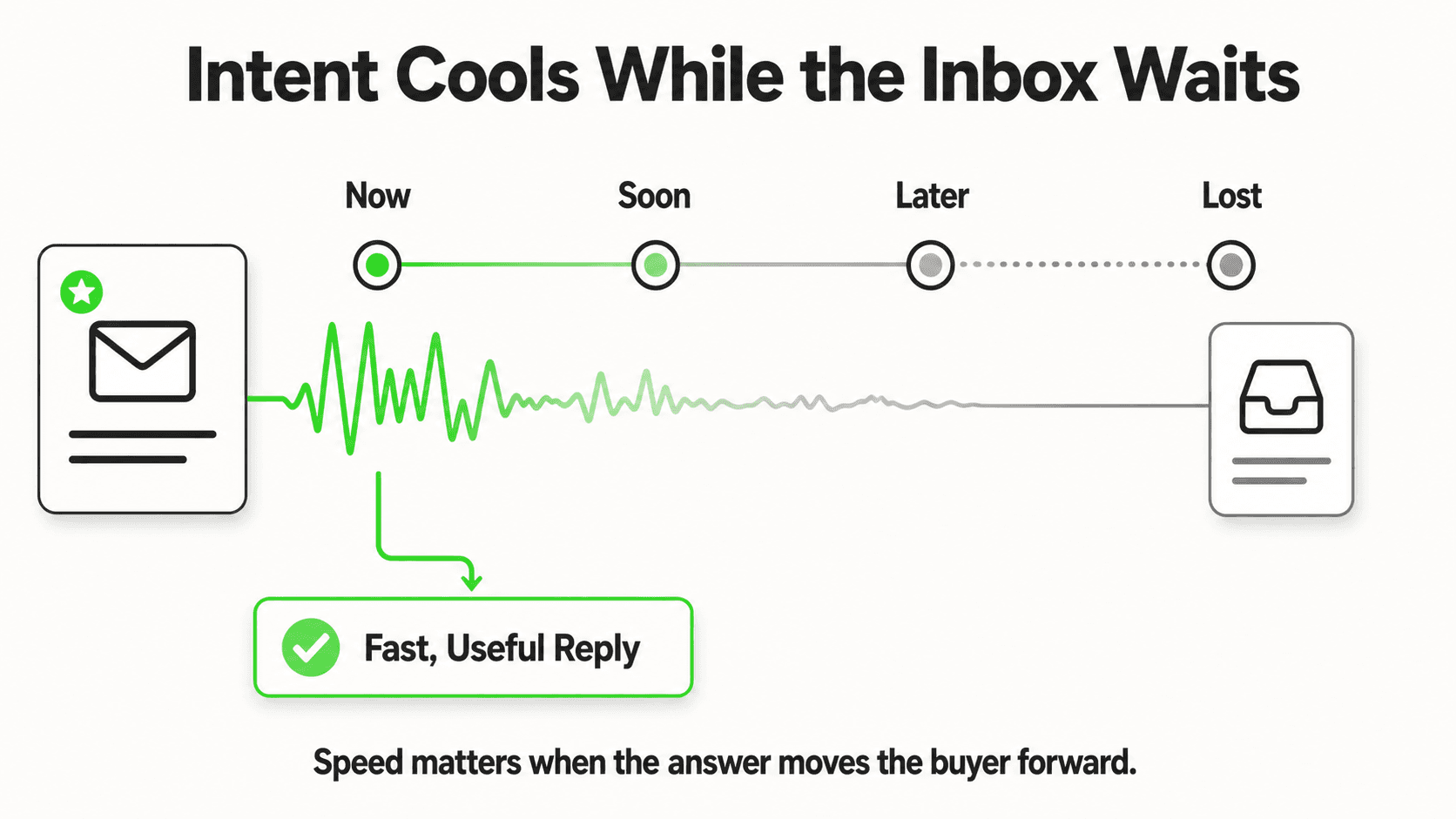
What this looks like in practice: A qualified prospect or client ready to talk is offered real open consultation times the moment they ask, and books one without leaving the chat — no waiting for a callback.
Real-world impact: Interest converts to a booked call while it's fresh, instead of cooling over a multi-day email exchange.
Why it works: Connect Calendly or Cal.com and the AI reads your live availability and creates the booking in the conversation; the client gets the calendar invite by email. (In-chat booking is on Pro and Max and needs Calendly Standard or higher. On Plus, or with any other scheduling tool, the AI shares your booking link instead.) It books new consultations only — clients reschedule or cancel from their confirmation email.
Key features:
- In-chat booking on website chat, WhatsApp, Instagram DM, and Facebook Messenger
- Works for both new-client consultations and existing-client check-ins
- Booking-link fallback for any other scheduling tool
7. What Stays With the CPA — By Design
What this looks like in practice: Any question that touches an actual tax position, deduction eligibility, entity structuring, or financial advice gets collected by the AI and routed to your team, never answered directly.
Real-world impact: Clients never receive advice that wasn't reviewed by a licensed professional, protecting both the client and the firm.
Why it works: The AI is configured to recognize advice-seeking language and hand it off rather than attempt an answer — this is a deliberate boundary, not a limitation to work around.
Key features:
- Advice-question detection and routing
- Full conversation context attached to the handoff
- No tax or financial guidance generated by the AI under any configuration
See how an AI chatbot handles a tax-season fee question
Watch an AI agent answer a service and pricing question, then route an advice-seeking question straight to your team.
See it in actionWhat an AI Chatbot for Accounting Firms Should Never Do
Confidentiality and professional-standards concerns make the boundaries especially important in this category:
- No tax or financial advice, ever. The AI answers questions about your services, process, and pricing ranges — it never advises on deductions, elections, entity structure, or filing positions. Every advice-seeking question routes to a CPA.
- No collection of sensitive financial documents or numbers in chat. Social Security numbers, account numbers, and actual tax documents belong in your secure client portal, never in a chat window. The AI is configured to redirect, not collect.
- No binding fee quotes. It shares ranges and process; a final engagement fee follows an actual consultation.
- No native accounting-software integration. There is no built-in connection to QuickBooks, Xero, or your practice-management system. Leads and inquiries reach your team by email or webhook; connecting that to your systems is a REST API integration a developer evaluates and builds — not a shipped feature.
- Booking through Calendly or Cal.com only. The AI books new consultations through those two on Pro and Max; it doesn't sync with Google Calendar, Outlook, or your practice-management system, and it can't reschedule or cancel. On Plus, or with any other tool, it shares your booking link.
- No phone answering. Everything above runs on messaging channels — website chat, WhatsApp, Instagram DM, Facebook Messenger. Voice is Roadmap, not shipped.
The confidentiality question to ask any vendor
"Where does a client's Social Security number or bank statement actually go if they try to send it in chat?" The honest answer for any AI chatbot in this category should be: nowhere — it gets redirected to a secure portal, never stored in the conversation.
A Worked Example: New-Client Onboarding Through a Tax-Season Inquiry
Two scenarios show the routing boundary in action more clearly than a feature list does.
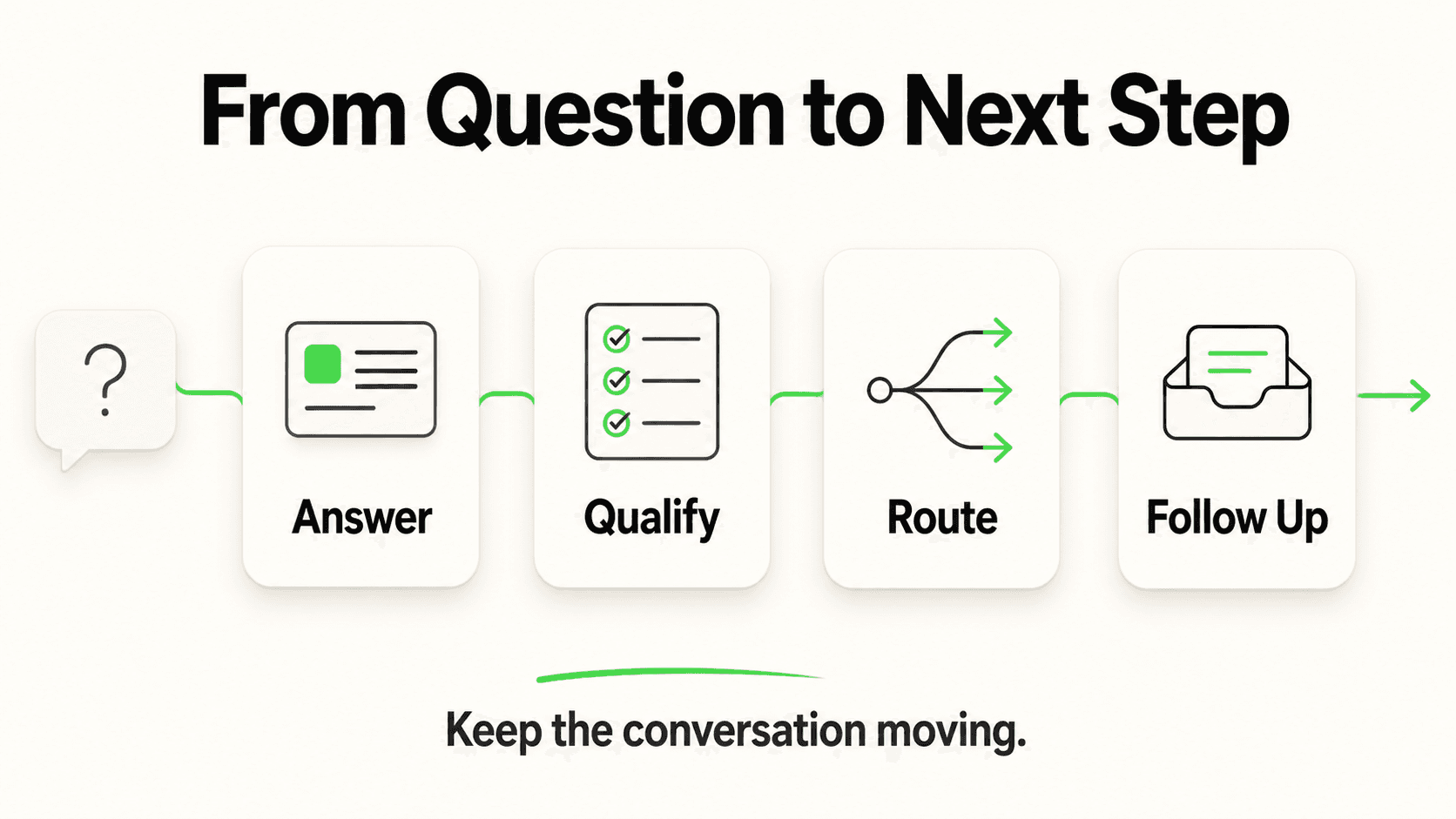
Onboarding a first-time client. A visitor messages your website chat: "I just started freelancing and have no idea what I need to file." The AI doesn't attempt to answer the substance — it asks the intake questions you've configured for new clients: entity type (sole proprietor, LLC, S-corp), whether they've filed quarterly estimated payments before, and roughly when they started earning 1099 income. From those answers, it shares the document checklist that matches a first-year freelancer (prior W-2 if applicable, 1099-NEC forms, mileage or expense log, an EIN if one exists) and your new-client consultation link. The prospect arrives at that consultation with the right documents already gathered and your team already knowing their situation — instead of a first call spent purely on discovery.
A mid-filing-season question that crosses the line. A returning client messages during the first week of April: "I sold some crypto last year — do I owe tax on that even though I didn't cash out to my bank?" This is a substantive tax question, not a process question, so the AI does not attempt an answer. It responds that this needs a CPA's review, collects the specific detail the client just shared (what was sold, roughly when), and routes the conversation to your team with that context attached — so the preparer who picks it up isn't starting from "let me ask what this is about."
The pattern in both cases is the same: the AI handles the parts of the conversation that are about process, documents, and logistics, and hands off the moment a question requires interpreting the client's actual tax situation. That boundary doesn't move based on how the question is phrased or how urgent it sounds — a friendly-sounding question about crypto gains gets routed exactly like a formally worded one.
Implementation: Getting an AI Chatbot Live Before Tax Season
Phase 1 (Day 1) — Go live with the basics. Paste your firm's website URL. The AI reads your public service pages, imports your branding, and drafts a starting prompt — live in under 5 minutes on the quick-start path.
Phase 2 (Week 1) — Attach your real fee ranges and checklists. Upload your service descriptions, fee structure by engagement type, and document checklists for your most common return types. This is what turns generic answers into ones that actually reflect your firm.
Phase 3 (Week 1) — Configure the advice boundary explicitly. Work with your team to define the language patterns that should trigger a hand-off — "can I deduct," "should I," "what's my liability" — so advice questions never get an AI-generated answer.
Phase 4 (Week 2) — Connect your booking link and secure portal. Connect Calendly or Cal.com on Pro and Max (or add your consultation scheduling link) and your document upload portal link, so booking and uploading are each one step for the client.
Phase 5 (Before your busiest weeks) — Test with real questions. Run through the ten questions your front desk hears most during filing season, in a client's actual phrasing, and fix any gaps before volume peaks.
A common early mistake: waiting until the week before a filing deadline to set this up. The value compounds — the earlier your fee ranges and checklists are configured, the more of the season's repetitive volume gets absorbed automatically instead of landing on your team during the weeks they can least afford it.
Multi-Partner and Multi-Office Firms
A firm with several partners or office locations runs into a version of this problem at scale: each partner may specialize in different services — one handles individual tax, another focuses on small-business advisory — and a prospect's question needs to land with the right person, not whoever happens to check the inbox first. On Pro and Max, a firm can run a separate chatbot per office or service line, each grounded in that team's specific fee structure and process documents, while conversation summaries still land in a shared view for a managing partner who wants visibility across the whole firm. White-label branding, available starting on Pro, keeps the experience consistent with each office's own client-facing identity rather than surfacing a third-party badge.
Related reading: how to choose an AI receptionist for the vendor checklist, what is ticket deflection for measuring what the front desk actually absorbs during tax season, and conversational AI vs generative AI for the terminology partners ask about.
Frequently Asked Questions
What is an AI chatbot for accounting firms?
It's an AI agent that answers prospect and client questions about services, fees, and process from a firm's own website content, across chat channels, at any hour. It shares document checklists and booking links and routes any question requiring a CPA's judgment to a human — it never gives tax or financial advice itself.
Will the chatbot give tax advice to clients?
No, under any configuration. It answers questions about your services, process, and general fee ranges. Any question about deductions, filing positions, entity structuring, or financial strategy is collected and routed to your team — the AI is specifically configured not to attempt these answers.
Is it safe to use during tax season when client data is sensitive?
The chatbot itself does not collect Social Security numbers, account numbers, or financial documents in the conversation — it points clients to your existing secure portal for anything sensitive. Conversation transcripts are stored in your Hyperleap workspace, accessible only to your team.
Can it help with document collection?
Yes. It shares the document checklist you've written for each engagement type — individual returns, small-business bookkeeping, payroll setup — and directs clients to your secure upload portal. It does not accept or store the actual documents itself.
Does it work outside of tax season?
Yes. Bookkeeping, payroll, and advisory inquiries get the same treatment year-round — service questions answered, fee ranges shared, consultation links sent — not just during the January–April filing surge.
Does it integrate with QuickBooks or our practice management software?
Not natively. There is no built-in connection to accounting or practice-management platforms. Leads and inquiries reach your team by email or webhook, and connecting that to your existing software is a REST API integration your team or a developer evaluates and builds.
How much does this cost?
Hyperleap AI's plans start at $40/month (Plus), with a 7-day free trial (credit card required, no free plan). Pro ($100/mo) and Max ($200/mo) add more chatbots, channels, and white-label branding for firms with multiple offices or partners. Full pricing is on /pricing.
The Bottom Line
An accounting firm's busiest weeks are exactly when a repetitive fee question or "what documents do I need" email costs the most — time that should go toward actual return preparation instead goes toward the front desk. An AI chatbot for accounting firms absorbs that repetitive volume, keeps prospects from bouncing to a competitor over an unanswered pricing question, and routes anything that touches real judgment — advice, elections, structuring — straight to a CPA. What it never does is pretend to be one.
Ready to handle tax-season volume without adding headcount?
See how Hyperleap AI answers fee and process questions, shares document checklists, and routes advice questions to your team — start your 7-day free trial.
Start Free TrialIndustry Solutions
See how AI chatbots work for these industries:
Related Articles

AI Legal Receptionist: What It Handles for Your Firm
An AI legal receptionist answers firm FAQs, captures and qualifies client intake, and shares booking links 24/7 — without giving legal advice. Here is what it handles.

Agency AI Front Desk: A Client Launch Checklist
Launch a client's AI front desk with an evidence-based checklist for source approval, branding, access, acceptance tests, ownership and handover.

Hotel Event-Space Enquiries: Build a Useful Brief
Collect useful hotel meeting-space enquiries with layout, attendance, equipment and catering prompts, without implying a venue reservation.

Cleaning Enquiries: Scope Questions Before a Quote
Collect clearer cleaning quote enquiries with residential and commercial scope questions, exclusions, access notes and a practical team-review worksheet.