Customer service software, 2026
An AI front desk is the customer service software most small businesses need first
Most customer service software is built for ticket queues and support teams. An owner-run business needs something simpler: answer the repeat questions, capture who asked, and pass the rest to a person.
From $40/mo. 7-day free trial; card required to start.
Quick Answer
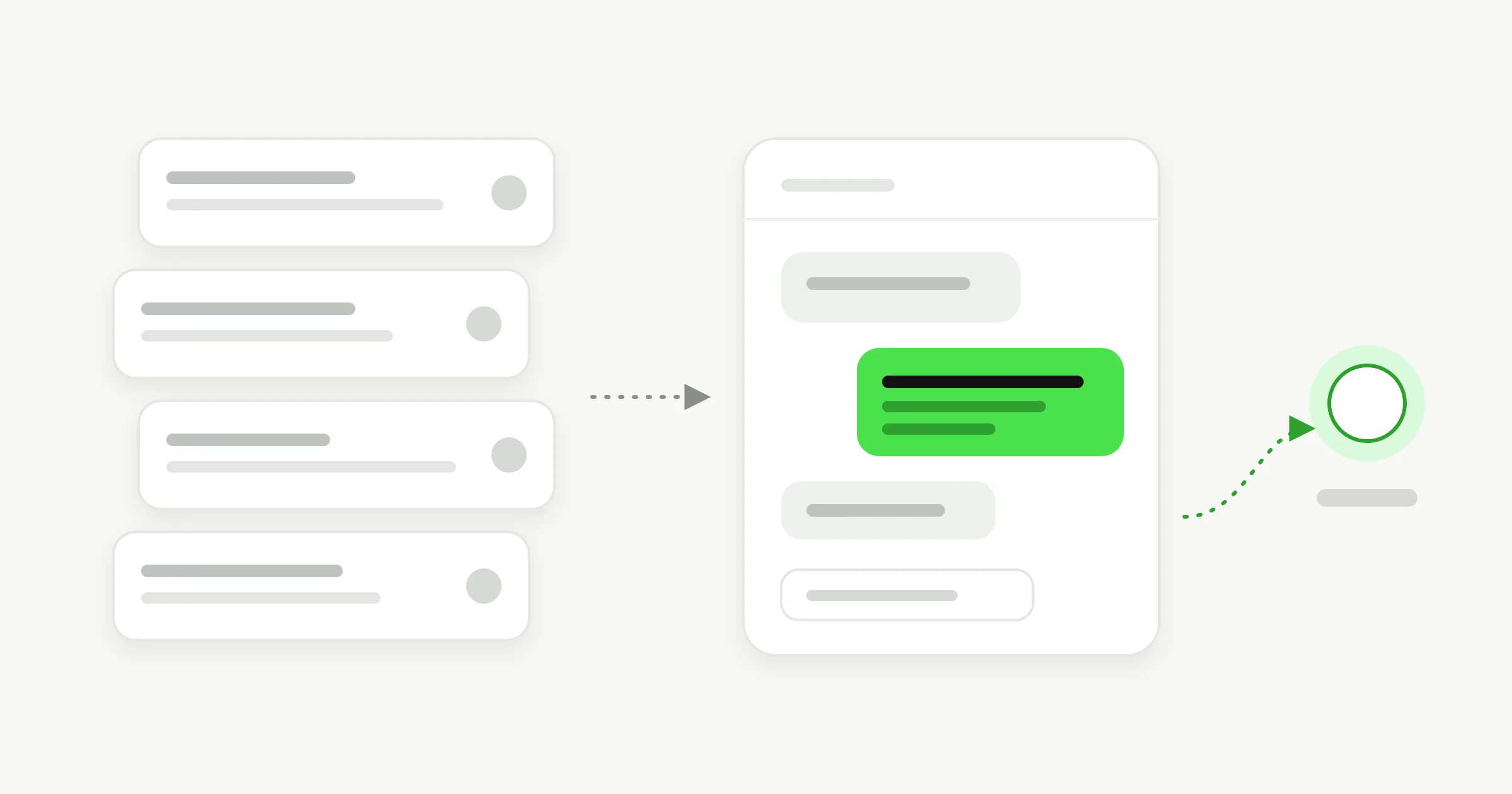
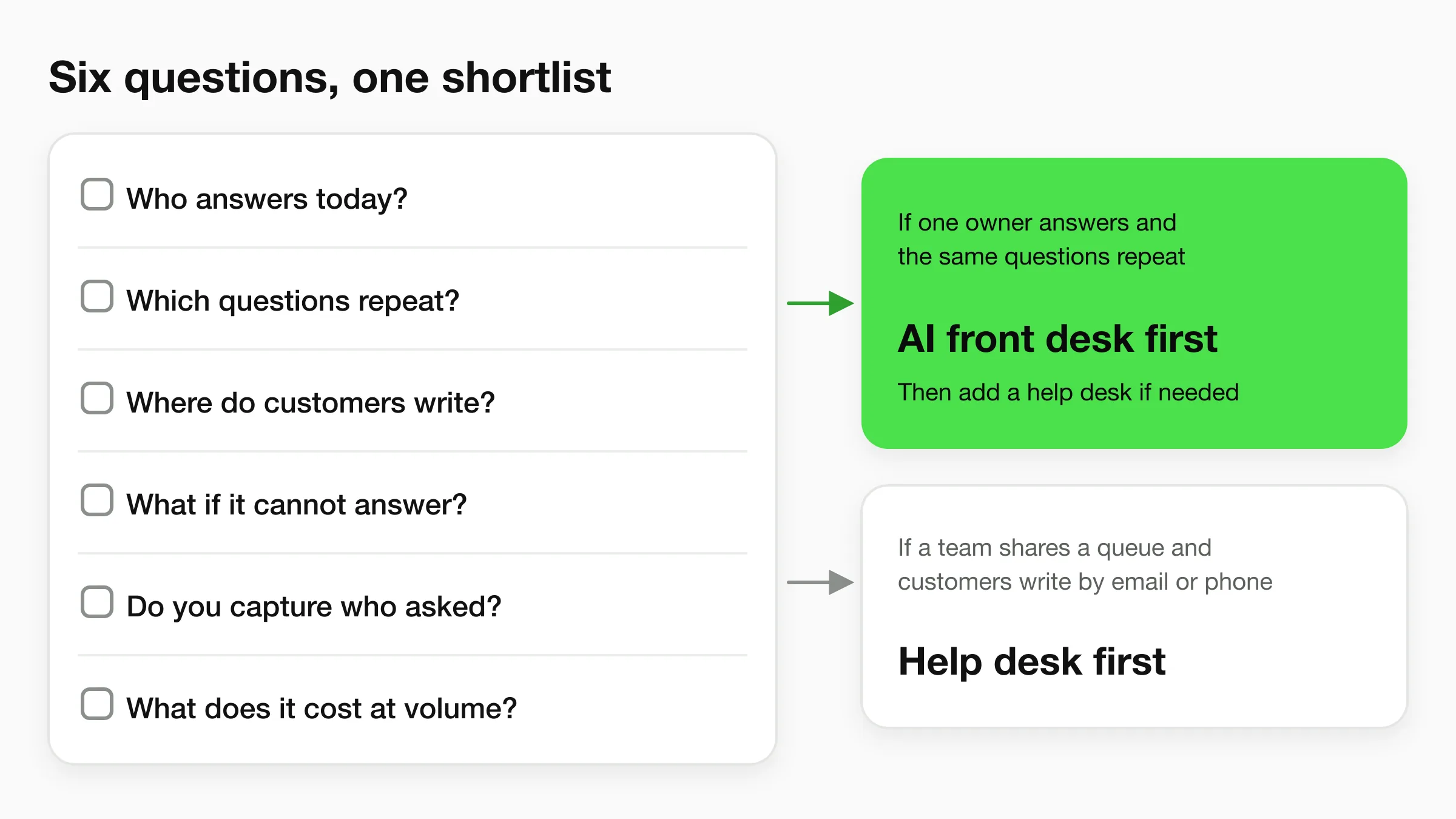
Customer service software comes in four types: help desks, live chat, AI agents and all-in-one suites. If you run the business and answer the same questions every day, an AI agent is the right first tool. It answers from your own content on your website and messaging channels, captures contacts and hands the rest to you. Add a help desk later if a team ends up sharing a ticket queue.
The four types
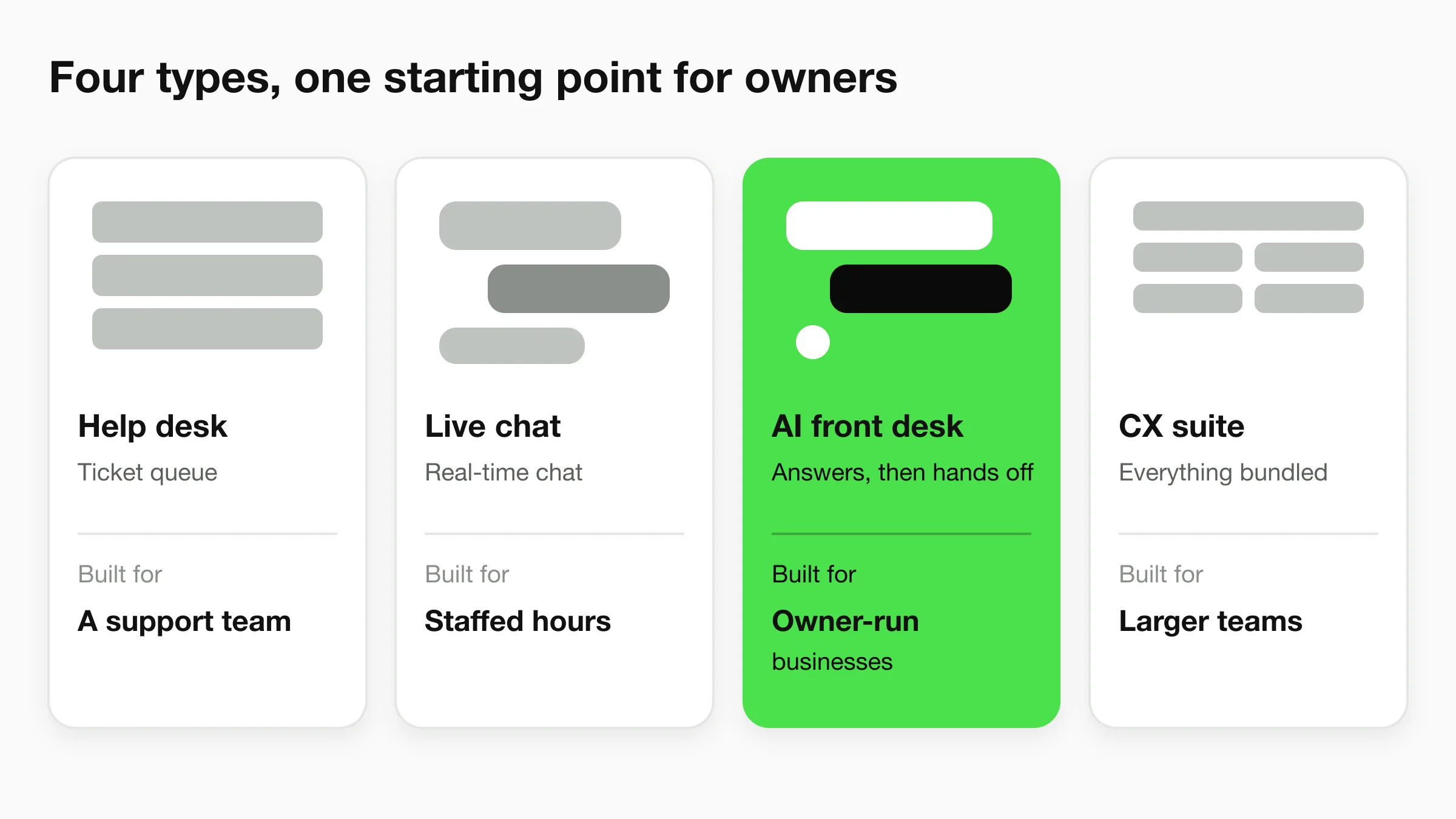
The four types of customer service software
Every product in this market falls into one of four groups, and the groups overlap. Knowing which one you are shopping for saves you from paying for a ticket queue when you needed an answering desk, or the reverse.
| Type | What it does | Fits | Examples |
|---|---|---|---|
| Help desk (ticketing) | Turns each customer message into a ticket with an owner, status and history. | A support team working a shared queue. | Zendesk, Freshdesk, Help Scout |
| Live chat | A chat window on your site where a person replies in real time. | Businesses with someone free to chat during set hours. | Tawk.to, LiveChat |
| AI agent (AI front desk) | Answers from your own content, captures contacts, and passes the rest to a person. | Owner-run businesses fielding the same questions all day. | Hyperleap AI, Chatbase |
| All-in-one CX suite | Bundles ticketing, chat, knowledge base, automation and reporting in one platform. | Larger teams that want one system for everything. | Zendesk Suite, Freshworks, HubSpot Service Hub |
Examples are illustrative and categories overlap. Most vendors sell across more than one type. As of November 2026.
For a ranked tour of specific tools, read our guide to the best customer service software for small business. This page is about choosing the type first.
The mismatch
Why a help desk is often more than a small business needs
A help desk solves a coordination problem: many agents, one queue, every request tracked to a close. If you are the one answering, there is no one to coordinate with. What eats your day is the same handful of questions: opening hours, prices, whether you serve a certain area, how to book.
That is an answering problem. A salon owner, a clinic manager or a home services dispatcher does not need ticket statuses. They need the question answered before it reaches them, the lead's name and number saved, and the rare hard case passed to them with the conversation attached.
Cost follows the same logic. Many help desks charge per agent seat, so a small team pays for features such as routing rules and reporting it may not use for a long time. If you want the plain-language version of this idea, our guide to conversational AI for customer service explains how an AI agent answers, and the page on a customer support chatbot covers deflecting repeat questions in detail. The same agent also answers on four channels.
Buying checklist
A buying checklist for small businesses
Answer these six questions before you open a single pricing page. They tell you which type to shortlist.
1
Who answers today?
One owner or a team? A queue only matters once several people share it.
2
Which questions repeat?
Hours, pricing, policies, booking. If most are repeats, answer them automatically first.
3
Where do customers write?
Website, WhatsApp, Instagram, Messenger. Pick a tool that covers the ones your customers use.
4
What happens when it cannot answer?
Look for a clear handoff to a person with the conversation attached.
5
Do you capture who asked?
A question without contact details is a lost lead. Check what the tool records.
6
What does it cost at your volume?
Per-seat and per-reply pricing grow differently. Price your real month, not the demo.
What Hyperleap covers
What Hyperleap AI covers as your AI front desk
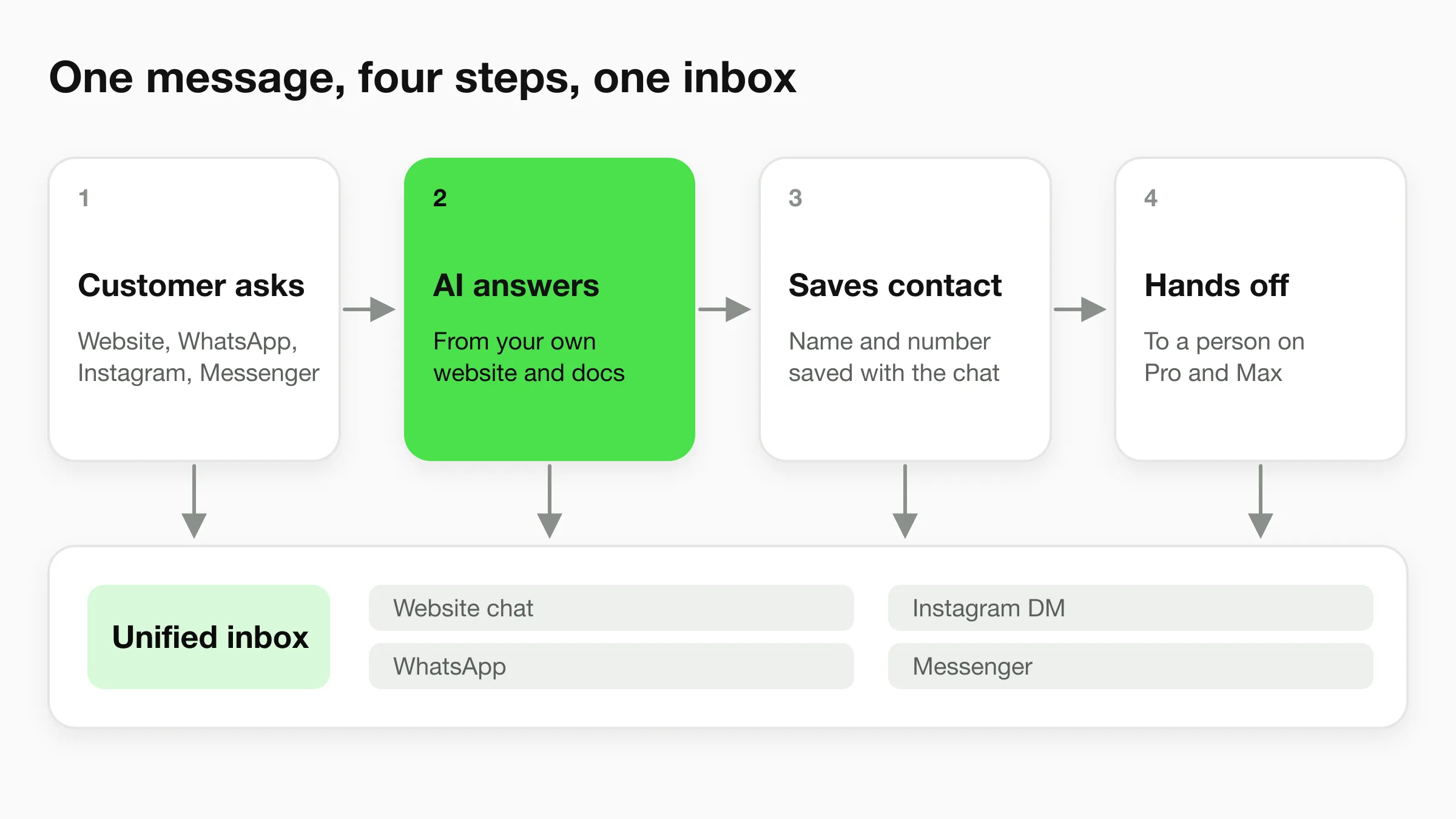
Hyperleap AI is the AI front desk for small businesses. It answers customers, captures and qualifies leads, and routes the rest to your team. Here is what that includes today.
Answers from your content
Add your website and documents (40MB per agent on every plan). The agent answers from them and the log shows which source each answer used.
Four channels, 100+ languages
Website chat, WhatsApp, Instagram DM and Facebook Messenger, one agent and one knowledge base. WhatsApp, Instagram and Messenger run on Meta’s official Business APIs.
Lead capture and qualifying
The website chat can collect contact details with a short form. The agent asks your qualifying questions, and leads can be downloaded as CSV or Excel.
One unified inbox
Conversations from every channel land in Studio, so your team reads them in one place instead of four apps.
Human handoff (Pro and Max)
Visitors can ask for a person and your team is alerted. A teammate takes over the live chat, including on social channels, then hands it back.
Booking (Pro and Max)
With Calendly or Cal.com the agent offers real open times and books in the chat (in-chat Calendly booking needs Calendly Standard or higher). On Plus it shares your booking link.
On Pro and Max you can also set up Actions that let the agent look something up through an API you already have, and an Agentic Workflow that emails your team a brief after a conversation ends. For how the shared inbox works day to day, see unified inbox rules for small customer-facing teams.
What it does not do
What Hyperleap AI does not do
Hyperleap AI is not a help desk. Check this list against your needs before you start a trial.
- A ticketing system. There is no ticket queue to assign, track and close.
- An email channel. Email as a channel is on the Roadmap, not available yet.
- Phone or voice. Voice is on the Roadmap, not available yet.
- SMS. SMS is on the Roadmap, not available yet.
When a help desk fits
When you need a full help desk instead
Choose a help desk such as Zendesk, Freshdesk or Help Scout when the work is shaped like a queue. These signs point that way:
- Several people work the same inbox and need to see who owns each request.
- Customers contact you by email or phone and you need that history in one record.
- You need internal notes, response targets or reports on how the team performs.
- Requests move between departments, such as billing, technical and sales.
Many businesses run both. The AI front desk takes the repeat questions and the leads, and the help desk handles the cases that need a tracked owner. If you are weighing alternatives to one of these tools, see our lists of the best Freshdesk alternatives and the best Zendesk chat alternatives. For wider roundups, see the best help desk software for small business and AI customer support software compared.
Pricing
What an AI front desk costs
Hyperleap AI starts at $40/month with a 7-day free trial. One AI reply counts as one response, with no model-credit math. Pricing is per plan, not per agent seat.
| Plan | Price | AI responses | Includes |
|---|---|---|---|
| Plus | $40/mo | 3,000 | 1 chatbot, 4 channels, shares your booking link |
| Pro | $100/mo | 12,000 | Adds human handoff, native booking, Actions, webhooks |
| Max | $200/mo | 30,000 | Everything in Pro, with more chatbots and team capacity |
All plans have a 7-day free trial and require a card to start. There is no free plan. Annual billing saves up to 40%. See full pricing.
FAQ
Frequently asked questions
What is customer service software?
What is the best customer service software for a small business?
Do I need a help desk to run customer service?
What is AI customer service software?
How much does customer service software cost?
Can AI customer service software hand a customer to a person?
Related
Keep exploring
Conversational AI for Customer Service
How an AI agent answers, qualifies and routes.
Customer Support Chatbot
Deflect repeat questions and route the rest.
Best Customer Service Software for Small Business
A tool-by-tool guide with an evaluation framework.
Unified Inbox Rules
Give shared conversations clear ownership.
Put an AI front desk on your website
Paste your website address and your agent is ready to test in minutes. Add it to your site when you are happy with the answers.
7-day free trial on all plans. Cancel anytime.