AI Chatbot for Chiropractic Clinics: 2026 Guide
How an AI chatbot for chiropractic clinics answers new-patient questions, shares booking links, and reduces no-shows — without giving medical advice.

TL;DR: A chiropractic chatbot handles the repetitive front-desk work — new-patient inquiries, insurance-accepted questions, booking, and post-adjustment FAQs — from a chat widget, WhatsApp, Instagram DM, or Facebook Messenger, gated by a lead form so every conversation starts with a real name and phone number. It answers from the clinic's own documents (which plans you accept, what a first visit involves), never verifies insurance coverage in real time, and routes any symptom or clinical question straight to your team. Done well, it closes the after-hours gap that costs single-doctor practices new patients every week, without ever pretending to diagnose anyone.
Why Chiropractic Clinics Need an AI Chatbot for New Patient Inquiries
A chiropractic chatbot is software that answers routine patient questions and gets patients booked on your website and messaging channels, 24 hours a day, so a bad back doesn't wait until Monday morning to find you. It's the same job your front desk already does — "Do you take my insurance?" "What happens on a first visit?" "Can I get in this week?" — just covered outside the hours a person is sitting at that desk.
Most solo and small-group chiropractic practices run lean: one or two doctors, one or two front-desk staff, and a phone that stops ringing at 5 or 6pm. New-patient research doesn't stop at 6pm. Someone who threw their back out on a Saturday, or who's been putting off calling for weeks, is researching chiropractors on their phone at 9pm — and the first practice that answers is usually the one that gets the appointment. Our chiropractic AI agents page covers the full feature set built for exactly this scenario.
For chiropractic specifically, a chatbot should do exactly four jobs well:
- Answer new-patient questions from your own FAQ and intake documents — pricing ranges, what to bring, what a first visit looks like
- State which insurance plans you accept, sourced from your knowledge base — not verify coverage in real time
- Get the patient booked — in the chat itself if you schedule through Calendly or Cal.com, or by sharing your booking link if you use a practice management tool
- Deflect repetitive post-visit questions — soreness after an adjustment, how often to come back — using your clinic's own aftercare materials, and route anything that sounds clinical to your team
It is not a diagnostic tool, a symptom checker, or a substitute for your chiropractor's judgment. It's a way to make sure the questions that don't need a clinician get answered instantly, so the questions that do get a clinician's full attention.
What This Chatbot Does Not Do
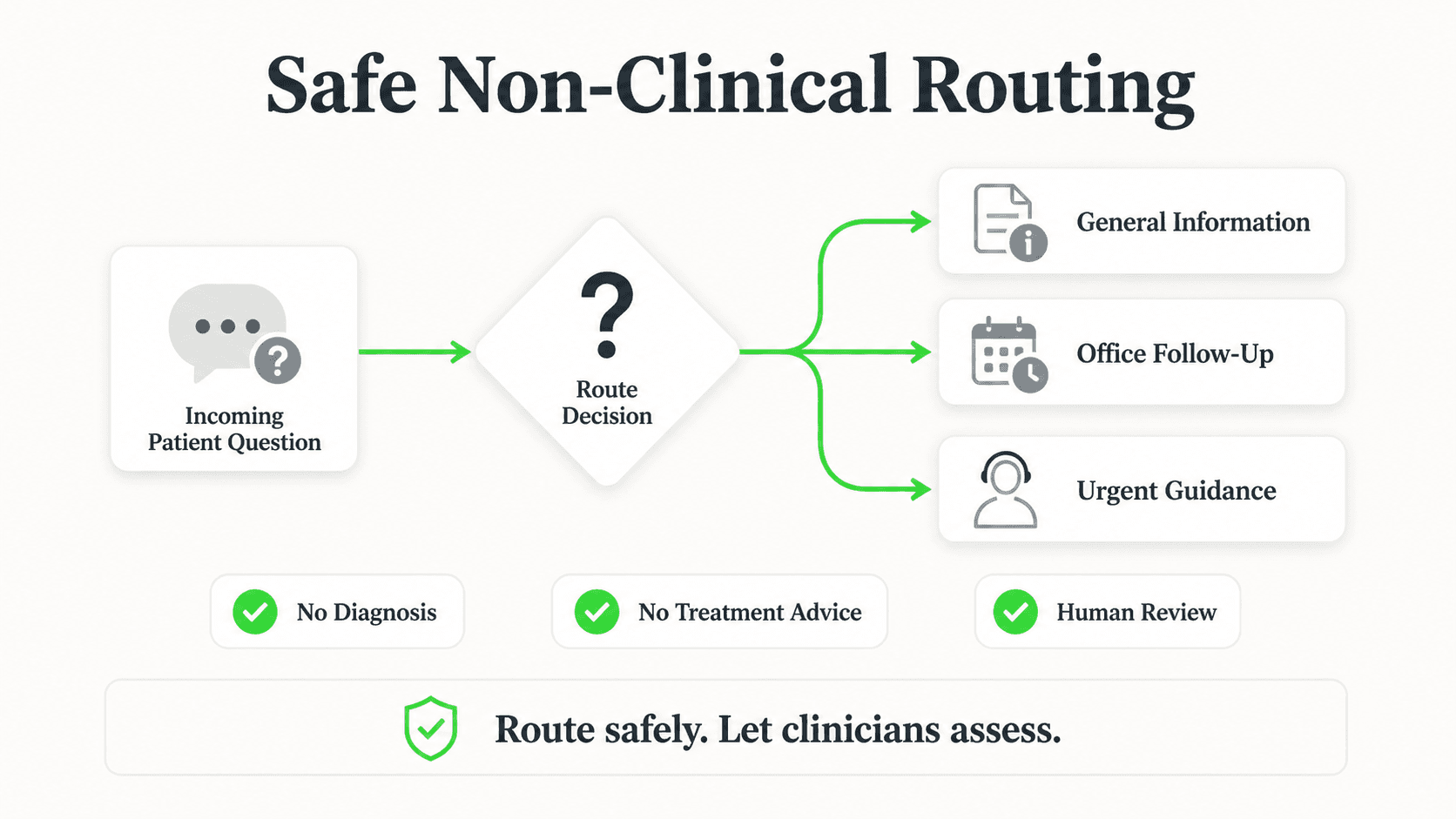
An AI chatbot for a chiropractic clinic should never assess, diagnose, or triage a patient's symptoms. If a visitor describes pain, numbness, or an injury, the correct behavior is to route them to your team or recommend they call the clinic directly — not to offer guidance on their condition. Configure your chatbot's guardrails accordingly, and review every deployment against your own compliance obligations before launch.
Why Chiropractic Practices Lose New Patients to Slow Response
Chiropractic is a local, competitive category — most metro areas have a dozen or more practices within a few miles of each other, and patients rarely have brand loyalty before their first visit. The practice that responds first usually wins the patient. Our breakdown of how slow response times cost businesses walks through the underlying economics in more depth, and applies directly to a chiropractic front desk.
The After-Hours Research Window
Back and neck pain doesn't follow office hours. A large share of new-patient research — reading reviews, checking insurance pages, comparing a few clinics — happens in the evening or on weekends, when most single-location practices have no one answering the phone or website chat. InsideSales research has found that leads contacted within five minutes convert dramatically better than leads contacted even an hour later — and a voicemail with no callback until the next business day is effectively a lost lead to whichever competitor answers first.
The Insurance-Question Bottleneck
"Do you take my insurance?" is one of the most common questions a chiropractic front desk fields, and it's also one of the most repetitive. Every unanswered version of that question is a patient who moves on before ever calling. A chatbot that states, clearly and consistently, which plans your clinic accepts — pulled from your own documentation — removes that friction without pulling staff off the phone.
The No-Show Cost
Missed appointments hit small chiropractic practices harder than most businesses because each treatment slot is tied to a provider's limited daily capacity. A single no-show isn't just a missed visit — it's a chair that sat empty when another patient could have been seen. Automated appointment reminders and easy self-service rescheduling (via a shared booking link) reduce the chance a patient simply forgets, without adding to front-desk workload. See our guide on automating patient appointment scheduling for the mechanics of building this out, and our broader look at healthcare patient communication statistics for benchmarks across specialties.
The Repetitive-Question Drain
Between adjustments, chiropractic front-desk staff and doctors field the same handful of questions dozens of times a week: "Is it normal to be sore after an adjustment?" "How many sessions will I need?" "Can I ice it?" None of these require a live conversation with a clinician if the clinic has already documented the answers — but every one of them takes staff time to repeat by phone or in person.
See a Chiropractic Chatbot in Action
Watch how an AI agent handles new-patient insurance questions and booking for a chiropractic clinic — without ever touching PHI.
Try for Free7 Ways an AI Chatbot Helps Chiropractic Clinics
1. Answering New-Patient Insurance Questions from Your Knowledge Base
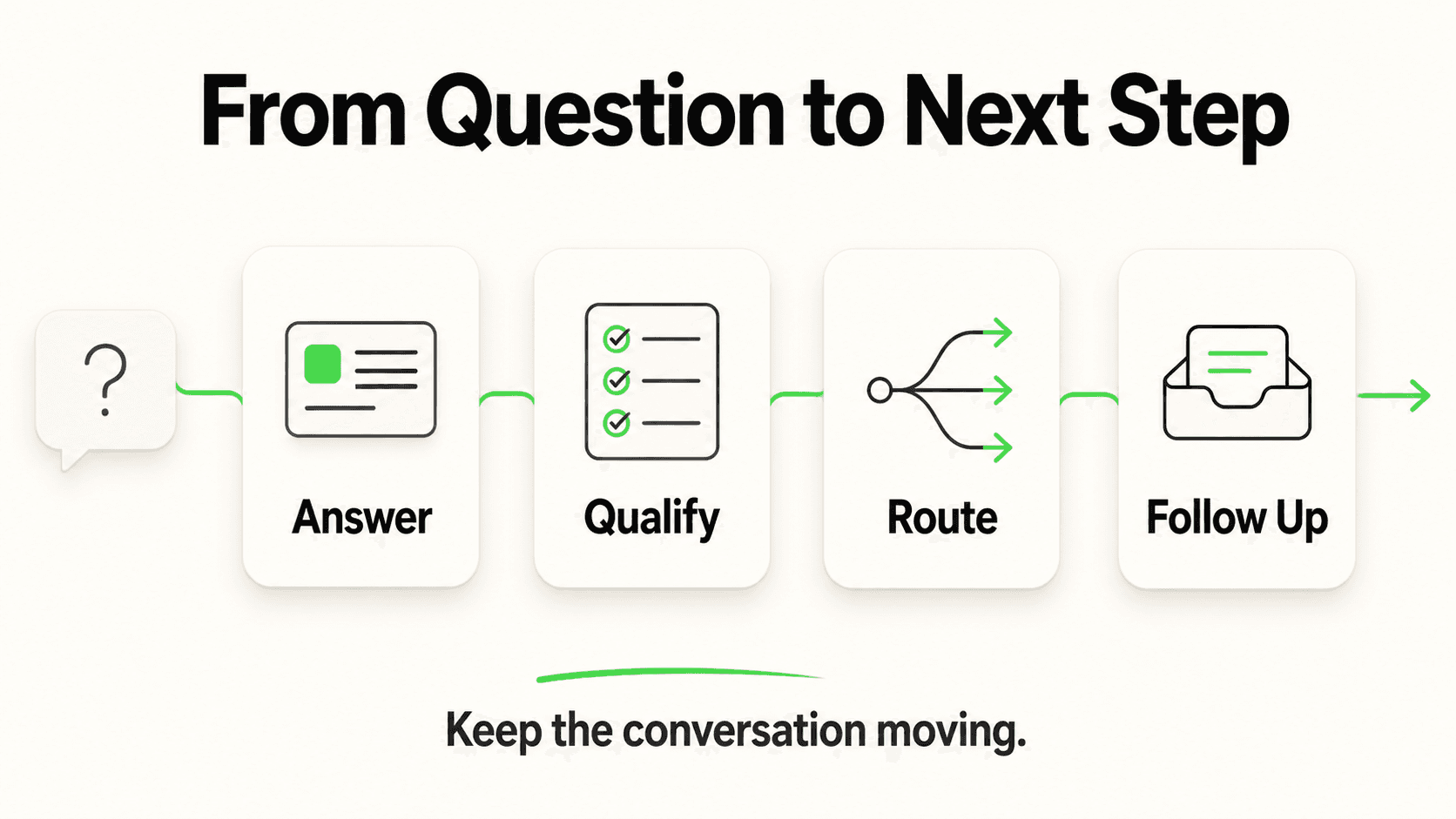
What this looks like in practice: A prospective patient asks "Do you take Blue Cross?" or "What's your cash rate for a first visit?" The chatbot answers from documents your team uploaded — your accepted-plans list, your new-patient pricing sheet, your intake requirements — in seconds, any time of day.
Why it works: This is the single highest-volume question type at most chiropractic front desks, and it's fully documentable. Once your accepted-plans list is uploaded, the chatbot answers consistently every time, with no risk of an outdated verbal answer from a rushed staff member.
What it does not do: The chatbot states what plans the clinic accepts on file — it does not call the patient's insurer, does not check real-time eligibility, and does not confirm what the patient's specific plan will actually cover or reimburse. Frame every answer as "here's what we generally accept — our team will confirm your specific coverage," never as a coverage guarantee.
Key features:
- Document-grounded responses sourced from your uploaded plan list and pricing sheet
- Consistent answers across website chat, WhatsApp, Instagram DM, and Facebook Messenger
- Lead form captures name and phone number before the conversation starts, so your team has a callback path even if the chat doesn't convert immediately
2. Booking New Patients in the Chat Instead of Playing Phone Tag
What this looks like in practice: Once a visitor is ready to schedule, a chatbot connected to Calendly or Cal.com offers real open times from your live availability and books the one they pick, right in the conversation; the patient gets the calendar invite by email. (In-chat booking is on Pro and Max and needs Calendly Standard or higher; on Plus, the chatbot shares your booking link.)
Why it works: The chatbot isn't trying to replace your scheduling software; it's removing the step where a patient has to call during business hours to even see what's open. The booking lands in your Calendly or Cal.com calendar. If you schedule through a practice management system instead, the chatbot shares your booking link — it doesn't write into PMS or EHR calendars.
Key features:
- Live open times offered once a visitor indicates intent to schedule
- Works across all four supported channels (a slot picker on your website; times listed in text on WhatsApp, Instagram, and Messenger)
- No changes required to your existing booking software
3. Deflecting Post-Adjustment FAQ Traffic
What this looks like in practice: After a visit, patients often have quick questions — "Is soreness normal?" "Should I ice or heat it?" "When's my next appointment?" The chatbot answers these from your clinic's own aftercare materials, the same guidance your team would hand a patient on paper.
Why it works: These questions are high-volume, low-complexity, and already documented in most practices' patient handouts. Turning that document into a chatbot knowledge source means patients get an answer at 8pm instead of waiting for the office to open, and staff stop fielding the same three questions on repeat.
Important boundary: If a patient describes new or worsening symptoms rather than routine post-adjustment questions, the chatbot should route that to your team rather than attempt to reassure or advise — this is a routing decision, not a clinical one.
Key features:
- Answers grounded in the clinic's own aftercare documents, not generic internet advice
- Automatic escalation language when a message describes symptoms rather than routine aftercare
- Available across web chat and messaging channels so patients don't need to remember a portal login
4. Recurring Care Plan Questions
What this looks like in practice: Many chiropractic patients are on a recommended care plan — weekly visits tapering to monthly maintenance, for example. Patients often ask about the schedule, the reasoning, or whether they can space out visits. The chatbot answers general questions about how care plans typically work at your practice, sourced from your own materials, and directs anything specific to the patient's individual plan back to their chiropractor.
Why it works: General education about how a care plan works reduces "why do I need to keep coming back" friction and improves adherence, without the chatbot ever making a clinical recommendation about an individual patient's treatment.
Key features:
- General care-plan education pulled from clinic documentation
- Clear handoff to the treating chiropractor for anything specific to the patient's own plan
- Reinforces the value of a documented, consistent aftercare message across every patient touchpoint
5. Capturing After-Hours New-Patient Leads with a Lead Form
What this looks like in practice: Before any conversation begins, a lead form collects the visitor's name, phone number, and reason for reaching out. That means even if the chat doesn't end in a booked appointment, your team has a real contact to follow up with the next morning — not an anonymous, unrecoverable chat session.
Why it works: Contact details collected up front, before the conversation happens, turn every after-hours inquiry into a workable lead rather than a missed one. This is a structured form, not a "no forms, just conversation" claim — the form is the mechanism that makes the lead followable.
Key features:
- Lead form gates the chat on every channel
- Team notification when a new lead comes in, so follow-up can happen same-day
- One-click export of captured leads for practices that want to work them in a spreadsheet or CRM
6. Multilingual Coverage for Diverse Patient Populations
What this looks like in practice: A chiropractic clinic in a diverse metro area gets inquiries in Spanish, Mandarin, or Arabic as often as English. The chatbot responds in whichever language the patient writes in, from the same knowledge base.
Why it works: Language shouldn't be the reason a new patient gives up on booking. Supporting 100+ languages out of the box means the clinic doesn't need bilingual staff on every shift to serve a multilingual patient base.
Key features:
- Automatic language detection and response
- Same underlying knowledge base and guardrails regardless of language
- Useful for clinics near universities, immigrant communities, or tourist areas
7. Reducing No-Shows with Consistent Reminders and Easy Rescheduling
What this looks like in practice: Combined with your booking system, the chatbot can be the channel patients use to confirm, reschedule, or ask "what time was my appointment again?" without calling in.
Why it works: No-shows are rarely intentional — they're usually a scheduling conflict the patient forgot to resolve. Making it as easy to reschedule via chat as it is to book removes the friction that turns a forgotten appointment into an empty treatment slot. Read more on the mechanics in our guide to reducing no-shows with automated reminders, which applies the same logic chiropractic practices can use.
Key features:
- Self-service rescheduling via your shared booking link
- Consistent, always-available channel for "when is my appointment" questions
- Reduces phone volume dedicated to schedule confirmations
Real Results: What Chiropractic Practices Can Expect
Response Time and Lead Capture
- Chatbot-driven lead capture works around the clock, not just during the roughly 40-50 hours a week a small clinic's front desk is staffed
- Every after-hours inquiry that would otherwise go to voicemail is instead captured through a lead form with a callback number attached
- Response happens in seconds instead of hours, closing the gap where competitors currently win by simply answering first
Front-Desk Time Reclaimed
- Repetitive insurance and pricing questions move from phone calls to instant chat answers, freeing staff for patients physically in the office
- Post-adjustment FAQ deflection reduces the volume of "is this normal" calls between visits
- In-chat booking removes the back-and-forth of finding a mutually available time over the phone
Patient Experience
- Consistent, document-grounded answers replace variable answers depending on which staff member picks up the phone
- New patients get their first-visit and insurance questions answered before they even call, lowering the barrier to booking
- Existing patients get a fast channel for routine post-visit questions without needing to wait on hold
Illustrative Example
A single-location chiropractic practice fielding 15-20 after-hours website visits per week, with even a modest share converting to booked first visits instead of going unanswered, can see a meaningful lift in new-patient volume without adding front-desk headcount. This is a representative scenario, not a guaranteed outcome — results vary by market, existing traffic, and how completely a practice documents its knowledge base.
Implementation Roadmap for Chiropractic Clinics
Getting a chiropractic chatbot live doesn't require a technical team. Here's a realistic path:
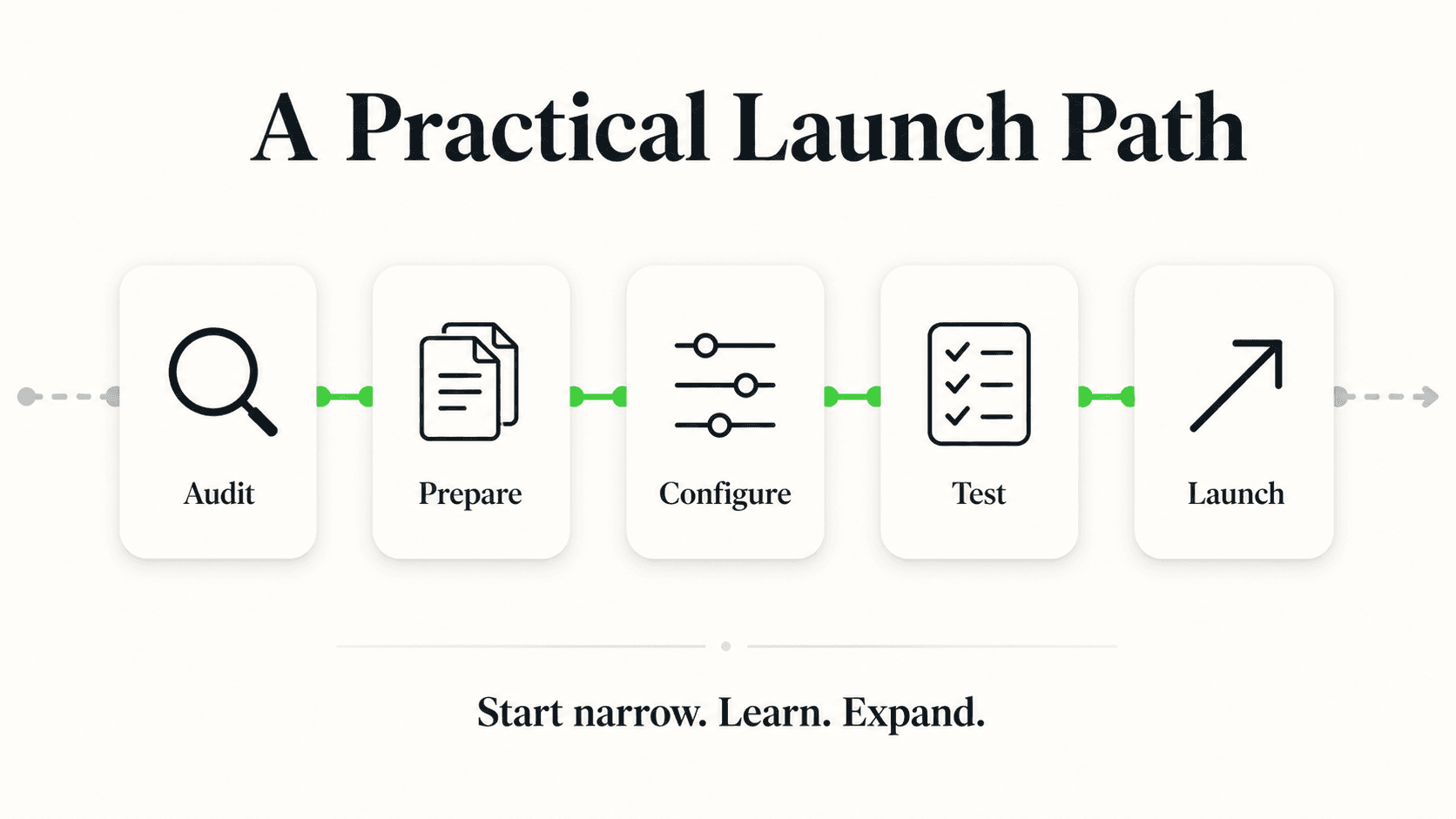
Week 1 — Document your knowledge base:
- Upload your accepted-insurance-plans list, new-patient pricing, and first-visit expectations
- Add your aftercare / post-adjustment FAQ document
- Write clear escalation rules: anything describing symptoms, pain severity, or a new injury routes to your team
Week 2 — Configure channels and the lead form:
- Add the chat widget to your website
- Connect WhatsApp Business, Instagram DM, and/or Facebook Messenger depending on where your patients already message you
- Set up the lead form fields (name, phone, reason for visit) and team notifications
Week 3 — Connect your booking:
- Connect Calendly or Cal.com so the chatbot can offer open times and book them on Pro and Max (or add your practice-management booking link for it to share)
- Test the full flow: FAQ question, insurance question, a test booking, and an escalation scenario (a message describing symptoms) to confirm it routes to your team instead of attempting to answer
Week 4 — Launch and monitor:
- Soft-launch to your website first, then add messaging channels
- Review the first two weeks of conversations to catch any question types your knowledge base is missing
- Expand your documentation as new question patterns emerge
Start Non-Clinical, Stay Non-Clinical
The highest-ROI use cases for a chiropractic chatbot — insurance FAQs, new-patient pricing, booking, general aftercare questions — never require the chatbot to handle protected health information or make a clinical judgment. Keep it that way. If you're evaluating compliance requirements for a deployment that would touch PHI, read our HIPAA-compliant chatbot guide before expanding scope.
Frequently Asked Questions
Will an AI chatbot diagnose or assess a patient's condition?
No. An AI chatbot for a chiropractic clinic should never diagnose, assess, or triage symptoms. If a patient describes pain, an injury, or any clinical concern, the correct behavior is to route them to the clinic's team rather than offer guidance. Hyperleap AI's chatbots are configured to route clinical questions, not answer them, and this boundary should be a non-negotiable part of any chiropractic deployment.
Can the chatbot verify my insurance coverage?
No. The chatbot can tell a patient which insurance plans the clinic generally accepts, based on information your team has provided, but it does not perform real-time eligibility checks with an insurer. Any deployment should make clear that coverage details are confirmed by clinic staff, not guaranteed by the chatbot's answer.
How much does an AI chatbot for a chiropractic clinic cost?
Hyperleap AI's plans start at $40/month (Plus), $100/month (Pro), and $200/month (Max), each with a 7-day free trial (credit card required, no free plan). Most single-location chiropractic clinics start on the Plus or Pro plan depending on message volume and how many staff need admin access. Add-ons like OTP verification or Multi-variant (locations, courses, etc) are priced and available separately on eligible plans.
Does the chatbot replace my front desk staff?
No. It handles the repetitive, high-volume questions — insurance plans accepted, first-visit expectations, booking new patients, routine aftercare FAQs — so your staff can spend their time on patients in the office, complex scheduling situations, and anything that needs a human judgment call. Think of it as covering the hours and question types your team already wishes it didn't have to repeat.
Is a chiropractic chatbot HIPAA compliant?
Hyperleap AI is built non-PHI by design for healthcare-adjacent use cases: a lead form collects contact details before any conversation, answers come from documents rather than clinical records, and anything clinical is routed to your team instead of answered in chat. That said, Hyperleap AI does not offer a Business Associate Agreement — if your intended use case requires PHI to flow through the chatbot itself, you need a vendor that signs a BAA. See our full HIPAA-compliant chatbot guide for the details, or compare platforms in our best AI chatbots for healthcare roundup.
What channels can patients use to message the clinic?
Website chat widget, WhatsApp Business, Instagram DM, and Facebook Messenger — all answered from the same knowledge base with consistent answers. Voice and SMS are not currently supported channels; both are on the roadmap.
How long does it take to set up?
Most single-location practices can have a working chatbot live within two to four weeks: uploading knowledge documents, configuring channels and the lead form, connecting your booking calendar, and testing escalation flows. No coding or IT team is required — if your practice can write an FAQ document, you can build the knowledge base.
Can the chatbot help reduce no-shows?
Yes, indirectly. By making it easy for patients to reschedule via a shared booking link and by answering "when is my appointment" questions instantly through chat, the chatbot removes some of the friction that leads to forgotten appointments. It works alongside — not instead of — your existing reminder system.
The Chiropractic Front Desk, Covered After Hours
The chiropractic clinics winning new patients right now aren't necessarily the ones with the best reviews or the lowest cash rate — they're often just the ones who answer first. A prospective patient researching at 9pm shouldn't have to wait until Monday morning to find out whether you take their insurance or how to book a first visit.
An AI chatbot built for chiropractic practices closes that gap without overstepping into clinical territory: it answers from your own documentation, gets patients booked, captures every after-hours inquiry through a lead form, and routes anything that sounds like a symptom straight to your team. That's the whole job — covering the routine so your chiropractors can focus on the patients in front of them.
If you're building out a broader plan for your practice's use of AI Agents, our chiropractic AI agents page covers the full feature set, channels, and pricing for chiropractic-specific deployments.
Ready to Cover After-Hours Inquiries?
See how a chiropractic chatbot answers insurance and new-patient questions, books new patients, and routes clinical questions to your team — start your free trial.
Get StartedIndustry Solutions
See how AI chatbots work for these industries:
Related Articles

Automate Patient Appointment Scheduling (2026)
A step-by-step guide to automating appointment booking, reminders, and rescheduling while maintaining the personal care patients expect.
AI Receptionist for Veterinary Clinics: A Guide
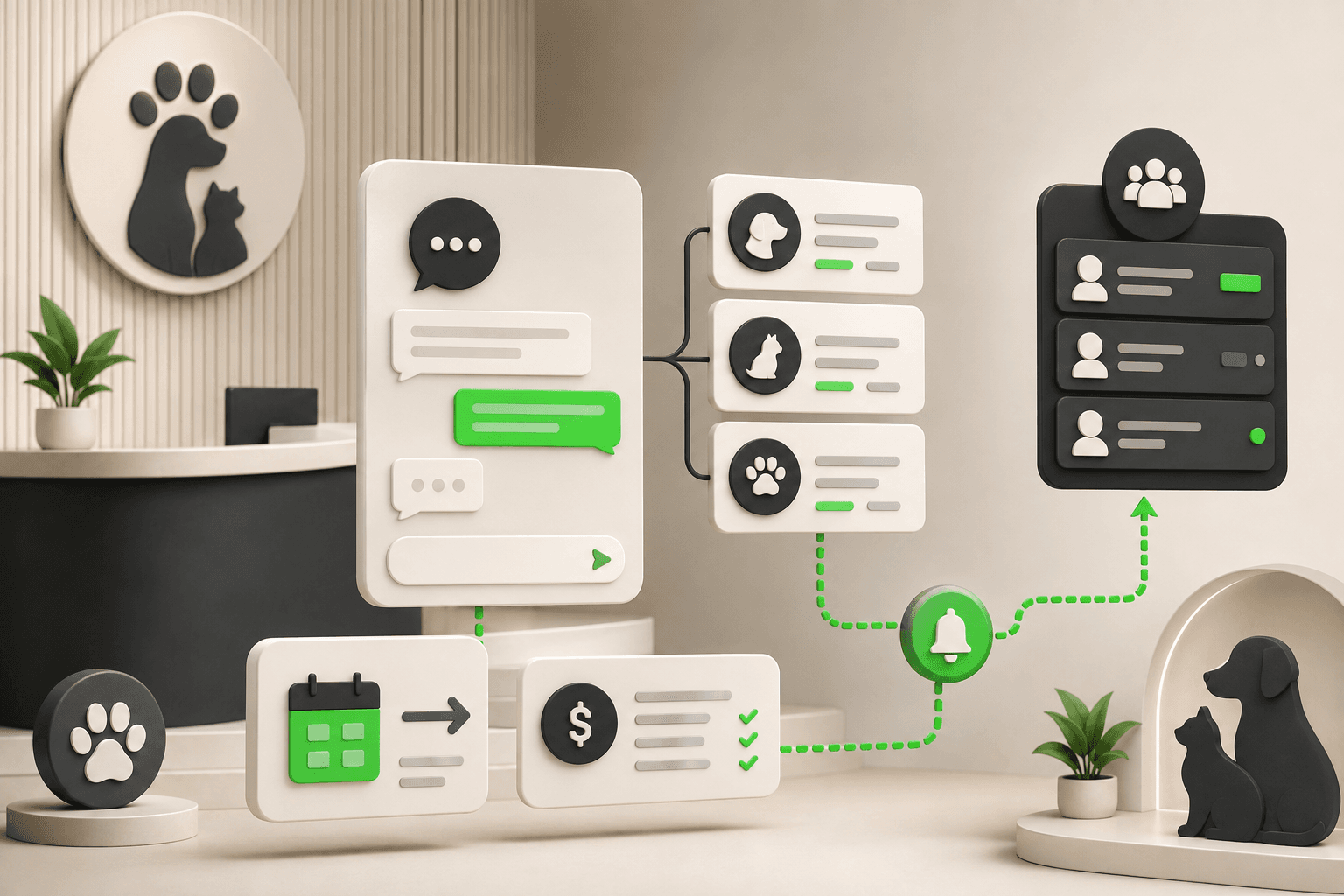
An AI receptionist for veterinary clinics answers intake and pricing questions, routes emergencies to your team, and shares your booking link 24/7.

AI Chatbot for Therapy Practices: Respectful Intake
How AI chatbots handle therapy intake logistics — phone tag, forms, scheduling — while clinical work stays with your therapists.
AI Receptionist for Dental Clinics: Safe Emergency Routing
How dental clinics use AI receptionists to answer FAQs, book appointments, and route emergencies to the on-call team — without clinical triage.