AI Chatbot for Wedding Venues: Handling Inquiries
See how an AI chatbot for wedding venues answers date, capacity, and pricing questions after hours, qualifies couples, and shares your tour link.
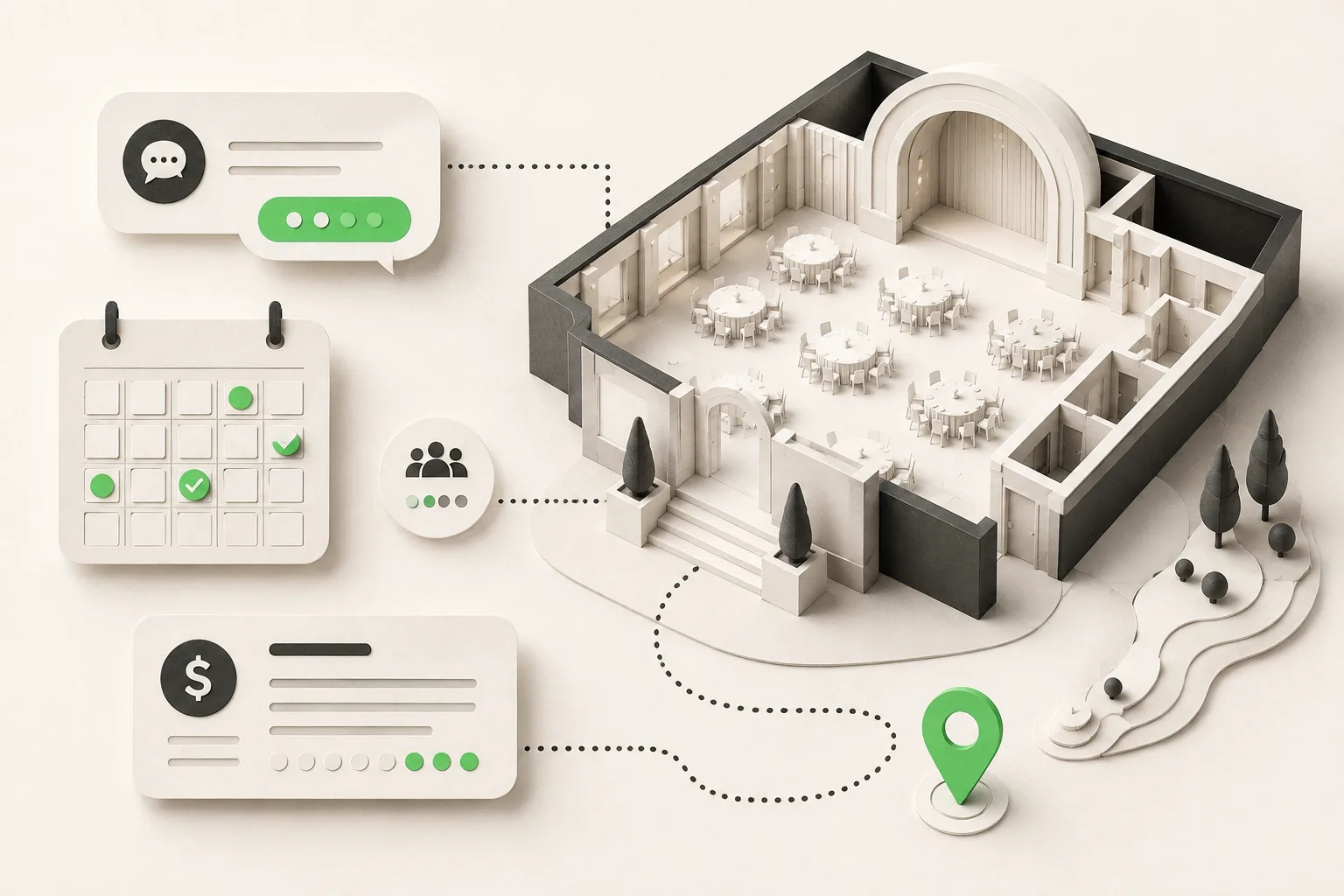
A wedding venue's busiest hour is often 9 PM to midnight — the window when a couple finally sits down together, opens six venue websites in six tabs, and starts asking questions. An AI chatbot for wedding venues answers those questions immediately from your own pricing sheets and package details, collects the date, guest count, and budget range every venue needs to qualify a lead, and shares your tour-booking link — all before your events coordinator is back at her desk. It does not check your calendar or hold a date; it routes qualified inquiries to your team with a clean summary. Channels: your website widget, WhatsApp, Instagram DM, and Facebook Messenger.
Couples don't shop for a wedding venue during business hours. They browse Instagram for inspiration after dinner, compare venues side by side late at night, and message the ones that feel most responsive first. If your venue's only way to answer "do you have our date?" is a contact form that gets checked the next morning, you're losing the couples who move fastest — and in wedding sales, the venue that responds first is often the venue that gets the tour booked.
This guide covers how an AI front desk handles wedding venue inquiries specifically: the honest way it deals with date-availability questions (it doesn't sync to your calendar — more on that below), how it qualifies a couple on guest count and budget before your team spends an hour on the phone, and how it fits alongside the humans who actually run your venue. If you're weighing venue technology more broadly, AI agents for event planning businesses covers the wider vendor-coordination picture, and AI agents for hospitality businesses covers the adjacent category of hotels and resorts running similar after-hours inquiry volume. For the mechanics of running this on WhatsApp specifically, see WhatsApp booking automation for wedding venues; the underlying qualification pattern is the same one covered in event planning lead qualification and catering inquiry qualification, for venues that also field in-house catering questions. Other service businesses run the same after-hours pattern — see how it plays out for restaurants and veterinary clinics.
What Is an AI Chatbot for Wedding Venues?
An AI chatbot for wedding venues is a messaging-based AI agent that answers a couple's first-contact questions from the venue's own pricing, packages, and policy documents, then captures the details your events team needs to follow up. It is not a generic FAQ widget — it is built to run a qualification conversation, not just answer one question and stop.
For a wedding venue, that means the AI should do four things well:
- Answer capacity, pricing-range, and package questions from the documents you attach — square footage, seated vs. standing capacity, what's included in each package tier, and typical price bands by season.
- Collect the date, guest count, and budget range a couple has in mind, without pretending to know whether that date is actually free.
- Share your tour-booking link so the couple can put themselves on your calendar the moment they're ready, rather than waiting for a callback.
- Route the qualified inquiry to your events team by email, with a clean summary instead of a raw form submission buried in an inbox.
This differs from a static contact form in one important way: a form collects information and waits. An AI chatbot answers the couple's actual questions in the moment — "what's included in the garden package," "do you allow outside catering," "is there a bridal suite" — and only asks for contact details once it has already been useful. That ordering matters for conversion: a couple who's gotten a real answer is far more likely to leave their information than one who's staring at a blank form.
It doesn't check your calendar — and that's by design
Venues ask us this constantly: can the AI just tell a couple whether June 14th is open? It can't, and no vendor should tell you otherwise without a live two-way calendar sync, which introduces its own risk of double-booked dates. Hyperleap's AI explains your booking process and typical lead times, collects the date the couple has in mind along with their contact details, and shares your tour-booking link — your events coordinator confirms actual availability and holds the date. The AI's job is to make sure that inquiry reaches your coordinator fast and complete, not to replace the calendar check.
Why Wedding Venues Lose Inquiries to Faster Competitors
The after-hours research window
Wedding planning happens on evenings and weekends, not during a venue's Monday-through-Friday office hours. A couple comparing five venues on a Tuesday night will message the ones with an instant reply and move on from the ones that only offer a contact form. If your venue's fastest response time is "next business day," you are structurally slower than any competitor running 24/7 chat coverage.
The qualification gap wastes coordinator time
Without qualification up front, every inquiry — whether it's a serious couple with a 150-guest budget or someone just browsing prices for a backyard ceremony — lands in the same inbox and gets the same follow-up call. An AI chatbot that asks date, guest count, and budget range before the human conversation starts means your coordinator spends her first call with a couple who's already a fit, not screening out mismatches.
Instagram DMs are a real inquiry channel, not a side channel
Wedding venues get a meaningful share of first-contact messages through Instagram DM — a couple sees a styled-shoot photo and messages the account directly, often before ever visiting the website. A venue with no coverage on that channel is invisible to that inquiry entirely. Hyperleap's AI runs on the same Instagram Business account you already use for venue photos, so those DMs get answered with the same pricing and package information as a website chat.
Seasonal surge overwhelms a small team
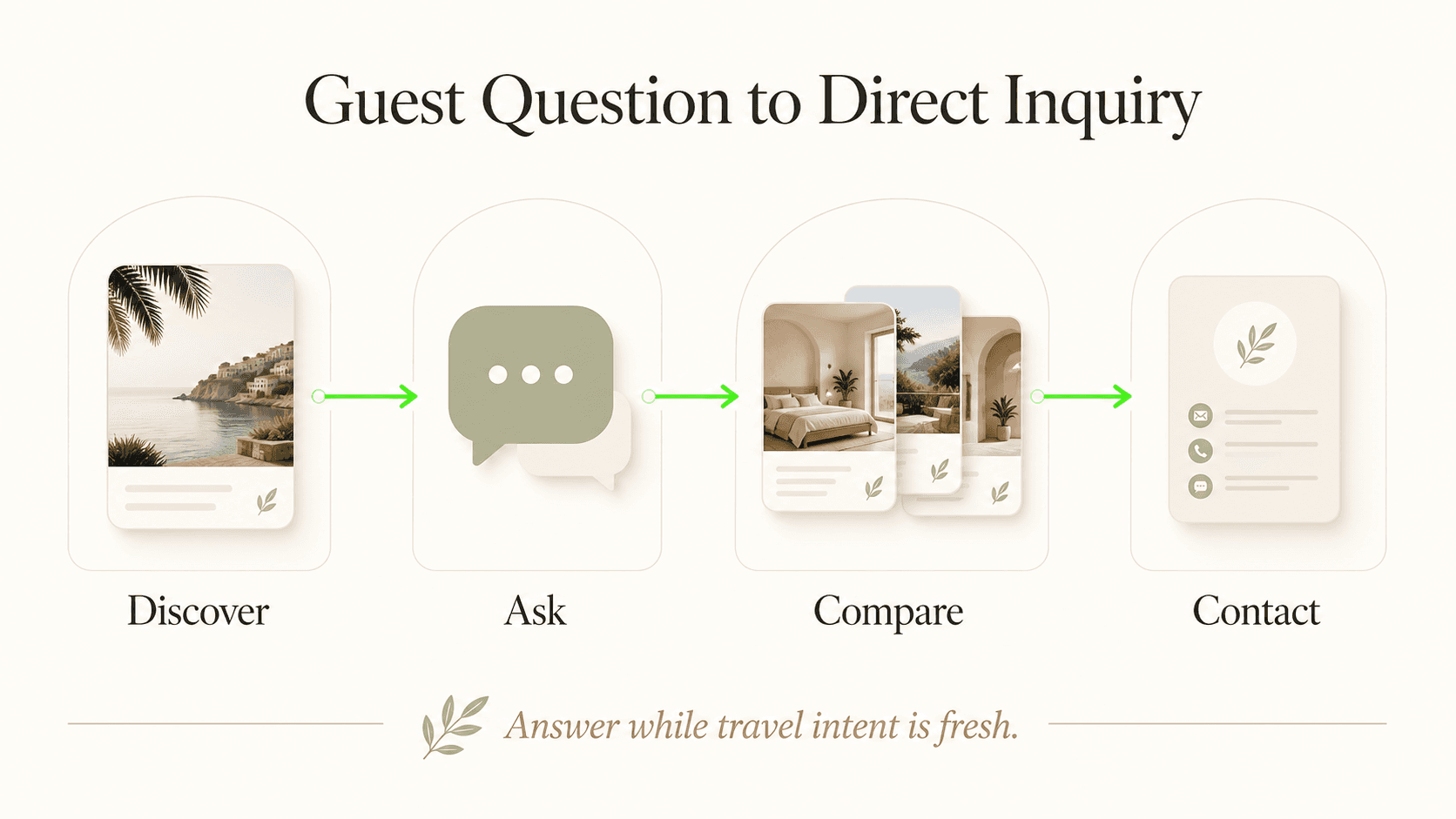
Engagement season (late December through February, per most wedding-industry planning calendars) and peak wedding-planning months bring a spike in inquiries that a two- or three-person events team can't answer in real time without dropping other work. An AI front desk absorbs the repetitive first-contact questions during a surge so your team's time goes to the couples who are ready to book a tour, not to answering "what's your capacity" for the fortieth time that week.
7 Ways an AI Chatbot Handles Wedding Venue Inquiries
1. Answering Capacity and Layout Questions
What this looks like in practice: A couple messages at 10 PM asking whether the venue can seat 180 guests for a reception with a dance floor. The AI answers from your floor-plan and capacity documents — seated capacity, standing capacity, ceremony vs. reception configurations — instead of leaving the couple to guess from photos alone.
Why it works: Capacity is one of the first filtering questions a couple asks, and getting a precise answer immediately keeps them engaged instead of moving to the next tab.
Key features:
- Answers pulled from your attached floor plans and capacity sheets
- Distinguishes ceremony, reception, and combined-space capacity
- Flags when a guest count exceeds your venue's maximum, honestly
2. Explaining Package Tiers and What's Included
What this looks like in practice: The AI walks a couple through your package structure — what's bundled (tables, chairs, basic linens) versus what's an add-on (upgraded lighting, extended hours) — using the exact language and pricing bands from your rate sheet.
Why it works: Couples compare venues on "what's actually included," not just the headline price. A clear, accurate answer here builds trust before a human is even involved.
Key features:
- Package comparisons drawn from your documents, never invented
- Seasonal and day-of-week pricing bands where you've published them
- Add-on and upgrade explanations (catering, florals, AV)
3. Collecting the Date and Routing the Availability Question Honestly
What this looks like in practice: When a couple asks about a specific date, the AI does not claim to check your calendar. It explains your typical booking lead time, collects the date along with the couple's name and contact details, and tells them your events coordinator will confirm availability.
Why it works: Setting the expectation correctly avoids the worst outcome in venue sales — a couple believing a date is confirmed when it isn't. Honesty here protects the relationship from day one.
Key features:
- No calendar-sync claims; the AI does not hold or confirm dates
- Structured capture of desired date, backup dates, and flexibility
- Immediate handoff to your team for the actual availability check
4. Qualifying on Guest Count and Budget Range
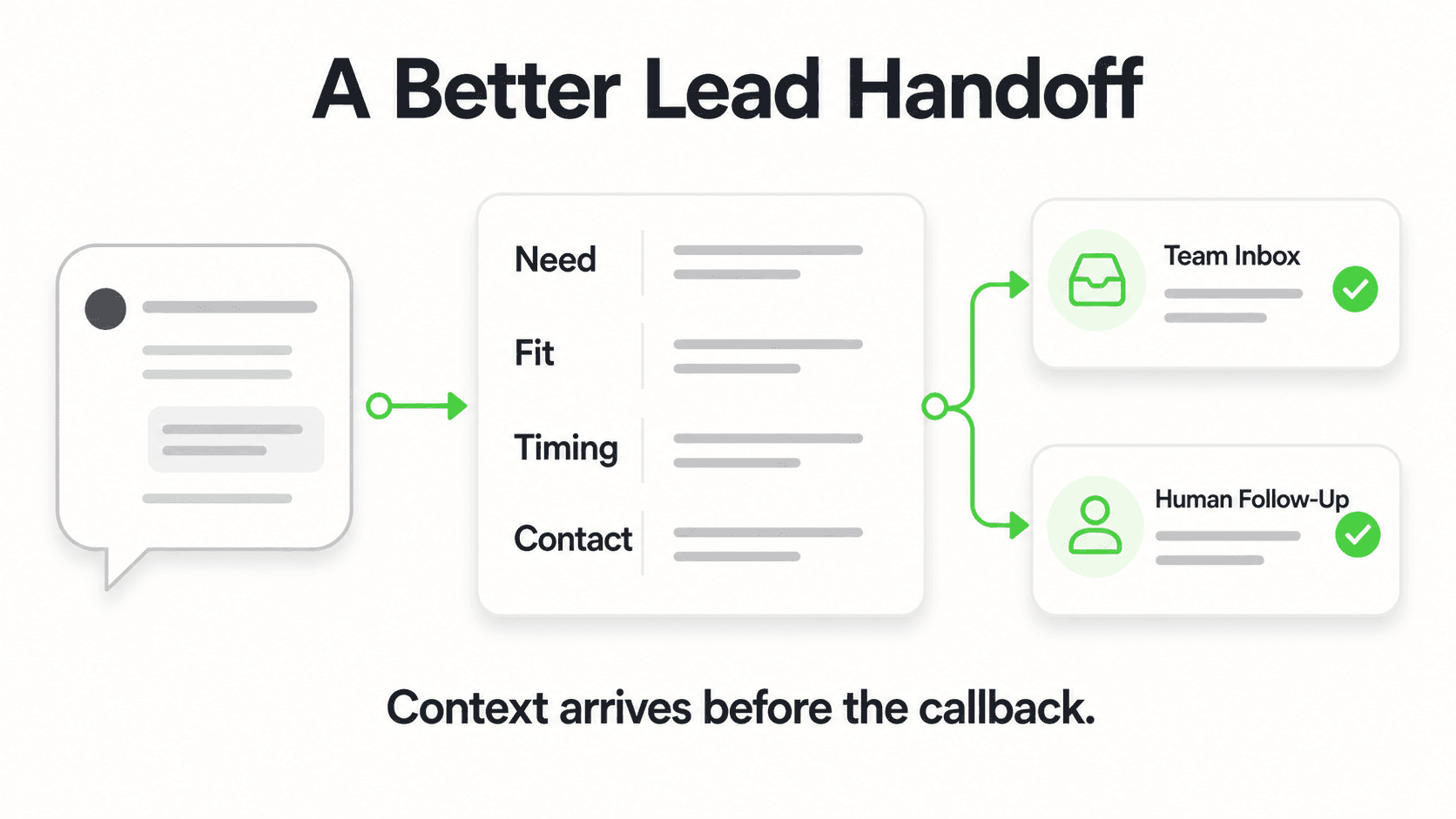
What this looks like in practice: Before the conversation ends, the AI has captured approximate guest count and budget range — the two data points your coordinator needs to know whether this couple is a realistic fit for your venue before spending an hour on a discovery call.
Why it works: A venue that seats 250 doesn't want to spend a Saturday morning touring a couple planning a 40-guest ceremony, and vice versa. Early qualification routes the right leads to the right follow-up.
Key features:
- Guest count and budget range captured conversationally, not via a rigid form
- Mismatches (too small, too large, out of budget) flagged for your team rather than silently dropped
- Every inquiry — matched or not — still reaches your inbox for a human decision
5. Booking Venue Tours in the Chat
What this looks like in practice: Once a couple is engaged and qualified, the AI books the tour right in the chat. With Calendly or Cal.com connected (Pro and Max), it offers real open tour times and confirms the one the couple picks, and they get the calendar invite by email; on Plus, or with your own scheduling page, it shares that link instead. Either way, nobody waits for a callback.
Why it works: Momentum matters in wedding sales. A couple who's excited at 9 PM and can book a tour slot immediately is far more likely to follow through than one who's told "someone will call you tomorrow."
Key features:
- In-chat tour booking through Calendly (Standard plan or higher) or Cal.com on Pro and Max; booking-link sharing on Plus or for any other scheduling tool — tour slots only, never your wedding-date calendar
- Works identically across website chat, WhatsApp, and Instagram DM
- Paired with a plain summary of what to expect at the tour
6. Answering Vendor and Catering Policy Questions
What this looks like in practice: Couples ask about outside catering rules, preferred vendor lists, alcohol policies, and whether they can bring in their own DJ or florist. The AI answers from your policy documents so these logistics questions don't require a phone call.
Why it works: Vendor policy is a frequent point of confusion and a common reason couples eliminate a venue — answering it clearly and quickly removes friction before it becomes an objection.
Key features:
- In-house vs. outside-vendor policy explained clearly
- Alcohol, catering, and rain-plan policies pulled from your documents
- Escalates ambiguous or negotiable requests (e.g., a vendor exception) to your team
7. Handing Off to Your Events Team with a Clean Summary
What this looks like in practice: Every qualified conversation ends with an email to your events team — couple's name, contact details, desired date, guest count, budget range, and a summary of what was discussed — instead of a raw chat transcript your coordinator has to parse.
Why it works: Your team's time is the scarcest resource in a small events operation. A clean, structured handoff means the first human touchpoint is a warm follow-up call, not a cold re-ask of everything the couple already said.
Key features:
- Structured email summary per inquiry, sent in real time
- Multi-channel inbox in Studio so nothing gets lost across website, WhatsApp, and Instagram
- Human team makes every real decision — availability, exceptions, final pricing
Integration Requirements to Evaluate
Venues researching this category often ask whether an AI chatbot syncs with their calendar or venue-management software to show real-time availability. As of today, it does not — and any vendor claiming a live two-way calendar sync is a claim worth verifying carefully, since a broken sync can create the exact double-booking risk venues are trying to avoid. What Hyperleap does offer is a REST API and webhooks, so a venue's own team or a technical partner can build a connection into other systems where one is genuinely needed. For most venues, the simpler and more reliable pattern is the one described throughout this guide: the AI collects the couple's desired date and details, and a human confirms actual availability — a deliberate checkpoint, not a missing feature.
Real Results: What Wedding Venues Are Achieving
Response speed
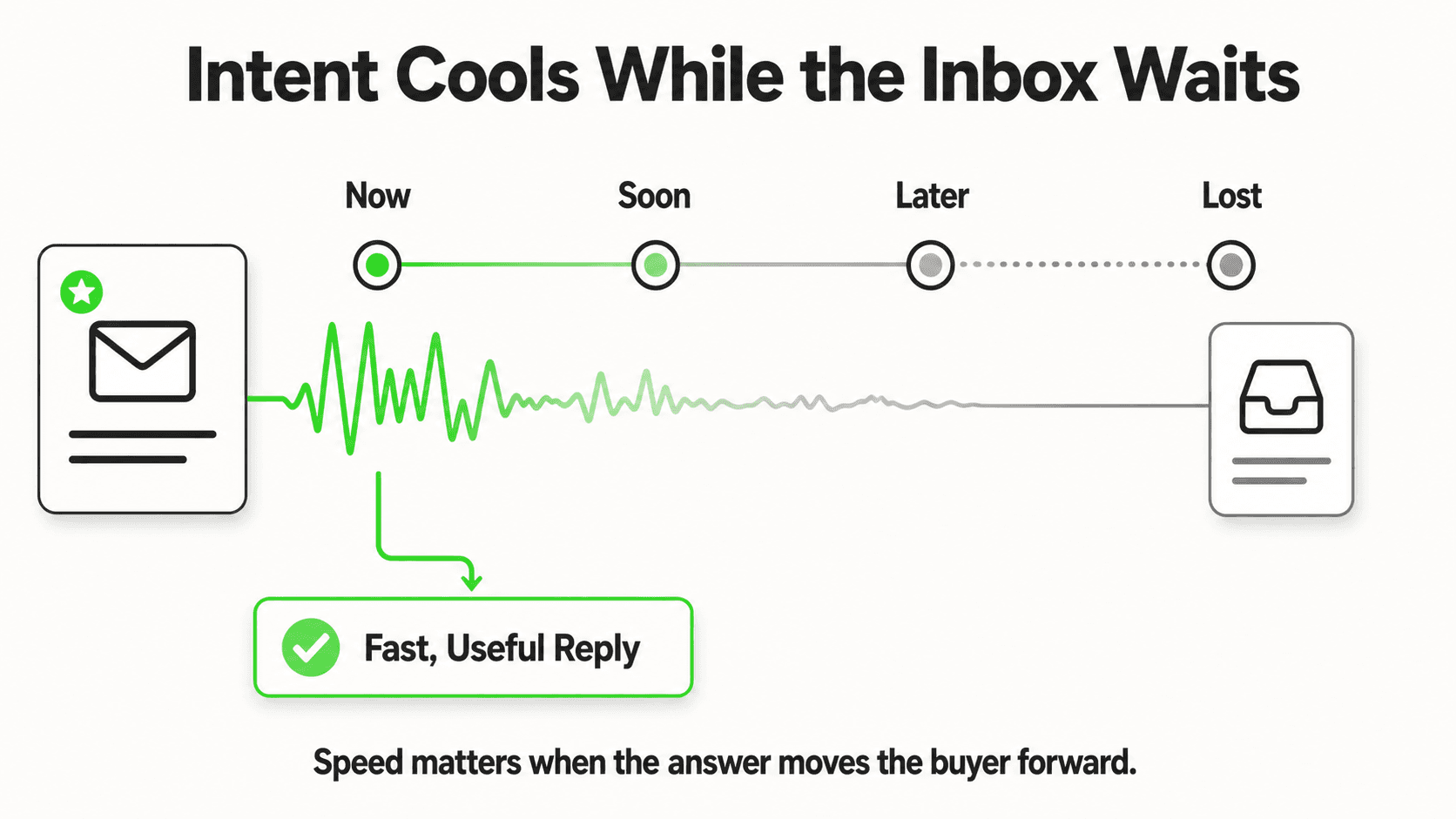
- Couples get an answer to capacity and pricing questions in seconds instead of waiting until the next business day
- After-hours and weekend inquiries — a large share of wedding research activity — get the same instant response as a Tuesday afternoon message
- No inquiry sits unanswered over a venue's closed days
Coordinator time
- Coordinators spend less time re-answering the same capacity and pricing questions and more time on tours and contracts
- Qualification data (guest count, budget) arrives before the first call, shortening discovery conversations
- One team member can cover Instagram DM, WhatsApp, and website chat from a single inbox instead of monitoring three apps
Competitive positioning
- A venue answering instantly at 9 PM looks more organized and in-demand than one replying two days later
- Consistent, accurate pricing answers reduce the back-and-forth that stalls a couple's decision
Illustrative example, not a guarantee
A mid-sized venue booking 40–60 weddings a year that currently answers inquiries only during business hours can expect a meaningful share of its total inquiry volume to arrive outside those hours — the exact proportion varies by market and season. The value of covering that window is in not losing those couples to a faster-responding competitor, not in a specific percentage lift. Treat any ROI framing here as illustrative, not a promised outcome.
Getting Started: A Step-by-Step Guide
- Gather your core documents. Pricing sheet, package tiers, capacity/floor plans, vendor policy, and your tour-booking link. These become the source the AI answers from — it will not invent details you haven't given it.
- Paste your website URL into Studio. The quick-start path reads your site, imports branding, and drafts a starting prompt automatically — live in under 5 minutes for the initial setup. Attaching your full documents and refining answers is tuning you do afterward, not a blocker to going live.
- Connect your channels. Add the website widget script tag, then connect WhatsApp Business, Instagram DM, and Facebook Messenger so all three run from one Studio inbox.
- Write your qualification guardrails. Decide what counts as a "qualified" inquiry for your venue (minimum guest count, budget floor) so the AI flags mismatches for your team rather than treating every inquiry identically.
- Test with real questions. Message it as a couple would — ask about a specific date, a guest count near your capacity limit, and an outside-catering scenario — and refine the prompt based on what comes back.
- Review the first two weeks of handoffs. Check the email summaries your team receives and adjust what details get captured before the human follow-up call.
See how it handles your first inquiry
Paste your venue's website and watch the AI answer a capacity and pricing question the way a real couple would ask it.
Try It FreeFrequently Asked Questions
Can an AI chatbot tell a couple if a specific wedding date is available?
No. The AI does not check your venue's calendar and cannot confirm date availability. It explains your booking process and typical lead times, then collects the date the couple has in mind along with their contact details so your events coordinator can confirm availability and hold the date. This honesty prevents the worst outcome — a couple believing a date is locked in when it isn't.
Does the AI book tours or hold appointment slots?
It books tours, yes, on Pro and Max. Connect Calendly or Cal.com and the AI shows your live tour availability and books the slot the couple chooses in the conversation (Calendly needs the Standard plan or higher for in-chat booking); on Plus, or with any other scheduling page, it shares your booking link. It does not hold wedding dates or write to your venue calendar, and it can't cancel or reschedule a tour — couples use the links in their confirmation email.
What channels does an AI chatbot for wedding venues cover?
Your website chat widget, WhatsApp, Instagram DM, and Facebook Messenger — all from a single inbox in Studio. Instagram DM matters especially for wedding venues, since many couples message directly from a venue's Instagram account after seeing styled-shoot photos, before ever visiting the website.
How does the AI handle pricing questions without giving a couple a firm quote?
It explains package tiers, what's included at each level, and typical price ranges from the pricing documents you attach. For a firm, date-specific quote, it collects guest count, budget range, and desired date, then routes the inquiry to your events team, since final pricing often depends on availability and season.
Will this replace our events coordinator?
No. The AI handles the repetitive first-contact questions — capacity, packages, general pricing, vendor policy — so your coordinator's time goes to tours, contract conversations, and the couples who are ready to book. Every real decision, including availability and final pricing, stays with your team.
How long does it take to set up for a wedding venue?
The quick-start path is live in under 5 minutes: paste your website URL, and Studio reads it, imports your branding, and drafts a starting prompt automatically. The remaining step is adding one script tag. Attaching your full pricing sheets, floor plans, and vendor policies — and writing guardrails around what counts as a qualified lead — is tuning you do afterward.
What does it cost?
Hyperleap AI plans start at $40/month (Plus), with Pro at $100/month and Max at $200/month, each on a 7-day free trial that requires a credit card. See pricing for what's included at each tier — chatbot count, response volume, and team seats scale with plan. For a fuller breakdown of what an AI front desk costs relative to staffing options, see AI receptionist cost. For the underlying mechanics of how the AI itself works, see how does an AI receptionist work.
The Front Desk Wedding Venues Have Been Missing
Couples don't stop researching venues just because your office closed for the night. An AI front desk means the venue that answers first — with real capacity numbers, accurate pricing, and a working tour link — is yours, not the competitor down the road who left the inquiry sitting in a form submission until Monday.
It isn't a replacement for your events team. It's the front-desk layer that catches every inquiry, qualifies it honestly, and hands your coordinator a warm lead instead of a cold form. If you're ready to see how it handles your specific packages and policies, the fastest way to find out is to try it against your own website.
Answer every couple's first question, instantly
See how the AI front desk for wedding venues handles capacity, pricing, and date questions — and shares your tour link — across website, WhatsApp, and Instagram DM.
Get Started FreeIndustry Solutions
See how AI chatbots work for these industries:
Put this into practice
Related Articles
Hotel Event-Space Enquiries: Build a Useful Brief
Collect useful hotel meeting-space enquiries with layout, attendance, equipment and catering prompts, without implying a venue reservation.
Wedding Venue Tour Enquiries: A Question Pack
Prepare better wedding venue tours with questions on date flexibility, guest range, event shape and priorities, plus a copy-ready host handoff.
Hotel Group Enquiry Scripts: From Question to Handoff
Use practical hotel group enquiry scripts to gather dates, room needs and event context, then hand a clear brief to your reservations team.

AI Front Desk Leads to CSV: A Follow-Up Workflow
Turn a chatbot lead export into a usable follow-up list with field checks, careful deduplication, clear ownership and a synthetic CSV example.