How Does an AI Receptionist Work? Step-by-Step Guide
How an AI receptionist works step by step: lead form, RAG-grounded answers, qualifying questions, booking links, and owner alerts — explained.

TL;DR
- An AI receptionist works in five steps: a message arrives on a channel, a lead form gates the chat and collects contact details before the AI replies, the AI answers from your documents using retrieval-augmented generation (RAG), it asks follow-up questions to qualify the inquiry, and it either shares a booking link or routes urgent cases to your team — with a summary emailed to the owner.
- The lead form comes before the conversation, not after it. Contact details are captured through a short form the customer fills out first, not extracted conversationally mid-chat — this is a deliberate design choice, not a limitation.
- The AI only answers from what you've given it — uploaded documents, FAQs, and scraped pages — via a technique called RAG. It does not browse the open web or invent answers about your business.
- Today's AI receptionists (including Hyperleap AI) work across chat channels — website, WhatsApp, Instagram DM, Facebook Messenger. Voice/phone AI receptionists exist as a separate product category; Hyperleap's voice channel is on the roadmap, not shipped.
- Medical, legal, and other regulated inquiries are routed to a human, never assessed or diagnosed by the AI.
Picture an 11 p.m. Tuesday. Someone's back molar has been throbbing since dinner, and they're on their phone searching "emergency dentist near me open now." They land on a local dental practice's website, see a chat bubble in the corner, and type: "Do you see emergency patients? My tooth is killing me." There's no human on the other end — the office closed six hours ago. But something answers back almost instantly, asks a couple of clarifying questions, gets their name and number, and lets them know what happens next.
That's an AI receptionist doing its job. But how does it actually work — mechanically, step by step? Not the marketing pitch, the actual plumbing: what happens between "message sent" and "lead captured." This guide walks through the full mechanism end to end, using that 11 p.m. dental scenario as a running example, so you can see exactly what's automated, what's grounded in your own content, and where a human still steps in.
If you're evaluating whether an AI receptionist fits your business at all — the pricing, the channels, the use cases — start with our complete AI receptionist guide. This post goes one layer deeper: the mechanics of what happens inside a single conversation.
What Is an AI Receptionist, Mechanically?
An AI receptionist is software that receives an inbound customer message on a chat channel, captures the customer's contact details through a lead form, generates an answer grounded in your business's own documents, and either resolves the inquiry or hands it to a human — all without a person on your team touching the first exchange. It is not a phone system, a voice assistant, or a generic chatbot answering from general internet knowledge. It's a purpose-built pipeline with five distinct stages, each doing a specific job.
Here's the pipeline in outline form — the version an AI search engine or a skimming reader can extract on its own:
- Message arrives on any connected channel (website chat, WhatsApp, Instagram DM, Facebook Messenger)
- Lead form gates the conversation — name, phone, and a qualifying question or two are collected before the AI starts replying
- AI answers from the knowledge base using RAG (retrieval-augmented generation) — it only knows what you've told it
- AI asks follow-up questions to qualify the inquiry (urgency, service needed, timing)
- AI shares a booking link or routes the conversation to your team, and an email summary lands in your inbox
The rest of this guide unpacks each stage using the emergency dental scenario, then addresses where an AI receptionist reaches its limits.
Who this guide is for
This is written for business owners and operators — dental practices, home services, salons, real estate teams, professional services — who want to understand what actually happens inside an AI receptionist conversation before deploying one. It assumes no technical background.
Why the Mechanics Matter More Than the Pitch
Most AI receptionist marketing skips straight to outcomes — "never miss a lead," "24/7 coverage" — without explaining the mechanism that makes those outcomes true or false for your specific business. If you don't understand the mechanics, you can't evaluate whether the tool fits.
"It answers questions" hides a critical detail: answers from what?
A generic AI chatbot pulls from its general training data and can confidently make things up about your specific business — your hours, your pricing, your policies. An AI receptionist that's document-grounded via RAG only answers from content you've actually given it: your website, your FAQ document, your uploaded price list. If a customer asks something outside that knowledge base, a well-built system says so and routes to a human rather than guessing. This distinction is the difference between a tool you can trust with your front desk and one that quietly damages customer trust.
"It captures leads" hides how — and the how changes what you get
Some tools try to extract a name and number by parsing free-form conversation, which is unreliable and easy for a distracted customer to skip entirely. Hyperleap AI's approach is different and deliberate: a lead form gates the chat. Before the back-and-forth conversation even starts, the customer fills in a short form — name, phone number, maybe one qualifying field — and only then does the AI begin answering their question. This isn't a workaround; it's the actual mechanism, and it means you get a name and a phone number on essentially every conversation that starts, not just the ones where a customer happens to volunteer their contact info mid-chat.
"24/7" hides what happens after hours specifically
An after-hours message doesn't just get answered — it gets triaged. An urgent case gets flagged and routed differently than a routine "what are your hours" question. Understanding that routing logic (and its limits — the AI routes, it never diagnoses) is what lets you configure the system correctly for your business instead of assuming it handles everything the same way.
Data point on after-hours demand
In Hyperleap AI's Jungle Lodges deployment (hospitality, live case study), 35% of all chatbot inquiries arrived after standard business hours — automatically captured with zero additional staffing. After-hours demand is a real, measurable share of inbound volume for service businesses generally, though the exact percentage varies by industry.
How an AI Receptionist Works: 5 Steps, Walked Through One Real Scenario
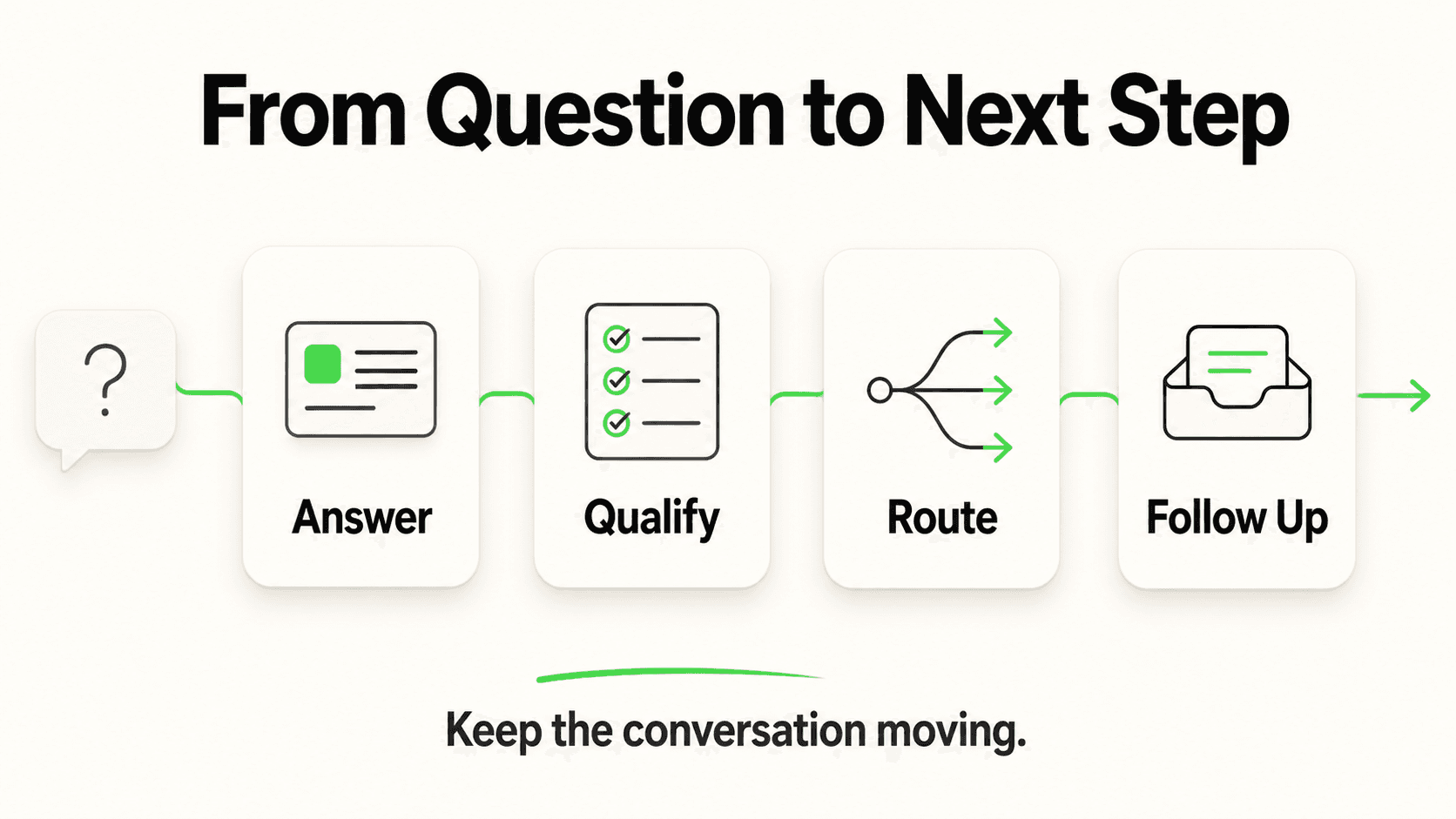
Let's follow that emergency dental inquiry from the first tap to the dentist's inbox the next morning. Each step below is a discrete, automatable stage — understanding the sequence is what lets you configure, trust, and troubleshoot an AI receptionist correctly.
1. The message arrives on a channel
What this looks like in practice: At 11:04 p.m., the patient taps the chat bubble in the corner of the dental practice's website and types their question. If they'd found the practice through Instagram instead, they'd message the practice's Instagram DM. If they were already a patient with the practice's number saved, they might message via WhatsApp. Same underlying AI, same knowledge base, same lead form logic — different entry point.
Why the channel matters: A growing share of customer inquiries now start as a typed message rather than a phone call, particularly for research-heavy, urgent situations where someone is comparing multiple providers quickly. An AI receptionist meets customers wherever that first message lands rather than requiring them to find a phone number and wait on hold.
What's shipped today: Website chat widget, WhatsApp Business API, Instagram DM, and Facebook Messenger — all four channels answer from the same knowledge base, and on Pro and Max the agent shares rich cards on all four (carousels on Instagram DM and Messenger). A voice/phone channel is not part of this pipeline; see the section below on how AI receptionists and voice AI differ.
2. The lead form gates the conversation
What this looks like in practice: Before the AI says anything beyond a greeting, the patient sees a short form: name, phone number, and maybe a one-line "what's going on?" field. They fill it in and submit — then the actual back-and-forth conversation begins.
Why it's built this way: This is the single most misunderstood part of how an AI receptionist works, so it's worth being precise. The lead form is not a courtesy step tacked on at the end of the conversation — it's the gate at the front of it. Contact details are collected upfront, deliberately, before the AI starts answering questions. This matters for two reasons: first, it guarantees you get a name and phone number on essentially every started conversation, rather than depending on a distracted or anxious customer (like someone in dental pain at 11 p.m.) to think to type their number partway through a chat. Second, it means your team can follow up on a conversation even if the customer closes the tab before finishing — you already have their contact details.
On messaging channels (WhatsApp, Instagram, Facebook), the form step is lighter — the platform already supplies the customer's phone number or profile, so the AI can skip straight to a qualifying question or two instead of a full form.
Optional add-on: For businesses that need higher-confidence lead validation — filtering out fake numbers or bot traffic — OTP-verified lead capture is available as a paid add-on on Pro and Max plans for website chat only, usage-based and billed separately from the base subscription.
3. The AI answers from the knowledge base (RAG, explained plainly)
What this looks like in practice: The patient asks, "Do you see emergency patients? My tooth is killing me." The AI doesn't guess. It searches the practice's own uploaded documents — an emergency-policy page, the FAQ, the "new patient" instructions — finds the relevant passage, and answers based on what it finds: yes, the practice holds emergency slots, here's what to expect, here's what information to have ready.
Why it works this way — RAG in plain English: Retrieval-augmented generation (RAG) is a technique where the AI retrieves relevant passages from your own documents before generating a response, rather than answering purely from its general training. Think of it like an employee who's required to check the staff handbook before answering a question, instead of guessing from memory. This is what makes the difference between "document-grounded responses" and a generic chatbot that might confidently invent your cancellation policy. It's designed to minimize hallucinated answers — not eliminate every possible error, since it's still generative AI — but grounding responses in your actual source content is the core mechanism that makes an AI receptionist trustworthy enough to run unsupervised at 11 p.m.
For businesses with several similar locations — a dental group with three offices, a franchise network — Hyperleap's Multi-variant (locations, courses, etc) add-on ($40/mo plus 2x credits per request, Pro and Max plans) answers from the location the customer asked about, so the AI doesn't mix up which hours belong to which office, and asks which one when they don't say. If you're curious how that works, see answering for the right location, or start with the fundamentals in our RAG chatbot guide.
What it can't do: If the practice never uploaded anything about weekend emergency hours, the AI won't invent an answer — a well-configured system says it doesn't have that information and routes the question to a human, rather than guessing.
4. The AI asks follow-up questions to qualify the inquiry
What this looks like in practice: After answering the emergency-patient question, the AI doesn't just stop — it asks a couple of qualifying questions: "Is the pain constant or does it come and go?" "Do you have any swelling?" "Are you a current patient or new to the practice?" These aren't clinical assessments; they're the same intake questions a front-desk person would ask to prioritize the morning schedule.
Why this step matters: Qualification is what turns a raw inquiry into an actionable lead. Without it, your team opens 20 messages in the morning with no sense of which ones are actually urgent. With it, the dentist's office manager can scan the leads list and immediately see which patient needs a callback before 9 a.m. and which one can wait for a routine appointment slot.
The hard boundary: The AI is gathering information to route and prioritize — it is not performing clinical assessment, diagnosis, or triage. "Is the pain constant or intermittent?" is a routing question, not a medical judgment. Anything that starts to look like a clinical decision gets escalated to the practice's team, not resolved by the AI. The same principle applies in legal, financial, and other regulated contexts: the AI routes, humans assess.
5. Booking link, routing, and the owner's email summary
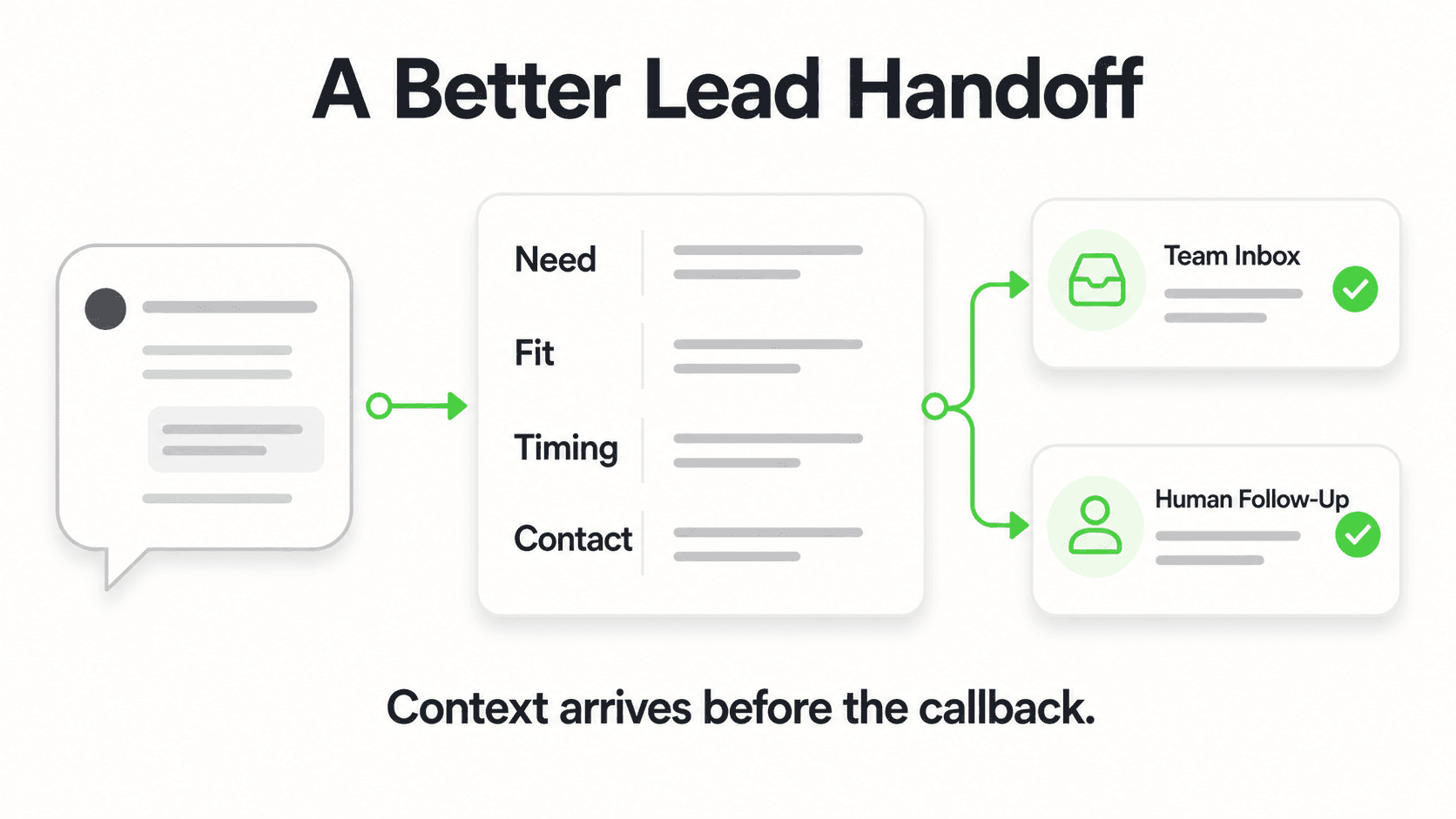
What this looks like in practice: Based on the answers, the AI does one of two things. If it's a routine question ("what are your hours"), it answers and, if the patient wants to book a cleaning, offers open times from the practice's Calendly or Cal.com calendar and books the slot in the chat on Pro and Max (or shares the booking link on Plus and for any other scheduling tool). If it's flagged as urgent — like this toothache — the AI tells the patient what to expect (a callback first thing in the morning, or where to go if it's a true emergency) and flags the conversation for priority follow-up. Either way, a summary of the conversation — contact details, what was discussed, urgency flag — lands in the office manager's inbox before she's even had coffee.
How booking works: On Pro and Max, Hyperleap AI connects natively to Calendly and Cal.com — it reads live availability and creates the booking through your scheduling tool, so that tool stays the single source of truth and the customer gets its calendar invite by email (in-chat booking needs Calendly Standard or higher). On Plus, or for any other scheduling tool, it shares your booking link inside the conversation.
Why the owner still gets a human touchpoint: Every conversation summary reaching a real inbox is the deliberate human-in-the-loop design. The AI handles volume and first response; your team handles judgment, empathy, and the actual appointment. By the time the office opens, there's a name, a phone number, a symptom description, and an urgency flag waiting — not a blank voicemail box.
See the lead form and RAG mechanism in action
Chat with Hyperleap's live demo AI receptionist to see the lead form gate, document-grounded answers, and routing logic firsthand.
Try the demoAI Receptionist vs Voice AI Receptionist: An Important Distinction
An AI receptionist answers text-based conversations across chat channels; a voice AI receptionist answers spoken phone calls using speech recognition and synthesized voice — they are built on different technology stacks and solve for different inbound channels, even though both get called "AI receptionist" in casual use.
The category has genuinely split in two over the past couple of years:
- Chat-based AI receptionists (like Hyperleap AI) live on your website, WhatsApp, Instagram DM, and Facebook Messenger. They read typed messages and reply in text, using RAG to ground answers in your documents, and they gate conversations with the lead-form mechanism described above.
- Voice AI receptionists answer live phone calls using speech-to-text, a language model, and text-to-speech to hold a spoken conversation. This is a genuinely different — and generally more complex — engineering problem: latency has to be near-instant for a call to feel natural, and the system has to handle interruptions, background noise, and accents in real time.
Both categories exist in the market today, and some vendors specialize in one, some claim both. To be precise about where Hyperleap AI sits: voice is on our roadmap, not a shipped capability. If the overwhelming majority of your inbound demand is phone calls — a real-estate emergency line, a plumber's after-hours dispatch number, a medical practice serving an older patient base that strongly prefers calling — a chat-only AI receptionist won't cover that channel, and you'll want either a dedicated voice AI vendor or a traditional phone answering service alongside it. We've written a full breakdown of AI receptionist vs answering service if that's the decision in front of you.
For businesses whose customers increasingly research and message before they call — which describes a large and growing share of service-business inquiries — the chat channels are often where the missed opportunity actually is, since a website visitor or WhatsApp message that goes unanswered simply leaves rather than waiting on hold.
Where AI Receptionists Reach Their Limits
An honest mechanics explainer has to cover what the system deliberately does not do, because those boundaries are part of the design, not a gap to apologize for.
- No clinical or legal judgment. The AI routes medical, legal, and other regulated inquiries to your team. It does not diagnose, assess severity, or offer legal advice — see the qualifying-questions section above.
- No calendar or PMS sync beyond Calendly and Cal.com. It doesn't sync Google Calendar or Outlook or write into practice-management systems, and it can't cancel or reschedule bookings.
- No payment processing. An AI receptionist doesn't take payments or process refunds — that stays with your existing payment system.
- No voice channel yet. As covered above, this is a chat-based system today.
- Answers are only as good as the documents you give it. RAG means the AI is grounded in your content — if your FAQ is thin or outdated, the AI's answers will be too. Keeping the knowledge base current is an ongoing task, not a one-time setup step.
- CRM connections go through API and webhooks, not native integrations. If you want captured leads flowing into Salesforce or HubSpot automatically today, that's built via Hyperleap's REST API and webhooks rather than a pre-built native connector (native integrations for major CRMs are in active development).
Getting Started: Setting Up the Mechanism Above
Understanding the five steps also tells you what to configure when you set one up. In practice, getting an AI receptionist running follows this rough sequence:
- Upload your knowledge base — your website content, FAQ document, service list, pricing sheet, and policies. This becomes what the RAG system retrieves from, so the more complete and current it is, the better step 3 works.
- Configure the lead form — decide which fields matter for your business (name and phone are standard; add a service-type dropdown or urgency field if it helps triage).
- Set routing rules — define what counts as "urgent" for your business and who on your team gets notified for each category.
- Connect your scheduling — connect Calendly or Cal.com so the AI can book in the chat (Pro and Max), or add a booking link for any other tool.
- Connect your channels — embed the website widget and connect WhatsApp, Instagram, and Facebook Messenger as relevant to where your customers actually are.
- Test it yourself — run a few sample conversations, including an edge case or two, before pointing real traffic at it.
Most of this takes under an hour for a straightforward setup; a no-code configuration means you don't need a developer to get the basic pipeline running. If you'd rather have it built for you, Managed Setup is offered $299 Free — Hyperleap's team configures the chatbot on your behalf. For a full cost breakdown against hiring, see our AI receptionist vs. hiring a receptionist cost comparison.
Data Sources
- Hyperleap AI Jungle Lodges case study (live deployment, 2024): 3,300+ leads captured in 90 days, 35% of inquiries arriving after business hours.
- Hyperleap AI product documentation and Content Claims Policy (internal, 2026).
Once you understand the mechanics, use the AI receptionist buyer's checklist to evaluate vendors side by side.
Frequently Asked Questions
Does the AI receptionist collect contact details before or during the conversation?
Before. Hyperleap AI's lead form gates the chat — the customer submits their name, phone number, and any qualifying fields through a short form first, and only then does the AI begin the actual back-and-forth conversation. This is a deliberate design, not a limitation, because it guarantees contact details are captured even if the customer doesn't finish the conversation.
What is RAG and why does it matter for an AI receptionist?
RAG (retrieval-augmented generation) is the technique that lets an AI receptionist answer from your specific business documents instead of generic training knowledge. The system retrieves relevant passages from your uploaded FAQ, website content, or policy documents, then generates a response grounded in what it found — which is what makes the answers accurate to your actual hours, pricing, and policies rather than plausible-sounding guesses.
Can an AI receptionist answer phone calls?
Not with Hyperleap AI today — it answers on your website chat widget, WhatsApp, Instagram DM, and Facebook Messenger. Voice/phone AI receptionists are a related but separate product category built on different technology (speech recognition and synthesis); a voice channel is on Hyperleap's roadmap but not currently shipped.
Does the AI diagnose medical issues or give legal advice?
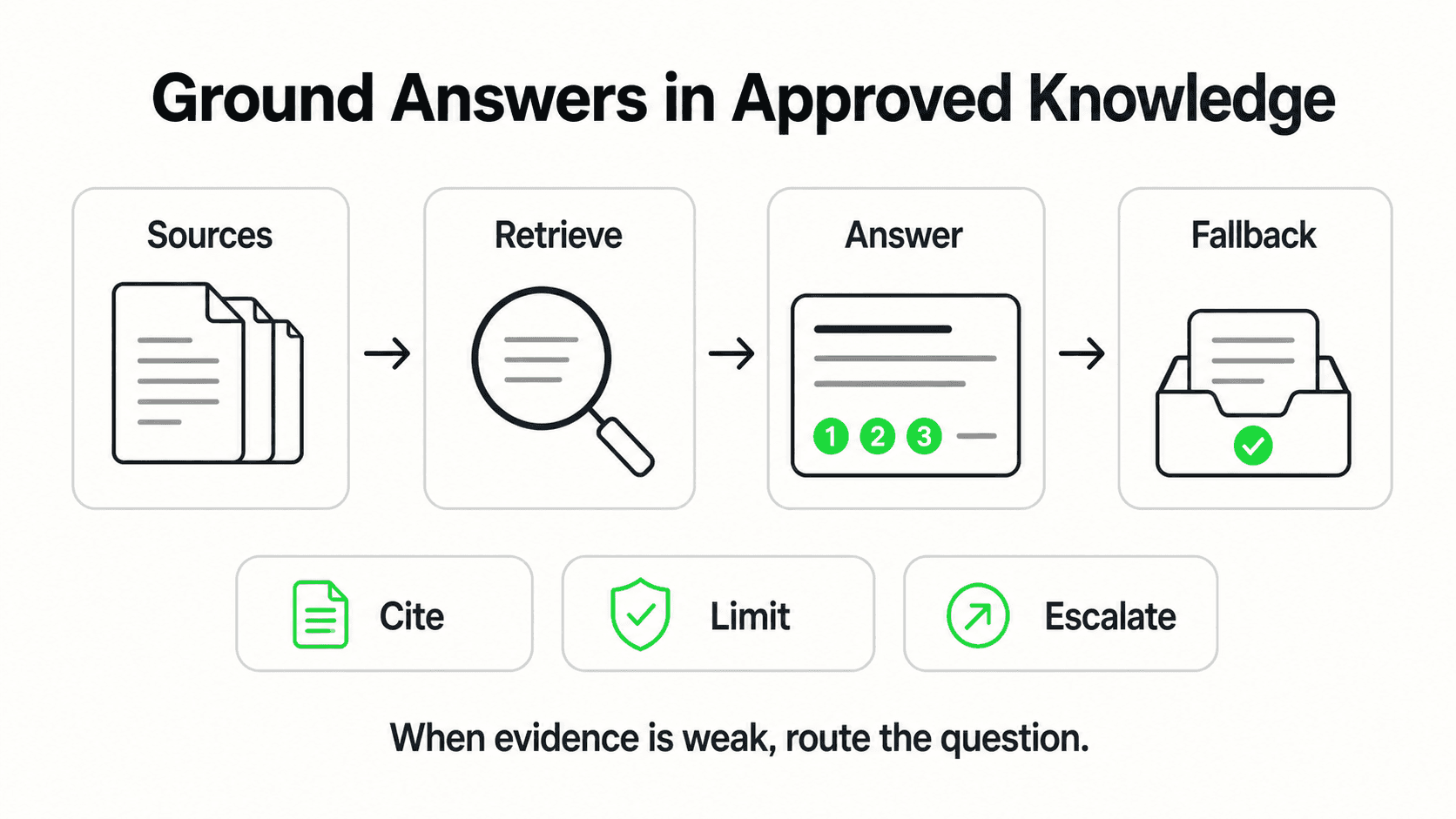
No. The AI asks qualifying questions to route and prioritize inquiries — for example, distinguishing an urgent case from a routine one — but it never performs clinical assessment, diagnosis, or legal advice. Anything requiring professional judgment is routed to a human on your team.
How does the AI know what to say about my specific business?
It answers from documents you upload — your website, FAQ, service list, and policies — using RAG to retrieve the relevant passage before generating each response. It doesn't browse the open internet for information about your business, and if you haven't documented something, a well-configured system says so rather than guessing.
Can the AI book an appointment directly into my calendar?
With Calendly or Cal.com connected on Pro and Max, it reads live availability, offers open times, and books the appointment in the conversation — the customer gets a calendar invite by email, and your scheduling tool stays the source of truth (in-chat booking needs Calendly Standard or higher). On Plus, or with any other scheduling tool, it shares your booking link so the customer can self-schedule.
What happens after the AI answers — does a human ever see the conversation?
Yes. Every conversation generates a summary that's emailed to your team, including contact details, what was discussed, and any urgency flag. The AI handles the instant first response; your team handles follow-up, judgment calls, and the actual relationship.
How long does it take to set up an AI receptionist?
A basic setup — uploading your knowledge base, configuring the lead form, connecting a channel or two — typically takes under an hour and requires no coding. Refining routing rules and expanding the knowledge base is an ongoing process rather than a one-time task.
The Mechanics Are the Product
Once you see the five-step pipeline — message in, lead form gate, RAG-grounded answer, qualifying questions, booking or routing — an AI receptionist stops looking like a black box and starts looking like what it actually is: a front-desk workflow that happens to run automatically, at any hour, on the channels your customers already use.
The details matter because they're what separate a tool that quietly builds trust from one that quietly erodes it. A lead form that gates the conversation up front instead of hoping a customer volunteers their number. Answers grounded in your actual documents instead of generic guesses. Qualifying questions that route instead of diagnose. That's the mechanism — and it's worth understanding before you decide whether it fits your business.
Hyperleap AI runs this exact pipeline across website, WhatsApp, Instagram DM, and Facebook Messenger, starting at $40/month with a 7-day free trial.
Ready to see it handle your first inquiry?
Set up a free trial and watch the lead form, RAG-grounded answers, and routing logic work on your own business content.
Start Free TrialIndustry Solutions
See how AI chatbots work for these industries:
Related Articles
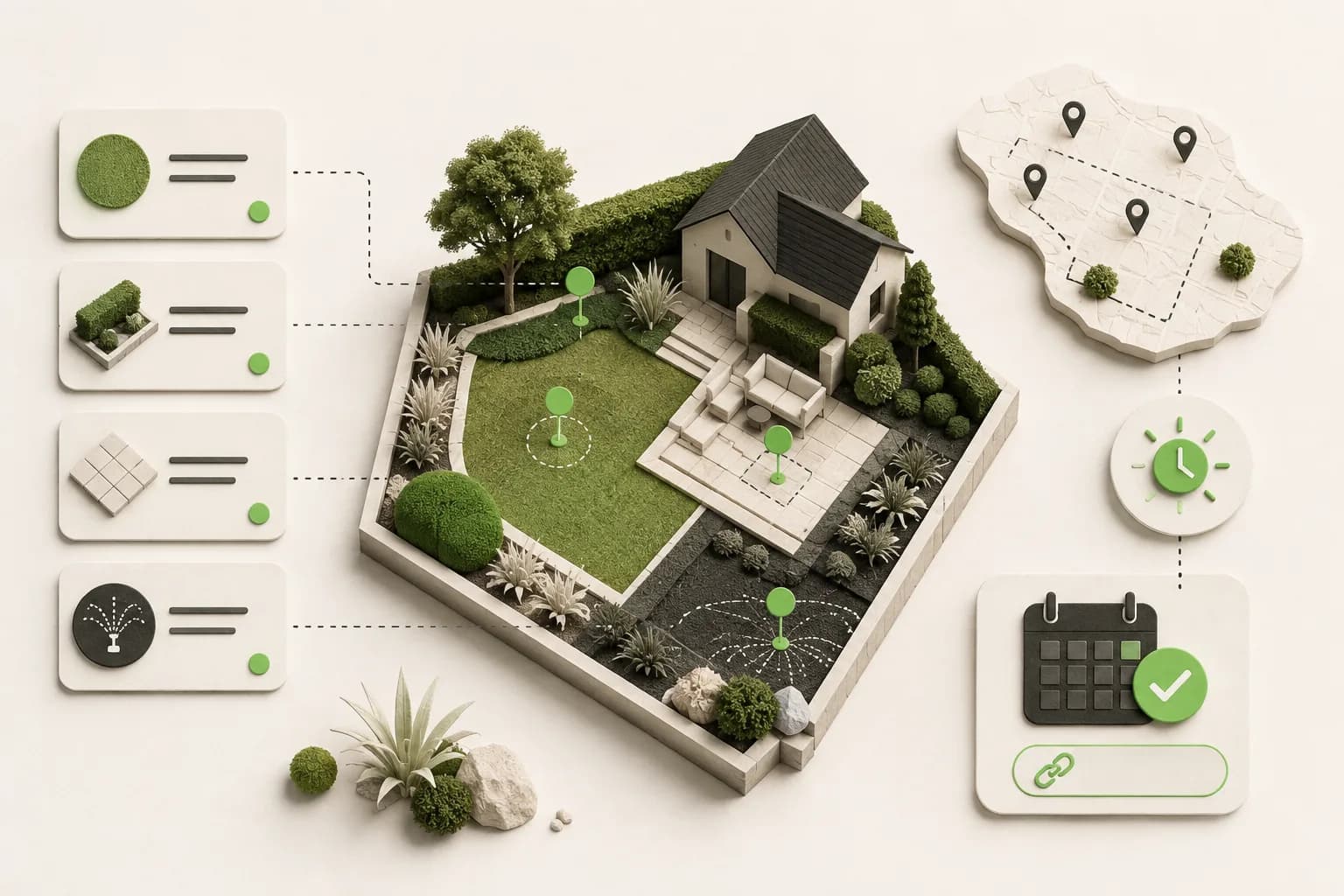
AI Receptionist for Landscaping Businesses
An AI receptionist for landscaping businesses answers quote and service questions 24/7, qualifies property details, and shares your booking link.
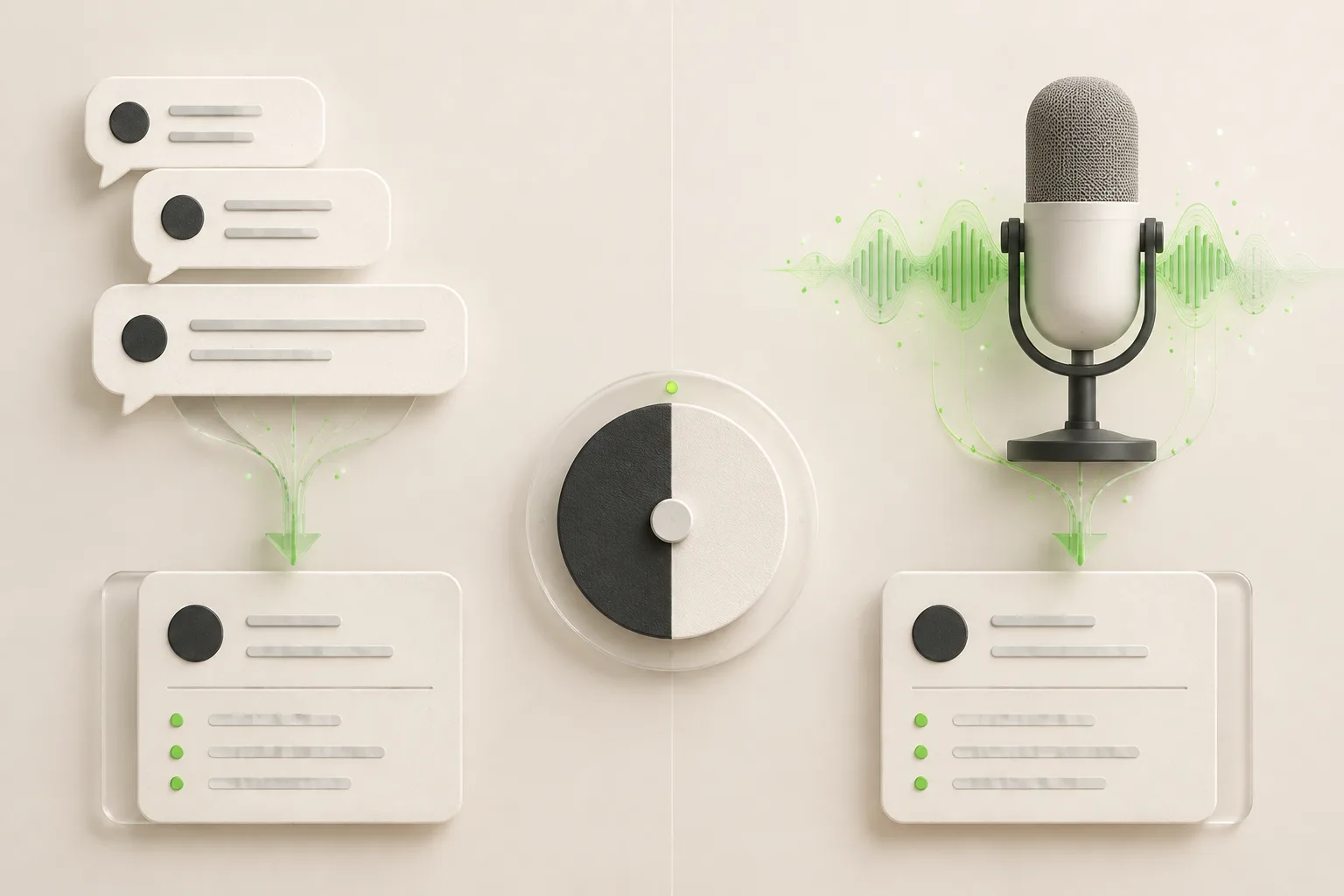
Chat vs Voice AI Receptionists: An Honest Comparison
Chat vs voice AI receptionists compared honestly: cost, setup, lead quality, and which fits phone-first vs message-first small businesses.
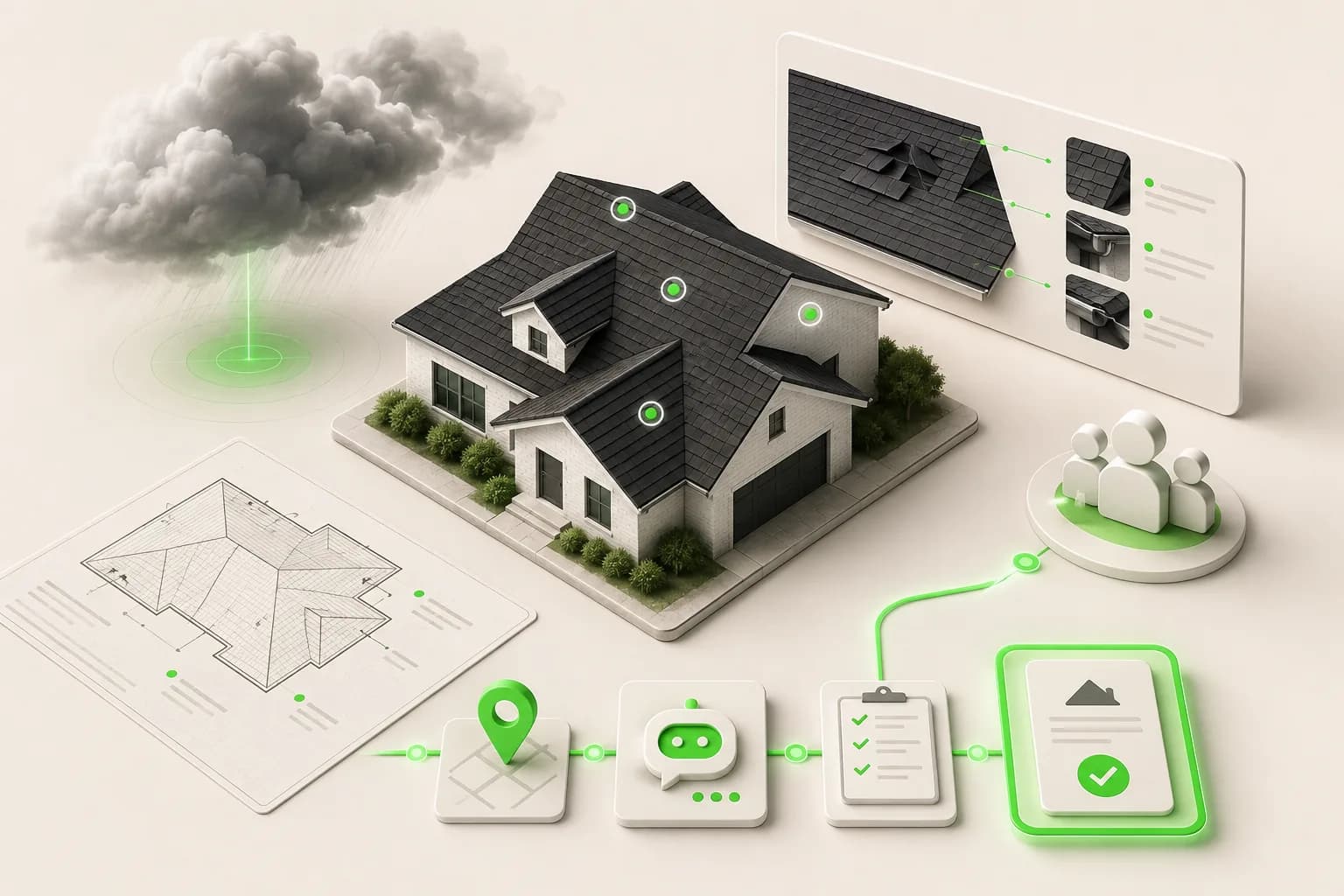
AI Receptionist for Roofing Companies: Never Miss a Lead
An AI receptionist for roofing companies answers storm-damage and estimate questions 24/7, qualifies homeowners, and routes leads to your team.
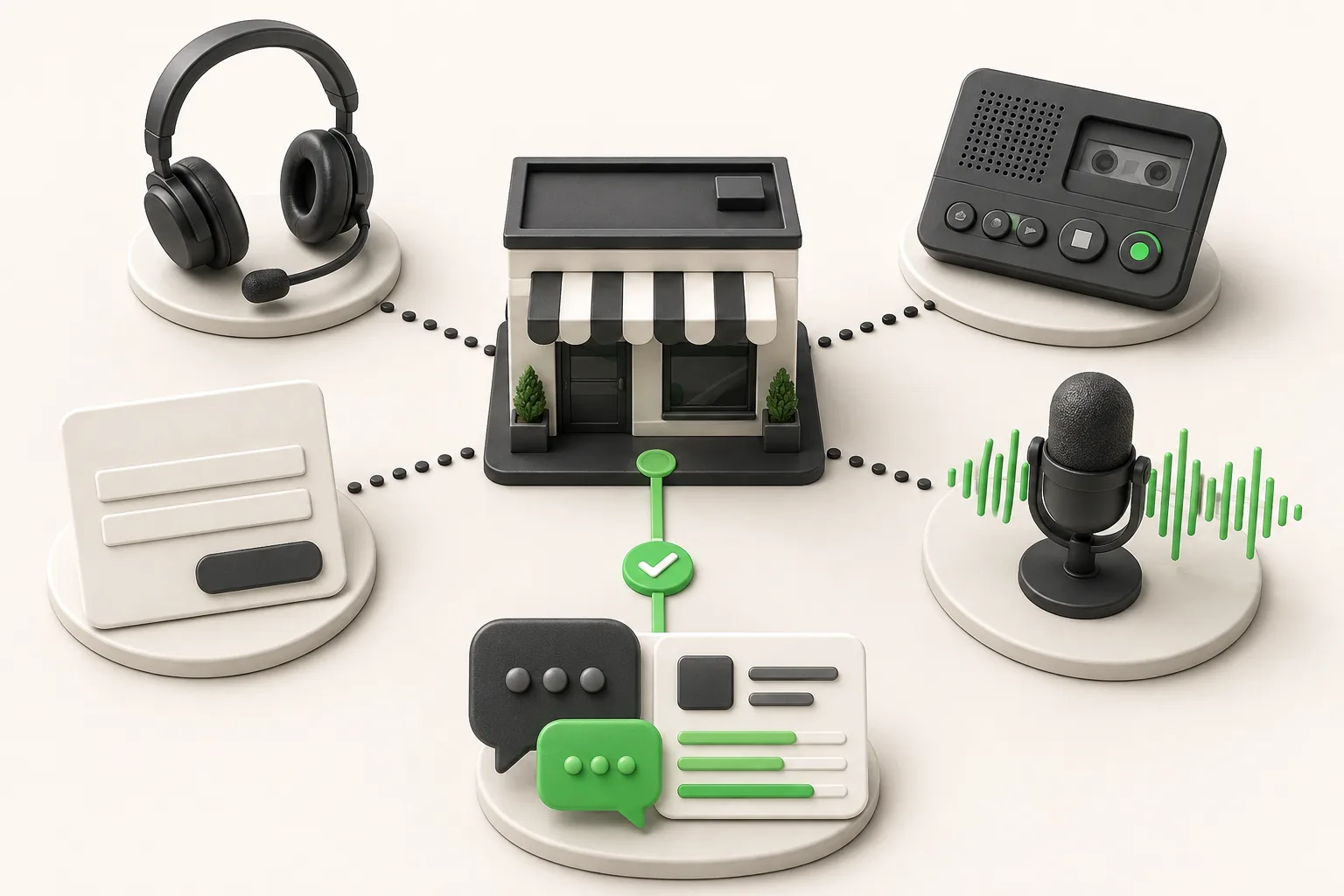
Small Business Answering Service Alternatives (2026)
8 small business answering service alternatives for 2026 compared on coverage, cost, and setup — from voice AI to chat-first AI receptionists.