AI Front Desk for Senior Living Communities
How an AI front desk answers family questions about care levels, pricing, and tours 24/7 — and where it hands off to your admissions team.
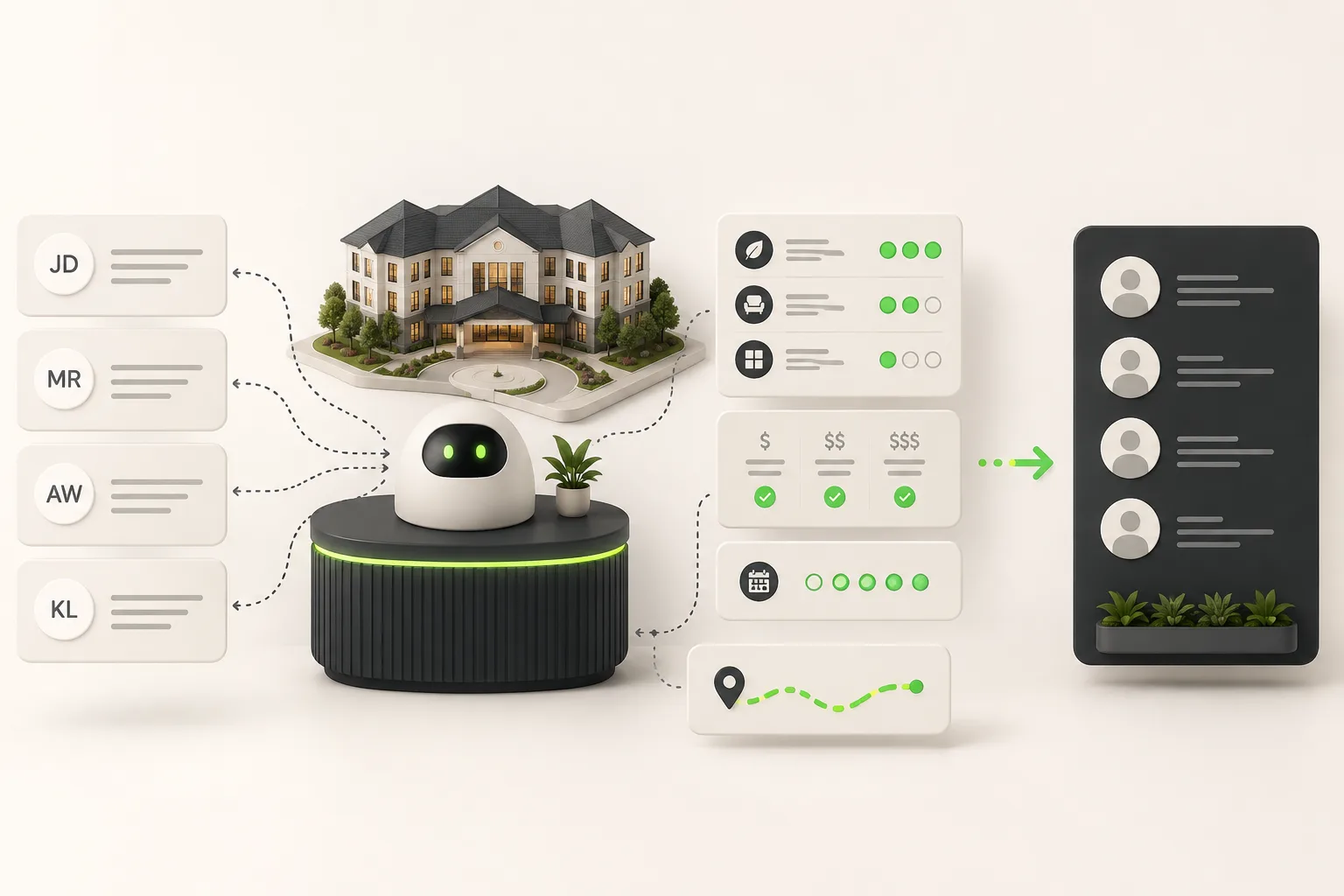
An AI front desk for senior living answers family questions — care levels, monthly rates, what's included, pet policy, dining, activities — from your own website and pricing documents, any hour, on website chat, WhatsApp, Instagram DM, and Facebook Messenger. It captures the inquirer's name and phone, books tours in the chat through Calendly or Cal.com on Pro and Max (or shares your booking link), and routes anything medical, financial, or urgent straight to your admissions team. It does not assess a resident's care needs and never makes a clinical judgment — that decision stays with your care team after they meet the family.
It's 11:40 PM. An adult daughter in another state has just gotten off the phone with her mother's doctor, and the word "assisted living" has entered her vocabulary for the first time tonight. She's not going to wait until 9 AM to start researching — she's going to open five community websites in five tabs and see which ones actually answer her questions right now. Most will show her a phone number and an office-hours notice. One might answer her instead.
This is the moment an AI agent for senior living is built for. This guide covers how it works specifically for the family-inquiry side of the business — the questions adult children ask while researching at night, what an AI front desk can and can't answer, and how to think about tone in a category where the decision is emotional, not transactional. Two companion pieces worth reading alongside this one: capturing and nurturing senior living leads and what families actually want when contacting a senior living community.
What Is an AI Front Desk for Senior Living?
An AI front desk for senior living is a document-grounded AI agent that answers prospective residents' and family members' questions from your community's own website content, price list, and care documentation — not a generic elder-care script. It runs the same outcome loop as any AI front desk: answer → qualify → verify → book → route → report.
For a senior living community specifically, that looks like:
- A family member asks what memory care includes and what it costs, and gets an answer pulled from your actual rate sheet and service descriptions.
- A prospect asks whether you allow pets, what the dining program looks like, or what a typical day includes, and gets a direct answer from your community's own content.
- A family ready to visit can book a tour on the spot, instead of waiting for a callback.
- A family in a genuine crisis — a hospital discharge with days to decide — gets routed straight to your admissions director, with the full conversation attached.
- Every conversation, across every channel, lands in one inbox so your admissions team never loses context when a family switches from texting to calling.
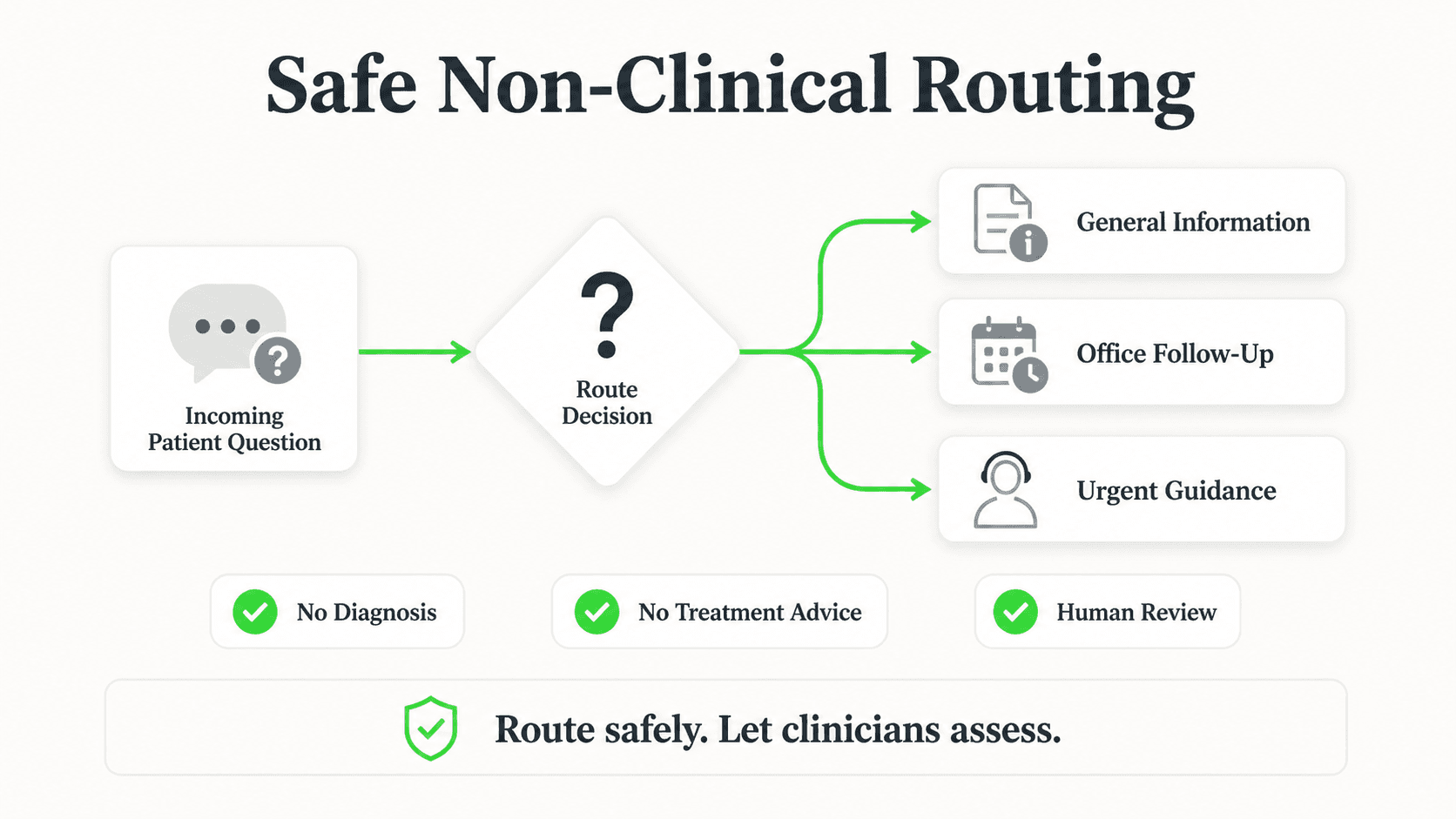
What it explicitly does not do is decide anything clinical. It never assesses which level of care a prospective resident needs, never gives a diagnosis-adjacent answer, and never implies it can substitute for the in-person assessment your care team performs. Every medical or care-level judgment routes to a person.
Lead form comes first
Before any conversation starts, the AI collects the family member's name and phone number through a short form. That's intentional — it means your admissions team gets a name and a callback number attached to every conversation, not an anonymous chat thread that disappears if the browser tab closes.
Why Senior Living Communities Are Adopting This
The research happens at night, alone, and under stress
Adult children researching senior living for a parent are frequently doing it after a stressful call, late at night, juggling their own kids and job. They are not going to wait for office hours, and they are unlikely to remember to call back the next morning once the moment passes. A community that can answer even the basic questions in that window has a real advantage.
Care-level and pricing questions get asked before anything else
Families want two things almost immediately: what does this cost, and does it cover what my parent needs. If a website only offers a "contact us for pricing" form, many families move on to a competitor that's willing to give a starting range.
The window to respond is short and emotionally charged
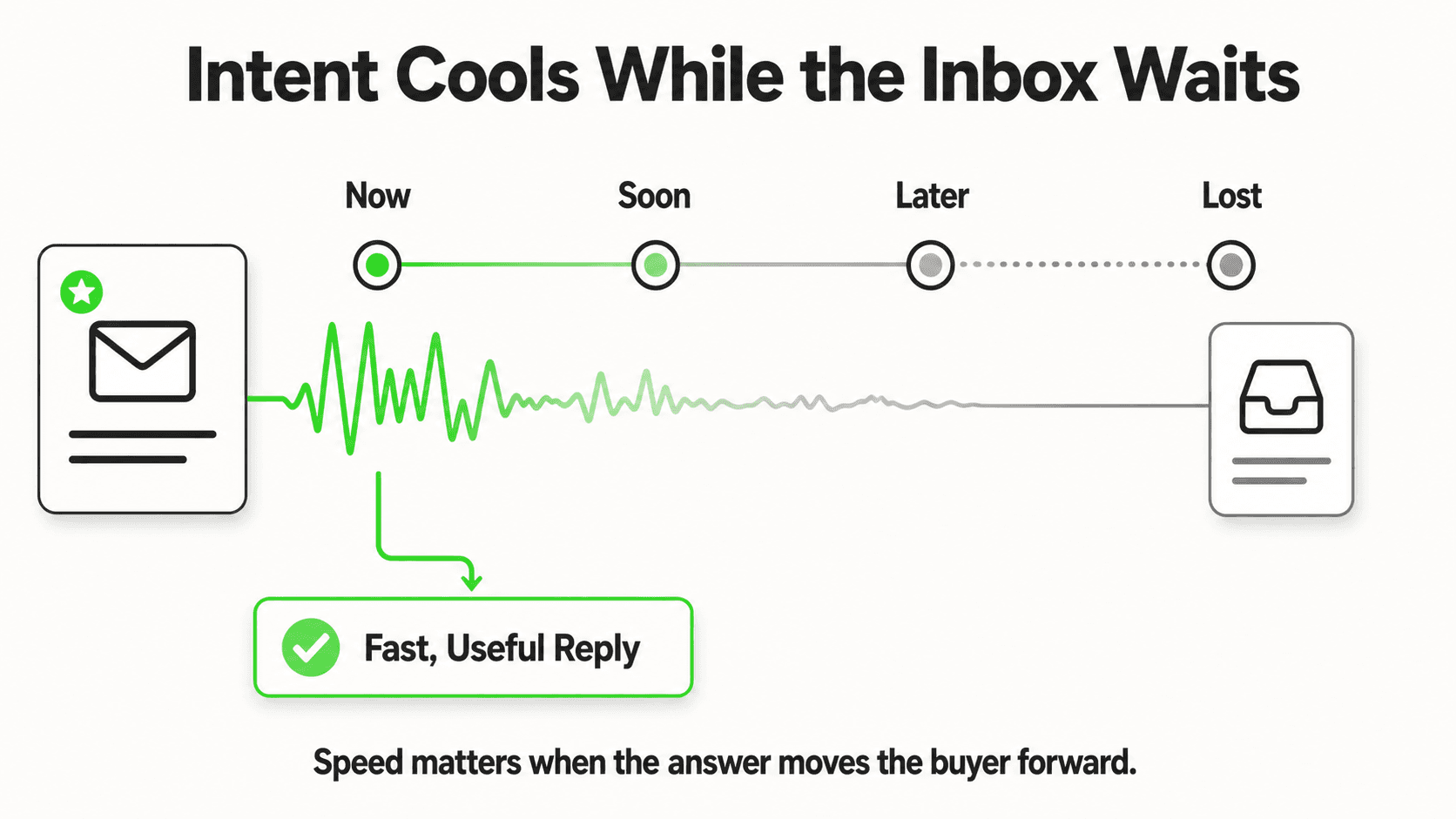
Unlike most B2C purchase decisions, senior living inquiries often carry real urgency — a hospital discharge date, a fall at home, a caregiver reaching a breaking point. A slow response doesn't just lose a lead; it can mean a family makes a placement decision with a competitor because that community answered first when it mattered.
Admissions teams are small and stretched
Most communities run lean admissions teams who are also conducting tours, following up with existing leads, and coordinating move-ins. Every routine question answered by an AI front desk is time returned to the parts of the job that need a human — building trust with an anxious family, walking them through a tour, answering the specific medical questions only a care team member can address.
Multiple family members are often involved in one decision
Senior living decisions rarely rest with one person. An out-of-state sibling, a spouse, and the resident's own doctor may all be weighing in, often from different time zones and on different schedules. A family front desk that only operates during business hours forces this already-complicated coordination to happen even more slowly, with each family member calling separately and getting a different version of the same answer depending on who picked up the phone. An AI front desk answering consistently from the same source of truth — your actual rate sheet, your actual care-level descriptions — removes that inconsistency, whichever family member is asking and whatever hour they're asking at.
7 Ways an AI Front Desk Supports Senior Living Admissions
1. Care-Type and Amenity Questions
What this looks like in practice: A family asks the difference between independent living, assisted living, and memory care, and what's included in each at your specific community.
Real-world impact: Families arrive at a tour already understanding your community's structure, so the visit can focus on fit rather than basic orientation.
Why it works: Answers come from your own descriptions of each care level, not a generic industry definition that may not match how your community actually structures services.
Key features:
- Care-level definitions specific to your community
- Amenity and activity questions answered from your content
- Dining program and daily schedule questions
2. Pricing-Range and What's-Included Questions
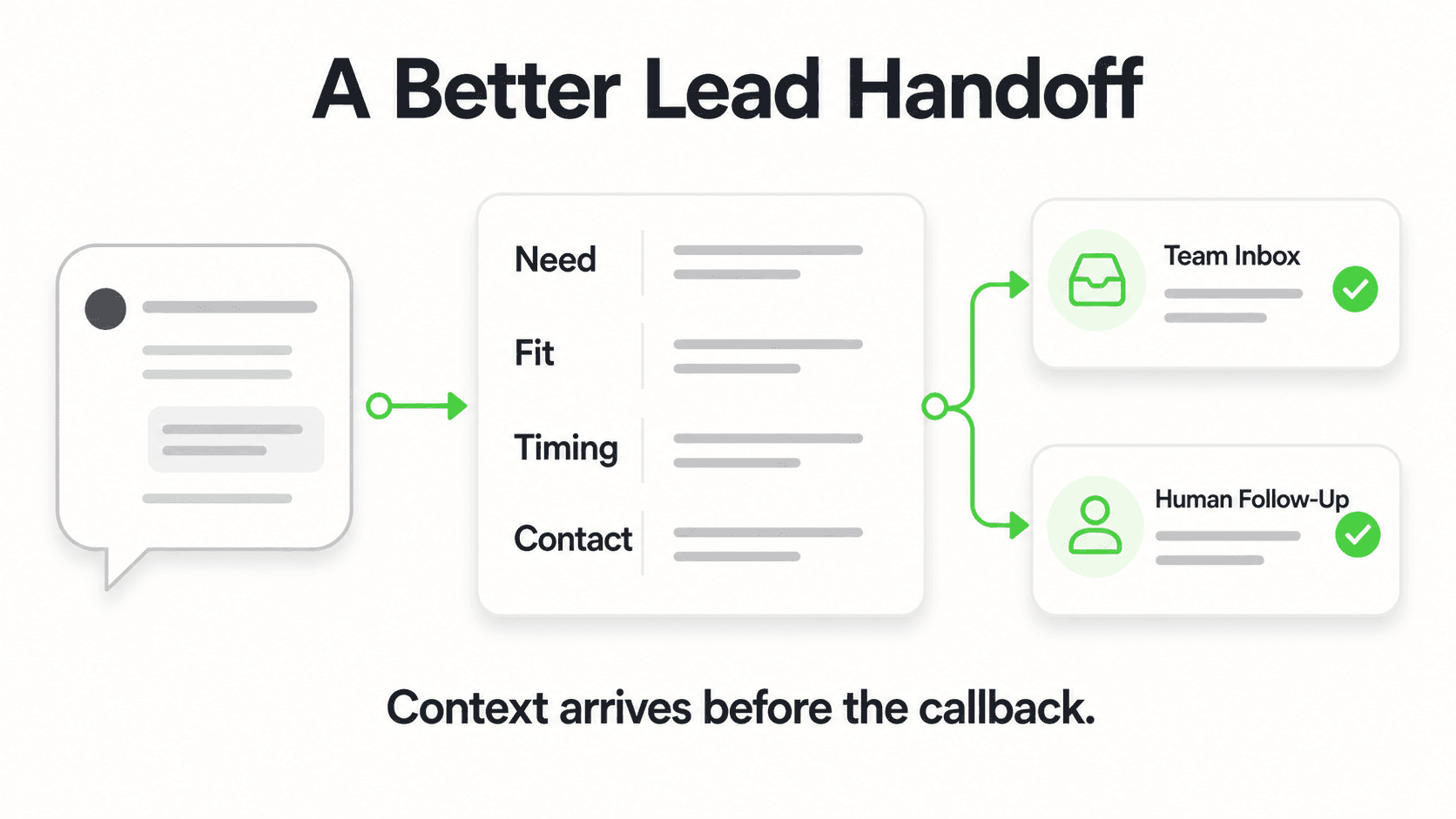
What this looks like in practice: A family asks "what does memory care cost" and gets the range you've configured, along with what's included in that price — meals, housekeeping, activities, care hours.
Real-world impact: Families can rule communities in or out of their budget before investing time in a tour, and your admissions team spends tour time on fit and comfort rather than repeating the same pricing conversation.
Why it works: The AI shares the ranges and inclusions you've written — it never estimates, negotiates, or promises a final number. A final quote still requires your team's assessment of the resident's actual care needs.
Key features:
- Configured pricing ranges by care level
- What's-included breakdowns (meals, housekeeping, activities)
- Clear language that a final rate depends on an in-person assessment
3. Tour Booking in the Chat
What this looks like in practice: A family ready to visit is offered real open tour times the moment they're qualified and interested, and books one in the conversation — no waiting for a callback.
Real-world impact: Interest converts to a booked visit while it's highest, rather than cooling overnight.
Why it works: Connect Calendly or Cal.com (on Pro and Max) and the AI reads live availability and creates the tour booking in the chat; the family gets a calendar invite by email (in-chat booking needs Calendly Standard or higher). On Plus, or with any other scheduling tool, it shares your booking link instead.
Key features:
- In-chat tour booking across website, WhatsApp, Instagram DM, and Messenger (Pro and Max)
- Booking-link fallback for any other scheduler
- Works alongside your existing tour-scheduling process
4. Waitlist and Availability Capture
What this looks like in practice: A family asks whether a particular room type or care level is currently available, and the AI answers from what you've configured — including waitlist status if you're at capacity.
Real-world impact: Families get an honest, immediate answer instead of discovering availability only after a phone call, and your team gets a captured lead even when the timing doesn't match today's openings.
Why it works: The AI states availability information you provide — it doesn't have live visibility into your census system, so it's only as current as what you update.
Key features:
- Availability and waitlist messaging you control
- Lead capture even when there's no current opening
- Follow-up-ready contact details for when a unit opens
5. Routing Urgent Placement Needs to a Human
What this looks like in practice: A family describes a hospital discharge in three days, or a parent who fell and can no longer live alone safely. The AI recognizes this isn't a routine inquiry and routes it immediately to your admissions director, with the conversation attached.
Real-world impact: Time-sensitive families get a human response fast, when the stakes of a delayed reply are highest.
Why it works: The AI flags urgency based on language patterns you configure — it does not make any clinical judgment about the situation itself. It gets the right person the context fast; your team makes every decision from there.
Key features:
- Urgency-signal detection routes straight to admissions
- Full conversation history attached to the handoff
- No medical assessment performed by the AI at any point
6. Tone Calibrated for an Emotional Decision
What this looks like in practice: Responses are written in a warm, plain, unhurried register — not the brisk transactional tone that works for, say, a restaurant reservation chatbot.
Real-world impact: Families in a difficult moment get answers that feel considerate rather than robotic, which matters more in this category than almost any other.
Why it works: You configure the tone and language your community uses in its own materials, and the AI reflects that voice consistently, at 2 AM as much as 2 PM.
Key features:
- Configurable tone and phrasing
- Consistent voice across every channel and every hour
- No scripted urgency tactics — answers, not pressure
7. Multilingual Family Support
What this looks like in practice: An adult child messages in Spanish or another language while researching on behalf of a parent; the AI detects and replies in that language automatically.
Real-world impact: Families who aren't comfortable navigating an English-only site or phone tree get the same quality of answer as anyone else.
Why it works: Language detection works off the same document-grounded answers — the AI simply replies in the language the family is using, without needing a separate script per language.
Key features:
- Automatic detection across 100+ languages
- Consistent accuracy regardless of language
- Same routing and escalation logic in every language
See how an AI front desk handles a family's first call
Watch an AI agent answer a care-level and pricing question, then route an urgent case to a human.
See it in actionWhat an AI Front Desk Should Never Do in Senior Living
This category carries real stakes, so the boundaries matter more than usual:
- No clinical or care-level assessment. The AI never determines what level of care a prospective resident needs. That decision is made by your care team after an in-person or clinical evaluation, every time.
- No diagnosis-adjacent answers. Questions about a specific medical condition get routed to your team, not answered by the AI.
- Tour booking through Calendly or Cal.com only, on Pro and Max. The AI books new tours through those two; on Plus, or with any other scheduler, it shares your booking link. It cannot cancel or reschedule a tour — families use the links in their confirmation email.
- No financial or Medicaid/Medicare-eligibility advice. The AI can share your published pricing and what it includes; anything about insurance eligibility, spend-down, or benefits routes to a human who handles that conversation.
- No CRM or care-management-system integration out of the box. Leads and conversation summaries reach your team by email or webhook; connecting that to your CRM is a REST API and webhook integration a developer sets up — an integration requirement to evaluate, not a shipped feature.
- No phone answering. Everything above runs on messaging channels — website, WhatsApp, Instagram DM, Facebook Messenger. Voice is Roadmap, not shipped.
A note on tone, not just features
The right question to ask a vendor in this category isn't only "what does it automate" — it's "does it sound like something I'd want a stressed family member to talk to at midnight." Ask to see real sample conversations, not just a feature list.
Implementation: Getting an AI Front Desk Live for Your Community
Phase 1 (Day 1) — Go live with the basics. Paste your website URL. The AI reads your public content, imports your branding, and drafts a starting prompt — live in under 5 minutes on the quick-start path.
Phase 2 (Week 1) — Attach your real documents. Upload your rate sheet, care-level descriptions, floor plans, dining program, and activities calendar. This is what turns generic answers into accurate ones specific to your community.
Phase 3 (Week 1–2) — Configure escalation language. Work with your admissions team to define the urgency-signal phrases that should route straight to a human — hospital discharge dates, falls, safety concerns — and confirm who receives that alert.
Phase 4 (Week 2) — Connect your tour booking and test. Connect Calendly or Cal.com on Pro and Max (or add your booking link), then run through the ten questions your admissions team hears most, in a family member's actual phrasing, and fix any gaps in the documents you've uploaded.
Phase 5 (Ongoing) — Review conversation logs monthly. Check which questions the AI couldn't answer and add that content to your knowledge base. This is where the tool gets meaningfully better over the first quarter.
A Note on Multi-Community Operators
An operator running several communities faces a version of this problem multiplied: each property has its own rate sheet, its own care-level structure, and often its own local admissions team. A single Hyperleap workspace can hold a separate chatbot per community — on Pro or Max — so families researching one specific address always get answers scoped to that community, not a blended average across the portfolio. Leads and conversation summaries can still land in one unified inbox for a regional admissions director who needs visibility across every property, while each community's front-line team only sees its own conversations. White-label branding, available starting on Pro, also matters more for multi-community operators whose individual communities carry distinct local names and identities that a family may not immediately associate with the parent operator.
Related reading: AI front desk for mental health practices covers the same non-clinical boundary in another sensitive setting, chatbot-to-human handoff best practices covers the escalation design, and how to choose an AI receptionist is the vendor checklist.
Frequently Asked Questions
What is an AI front desk for senior living?
It's an AI agent that answers family and prospect questions — care levels, pricing, availability, amenities — from a community's own website and documents, across chat channels, any hour. It captures contact details, books tours (through Calendly or Cal.com, on Pro and Max) or shares your tour booking link, and routes anything medical, financial, or urgent to a human admissions team member.
Can the AI decide what level of care my parent needs?
No. The AI never performs a clinical or care-level assessment. It can explain what your community's different care levels generally include, but the actual determination of what care a specific resident needs is always made by your care team, typically after an in-person evaluation.
Does it book tours automatically?
Yes, on Pro and Max, if you use Calendly or Cal.com: the AI offers real open tour times and books the visit in the conversation, and the family gets a calendar invite by email (in-chat booking needs Calendly Standard or higher). On Plus, or with any other scheduler, it shares your tour booking link the moment a family is ready to visit.
How does it handle a genuine emergency, like a hospital discharge?
It recognizes urgency-signal language you've configured and routes the conversation directly to your admissions director with the full thread attached, while collecting the family's callback number. It does not assess the medical situation itself — a person makes every judgment call from there.
Can it work with families who don't speak English?
Yes. The AI automatically detects the language a family is using and replies in that language, across more than 100 languages, with the same routing and escalation logic applied regardless of language.
Does it integrate with our CRM or care management software?
Not natively. Leads and conversation summaries reach your team by email or webhook. Connecting those to a CRM or care-management platform is done via REST API and webhooks — an integration requirement your team or a developer evaluates and builds, not a one-click feature.
How much does this cost, and is there a free trial?
Hyperleap AI's plans start at $40/month (Plus), with a 7-day free trial (credit card required). Pro ($100/mo) and Max ($200/mo) add more chatbots and channels, useful for multi-community operators. Full pricing is on /pricing.
The Bottom Line
The families researching senior living at 11 PM aren't browsing — they're often in the middle of the hardest decision they've faced for a parent, and they need an answer, not a voicemail. An AI front desk doesn't replace the trust-building conversation your admissions team has on a tour, and it never touches the clinical judgment that belongs to your care team. What it does is make sure the family gets a real, accurate answer the moment they ask — care level, pricing, availability — so the human conversation that matters most still gets to happen.
Ready to answer families the moment they reach out?
See how Hyperleap AI answers care-level and pricing questions, captures leads, and routes urgent cases to your team — start your 7-day free trial.
Start Free TrialIndustry Solutions
See how AI chatbots work for these industries:
Related Articles

Hotel Event-Space Enquiries: Build a Useful Brief
Collect useful hotel meeting-space enquiries with layout, attendance, equipment and catering prompts, without implying a venue reservation.

Cleaning Enquiries: Scope Questions Before a Quote
Collect clearer cleaning quote enquiries with residential and commercial scope questions, exclusions, access notes and a practical team-review worksheet.
Mobile AI Front Desk QA: A Practical Review Sheet
Review your mobile AI front desk from opening to follow-up, with practical checks for reading, keyboard obstruction, links, forms and close controls.

AI Front Desk Leads to CSV: A Follow-Up Workflow
Turn a chatbot lead export into a usable follow-up list with field checks, careful deduplication, clear ownership and a synthetic CSV example.