Property Management Chatbot: A Buyer's Guide
What a property management chatbot actually automates — leasing FAQs, pet policy, maintenance intake — and what still needs your team, pricing included.
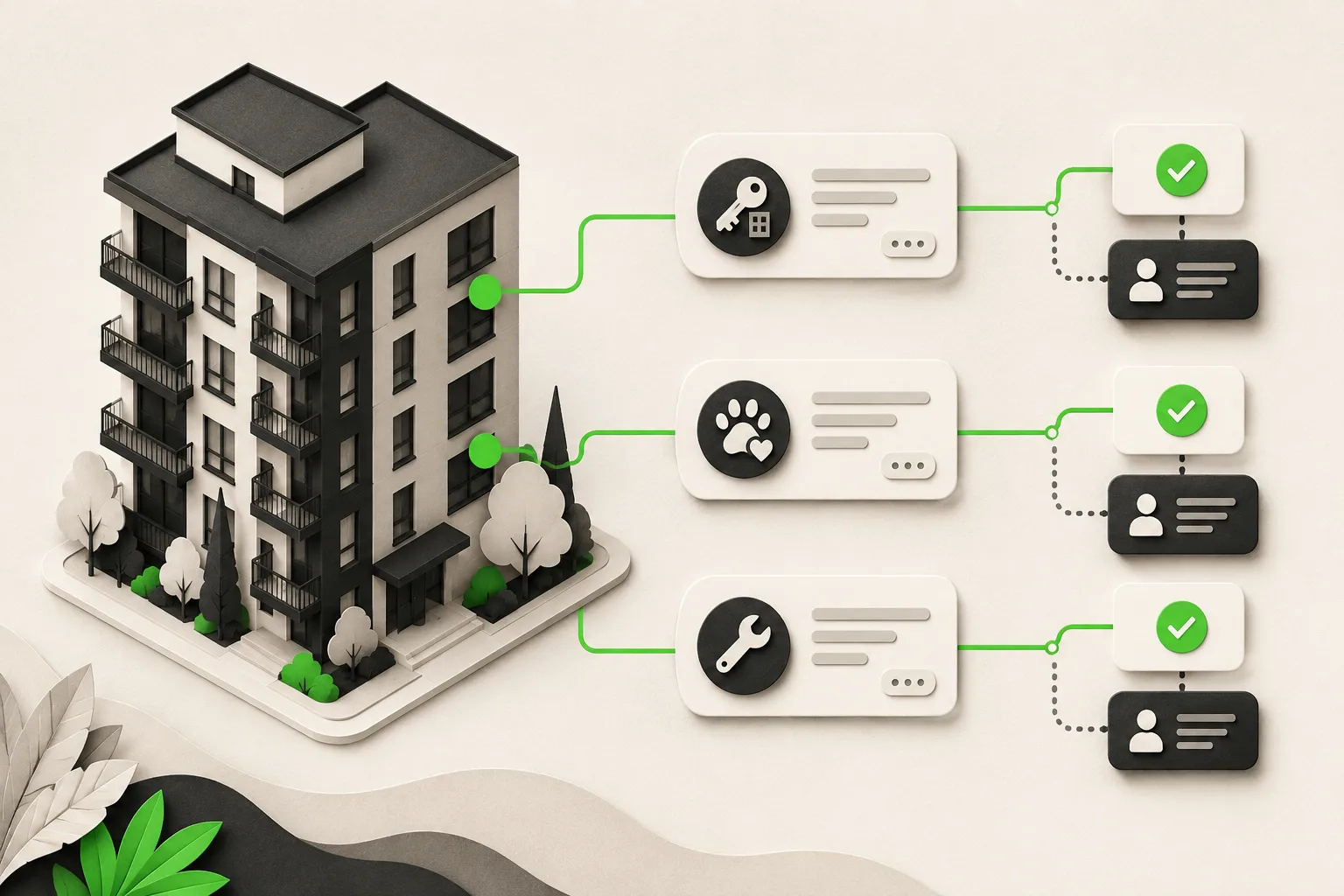
A property management chatbot is an AI agent that answers leasing, pet policy, and maintenance questions from your own listings and policy documents, around the clock, on your website chat, WhatsApp, Instagram DM, and Facebook Messenger. It qualifies prospects against your availability, books tours through Calendly or Cal.com on Pro and Max (or shares your tour link), captures maintenance requests as routed tickets your team dispatches, and answers rent and payment FAQs from your policy — it does not process payments, screen applicants, or make leasing decisions. Pricing starts at $40/month with a 7-day free trial.
A prospect is scrolling your listings site at 9 PM. They like unit 4B, but the listing doesn't say if a 60-pound dog is allowed. If your website can't answer that in the next thirty seconds, they've already opened the next property management company's site in a second tab. Meanwhile, a current tenant's garbage disposal jams the same night, and they have no idea whether that's a call-now emergency or a "submit a request and wait" situation.
Both moments are what a property management chatbot is built to handle. This guide covers what "AI chatbot for property management" actually means in practice — what it automates, what it deliberately leaves to your team, how to evaluate a vendor, and what it costs. If you want the fuller platform picture rather than the individual workflows, AI agents for property management is the pillar page. Two more specific guides worth bookmarking: chatbots for pet policy and maintenance requests and AI chatbots for tenant requests.
What Is a Property Management Chatbot?
A property management chatbot is a document-grounded AI agent that answers prospect and tenant questions from your own listings, lease templates, and policy documents — not from a generic script or the open internet. It runs as an AI front desk across the loop that matters for a leasing team: answer → qualify → verify → book → route → report.
In practice, that means:
- A prospect asks about a unit's rent, square footage, or move-in date, and gets an answer pulled from your current listing data — not a stale price sheet.
- A pet owner asks about breed or weight restrictions, and the AI answers exactly what your uploaded pet policy says, no guessing.
- A tenant reports a leak, and the AI captures the unit number, description, and urgency, then creates a ticket your team dispatches.
- A rent question ("when is rent due," "is there a late fee," "how do I pay") gets answered from your policy — the AI does not process the payment itself.
- A prospect who's ready to see a unit can book a tour in the chat through Calendly or Cal.com on Pro and Max (or gets your tour link on Plus or for any other scheduler), the same pattern used across the AI agents for real estate category.
This differs from a traditional contact form or an after-hours voicemail in one structural way: it responds instantly, in the tenant's own words, at any hour, on whichever channel they already have open — instead of making them wait for office hours or fill out a form that may or may not get read that day. It's the same shift covered in AI chatbot vs. live chat vs. contact form, applied specifically to leasing and tenant communication.
Lead form, not open conversation
Before the AI starts chatting, it collects the visitor's name and contact details through a short lead form. That's by design — it means every conversation your team reviews already has a name and a way to follow up attached, instead of an anonymous thread that goes nowhere if the visitor closes the tab.
Why Property Managers Are Turning to Chatbots
The inquiry pattern doesn't match your office hours
Apartment hunting and maintenance emergencies don't wait for 9-to-5. A meaningful share of prospect research happens on evenings and weekends, when nobody's staffing the leasing office phone. Every inquiry that lands in a voicemail or an unanswered contact form is a prospect who may already be touring a competing property by the time your team calls back.
The same five questions, over and over
"Is it still available?" "What's the pet policy?" "What utilities are included?" "How do I apply?" A leasing team with even a modest portfolio answers these dozens of times a week, and every minute spent repeating a static answer is a minute not spent on tours, renewals, or the tenant issue that actually needs judgment.
Maintenance requests that sit overnight erode trust
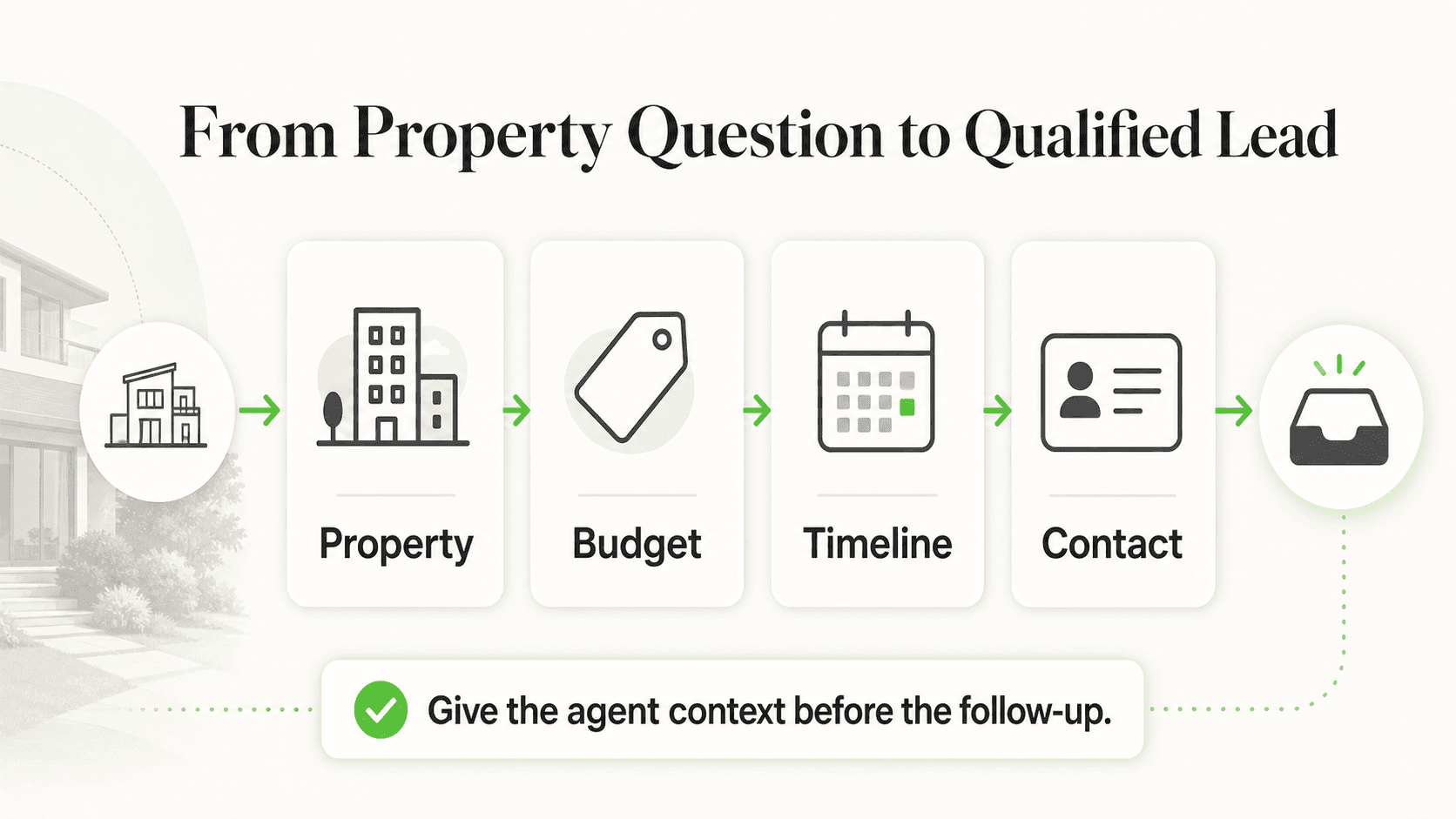
A tenant who reports a problem at 10 PM and hears nothing until the next afternoon starts to wonder whether anyone's paying attention. A property management chatbot doesn't fix the faucet, but it acknowledges the request immediately and gets it in front of a human fast — which is most of what a tenant actually wants in that first hour.
Multi-property portfolios multiply the workload
A team managing several buildings fields the same categories of questions across each property, but the answers differ by building — different pet policies, different amenities, different office hours. Managing that consistently by hand, across multiple staff members, is where a lot of leasing teams lose time to context-switching rather than to the questions themselves.
7 Things a Property Management Chatbot Handles
1. Leasing Inquiries and Availability
What this looks like in practice: A prospect asks which units are open, the rent, and the lease term, and the AI answers from the listing content you've given it — not a cached number from three months ago if you keep it updated.
Real-world impact: Fewer prospects fall through because nobody answered before they moved to the next listing.
Why it works: The answer comes from your own data, so it's specific to your property, not a generic apartment-hunting script.
Key features:
- Per-property availability and pricing answers
- Lease term and move-in date questions
- Amenity and floor plan questions from your uploaded content
2. Pet Policy Questions
What this looks like in practice: A prospect with a 60-pound dog asks about weight limits before booking a tour. The AI answers directly from your uploaded pet policy — breed restrictions, weight limits, deposit, and monthly pet rent.
Real-world impact: Prospects who don't meet the policy self-select out before your team spends time on a tour that was never going to close; prospects who do qualify move straight to booking.
Why it works: The answer is document-grounded — it states your actual policy, not a generic industry average, and never invents an exception.
Key features:
- Breed, weight, and per-unit pet limits
- Deposit and monthly pet rent amounts
- Escalation to your leasing office for assistance-animal requests, which carry fair housing considerations no AI should resolve on its own
3. Tour and Showing Scheduling
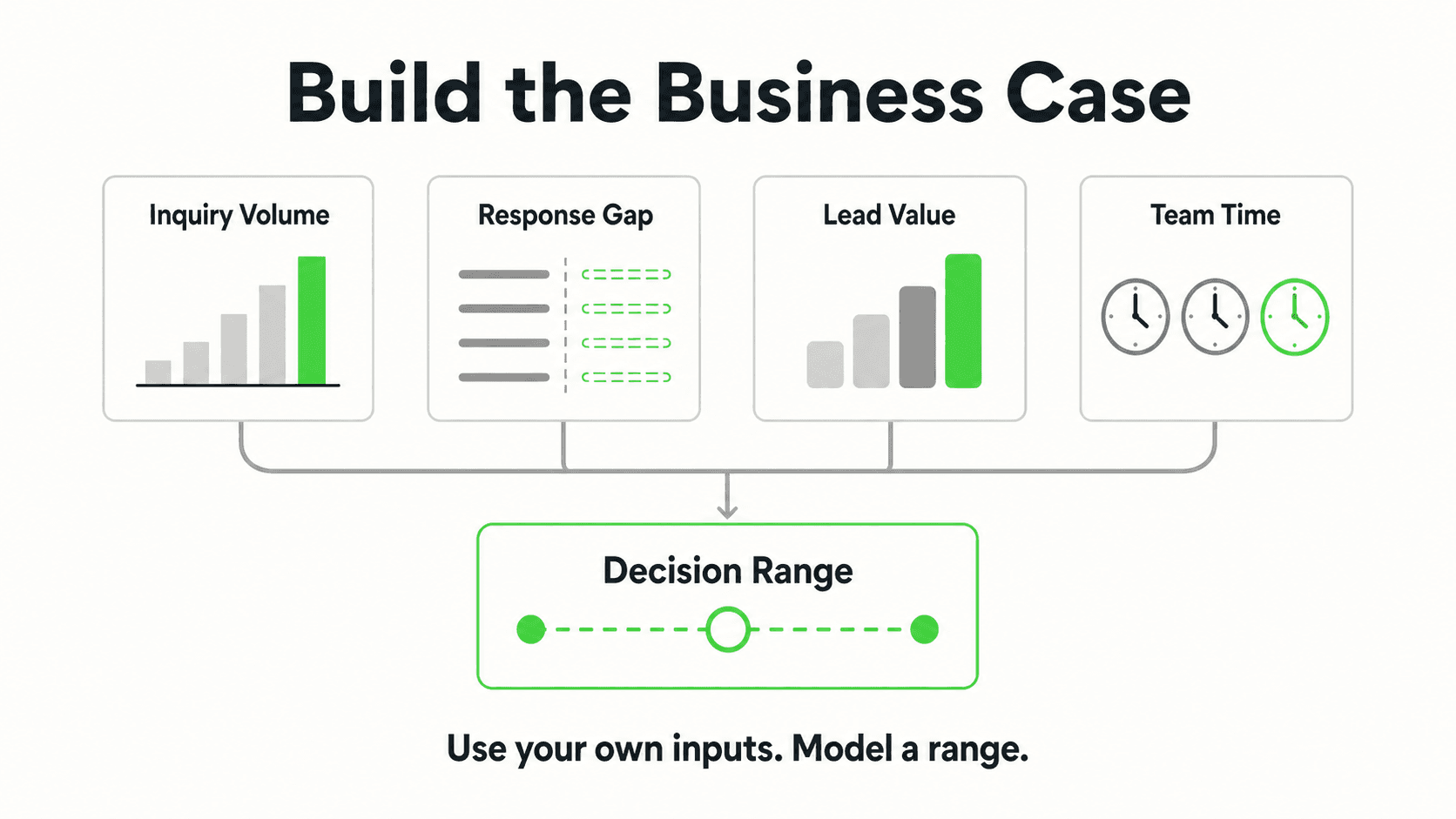
What this looks like in practice: A qualified prospect asks to see a unit. With Calendly or Cal.com connected (on Pro and Max), the AI offers real open tour times and books the tour in the conversation. With your own scheduler, it shares your existing tour booking link.
Real-world impact: The prospect books while their interest is highest, instead of waiting for a callback the next business day.
Why it works: Bookings land in the calendar your team already runs — the AI books only the open slots your Calendly or Cal.com availability shows (in-chat booking needs Calendly Standard or higher), and it never holds a slot or touches other calendars.
Key features:
- In-chat tour booking (or an instant link-share) the moment a prospect is ready
- Works the same way across website chat, WhatsApp, Instagram DM, and Facebook Messenger
- No calendar integration required to get started
4. Maintenance Request Intake and Routing
What this looks like in practice: A tenant reports a jammed disposal or a dripping faucet. The AI asks the clarifying questions your team configured — unit number, description, urgency — then creates a ticket.
Real-world impact: Every request is acknowledged within seconds instead of sitting in an inbox until morning, and your team gets a clean summary instead of a half-finished voicemail.
Why it works: The AI captures and routes; it does not dispatch a vendor, order a part, or close the ticket. A person on your team still makes the actual maintenance call.
Key features:
- Structured intake: unit, issue, urgency
- Ticket delivered by email or webhook (webhooks on Pro and Max)
- Emergency keywords (flooding, no heat, gas smell) trigger immediate routing to your on-call contact
5. Rent and Payment FAQs
What this looks like in practice: A tenant asks when rent is due, whether there's a grace period, or what the late fee is. The AI answers from your written policy.
Real-world impact: Tenants get a clear answer instantly instead of waiting on hold or emailing the office, and your team fields fewer repetitive billing questions.
Why it works: The AI answers policy questions only — it does not process payments, hold card details, or touch your billing system. For the actual payment, it points tenants to your resident portal.
Key features:
- Due date, grace period, and late fee explanations
- Resident portal link for the actual transaction
- No payment processing — that stays entirely in your existing system
6. Application Process Questions
What this looks like in practice: A prospect asks what documents they need, what the application fee is, and how long approval takes. The AI answers from your posted process.
Real-world impact: Prospects arrive at your application with the right documents ready, cutting back-and-forth.
Why it works: The AI explains the process — it does not accept, process, or approve applications, and it never screens or scores an applicant. That decision stays entirely with your team.
Key features:
- Document checklist and fee disclosure
- Timeline expectations set correctly upfront
- Clear handoff to your actual application system
7. Multilingual and Multi-Property Support
What this looks like in practice: A prospect messages in Spanish; the AI detects and replies in Spanish automatically. A portfolio with several buildings gets per-property answers instead of one generic script.
Real-world impact: Non-English-speaking prospects and tenants get the same instant, accurate answers as anyone else, and a multi-building portfolio doesn't force staff to remember which policy applies where.
Why it works: Language detection and per-property configuration both work off the documents and settings you provide — the AI reflects your actual policies for the actual building being discussed.
Key features:
- Automatic language detection across 100+ languages
- Per-property knowledge bases inside one workspace
- One unified inbox across all properties and channels
See how a property management chatbot handles a real inquiry
Watch an AI agent answer a pet policy question and capture a maintenance request end to end.
See it in actionWhat a Property Management Chatbot Should Never Do
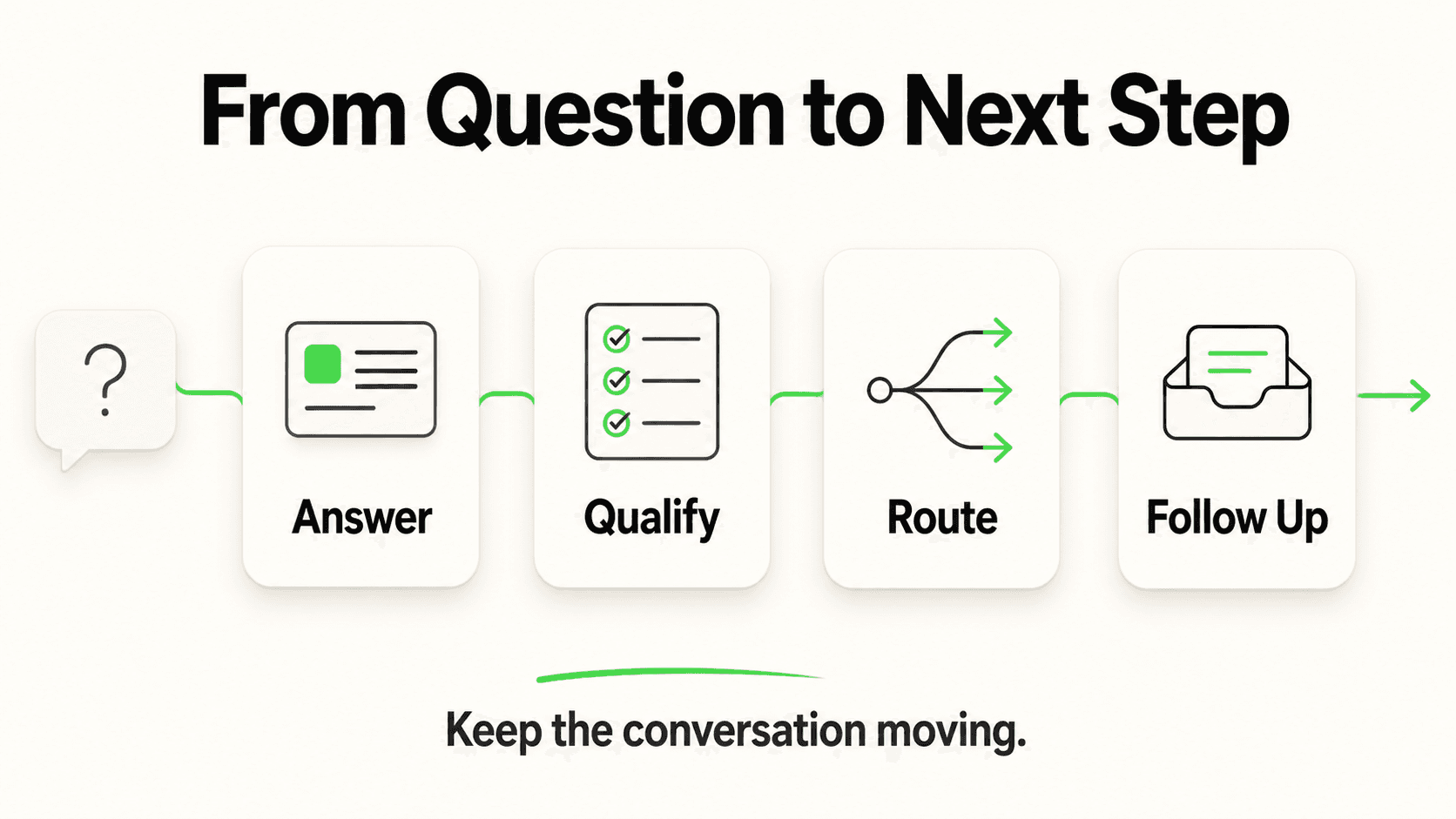
Being clear about the boundary is what separates a useful evaluation from a sales pitch. A property management chatbot, done honestly, does not:
- Screen or score applicants. It explains your application process; a human makes every leasing decision.
- Hold slots or book into schedulers other than Calendly and Cal.com. For any other tool, it shares your tour link and your team confirms the booking.
- Process rent or deposit payments. It answers billing questions and points tenants to your existing payment portal.
- Integrate natively with your PMS. There is no built-in connection to Yardi, AppFolio, Buildium, or RealPage. Conversations and leads reach your team by email summary and webhook; a developer can wire that into your PMS using Hyperleap's REST API, but that's an integration requirement to evaluate, not a one-click feature.
- Dispatch a maintenance vendor. It captures and routes the request; your team schedules the actual repair.
- Answer the phone. Everything above runs on messaging channels — website chat, WhatsApp, Instagram DM, Facebook Messenger. Voice is Roadmap, not shipped.
Ask vendors this directly
"Does your chatbot write directly into my PMS, or does it send me a lead I have to enter myself?" Most vendors in this category, Hyperleap included, do the second. If a vendor claims a native two-way PMS sync, ask exactly which system and what data moves — it's the single most overstated claim in this category.
Evaluation Checklist: What to Ask Before You Buy
Use this checklist when comparing property management chatbot vendors:
- Which channels does it actually run on? Website, WhatsApp, Instagram DM, and Facebook Messenger are a meaningfully different set of channels than a phone-based IVR — confirm you're comparing like for like.
- Is the knowledge base scoped per property or generic? A chatbot that answers from your actual pet policy and listings is different from one giving industry-average answers.
- What does the maintenance ticket handoff look like? Ask to see a sample. If it's missing unit number, urgency, and description, your team still has to chase down the details manually.
- Does it claim native PMS integration? If yes, ask exactly what data syncs and in which direction. Most "integrations" in this category are REST API and webhook connections a developer sets up, not out-of-the-box syncs.
- How is OTP verification handled, if at all? Phone-number verification for leads is a paid add-on on Hyperleap's Pro and Max plans (website chat only), not something bundled free — confirm pricing before assuming it's included.
- How long does setup actually take? Hyperleap's quick-start path is live in under 5 minutes — paste your site URL and add one script tag. Attaching your actual pet policy, lease documents, and pricing is tuning you do after that, not a blocker to going live.
- What's the real pricing, including add-ons? Base plans and per-response limits are one number; OTP verification, extra chatbots, and Multi-variant (locations, courses, etc) are separate line items.
Pricing: What a Property Management Chatbot Actually Costs
Hyperleap AI runs three plans, all with a 7-day free trial (credit card required, no free plan):
| Plan | Price | AI Responses | Chatbots | Channels |
|---|---|---|---|---|
| Plus | $40/mo | 3,000 | 1 | 4 |
| Pro | $100/mo | 12,000 | 2 | 8 (4 per chatbot) |
| Max | $200/mo | 30,000 | 5 | 20 (4 per chatbot) |
A single-property leasing office typically starts on Plus. A multi-building portfolio that wants a separate chatbot per property, or white-label branding, generally lands on Pro or Max — white-label removal of the Hyperleap badge is available starting on Pro. Add-ons are billed separately: OTP-verified lead capture (Pro/Max, website chat only, usage-based from $100), Multi-variant (locations, courses, etc) for portfolios with several similar properties ($40/mo plus credits, Pro/Max), and Managed Setup, which is offered free (list price $299) on every plan. Full detail on /pricing.
Getting Started: A Step-by-Step Guide
Step 1 — Go live with the basics. Paste your website URL. The AI reads your public listings, imports your branding, and generates a starting prompt automatically — this is the "live in under 5 minutes" quick-start path.
Step 2 — Attach your policy documents. Upload your pet policy, lease template, application checklist, and any per-property rules. This is the step that makes pet-policy and application answers accurate rather than generic.
Step 3 — Configure maintenance intake questions. Decide what the AI asks for — unit number, description, photo request, urgency signal — and which keywords trigger emergency routing to your on-call contact.
Step 4 — Connect your tour scheduling. Connect Calendly or Cal.com so the AI can book tours in the chat (Pro and Max), or add your own scheduler's link so qualified prospects can book immediately.
Step 5 — Set up notifications. Choose where leads and maintenance tickets land — email, or a webhook (Pro and Max) into your own system if you have a developer available to build that connection.
Step 6 — Test with real questions. Before pointing live traffic at it, ask it the ten questions your leasing team hears most, in your own tenants' phrasing, and fix any gaps in your uploaded documents.
A common early mistake: treating document upload as optional. The AI is only as accurate as what you give it — a chatbot with no pet policy uploaded will correctly say it doesn't have that information rather than guess, which is safer than a wrong answer but less useful than doing the upload first.
Related reading: what is ticket deflection for measuring how many maintenance and leasing questions the front desk absorbs, chatbot-to-human handoff best practices for the routing design, and how to add an AI chatbot to an HTML website if your listings site is hand-built.
Frequently Asked Questions
What is a property management chatbot?
A property management chatbot is an AI agent that answers leasing, pet policy, application, and maintenance questions from a property manager's own documents and listings, across website chat, WhatsApp, Instagram DM, and Facebook Messenger. It captures prospect and tenant details, shares booking links for tours, and routes maintenance requests to the team — it does not process payments or make leasing decisions.
Can a property management chatbot screen tenant applications?
No. It explains your application requirements, fees, and documents needed, but it does not accept, score, or approve applications. Every leasing decision — including fair housing-sensitive determinations — stays with your team.
Does it integrate with Yardi, AppFolio, or Buildium?
Not natively. There is no built-in two-way sync with any property management system. Leads and maintenance tickets reach your team by email or webhook, and a developer can connect those to your PMS using Hyperleap's REST API — that's an integration requirement to evaluate case by case, not a shipped feature.
How does it handle a maintenance emergency?
The AI recognizes urgency keywords you configure (flooding, no heat, gas smell) and immediately routes the request to your on-call contact with the unit number and description attached. It does not dispatch a vendor or make a judgment about severity — a person on your team decides what happens next.
Does the chatbot book tours automatically?
Yes, on Pro and Max, if you schedule tours through Calendly or Cal.com: it reads live availability, offers open times, and books the tour in the conversation, and the prospect gets a calendar invite by email (in-chat booking needs Calendly Standard or higher). On Plus, or with any other scheduler, it shares your tour booking link the moment a prospect is qualified, and your team confirms the booking there. It creates new bookings only — it does not cancel or reschedule.
How much does a property management chatbot cost?
Hyperleap AI's plans start at $40/month (Plus), with a 7-day free trial and a credit card required to start. Pro ($100/mo) and Max ($200/mo) add more chatbots, channels, and white-label branding. OTP-verified lead capture is a separate paid add-on on Pro and Max, for website chat.
How long does it take to set up?
The quick-start path is live in under 5 minutes: paste your website URL and add one script tag. Uploading your specific pet policy, lease terms, and pricing details is tuning you do afterward, not a blocker to going live.
The Bottom Line
A property management chatbot's real job is narrower than the marketing around this category sometimes suggests — and that's exactly what makes it useful. It answers the pet-policy and availability questions that would otherwise wait for office hours, captures maintenance requests the moment they happen instead of overnight, and gets qualified prospects onto your calendar without a single missed call. What it doesn't do — screen applicants, sync natively with your PMS, dispatch vendors, or take a payment — stays exactly where it belongs: with your team.
Ready to stop losing leasing inquiries after hours?
See how Hyperleap AI answers pet policy questions, qualifies prospects, and routes maintenance requests — start your 7-day free trial.
Start Free TrialIndustry Solutions
See how AI chatbots work for these industries:
Related Articles

Hotel Event-Space Enquiries: Build a Useful Brief
Collect useful hotel meeting-space enquiries with layout, attendance, equipment and catering prompts, without implying a venue reservation.

Cleaning Enquiries: Scope Questions Before a Quote
Collect clearer cleaning quote enquiries with residential and commercial scope questions, exclusions, access notes and a practical team-review worksheet.

Mobile AI Front Desk QA: A Practical Review Sheet
Review your mobile AI front desk from opening to follow-up, with practical checks for reading, keyboard obstruction, links, forms and close controls.

AI Front Desk Leads to CSV: A Follow-Up Workflow
Turn a chatbot lead export into a usable follow-up list with field checks, careful deduplication, clear ownership and a synthetic CSV example.