Dental DSO No-Show Recovery: What AI Can and Can't Do
Reminder tools fix no-shows after booking. An AI front desk fixes upstream causes — unanswered questions, dark after-hours desks, dead-end reschedule requests.
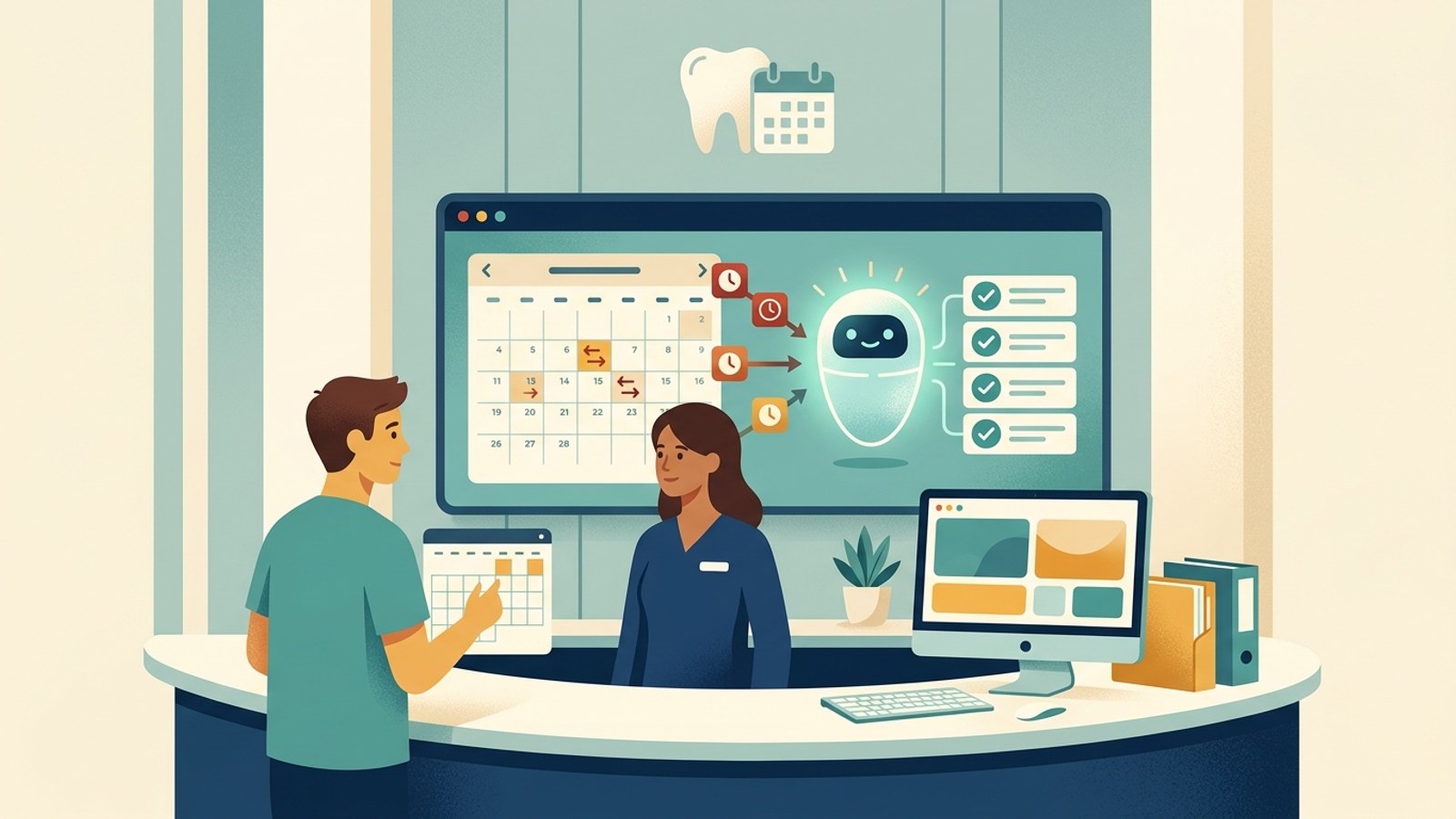
TL;DR: Most dental no-show recovery automation lives inside your practice management system (PMS) or a reminder tool bolted onto it — it reminds patients who are already booked. An AI front desk attacks a different, upstream problem: the patient who never finishes booking because a question went unanswered, the reschedule request that hits a closed office at 9 PM, and the inconsistent answer a patient gets at location #7 versus location #1. Today, an AI front desk (Hyperleap AI included) can answer instantly so patients don't cancel by silence, offer a new time the moment someone says they can't make it (booked in chat through Calendly or Cal.com on Pro and Max, or via your booking link), and capture after-hours reschedule requests and route them to your team. It cannot write into Dentrix, Eaglesoft, or Open Dental, cannot send automated SMS reminders, and cannot see or touch your actual appointment schedule or patient records. For DSOs, the honest value is consistent upstream answers across every location — one shared knowledge base, with the Multi-variant (locations, courses, etc) add-on answering from the right office — not a PMS replacement.
A regional DSO running twelve locations doesn't have one no-show problem. It has twelve versions of the same problem, each shaped slightly differently by whichever front desk person answered the phone that day, whichever reminder vendor got wired into that clinic's PMS, and whichever after-hours voicemail greeting is currently live.
Ask most dental groups what they've already done about no-shows, and the answer is usually "we send reminder texts." That's the right instinct, and it works — automated appointment reminders reduce no-shows by 23-38% in published studies when they combine multi-touch sequences with two-way confirmation. But reminders are a downstream fix. They only touch the patient who is already on the schedule.
This guide is about what an AI front desk can do for the no-shows that never had a chance to become a reminder problem — the patient who found your website at 9:47 PM, had one unanswered question, and quietly closed the tab. It covers what an AI front desk genuinely does for no-show recovery today, what it explicitly does not do, and how that changes shape for a DSO running the same problem across many rooftops at once.
Reminder Tools and an AI Front Desk Solve Different Halves of the Problem
No-shows have two distinct failure points, and most conversations about "no-show automation" only address one of them.
Failure point one: a booked patient forgets or deprioritizes the visit. This is what reminder systems solve. A confirmed appointment sits in the PMS; a text or email fires at 48 hours, 24 hours, and 2 hours out; the patient confirms, cancels, or gets nudged into showing up. US dental practices average a 15% no-show rate, costing roughly $105,000 a year in lost production — and reminder sequences are the proven fix for the "forgot" and "deprioritized" share of that number.
Failure point two: a patient's plans change, and the practice never finds out until the empty chair. This is upstream of the schedule entirely. A patient who has a work conflict on Thursday will try to tell someone — by calling, by messaging the website chat, by texting the practice's number — usually at 7 PM on a Tuesday, when the desk that could rebook them is closed. If that message goes nowhere, the practice doesn't get a cancellation with three days of notice to fill the slot. It gets a no-show with zero notice, on the day.
An AI front desk is built for failure point two. It doesn't manage your schedule; it makes sure the messages that would have prevented a no-show actually reach someone, at the moment the patient sends them, instead of sitting unread until Wednesday morning. Cut Dental No-Shows with Automated Reminders is the right guide if you haven't built the reminder layer yet. This one is about the layer most practices haven't built at all.
The Upstream Causes No Reminder System Touches
Before getting into what an AI front desk can do, it's worth being precise about what's actually driving the no-shows that reminders don't fix.
Unanswered Questions Become Silent Cancellations
A patient with a scheduled cleaning has a question: "Can you also look at a chip in my front tooth while I'm there, or do I need to book separately?" They ask it through your website chat or send it to your Instagram DM. If no one answers within the hour — never mind by the next morning — a meaningful share of patients don't call back to ask again. They just don't show up, and your front desk never learns why. Dental practices lose new patients to whichever practice answers first; the same dynamic quietly erodes existing bookings when a pre-visit question goes unanswered.
The Desk Is Closed When the Reschedule Request Arrives
Patients don't decide to skip an appointment during business hours. They decide at night, on a weekend, or in the middle of a meeting — the moments your front desk is unreachable. A message sent to voicemail or an unmonitored inbox at that hour has no path back into your schedule until someone checks it, by which point the appointment may already be tomorrow's no-show.
One Bad (or Missing) Answer, One Lost Slot
Sometimes the cause is smaller than it sounds: a patient wasn't sure if the practice was still in-network with their new insurance, wasn't sure the office was open on the holiday Monday their appointment fell on, or wasn't sure how to reschedule without calling during work hours. Each of these is a fully documentable, static answer that a front desk gives dozens of times a week — and each one, left unanswered, has a real chance of turning into an empty chair.
What an AI Front Desk Can Do for No-Shows Today
This is the honest, current-state list — not a roadmap, not a demo capability. Every item below is live in Hyperleap AI today.
Instant Answers So Patients Don't Cancel by Silence
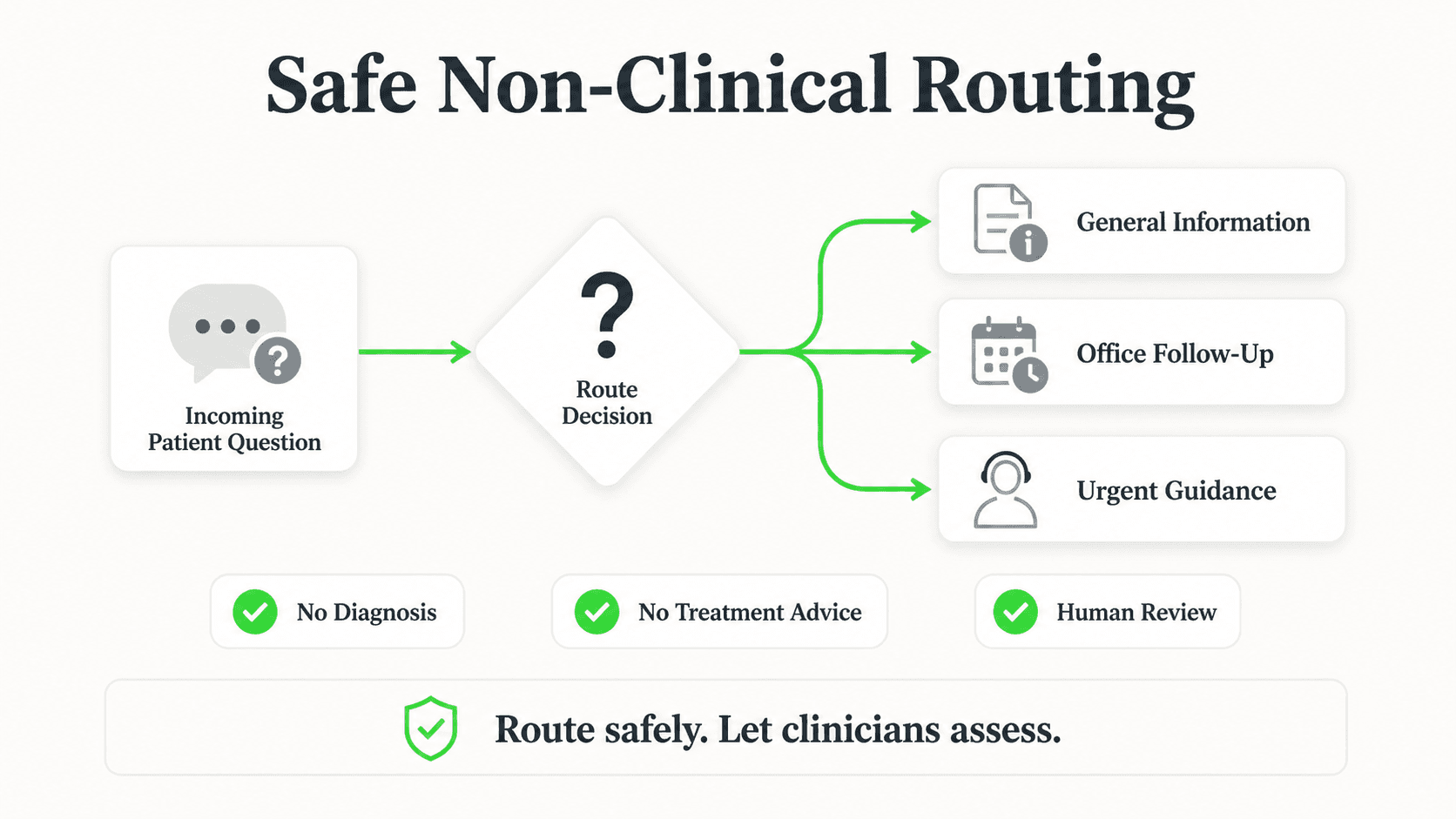
The dental AI agent answers pre-visit questions the moment they're asked — hours, insurance basics, what to bring, whether a second concern can be added to an existing visit — grounded in the documents your practice uploads. A patient whose question gets answered at 9:47 PM doesn't need to decide, alone and uncertain, whether the appointment is still worth keeping.
Sharing the Rebooking Link the Moment Someone Says They Can't Make It
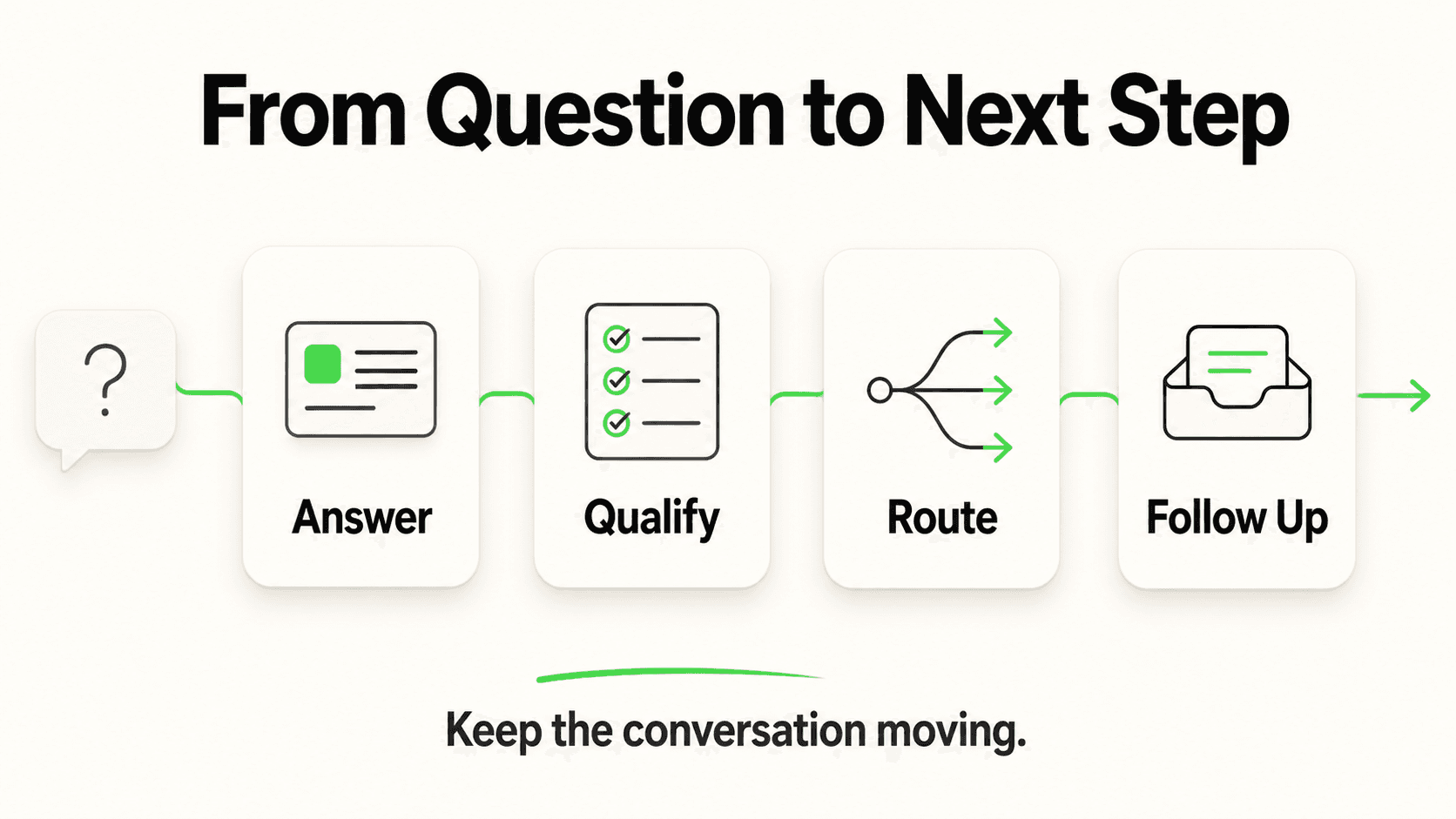
When a patient writes "I can't make my appointment Thursday, can I move it?" the AI recognizes the reschedule intent and immediately offers a way back in. If new-patient or rebooking slots run through Calendly or Cal.com, the AI can show open times and book the new slot in the chat (on Pro and Max; on Plus, the agent shares your booking link) — it can't cancel the original appointment, so that request goes to your team. With any other scheduler it shares your booking link. Either way, the patient gets a door back into your schedule instead of a dead end, and your PMS stays untouched.
Capturing After-Hours Reschedule Requests and Routing Them to Your Desk
Even when a patient's message doesn't map neatly to "click this link," the conversation is captured through the lead form and summarized in an email to your team the next morning — who the patient is, what they said, and that it needs a callback. Instead of a voicemail nobody checked until Wednesday, your front desk starts the day with a sorted list: this person needs to move Thursday's slot, this person had a billing question, this person is a new patient. That's the difference between a no-show discovered when the chair sits empty and a cancellation discovered with enough notice to fill it.
Multi-Location Routing for DSOs
For a group running multiple locations, the Multi-variant (locations, courses, etc) add-on (Pro/Max plans, $40/month plus 2x credits per request) lets every location share one knowledge base that also holds each office's hours, providers, and policies. A patient asking about the Austin office gets the Austin office's answer, and a patient who doesn't say which office gets asked — not a generic, group-wide non-answer.
What this actually changes
None of the above touches your schedule. It touches the conversation that happens before a cancellation decision gets made — and routes the ones that need a human to the humans who can act on them.
What It Cannot Do — and Why That Matters
Being specific about the ceiling here is more useful than being vague about the promise.
No Write Access to Your PMS
Hyperleap AI does not have native integrations with Dentrix, Eaglesoft, Open Dental, or any other dental practice management system. It cannot see your appointment book, cannot move a patient from Thursday to Friday, and cannot mark a slot as canceled. If a patient reschedules through the AI-shared booking link, that action happens in your booking tool, not inside the AI. For workflows that need lead or conversation data to reach your PMS or CRM, that connection runs through Hyperleap's REST API and webhook events (on Pro and Max: lead.captured, conversation.started, conversation.reply) and a developer or integration tool on your side — not a built-in sync.
No Automated SMS Reminders — Yet
An SMS channel via Twilio is on Hyperleap's roadmap, not shipped. If your no-show strategy depends on scheduled text reminders at 48/24/2 hours before a visit, that's a job for your PMS's native reminder feature or a dedicated reminder tool today — see Cut Dental No-Shows with Automated Reminders for what that layer should look like. An AI front desk complements that layer; it doesn't currently replace it.
No Access to Appointment Schedules or Patient Records
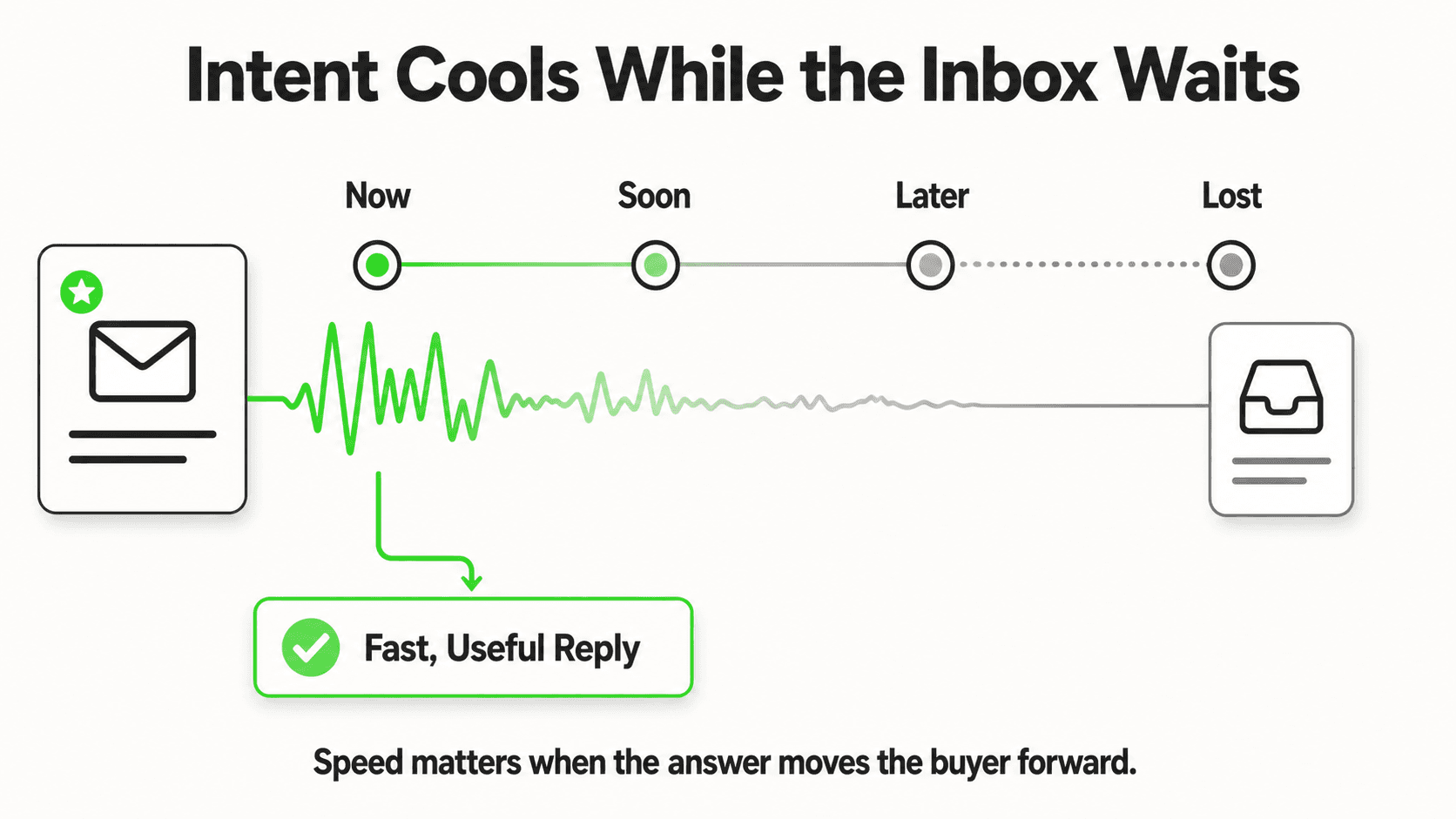
This is a boundary, not a limitation to work around. Dental practices are HIPAA-covered entities, and Hyperleap AI does not make HIPAA compliance claims or sign a Business Associate Agreement. Every capability described in this guide is front-of-house, non-PHI work: answering general questions, sharing a booking link, capturing a name and contact reason. The AI never confirms a specific patient's exact appointment time, never reads back what procedure they're scheduled for, and never touches anything that would require PHI access to answer. If a message needs schedule-level or clinical detail, it routes to your team — the same emergency-routing principle covered in AI Receptionist for Dental Clinics: Safe Emergency Routing applies here. Practices evaluating HIPAA posture for any AI tool should work through what a HIPAA-compliant AI chatbot needs to cover with their compliance officer before deployment.
AI Front Desk vs. Front Desk Staff vs. PMS: Who Handles What
| No-show-related task | AI front desk | Front desk staff | Practice management system (PMS) |
|---|---|---|---|
| Answering "are you still open, can I still come in today?" at 9 PM | Yes — instant, from your hours/FAQ documents | Only during office hours | No — a PMS doesn't message patients |
| Sending scheduled reminder texts at 48h/24h/2h before a visit | No — SMS is roadmap, not shipped | Manual calls; slow and inconsistent | Yes — most PMS or reminder add-ons do this natively |
| Sharing a rebooking link when a patient says "I can't make it" | Yes — books a new Calendly/Cal.com slot in chat (Pro and Max), or shares your booking link | Yes, if they see the message in time | No |
| Capturing an after-hours reschedule request and getting it to the desk by morning | Yes — lead form capture plus an email summary | No — the office is closed | No |
| Actually moving the appointment to a new slot | No — no write access to the schedule | Yes | Yes — this is what the PMS is for |
| Confirming a specific patient's exact appointment time via chat | No — no schedule access, no PHI | Yes | Yes (staff use it to look this up) |
| Keeping the cancellation policy answer consistent across every location in a DSO | Yes — one shared knowledge base, with the Multi-variant add-on answering from the right office | Varies by location and by shift | Depends entirely on how each location configured it |
The DSO Problem: Consistent No-Show Recovery Across Every Location
A single practice's no-show problem is a staffing and scheduling question. A DSO's no-show problem is also a consistency question — and consistency is where multi-location groups actually lose the most ground.
Centralized Knowledge, Per-Location Overlays
Location #1 answers "can I reschedule without a fee?" one way because that's how the office manager has always handled it. Location #7, three states away, answers it differently because a different person built that practice's process. A patient bouncing between locations — or a corporate team trying to standardize the patient experience — sees the inconsistency immediately.
One shared knowledge base holds the policies that should be identical everywhere (general rescheduling process, insurance categories accepted group-wide, standard aftercare instructions) alongside each office's own details (specific hours, specific providers, specific local promotions or holiday closures). The Multi-variant add-on makes sure a patient asking about the San Antonio office gets the San Antonio office's hours, checks every office for questions like "which offices are open Saturday?", and asks which office when the patient doesn't say.
What Changes When You Add a Location
Without a shared knowledge layer, adding a location means re-training a new front desk team on the same institutional knowledge from scratch, and hoping the answers stay consistent as staff turn over. With a shared knowledge base and location overlays, adding a location means uploading that location's hours, providers, and local specifics — the group-wide policies are already there. This is the part of no-show recovery that has nothing to do with reminders and everything to do with operating twelve front desks as if they were one.
Setting Up No-Show Recovery the Right Way
For a single practice or a DSO evaluating this for the first time, the build looks like this:
- Upload the documents that answer the questions patients actually ask before a visit — hours, insurance list, rescheduling policy, pre- and post-op instructions, cancellation fee policy if one exists.
- Configure the lead form so every conversation — including a mid-conversation reschedule request — captures a name and a way to reach the patient back.
- Connect Calendly or Cal.com (Pro and Max), or set your booking link for any other scheduling tool, so the AI can offer a new time the instant a patient signals they need to move an appointment.
- For a DSO: build the shared knowledge base first, then add one source per office with its specifics, and turn on the Multi-variant add-on so answers come from the right office — see the Multi-variant glossary entry for how it picks the right office.
- Route the output to whoever owns rebooking — a shared inbox, a specific staff member, or a callback queue — so captured reschedule requests turn into filled slots the same day they're read, not three days later.
Practices that want this built for them rather than self-configured can use Managed Setup ($299 Free), where the Hyperleap team builds the agent from your materials.
What This Actually Moves — and What It Doesn't
Be skeptical of any claim that an AI front desk "eliminates" no-shows. It doesn't move your PMS's reminder cadence, doesn't change how disciplined your team is about calling waitlisted patients to fill a gap, and doesn't touch the patient who simply forgets despite three reminders.
What it does move is the population of no-shows that were never going to be caught by a better reminder sequence — the patient who had a question and got silence, the reschedule request that hit a closed office, and the DSO location that gave a different answer than the one down the road. That's a real, if unglamorous, share of the no-show problem, and it's the part that a dental AI agent is actually built to close — not by managing your schedule, but by making sure every message that arrives before a canceled appointment actually reaches someone who can act on it.
For a broader comparison of platforms that address this space, see 10 Best AI Chatbots for Dental Practices in 2026. For the wider set of jobs an AI receptionist handles beyond no-shows — insurance FAQs, emergency routing, multilingual intake — see AI Dental Receptionist: What It Handles and How It Works and 10 AI Chatbot Use Cases for Dental Clinics in 2026. Groups evaluating a communication platform more broadly may also want what to look for in a patient communication platform and the underlying dental practice communication statistics for 2026.
FAQ
Can an AI front desk send automated no-show reminder texts (SMS)?
Not yet. An SMS channel via Twilio is on Hyperleap's roadmap and is not shipped today. Hyperleap AI operates on website chat, WhatsApp Business, Instagram DM, and Facebook Messenger. If scheduled SMS reminders are your primary no-show lever, that's a job for your PMS's native reminder feature or a dedicated reminder tool — see Cut Dental No-Shows with Automated Reminders for proven reminder cadences. An AI front desk is a complement to that layer, addressing the upstream causes reminders don't reach.
Does it integrate with Dentrix, Eaglesoft, or Open Dental to actually move or cancel appointments?
No. There is no native integration with any dental practice management system. The AI cannot see your schedule, cannot write a cancellation, and cannot move an appointment. It shares your existing booking link so the patient can rebook, and it captures reschedule requests for your team to act on manually. Connecting lead or conversation data to your PMS or CRM requires the REST API and webhook events on your side, built by a developer or integration tool — not an out-of-the-box sync.
What actually happens when a patient messages after hours to cancel or reschedule?
The AI recognizes the reschedule or cancellation intent, shares your booking link if the patient wants to self-serve a new time, and — whether or not they use the link — captures the conversation through the lead form. Your team receives an email summary the next morning with who reached out and what they need, instead of the message sitting in an unchecked voicemail or inbox until someone happens to find it.
Is this HIPAA compliant? Can it look up or confirm a specific patient's appointment?
Hyperleap AI does not make HIPAA compliance claims and does not sign a Business Associate Agreement. Every capability in this guide is deliberately non-PHI: general FAQ answers, booking-link sharing, and contact capture. It never confirms a specific patient's exact appointment time or reads back scheduled procedure details — that requires PHI access the AI does not have, and those requests route to your team. Practices should evaluate their full compliance posture against what a HIPAA-compliant AI chatbot needs to cover with their own compliance officer or counsel.
How does a DSO keep no-show recovery answers consistent across many locations?
Through the Multi-variant (locations, courses, etc) add-on (Pro/Max plans, $40/month plus 2x credits per request): one shared knowledge base holds group-wide policies — rescheduling process, accepted insurance categories, standard aftercare — plus each office's hours, providers, and local specifics. The add-on answers from the office the patient asks about and asks which office when they don't say, without each office re-authoring its own version of the same policy.
What's the realistic ceiling here — how much of our no-show problem will this actually fix?
It won't touch the share of no-shows caused by patients who forget despite a confirmed appointment and a reminder sequence — that's a reminder-system problem, not a conversation problem. What it addresses is the upstream share: patients who never confirm because a question went unanswered, and reschedule requests that arrive after hours and go nowhere until it's too late to fill the slot. Practices already running a strong reminder cadence should expect this to catch a different, additive set of cases — not double-count the same fix.
Industry Solutions
See how AI chatbots work for these industries:
Related Articles
Fitness Studio Scheduling: An AI Front Desk Guide
How an AI front desk handles class-schedule and pricing questions, captures trial-class leads, and shares your booking link — for fitness studios and gyms.
Mobile AI Front Desk QA: A Practical Review Sheet
Review your mobile AI front desk from opening to follow-up, with practical checks for reading, keyboard obstruction, links, forms and close controls.

AI Front Desk Leads to CSV: A Follow-Up Workflow
Turn a chatbot lead export into a usable follow-up list with field checks, careful deduplication, clear ownership and a synthetic CSV example.

Seller Enquiries: A Real Estate Intake Template
Use a seller enquiry template to capture property type, broad area, timing and the next agent conversation without promising valuations or collecting documents.