General Settings
Core chatbot settings that control how your chatbot operates and tracks interactions.
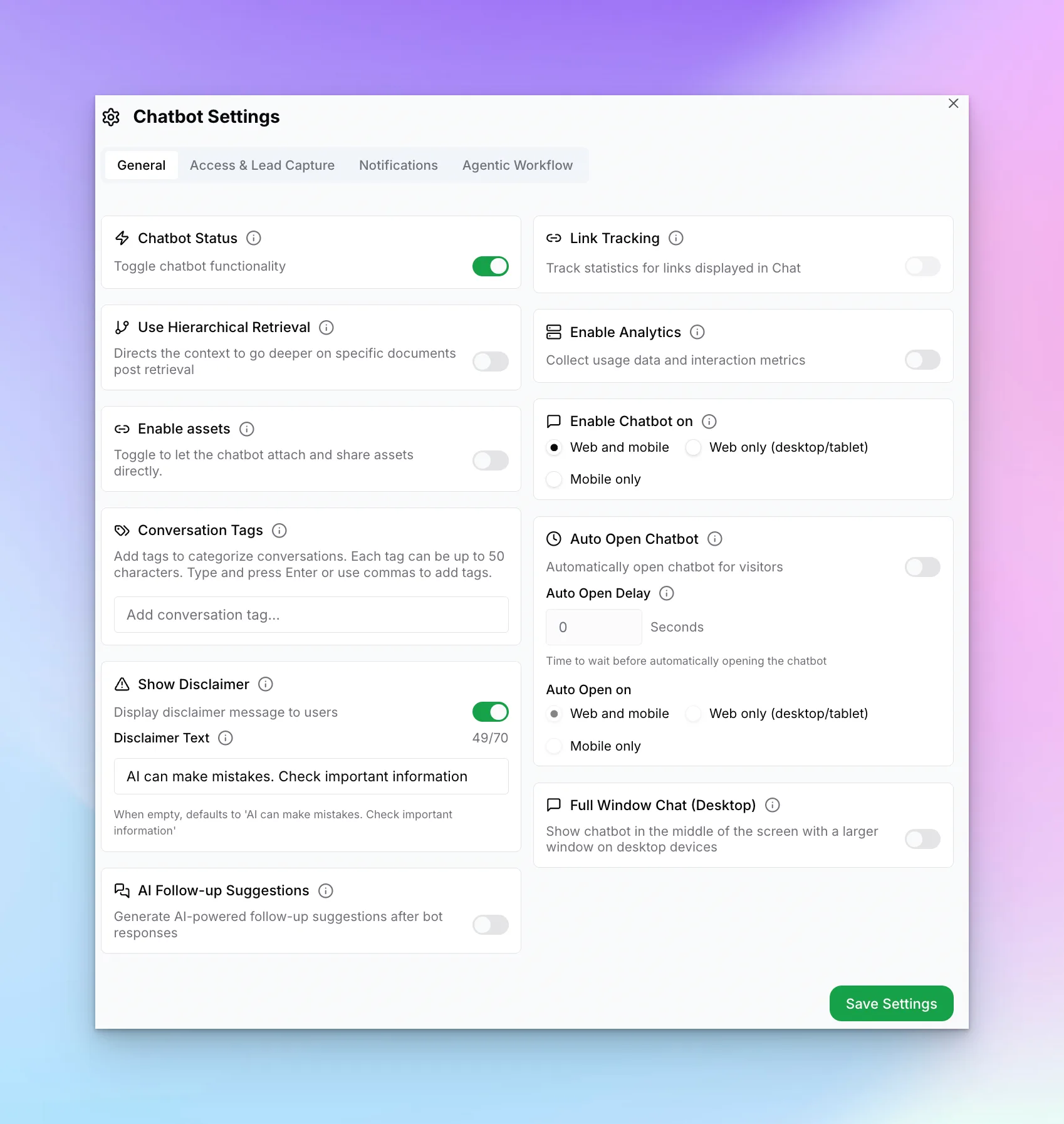
Chatbot Controls
Chatbot Status
Enable/disable the chatbot functionality
Multi-variant (locations, courses, etc)
Answers from the right location, course or plan, and asks which one when unclear ($40/mo add-on + 2x credits, Pro/Max only)
Enable Assets
Allow chatbot to share documents, images, videos, and booking links in conversations
Conversation Tags
Add tags to categorize conversations
Show Disclaimer
Display an AI disclaimer message
Follow-up Suggestions
Generate AI-powered follow-up options
Analytics & Tracking
Link Tracking
Track click statistics for chat links
Enable Analytics
Collect usage data and interaction metrics
Display Options
Enable Chatbot On
Web and mobile, Web only, or Mobile only
Auto Open Chatbot
Automatically open the chat widget
Auto Open Delay
Seconds to wait before auto-opening
Full Window Chat
Display in larger window on desktop
Setting Details
The cards above give you a quick overview. The sections below explain how each setting actually works and when to use it.
Timezone
Sets the timezone used for all reporting within this chatbot — conversation timestamps, lead capture times, and analytics charts all display in this timezone. It does not affect when the chatbot is online (the bot runs 24/7 regardless).
Set this to the timezone of your primary team or the region where most of your customers are located. If you change it after you have existing data, historical timestamps are re-rendered in the new timezone — no data is lost.
Auto-Open Chatbot
When enabled, the chat widget opens automatically after the visitor has been on the page for the number of seconds you specify in Auto-Open Delay. The auto-open fires once per session — if the visitor closes it, it will not reopen on that visit.
You can limit auto-open to Web only or Mobile only using the "Enable Chatbot On" toggle — useful if you want auto-open on desktop but find it intrusive on smaller screens.
Full-Window Chat (Desktop)
When enabled, the chat widget opens as a large centered window on desktop browsers instead of the standard corner popup. The window occupies most of the viewport, giving visitors more reading room for longer conversations or documents the bot shares.
This setting only applies on desktop — mobile always uses the standard full-screen sheet. It has no effect on chat button style; the button still appears in its configured position and launches the full-window view on click.
Show Disclaimer
Displays a short disclaimer message beneath the chat input — by default: "AI can make mistakes. Verify important information." You can customize this text to match your industry or compliance requirements.
Enable this if your chatbot operates in a regulated industry (healthcare, legal, financial services) or if you want to set visitor expectations about AI-generated responses.
Conversation Tags
Tags let you categorize conversations so you can filter and analyze them by topic, campaign, or outcome. Each tag can be up to 50 characters. Tags appear in your inbox and are included in lead exports.
Example tags: pricing-inquiry, support, demo-request,unresolved. You can add multiple tags to a single conversation.
Link Tracking
When enabled, any link the chatbot shares in a conversation is automatically wrapped with a click-tracking parameter. The Analytics dashboard then shows how many visitors actually clicked each link, letting you see which shared resources (pricing pages, booking links, documents) drive the most engagement.
Link tracking works for all link types: inline chat links, document URLs, and booking links the agent shares.