AI Answering Service for Plumbers: What's Automated
A plain breakdown of what an AI answering service actually automates for plumbing companies — and what's still roadmap, not shipped.

TL;DR: "AI answering service for plumbers" gets used loosely — it can mean a voice IVR, a live-transfer call center, or a chat-based AI agent. This guide is about the last one, which is what Hyperleap ships: an AI agent that answers on your website chat, WhatsApp, Instagram DM, and Facebook Messenger, checks whether a caller is in your service area, tells emergencies apart from routine work, gives ballpark price ranges you configure, and sends your dispatcher a clean job ticket. It does not answer your phone — voice is on Hyperleap's roadmap, not shipped. And no, it does not recommend a competing plumber to your own customers; that's a different category of AI tool entirely, covered below.
Search "AI answering service for plumbers" and you'll get results for at least three different products: a voice IVR that transcribes calls, a staffed answering service with AI-assisted scripts, and a chat-based AI agent that lives on your website and social channels. They solve overlapping but distinct problems, and vendors aren't always precise about which one they're selling you.
This guide is specific about the chat-based version — what it actually automates in a plumbing business's front desk, step by step, and just as importantly, what it doesn't touch. If you're evaluating AI agents for plumbing companies broadly, that page covers the full deployment; this one walks through the individual workflows so you know exactly where the automation starts and stops. A related trade — HVAC companies run into the same after-hours pattern, and the broader picture across service trades is in AI receptionist for home services.
What "AI Answering" Means Here — and What It Doesn't
An AI answering service, as this guide uses the term, is a messaging-based AI agent. It runs on four channels: your website's chat widget, WhatsApp Business, Instagram DM, and Facebook Messenger. A customer types a message, the AI responds in seconds, grounded in the information you've given it about your business — service area, pricing ranges, hours, what you do and don't handle.
It is not a phone system. It does not pick up your business line, transcribe voicemails, or place outbound calls. If a homeowner calls your number at 11 PM, they get whatever your phone setup already does — voicemail, a forwarding rule, an answering service, or nothing. Voice is genuinely useful for a trade where a chunk of demand still arrives by phone, and it's a fair question to ask any vendor. For Hyperleap specifically: voice is on the roadmap, not a shipped feature. Don't take a vendor's word for "coming soon" on this either way — ask what's live today versus what's planned, and evaluate on what's live.
What this AI agent does cover is the growing share of plumbing inquiries that never touch a phone at all: the homeowner who Googles at midnight and opens a chat widget instead of dialing, the lead who DMs your Instagram after seeing a before/after photo, the customer who's already texting you on WhatsApp and expects an instant reply. That's real volume, and it's the volume this guide is about.
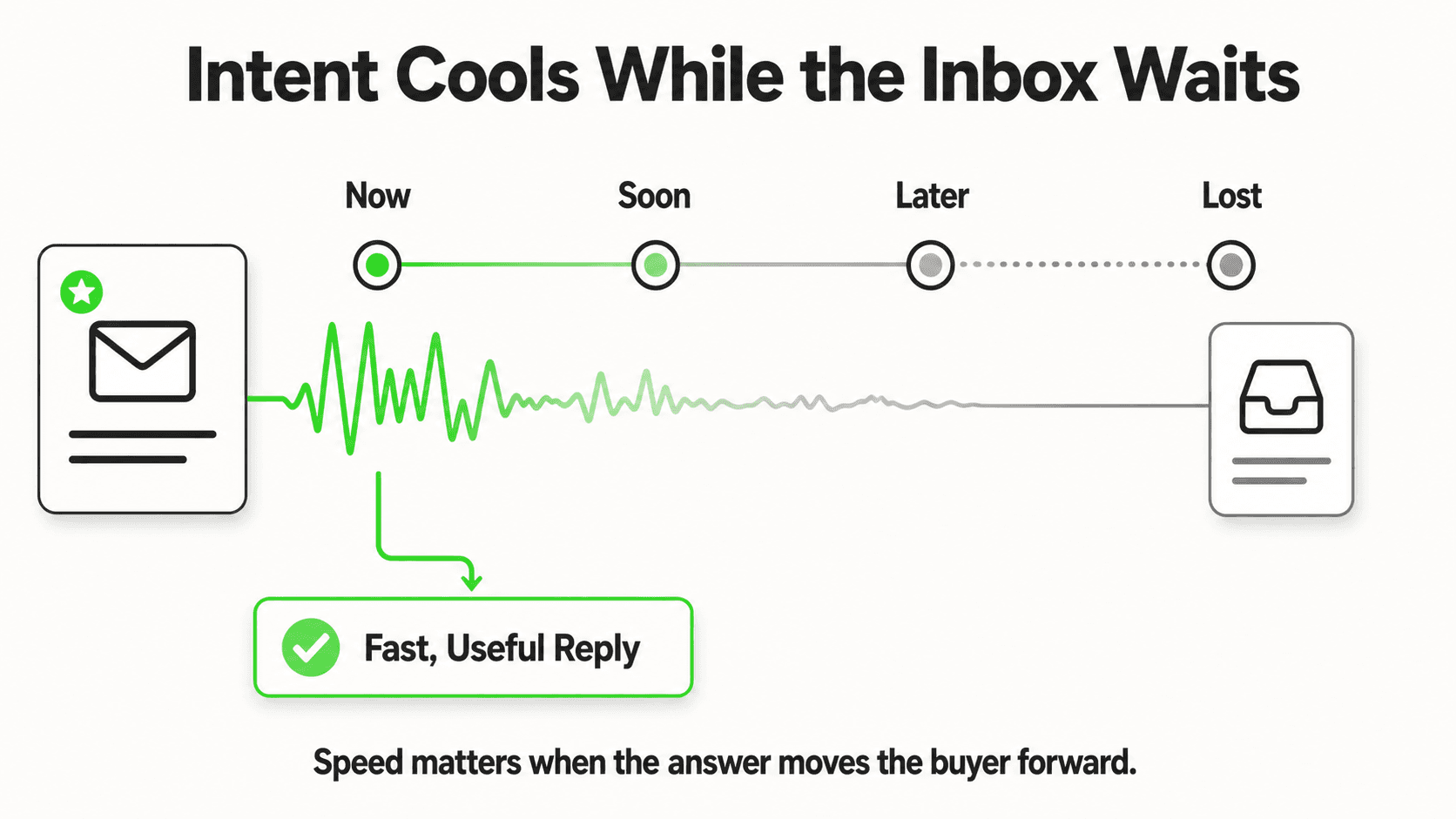
The rest of this piece walks through five concrete workflows: emergency intake, service-area triage, quote conversations, the handoff to dispatch, and — because it's a question people actually search — whether an AI chatbot might send your customer to a competitor. For the broader case on why response speed matters this much in the first place, see response time and conversion rates by industry and why home service businesses lose jobs to slow response.
After-Hours Emergency Intake: The Burst-Pipe Flow
Here's the scenario that makes or breaks the case for AI answering in plumbing: it's 1 AM, a supply line has failed, and water is spreading across a kitchen floor. The homeowner opens whichever plumber's site loads first and starts typing.
How the AI recognizes an emergency
The AI scans the first message for emergency-signal language — "burst," "flooding," "no water," "sewage backup," "leaking water heater," and similar phrasing — before running any general intake flow. When it detects one of these, it skips the standard "what service do you need" qualifying sequence entirely. There's no multi-step form standing between a flooding kitchen and getting help. Compare that to a static FAQ chatbot that answers questions but has no urgency logic at all — the distinction matters most exactly in this scenario.
What happens next
The AI surfaces your emergency contact information immediately and collects the two things your on-call tech actually needs before showing up: the address and a callback number. It doesn't ask about fixture brand or how old the water heater is — those questions can wait. Basic safety guidance (locate and shut off the main water valve, move valuables off the floor) can be included in the same message, so the homeowner has something actionable while they wait instead of just a "someone will contact you" placeholder.
Where the notification goes
The AI pushes a notification to your dispatch channel — WhatsApp, email, or a webhook (Pro and Max) into whatever tool you use — in real time. This is the same underlying mechanism covered in capturing emergency service calls 24/7: the goal isn't to have the AI "handle" the emergency, it's to get a human with the right context in the loop within seconds instead of within however long it takes someone to check a shared inbox in the morning.
What doesn't happen: the AI does not dispatch a technician, does not confirm an arrival time on its own authority, and does not make any judgment call about how severe the emergency is beyond the keyword match. A human on your team still decides who goes out and when. This same message thread continues on whichever channel the customer started on — website chat, WhatsApp, Instagram DM, or Facebook Messenger — with full history intact, which is part of the multi-channel design rather than a separate bot per platform.
Service-Area Triage Before Anything Else
Plumbers lose a specific and avoidable kind of time: running a full intake conversation on a lead you were never going to take because they're outside your service radius.
Why ZIP code comes first
The AI checks a customer's ZIP or address against your configured service area early in the conversation — before pricing questions, before scheduling, before collecting extensive detail. If the address is outside your territory, the bot says so plainly and, if you've configured it, can point the customer toward a plumber you trust rather than leaving them stranded. That's an optional courtesy, not something the AI decides on its own; you control whether it happens and who gets recommended.
What this actually saves
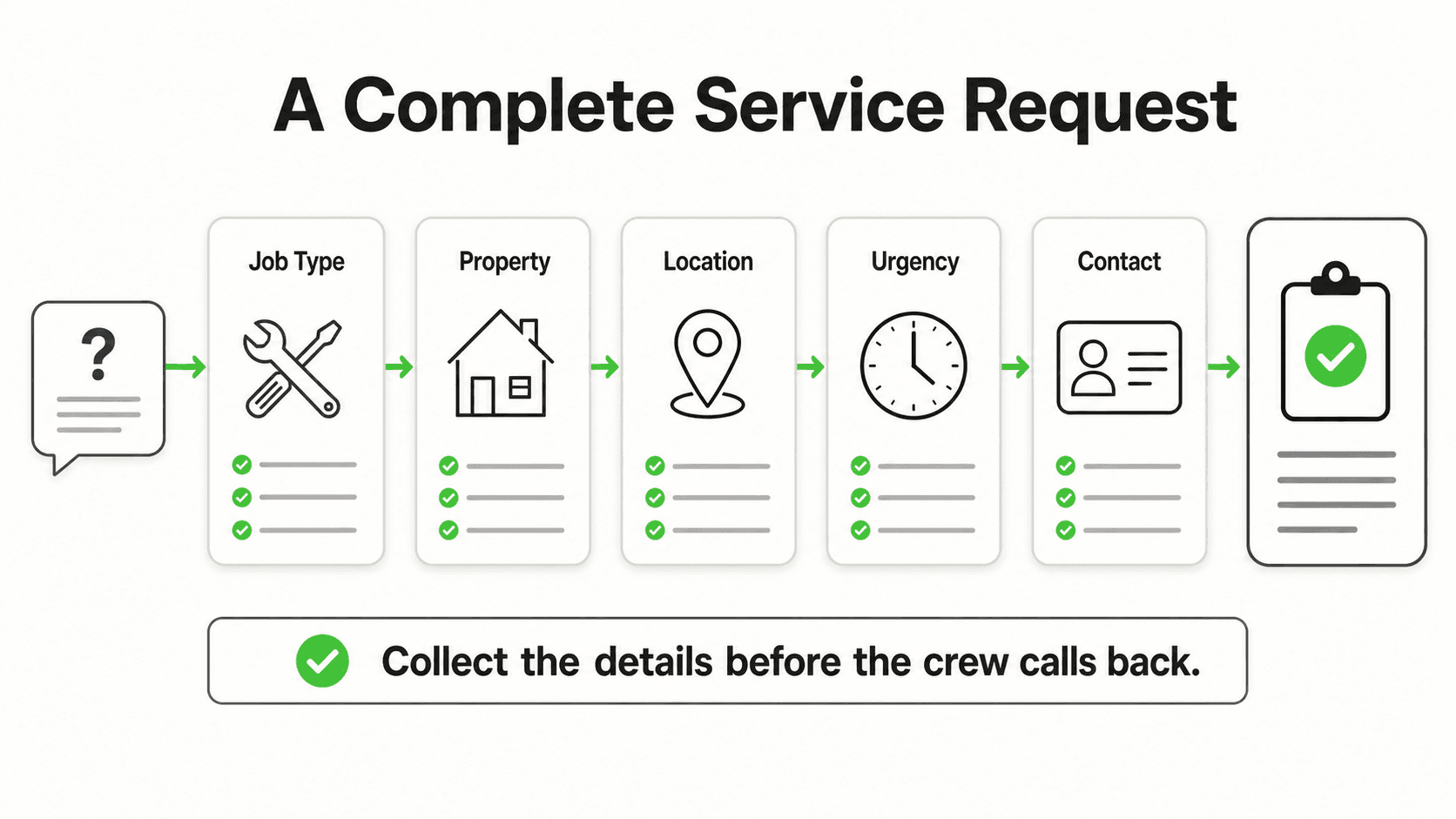
It's not really about outbound labor — nobody's canceling a call. It's about not spending five minutes of back-and-forth chat, an emailed lead notification, and a follow-up call from your dispatcher on an address you were never going to service. The filter runs in one exchange instead of a full intake.
If your business genuinely gets a meaningful share of out-of-area inquiries — multiple towns near a service boundary, or a metro area split across a few crews with different territories — this single check does more for your team's time than almost any other piece of the automation. It's also the same underlying mechanism used across the AI agent for home services deployments generally, not something plumbing-specific.
Quote Conversations: Ranges You Configure, Not Guarantees
This is where a lot of plumbing chatbots either overpromise or underdeliver, so it's worth being precise about what actually happens.
The AI shares ranges, not final numbers
You configure ballpark price ranges for your common jobs — drain cleaning, water heater replacement (tank vs. tankless typically split into two ranges), slab leak detection, sewer camera inspection, whatever your call volume is heaviest on. When a customer asks "how much for X," the AI shares the range you set, along with plain language that a final number requires a site visit. The customer walks away with a real number to plan around instead of "someone will call you with pricing" — but nobody's promised a quote the AI can't actually deliver.
Why this matters more than it sounds
Repeating the same pricing conversation dozens of times a week is a real cost, even if it's invisible on a P&L. Every one of those conversations is also a moment where a price-sensitive customer might bounce to a competitor who answers faster. Automating the range-sharing step doesn't replace your estimator — it means your team isn't spending time on the twentieth "how much for a water heater" question this month when the answer is the same range every time.
What it doesn't do
It does not process payment. It does not lock in a binding quote. It does not adjust pricing based on demand, time of day, or how urgent the customer sounds — the ranges are static, set by you, and applied consistently. If your business needs dynamic or job-specific quoting beyond a configured range, that's a conversation for a human estimator, and the AI should be handing that lead off, not attempting it. This is the same document-grounded approach that keeps the AI from improvising numbers it wasn't given — it can only say what you configured it to say.
From Chat to Dispatch: The Job-Ticket Handoff
Everything above — emergency flag, verified address, service-area check, quote range shown — needs to land somewhere useful. This is the step that's easy to overlook when evaluating an AI answering service, and it's where the honesty about integrations matters most.
What actually gets sent
The AI compiles a clean job ticket: customer name and contact info, the issue described in their words, urgency level, ZIP-verified service area confirmation, and the quote range if one was shared. That ticket goes to your dispatch via webhook, email, or a WhatsApp notification to whoever's on point.
What it does not do
Hyperleap's AI agent does not have a native integration with ServiceTitan, Housecall Pro, or Jobber today — those are on the roadmap, not shipped. If a vendor claims a native two-way sync with your field service software, ask exactly what data moves and in which direction; "we can email you a lead" and "we write directly into your ServiceTitan job queue" are very different claims, and only one of them typically exists in this category today. What Hyperleap does provide is a REST API and webhooks (webhooks on Pro and Max) — lead created, new message, conversation started, reply sent — so your dispatcher, a developer, or a middleware tool like Zapier (in active development for native Hyperleap support, not yet shipped) can wire that job ticket into your existing system.
The realistic workflow today
Your dispatcher reads the ticket and manually creates the work order in ServiceTitan, Housecall Pro, Jobber, or whatever you run — typically well under a minute per lead, since the ticket already has everything they'd otherwise have to ask for. That's a real time saving over an unstructured voicemail transcript or a bare contact-form submission, even without a native two-way sync. See chatbot lead routing for how the routing logic itself decides who on your team gets which ticket.
Do AI Chatbots Recommend Different Plumbers? The Marketplace Question
This is a fair question, and the honest answer depends entirely on which kind of AI tool you're asking about — because "AI chatbot" covers at least three very different business models.
Your own chatbot: no, by design
An AI agent that a plumbing company deploys on its own website, WhatsApp, and social channels — the kind covered in this whole guide — is document-grounded in that business's own information. It answers from what you've configured: your services, your pricing ranges, your service area. It has no reason and no mechanism to recommend a competitor, because it isn't connected to a directory of other plumbers. The one exception, described above, is the optional out-of-area referral — and that only fires when a lead is outside your own service area, and only if you've configured a specific plumber to recommend. It's a courtesy you control, not the AI shopping your lead around.
Marketplace and directory AI tools: sometimes, by business model
Lead-generation marketplaces (the Angi/Thumbtack category) and directory-style platforms are built on a different model entirely: they collect a request and match it to multiple providers, often several at once, because matching and reselling leads is the product. If a plumbing company signs up for a marketplace's AI-assisted intake tool, they should understand that the lead is likely being shopped to competitors as part of how that platform works — that's not a bug, it's the marketplace's revenue model, and it's a genuinely different category from an AI agent a business runs directly.
General AI assistants: yes, often, because that's what they're for
Ask ChatGPT, a Google AI Overview, or a similar general assistant "find me a plumber near me," and it will typically return several names pulled from search results, review sites, and business listings — because that's the job a general-purpose local-search assistant is doing. It isn't "recommending a competitor" in any adversarial sense; it's aggregating public information the way a search engine always has, just in conversational form. A plumbing company's own website presence, reviews, and local SEO still matter for whether it's one of the names that comes up.
The practical takeaway: if you're worried about an AI tool sending your customers elsewhere, the question to ask a vendor isn't "does your AI recommend other plumbers" in the abstract — it's "is my chatbot's knowledge base scoped to just my business, or is it part of a shared directory." For an AI agent deployed directly on your own channels, the answer should always be the former.
What Isn't Automated Yet — Said Plainly
A guide like this is only useful if it's honest about the boundary. Here's what an AI answering service for plumbers does not do today:
- Answer or place phone calls. Voice is roadmap, not shipped. If most of your inbound is still by phone, this tool complements your phone setup — it doesn't replace it.
- Write directly into ServiceTitan, Housecall Pro, or Jobber. No native two-way sync exists today. The handoff is a structured ticket via webhook, email, or WhatsApp, and a human creates the work order.
- Confirm a technician's arrival time with certainty. The AI can share a general expectation you've configured; it cannot see your crew's real-time location or availability unless that's wired in separately through your own systems.
- Process payment. No end-user payment handling. Billing happens through your existing invoicing and payment process.
- Make a clinical or safety judgment about a hazard. It routes based on keyword and urgency signals a human configured — it does not assess whether a situation is actually dangerous the way a licensed plumber on the phone would.
None of that makes the tool less useful for what it does cover. It makes the evaluation honest, which is the point of writing this at all.
What Gets Automated vs. What Doesn't: A Straight Comparison
| Workflow | Automated by the AI agent today | Still requires a human |
|---|---|---|
| Answering a chat/WhatsApp/DM message, any hour | Yes — instant reply, grounded in your configured info | Reviewing edge cases the AI escalates |
| Recognizing emergency-signal language | Yes — keyword-based detection skips standard intake | Judging true severity on arrival |
| Checking ZIP/address against service area | Yes | Deciding whether to serve borderline addresses anyway |
| Sharing price ranges | Yes — ranges you configure | Finalizing an exact quote after a site visit |
| Sending a job ticket to dispatch | Yes — via webhook (Pro and Max), email, or WhatsApp | Creating the work order in ServiceTitan/Housecall/Jobber |
| Answering the business phone line | No — not a feature | Entirely your existing phone setup |
| Native field-service software sync | No — roadmap | Manual entry from the ticket, or a developer-built API connection |
How to Evaluate an AI Answering Service If You're a Plumbing Company
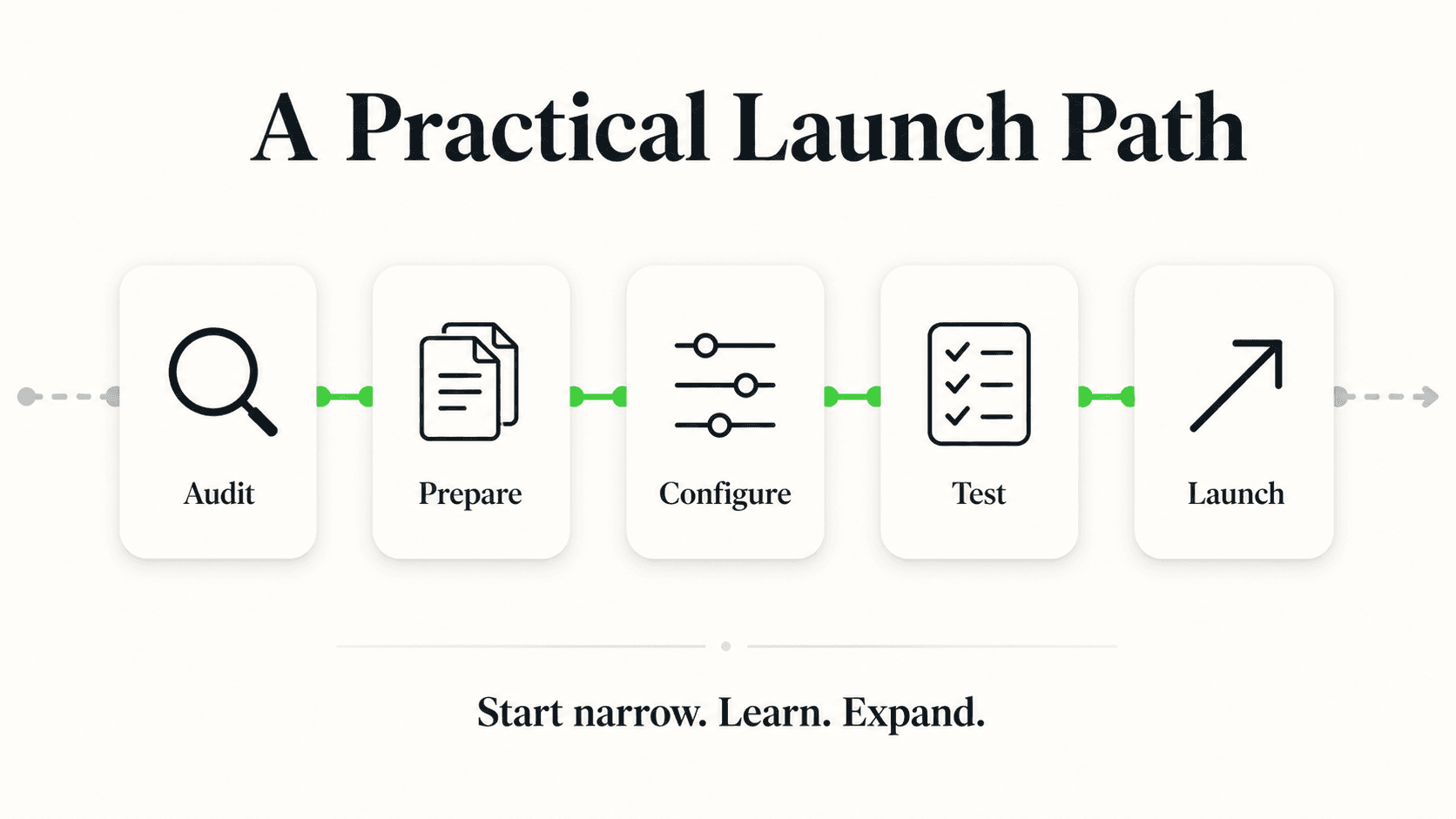
A few questions worth asking any vendor in this category, informed by everything above:
Which channels does it actually run on? Website chat, WhatsApp, Instagram, Facebook Messenger are one set of channels; phone/voice is a different one entirely. Get a straight answer on which you're buying, since "AI answering service" gets marketed loosely.
Can you set your own price ranges, or is pricing generic? A tool that shares your configured ranges is different from one that gives generic industry averages that don't match your market.
What does the dispatch handoff actually look like? Ask to see a sample job ticket. If it's missing the ZIP-verified service area, the urgency flag, or the quote range, your dispatcher is still doing the qualifying work by hand — the AI just moved where that work happens.
Is the knowledge base scoped to just your business? Per the marketplace question above, confirm the chatbot answers only from your information and isn't part of a shared directory that surfaces competitors.
What's the actual channel and integration list, roadmap items included? Get "shipped today" versus "on the roadmap" in writing. This guide named Hyperleap's honestly — voice and native field-service sync are roadmap, not shipped, as of this writing.
If you want to see the fuller deployment — including the residential-repair vs. remodel vs. commercial intake distinction, and the multi-channel setup — AI agents for plumbing companies is the pillar page. And if you're comparing this whole category to a traditional phone answering service, AI receptionist vs. answering service breaks down that specific trade-off. For the underlying category this all sits in, see conversational AI for customer service and, more broadly, what an AI front desk actually is.
Cost is usually the next question once the workflow makes sense — AI receptionist cost breaks down realistic pricing across this category, and pricing has Hyperleap's specific plans if you're ready to compare.
Frequently Asked Questions
What's the difference between an AI answering service and an AI receptionist for plumbers?
In practice, not much — both terms describe the same category of tool: a messaging-based AI agent that answers customer inquiries across chat channels. "Answering service" leans on the phone-answering-service comparison; "receptionist" leans on the front-desk comparison. Neither term should be assumed to mean voice/phone automation without confirming it directly — see AI receptionist for plumbers for the receptionist-specific framing of the same underlying workflows covered here.
Does the AI actually dispatch a technician, or just notify someone?
It notifies. The AI compiles the job ticket — customer info, issue, urgency, verified service area, quote range if shared — and pushes it to your dispatch channel. A human on your team decides who goes out, confirms the schedule, and creates the work order in your field-service software. The AI removes the intake and qualifying work, not the dispatch decision itself.
Will the AI quote a firm price over chat?
No, and it shouldn't. It shares the ballpark ranges you configure for common jobs, with clear language that a final price requires a site visit. This gives the customer a useful number to plan around without your business being bound to a quote made without seeing the actual job.
Does it work alongside our existing phone answering service or IVR?
Yes. Because it operates on chat channels — website, WhatsApp, Instagram DM, Facebook Messenger — rather than voice, it runs in parallel with whatever you already have on your phone line. It covers the inquiries that never reach your phone at all: chat widget visits, DMs, and WhatsApp messages.
Can it tell the difference between a repair, a remodel, and a commercial job?
Yes, with different intake questions for each — urgency and fixture type for residential repair; rough-in, fixture count, and timeline for remodel; property type and code compliance needs for commercial. Each routes to the right person on your team: repair dispatcher, sales estimator, or commercial project manager. The plumbing agents page covers this in more depth.
How is this different from a general chatbot builder I could configure myself?
The underlying difference is what the AI is grounded in and how it's triggered. A generic chatbot builder gives you conversation flows you design manually, node by node. An AI agent purpose-built for a service trade — like the plumbing-specific triage described here — comes with the emergency-keyword detection, ZIP-based service area check, and quote-range logic already built as configurable features, rather than something you'd need to script from scratch. See AI agent vs. chatbot and AI agents vs. chatbots for the broader distinction between the two categories, and how an AI receptionist works for the mechanics underneath it.
The Honest Version of "AI Answering" for Plumbers
The useful version of this category isn't the one that claims to replace your phone, your dispatcher, and your field-service software in one product. It's the one that's precise about a specific, real gap: the chat and social messages that arrive outside business hours, on channels nobody's staffing at 1 AM, that either get an instant answer or get lost to whichever plumber responds first.
That's a narrower claim than "AI answering service" often implies. It's also a claim that's actually true today, workflow by workflow, without needing to round up on voice or field-service integrations that aren't built yet.
Industry Solutions
See how AI chatbots work for these industries:
Put this into practice
Related Articles

AI Receptionist for Plumbers: Never Miss a Call Again
An AI receptionist for plumbers answers burst-pipe calls at 2am, qualifies emergencies, and routes jobs to your on-call tech — no night-shift hire needed.
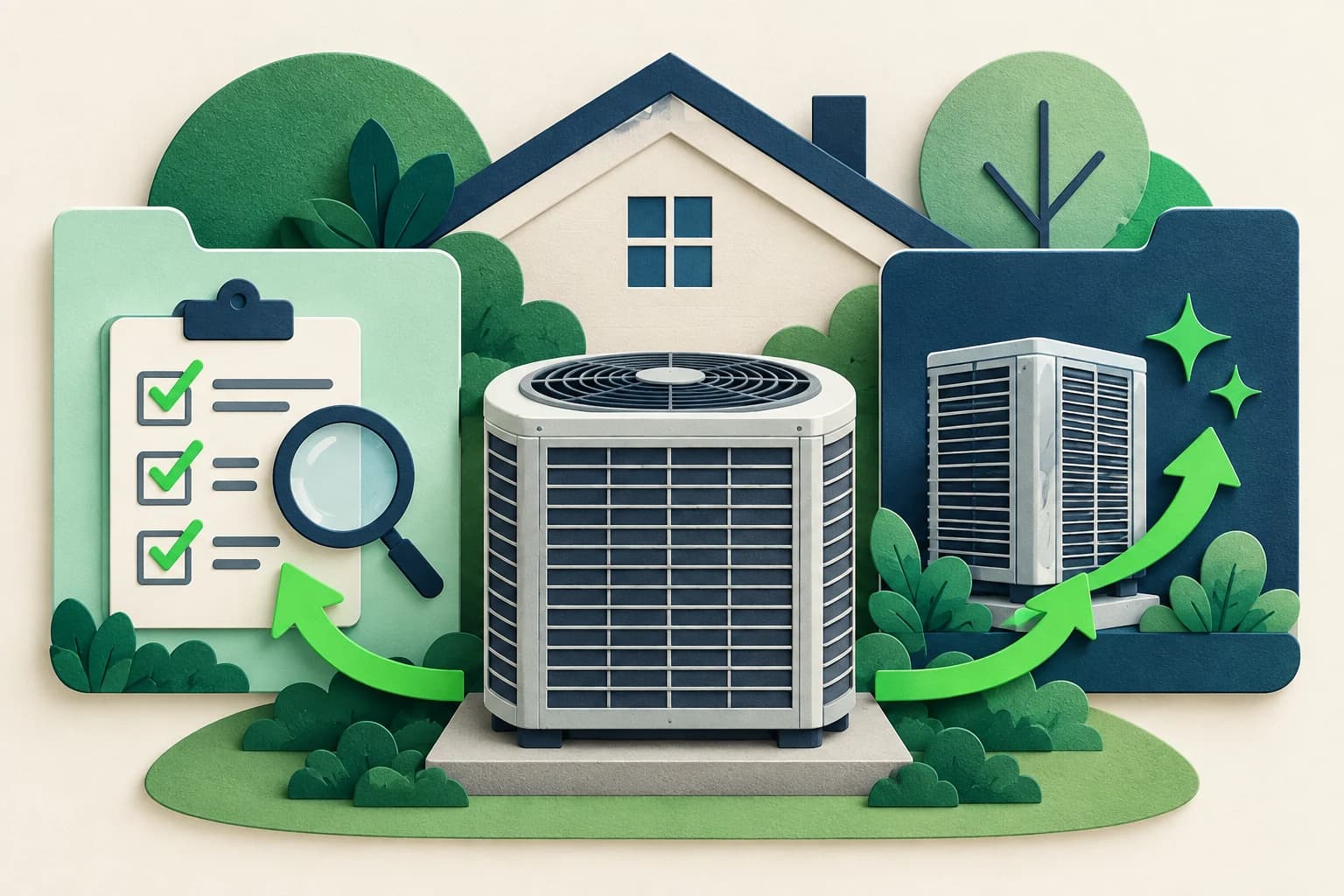
HVAC Repair or Replacement: Enquiry Questions
Use HVAC enquiry questions to capture the customer's concern, property context and contact preference while leaving diagnosis and quotes to technicians.

Quote or Estimate? AI Front Desk Reply Templates
Use clear quote-versus-estimate replies, scope questions and approval checks so your AI front desk does not promise a price your team has not agreed.

Service-Area Answers: Scripts for Local Businesses
Give clear service-area answers with location questions, boundary scripts and a practical handoff record for local service enquiries.