HVAC AI Agent: After-Hours Calls to Booked Jobs
How an HVAC AI agent answers after-hours inquiries, separates a no-heat emergency from a maintenance question, and hands your dispatcher a ready-to-book job.
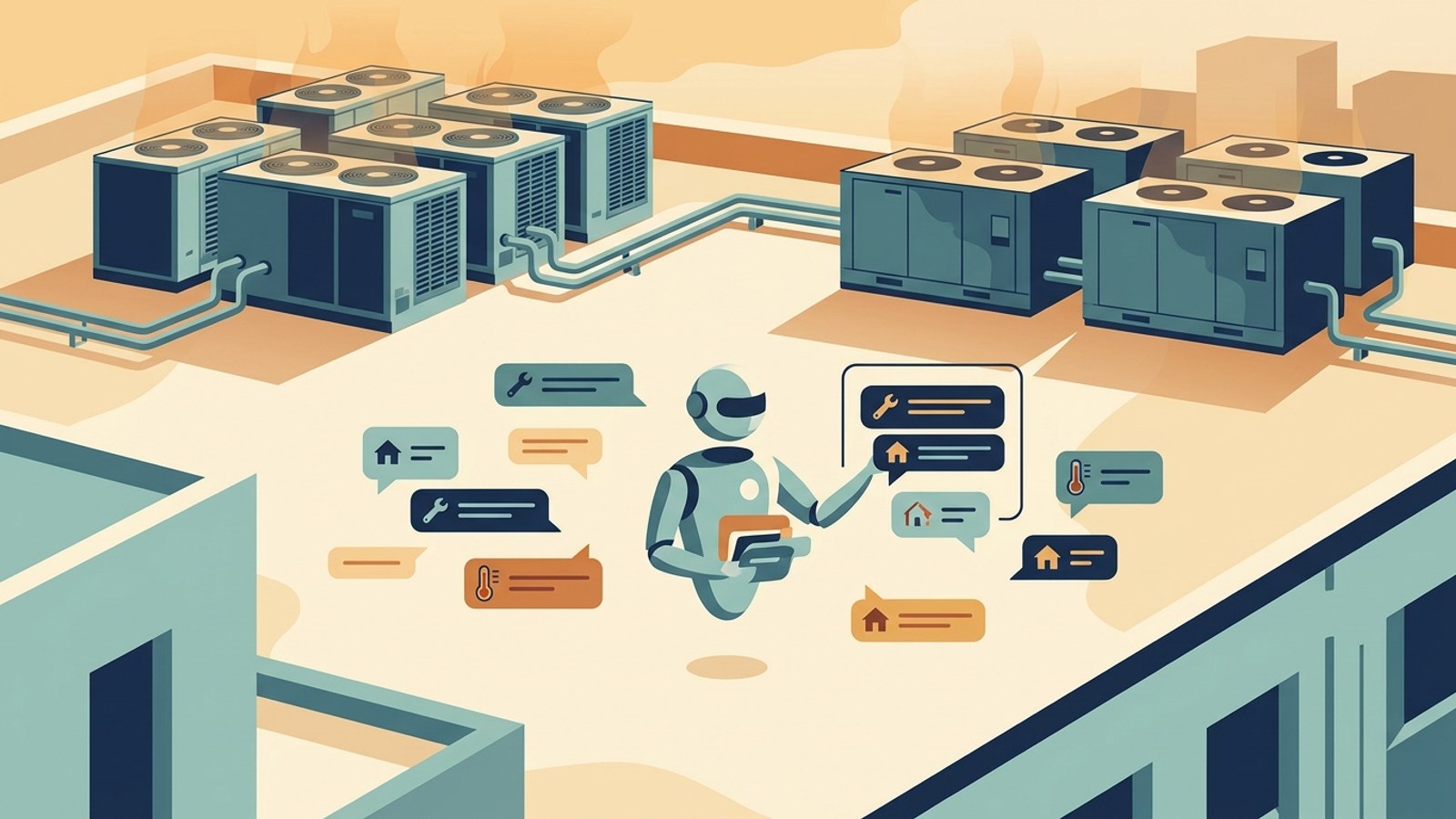
TL;DR: An HVAC AI agent is a chat-based system — website widget, WhatsApp, Instagram DM, Facebook Messenger — that answers homeowner inquiries the moment they arrive, asks the qualifying questions a good dispatcher would ask (system type, age, symptom, urgency, ZIP), tells a genuine no-heat or no-cool emergency apart from a routine maintenance question, and hands your office a structured job ticket instead of a voicemail. It does not take phone calls (voice is on Hyperleap's roadmap, not shipped) and it does not write directly into ServiceTitan or Jobber — it delivers the ticket by email (or by webhook, on Pro and Max), and your team enters it. The bigger win isn't just after-hours coverage; it's an office that stops fielding the same fifteen questions between every dispatch call during a heat-wave week.
What an HVAC AI Agent Actually Is
An HVAC AI agent is software that has a conversation with a homeowner — in writing, not by voice — and turns that conversation into a qualified job your office can act on. It lives on your website chat widget and, if you turn them on, WhatsApp Business, Instagram DM, and Facebook Messenger. Behind it sits a knowledge base built from your own service documents: service area, brands you work on, hours, financing options, maintenance-plan terms. The agent answers from what you've given it, asks the questions your dispatcher would ask next, and stops short of anything that requires a technician's judgment.
Two things this is not, stated plainly, because the category gets muddled by marketing:
It is not a phone system. If someone calls your main line, they reach whatever you already have set up — your team, your answering service, your voicemail. The AI agent covers the chat and messaging channels, which is a growing but separate share of how homeowners reach out today. Voice is on Hyperleap's roadmap; it is not a current capability, and any vendor implying otherwise about their own "voice AI" for HVAC deserves a skeptical follow-up question about what's actually shipped versus demoed. If you're specifically weighing a chat agent against a live phone answering service, our direct comparison walks through where each one wins.
It is not a dispatcher. The agent collects the details — problem, system, address, urgency, preferred time window — and hands them to a human. It doesn't assign a technician, doesn't hold a slot on your calendar, and doesn't make the call on whether a job is truly an emergency. That judgment stays with your office, same as it does today when a call comes in. The AI's job is to make sure the right message reaches the right person fast, in the language and shorthand a dispatcher can act on immediately.
Hyperleap AI frames this as an AI front desk: one system across your channels that follows the same loop every time — answer, qualify, verify, book, route, report. It answers the inbound message, asks the qualifying questions, verifies contact details through a lead form, shares your booking link when the homeowner is ready to schedule, routes anything urgent or out-of-scope to a human, and reports the outcome back to your team by email or webhook. This is the same underlying mechanism described in our broader AI receptionist guide and in how an AI receptionist works — HVAC is one configuration of it. For the industry-wide version of this pattern beyond HVAC, see the home services AI agent overview, or the trade-specific pages for plumbing and electrical if you run a multi-trade shop. And if you've already read the general AI chatbot for HVAC companies overview, this piece goes deeper on the triage and handoff mechanics specifically.
The Real Problem Is Interruption, Not Just the Night Shift
Most HVAC AI pitches lead with the 2 a.m. no-heat call, and that scenario is real. But if you run the front office at an HVAC company, the sharper pain usually isn't the handful of true after-hours emergencies — it's that the same fifteen questions land on your desk all day, every day, between the calls that actually need you. "What's your service area?" "Do you work on Trane units?" "Can someone come out today?" "Do you offer financing?" Each one takes thirty seconds to answer and forty-five minutes to get back to because you were mid-dispatch when it arrived.
That's the case for an HVAC AI agent worth making first: it's relief from constant interruption, not just a night-shift replacement. A dispatcher who isn't stopping to answer "what areas do you cover?" for the sixth time today gets through the actual schedule faster. The after-hours coverage is a real and welcome side effect — it matters most to businesses that already get meaningful traffic outside business hours — but it's a clause in the pitch, not the whole pitch. An office that only ever operated 9-to-5 and never took an evening call still benefits from an agent that intercepts the routine questions competing for attention with the technician standing in front of you asking where the next job is.
Seasonal Surge Intake: When Every System Fails at Once

HVAC demand doesn't arrive evenly. The first real heat wave of the season, or the first hard cold snap of winter, doesn't nudge inquiry volume up — it spikes it, because every unit that's been quietly limping along finally gives out in the same 72-hour window. A front office staffed for a normal Tuesday is instantly underwater, and the callers who don't get through don't wait patiently; they move to the next search result.
An HVAC AI agent doesn't need extra staffing to absorb that spike, because it isn't a person working a shift — it's the same system whether five inquiries or fifty arrive in an hour. Every homeowner gets an immediate response: acknowledgment, a couple of qualifying questions, and either a booking link or a flagged emergency, depending on what they describe. What used to be a pile of unanswered voicemails by Monday morning becomes a sorted queue your office can work through in order of urgency.
This doesn't replace the work of planning for surge season — staffing your technicians, stocking common parts, running seasonal maintenance-plan campaigns before the surge hits. It removes one specific bottleneck: the front-office capacity to intake the volume in the first place, separate from the capacity to service it. For a deeper look at building a surge-ready front office specifically, our companion piece on handling HVAC seasonal call surges covers the staffing and workflow side in more detail; this piece focuses on how the agent itself qualifies and routes what comes in. The pattern isn't unique to HVAC — why home service businesses lose jobs to faster rivals and capturing emergency service calls 24/7 cover the same intake problem across trades, and our response-time-to-conversion data explains why speed of first reply matters as much as the eventual answer.
Emergency vs. Maintenance Triage: The Questions a Dispatcher Actually Asks

The single most valuable thing an HVAC AI agent does is ask the right questions before a human gets involved — the same questions an experienced dispatcher asks by instinct, encoded as the conversation flow.
| Question | Why a dispatcher asks it | What the AI does with the answer |
|---|---|---|
| System type (AC, furnace, heat pump, mini-split) | Determines which technician skill set and parts are relevant | Routes the conversation and, where configured, flags which crew handles that system |
| System age (roughly) | An old unit failing outright reads differently than a new one with a minor issue | Feeds context to your team, not a diagnosis — the AI never guesses what's wrong |
| Symptom, in the homeowner's words | "No heat at all" and "makes a rattling noise" are very different urgency levels | Matches against the urgency signals your practice has configured, not a fixed script |
| Urgency / how long it's been happening | A unit that quit an hour ago vs. one that's been struggling for three days changes the response window | Distinguishes a genuine emergency from a job that can go on tomorrow's schedule |
| Address / ZIP code | Confirms the homeowner is in your service area before anyone's time is spent | Filters out-of-area inquiries early instead of after a callback |
| Preferred contact and time window | Lets your office call back at a time that actually works | Passed straight through to the job ticket |
A genuine emergency — no heat with an infant or elderly resident in the home, active water leak from a failed unit, gas smell — gets flagged and routed to whatever contact your team has configured for urgent alerts. A maintenance-plan question or a "can someone come next week" request gets qualified the same way but routed into your normal scheduling flow instead of triggering an urgent alert. Neither gets ignored; they just don't compete for the same attention.
What the AI does not do
The agent identifies urgency signals and routes accordingly — it does not diagnose the mechanical problem, and it never tells a homeowner what's wrong with their system or whether they're safe to wait. If gas or carbon monoxide is mentioned, the correct response is always to direct the homeowner to call emergency services or their gas utility directly, not to wait on a chat reply. Configure that escalation explicitly; don't assume the AI infers it.
Price-Range Conversations Without Overpromising
"How much will this cost?" is one of the first questions almost every homeowner asks, and it's also where a lot of HVAC chat tools get honesty wrong — either dodging the question entirely or inventing a number that doesn't hold up once a technician is on-site.
The right approach, and the one an HVAC AI agent should be configured for, is to answer from whatever price ranges and pricing philosophy your business has actually documented — a diagnostic fee, a typical range for a common repair category, how your business prices emergency versus standard-hours visits — and to be explicit about what still requires an on-site look. "A typical service call diagnostic runs $X-$Y; exact repair pricing depends on what the technician finds" is an honest, useful answer. A number invented on the spot for a repair no one has inspected is not, and it creates a customer expectation your technician then has to walk back in person.
This is a knowledge-base decision your team makes once — what ranges you're comfortable sharing, and where you'd rather the AI say "our technician will provide an exact quote after inspecting the unit" — not something the AI decides for you. Financing options (if you offer them) work the same way: documented and shared when relevant, not guessed at.
Maintenance-Plan Lead Capture
Emergency calls get the attention, but maintenance-plan renewals and new sign-ups are the more predictable revenue line for most HVAC businesses, and they're exactly the kind of inquiry that gets crowded out during a busy week. A homeowner asking "do you have a fall tune-up plan?" or "when is my furnace inspection due?" is not urgent, which is precisely why it's easy for that message to sit unanswered for two days while the office handles no-heat calls — and by the time someone replies, the homeowner has decided to skip the tune-up this year.
An HVAC AI agent answers that question the moment it arrives, from your documented plan terms and pricing, and can share your booking link directly if the homeowner wants to schedule. It doesn't compete with emergency intake for attention because it's the same system handling both in parallel, not a person choosing which message to answer first. Over a full season, that's the difference between plan customers who quietly lapse because no one got back to them and plan customers who stay current because the answer was instant.
From Chat to Job Ticket: The Handoff Your Dispatcher Gets

None of the qualifying work above matters if the output is a wall of chat transcript your office has to re-read and manually re-type into a job board. The handoff is the part that actually saves time.
Every qualified conversation on Hyperleap AI produces a structured lead record — name, contact details, address, system type, symptom, urgency, preferred time — delivered to your team as an email summary, and available through the REST API and webhooks (on Pro and Max: lead created, new message, reply, conversation started) if you want to pipe it into whatever system you already use to track jobs. That's the honest framing: it's a webhook or an email-based ticket, built to plug into your existing dispatch tool, not a native integration that writes a job directly into ServiceTitan, Jobber, Housecall Pro, or any other field-service platform. Those platform-specific integrations are on Hyperleap's roadmap, not shipped today — if a vendor claims a native ServiceTitan integration exists, ask to see it live rather than in a slide.
For a business with a developer or an integration tool (Zapier-style automation, once that connector ships, is also roadmap rather than live today), the webhook payload gives you what's needed to build that connection once. For most HVAC offices, the email summary alone is the practical day-one workflow: your office manager reads the ticket, opens the dispatch board, and enters it — the same motion as transcribing a phone call, just with none of the details missing or garbled. If you're evaluating this against simply answering every message yourself through a general-purpose FAQ chatbot, the difference is the structured qualification and handoff — a generic FAQ tool answers questions well but doesn't produce a dispatch-ready ticket the way a purpose-built HVAC AI agent does.
See the handoff for yourself
Chat with a live Hyperleap AI agent and watch the job ticket it produces — then decide if your dispatcher would actually want to work from it.
Try the DemoMulti-Location HVAC Contractors: One Knowledge Base, Every Branch
A single-location HVAC shop can run one knowledge base and be done. A contractor operating across several branches or franchise territories has a harder problem: pricing, service area boundaries, and even brand-specific service capability can differ by location, but the answers still need to come from one place your marketing and ops teams actually maintain.
Hyperleap AI's Multi-variant (locations, courses, etc) add-on ($40/month, available on Pro and Max plans) is built for exactly this. Your agent already answers from your knowledge base; with several similar branches in it, the add-on makes sure a homeowner asking about Branch A gets Branch A's hours and pricing, not Branch B's, without separate chatbots per location. A question that doesn't name a branch gets "which branch are you near?" instead of a guess, and "which branches are open Sunday?" gets checked against every branch. This is a paid add-on gated to Pro and Max, not something bundled into every plan — worth it once you're managing more than a couple of locations, unnecessary overhead if you're not.
Setting It Up
Getting an HVAC AI agent live is closer to onboarding than to a software rollout:
- Build the knowledge base. Service area by ZIP or city, brands and system types you service, hours (including holiday and emergency-line hours), maintenance-plan terms, financing options if any, and whatever pricing ranges you're comfortable sharing.
- Configure the qualifying flow. Decide what counts as an emergency for your business specifically, and where an urgent alert should go — a specific phone, an on-call rotation, a shared inbox.
- Set up channels. Website widget at minimum; add WhatsApp, Instagram DM, or Facebook Messenger if your customers already reach you there. Every channel runs from the same knowledge base and qualifying flow. See how the WhatsApp channel specifically fits an HVAC business that already fields service requests over text.
- Configure the lead form and handoff. What details you collect before the chat starts, and where the finished ticket goes — email, webhook, or both.
- Test with real scenarios. Run the actual questions your office hears — a no-heat call, a maintenance-plan question, a pricing question, a genuine emergency — and check the agent handles each correctly before it's live.
Most HVAC companies can have this running in a few days; the pace is set almost entirely by how quickly you can pull together the service documentation, not by anything technical. Managed Setup ($299 Free, available on every plan) is there if you'd rather have Hyperleap's team build it from your materials — full details on what's included live on the HVAC AI agent page.
How Hyperleap AI Fits Your HVAC Front Desk
Hyperleap AI is the AI agent for HVAC companies — built for businesses that need a reliable, always-on front desk across chat and messaging — not a demo bot, and not a phone replacement, but a system grounded in your own service documentation that actually answers what homeowners ask and hands your office a job it can act on.
For an HVAC business specifically, that means: document-grounded answers on service area, pricing ranges, and maintenance plans; a lead form that captures contact details before the conversation starts, so no inquiry goes unidentified; emergency-signal routing that alerts your team immediately without the AI ever pretending to diagnose the mechanical problem; a structured job ticket by email or webhook, not a transcript dump; and coverage across your website chat widget, WhatsApp, Instagram DM, and Facebook Messenger from a single knowledge base. Every message arrives in 100+ languages if your service area is linguistically diverse.
Plans start at Plus ($40/month) for a single chatbot, Pro ($100/month) for two chatbots and white-label branding, and Max ($200/month) for up to five chatbots — all with a 7-day free trial (a credit card is required; there is no free plan). Multi-variant (locations, courses, etc) for multi-location contractors is a $40/month add-on on Pro and Max. See the full pricing breakdown for exact plan details. If you're comparing the AI agent path against continuing to hire front-office staff, our cost comparison breaks down that math directly, and our AI receptionist cost guide covers pricing across the category more broadly. Plumbing and electrical shops running the same seasonal-surge playbook can see the trade-specific versions at AI chatbot for plumbers and AI chatbot for electricians, and a broader platform comparison for the category lives at conversational AI for customer service.
This is not a phone system, a dispatch platform, or a field-service management tool. It's the messaging layer that sits between a homeowner's first message and a job ticket your team can act on — covering the hours your office isn't fully staffed, and just as usefully, absorbing the routine questions that interrupt the hours it is.
Stop losing service calls to whoever answers first
Start your 7-day free trial and see how fast a real HVAC knowledge base turns into a live agent.
Start Free TrialFAQ
Does an HVAC AI agent answer phone calls?
No. It operates on chat and messaging channels — your website widget, WhatsApp, Instagram DM, and Facebook Messenger — not on your phone line. If a homeowner calls, they reach whatever phone setup you already have (your team, an answering service, or voicemail). Voice is on Hyperleap's roadmap, not a current capability. If your business is genuinely phone-heavy, an HVAC AI agent is designed to run alongside your phone coverage, not replace it — see our comparison of AI receptionists vs. answering services for a direct breakdown of when each fits.
How does it tell a real emergency from a routine maintenance question?
It asks the same qualifying questions a dispatcher would — system type, symptom, how long it's been happening, and any urgency signals (no heat with vulnerable residents in the home, active leaks, a gas smell) that your business has configured as emergency triggers. Genuine emergencies get routed to an urgent alert immediately; routine questions go into your normal scheduling flow. The AI identifies and routes urgency signals — it does not diagnose the mechanical problem or tell a homeowner whether they're safe to wait.
Does it connect to ServiceTitan or Jobber?
Not natively today. Hyperleap AI delivers every qualified lead as an email summary and, if you want to build a connection, exposes a REST API and webhooks (on Pro and Max: lead created, new message, reply, conversation started) that a developer or an existing integration tool can use to push data into whatever system you use to track jobs. Native, pre-built integrations for specific field-service platforms are on the roadmap, not shipped. Most HVAC offices run day-to-day off the email ticket alone.
Can it give an exact repair price?
It can share whatever price ranges, diagnostic fees, and financing terms your business has documented — and it will say so explicitly when a question needs an on-site inspection to answer accurately. It does not invent repair prices for a unit no technician has looked at; that protects both the homeowner's expectations and your technician's ability to quote accurately once they're there.
Is this useful if my HVAC business doesn't take many after-hours calls?
Yes. After-hours capture is one benefit, but the more consistent value for most HVAC offices is relief from the same routine questions — service area, pricing ranges, plan terms, availability — landing throughout a normal business day, competing for attention with dispatch and technician calls. An HVAC AI agent handles that volume in parallel regardless of when it arrives.
What does it cost, and how fast can I go live?
Hyperleap AI plans start at $40/month (Plus), with Pro at $100/month and Max at $200/month; all include a 7-day free trial (credit card required, no free plan). Most HVAC companies go live within a few days of preparing their service documentation — see the full pricing details. Managed Setup ($299 Free) is available if you'd rather have the Hyperleap team build it from your materials.
Industry Solutions
See how AI chatbots work for these industries:
Related Articles
HVAC Repair or Replacement: Enquiry Questions
Use HVAC enquiry questions to capture the customer's concern, property context and contact preference while leaving diagnosis and quotes to technicians.

Quote or Estimate? AI Front Desk Reply Templates
Use clear quote-versus-estimate replies, scope questions and approval checks so your AI front desk does not promise a price your team has not agreed.

Service-Area Answers: Scripts for Local Businesses
Give clear service-area answers with location questions, boundary scripts and a practical handoff record for local service enquiries.

AI Answering Service for Plumbers: What's Automated
A plain breakdown of what an AI answering service actually automates for plumbing companies — and what's still roadmap, not shipped.