Import Brand (Quick Setup)
The fastest way to brand your chatbot is using Import Brand. Enter your website domain and Hyperleap will automatically extract your brand colors and logo.
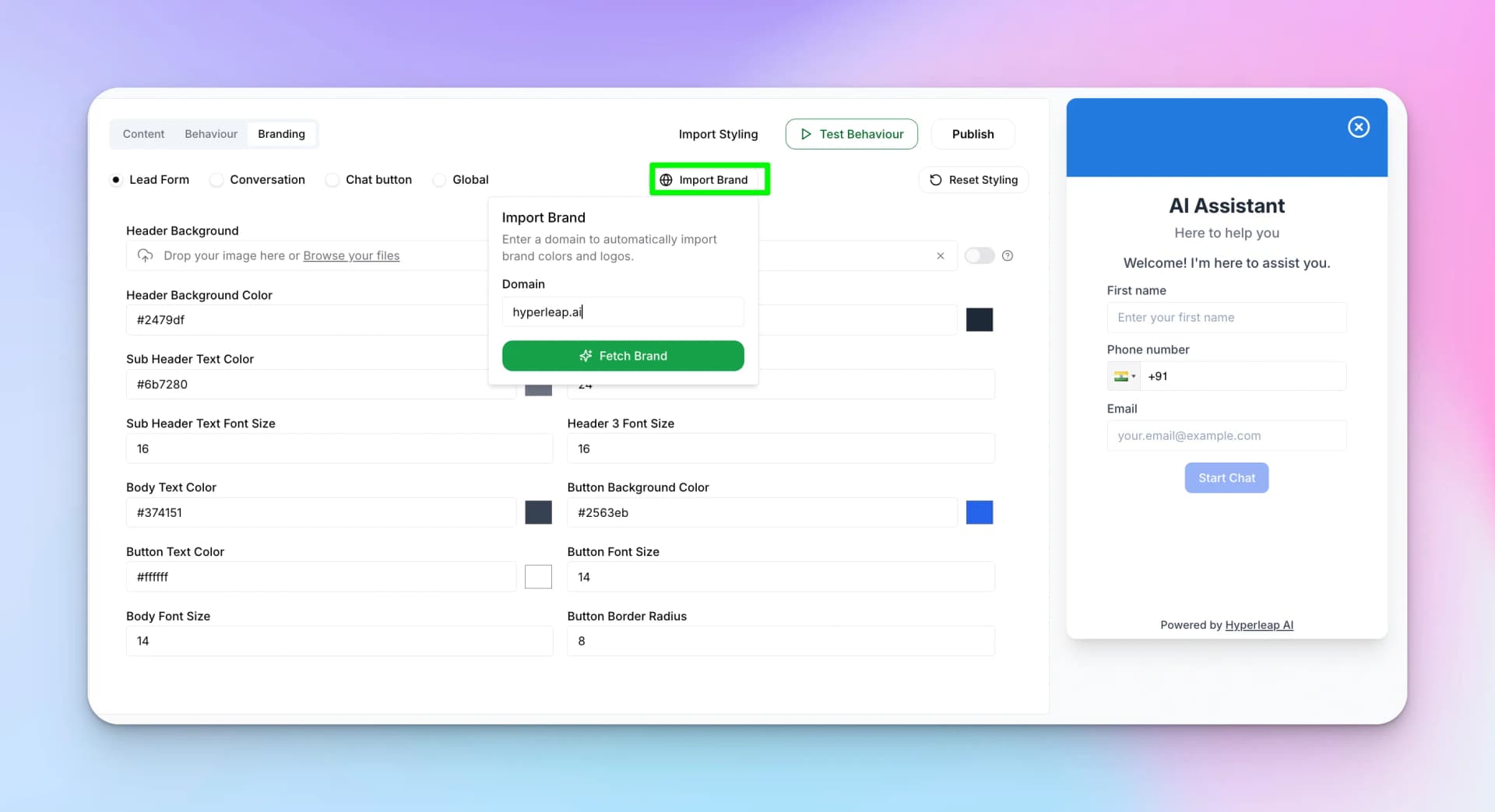
How to Use Import Brand
- Click "Import Brand" in the Branding tab
- Enter your domain (e.g., "hyperleap.ai")
- Click "Fetch Brand"
- Review the extracted brand elements
- Select which elements to apply
- Click "Confirm & Apply Changes"
Confirm Brand Import
After fetching your brand, you'll see a preview of all extracted elements. Select which ones to apply to your chatbot.
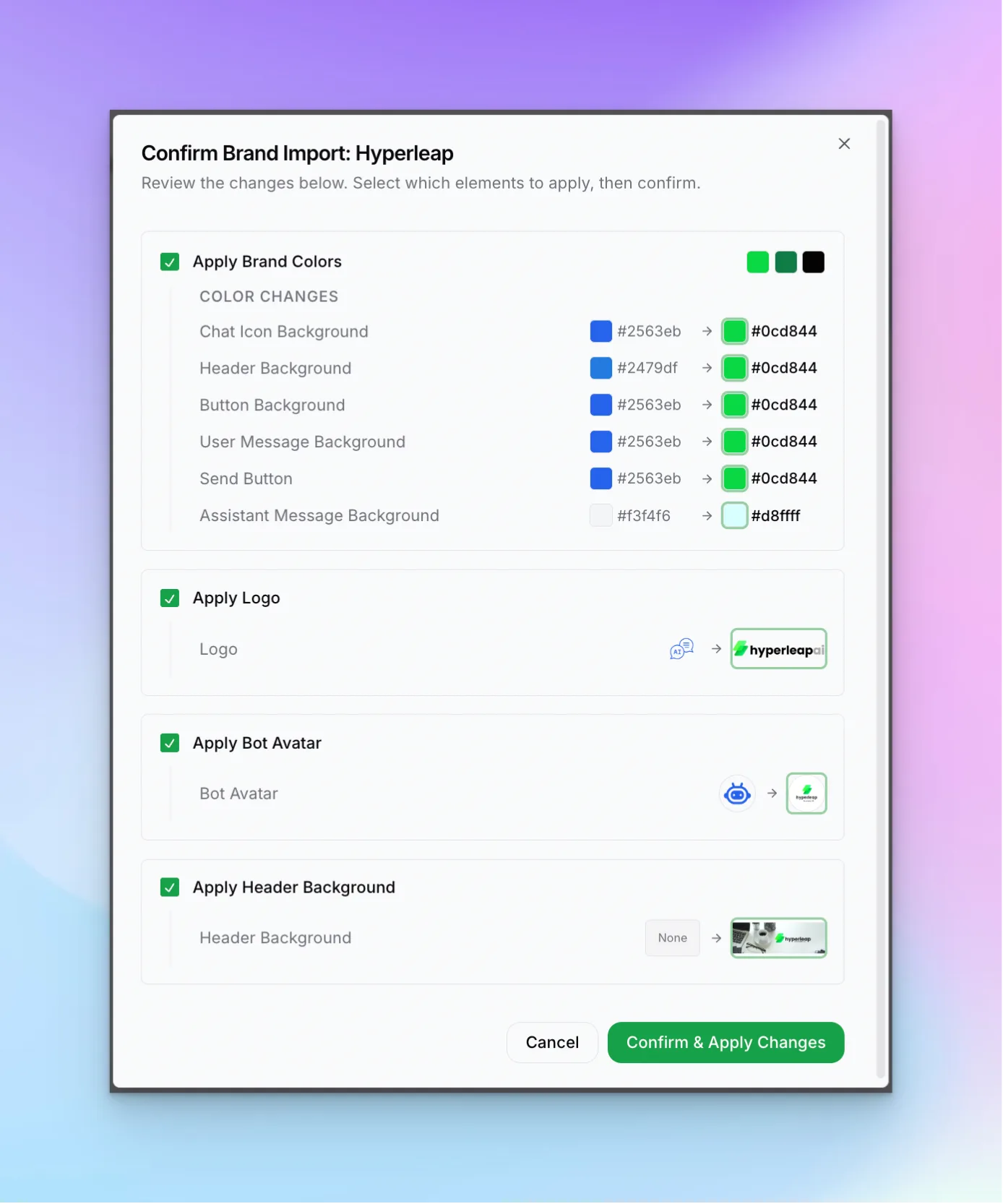
Importable Elements
Brand Colors
Header background, button colors, message backgrounds
Logo
Your company logo for the chat header
Bot Avatar
Avatar image for bot messages
Header Background
Background image for the chat header
Tip:
You can uncheck any elements you don't want to import. For example, keep your custom colors but import just the logo.