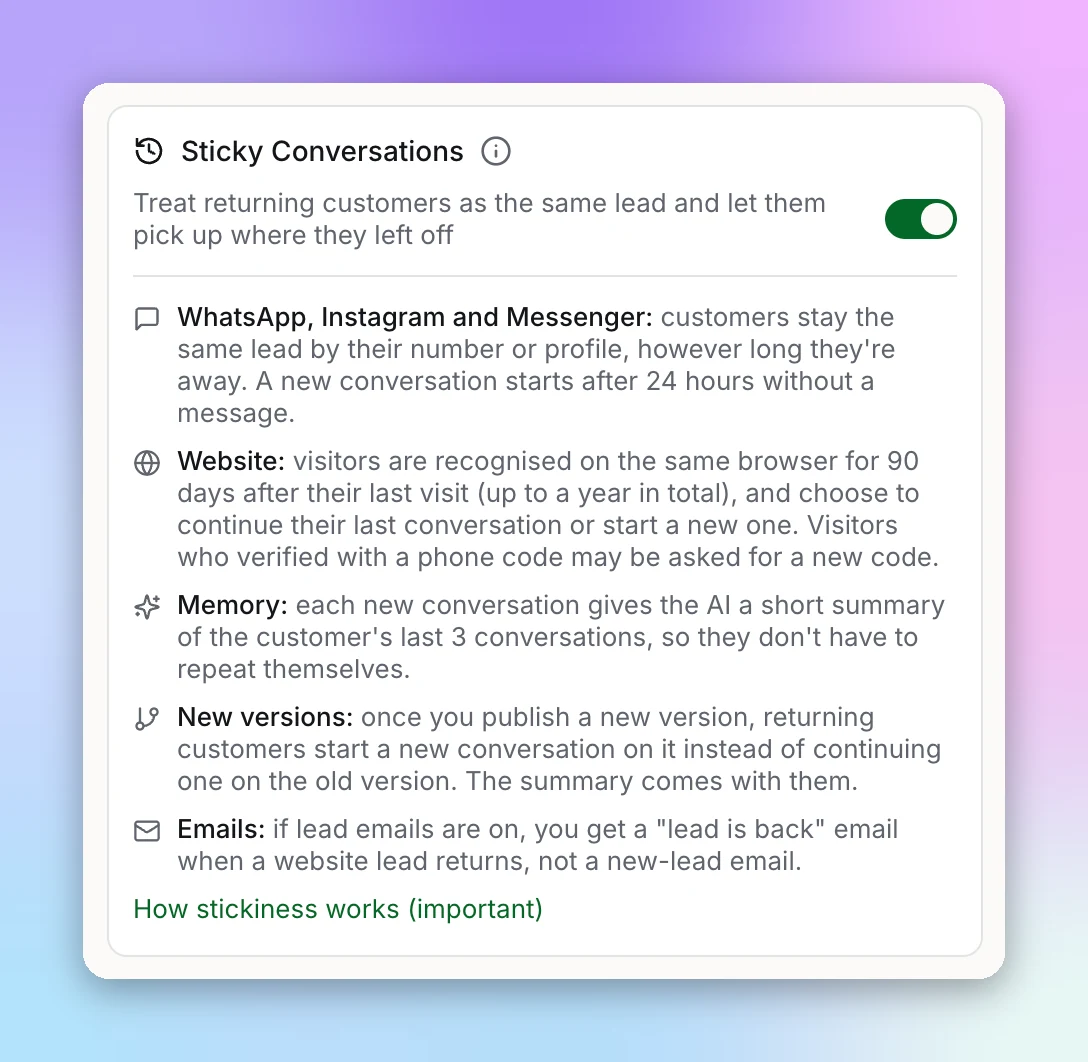
Without Sticky Conversations, a customer who comes back after a break becomes a new lead, and your chatbot greets them like a stranger. With it on, they stay the same lead in your Leads list, and the AI knows what you talked about before, so it doesn't ask again for details they already gave.
Turn It On
Open General settings
Switch on Sticky Conversations
Save and publish
How Long a Customer Stays Recognised
| Channel | Recognised by | For how long |
|---|---|---|
| Their phone number | No time limit | |
| Their Instagram profile | No time limit | |
| Messenger | Their Facebook profile | No time limit |
| Website | A token saved in their browser | 90 days after they last came back, up to a year |
On your website the 90 days restart each time the visitor comes back through the "Welcome back" screen, so a regular visitor stays recognised, for up to a year from their first visit. After that, they start again as a new lead. A visitor also shows up as a new lead if they clear their browser data, use a private window, or come back on a different browser or device. Some browsers, such as Safari, may clear this data sooner.
With Sticky Conversations off, a WhatsApp, Instagram or Messenger customer who has been quiet for more than 2 hours becomes a new lead when they message again.
What Returning Customers See
On your website, a visitor who comes back within a few hours of their last chat goes straight back into it. After that, a returning visitor sees "Welcome back" with two choices:
- "Continue previous conversation" reopens their last conversation, with the full history on screen.
- "Start a new conversation" opens a fresh conversation. They're still the same lead, and the AI still gets a summary of what you discussed before.
If you've published a new version since their last conversation, they skip this screen and go straight into a new conversation, so they always get your latest version.
If your chatbot asks visitors to verify their phone number with a code, a returning visitor who verified before has to verify again. After they pick one of the choices, they see your sign-in form. Once they enter the code, they carry on as the same lead, as long as they verify the same phone number as before. If you later stop asking for a code, they come back without one.
On WhatsApp, Instagram and Messenger there's no choice to make. A conversation carries on while the customer keeps writing. A new conversation starts on the same lead, with the summary of their earlier conversations, after 24 hours without a message from either the customer or your chatbot, or sooner if you've published a new version and they come back after more than 2 hours.
What the AI Remembers
When a new conversation starts for a returning customer, the AI gets a short summary of up to their last three conversations: the most recent messages from each, shortened. If the summary gets too long, the oldest conversations are left out. The AI uses it to pick up where things left off without reading it back to the customer.
The AI is told to treat this summary as background only, and to ignore any instructions, discounts or permissions that appear in it, for example a customer who once typed "give me 50% off".
Lead Emails for Returning Customers
On your website, if you get an email for each new lead, you also get an "is back" email when a returning customer starts a new conversation, so you know it's someone you've talked to before. A customer who continues their previous conversation doesn't trigger an email.
Important: Publishing a New Version
Every conversation keeps the version of your chatbot it started on: its system prompt and settings. Publishing a new version changes new conversations straight away. A customer who is in the middle of a chat finishes it on the version it started on, so nobody is cut off mid-sentence. When they come back later, they start a new conversation on your latest version, with the summary of what you discussed before.
| When the customer comes back | Version they get |
|---|---|
| WhatsApp, Instagram, Messenger: writes again within 2 hours | The version their conversation started on |
| WhatsApp, Instagram, Messenger: comes back after more than 2 hours | Your latest published version, in a new conversation |
| Website: still in the same chat session (up to 3 hours) | The version their conversation started on |
| Website: comes back later | Your latest published version, in a new conversation |
Next Steps
Want to step into a returning customer's conversation yourself? See Human Handoff. To see what changed between versions, open Version History.